I've NitroPack plugin - HandL UTM Grabber Guide
UTM attribution overview
This guide explains I've NitroPack plugin - HandL UTM Grabber Guide. It helps you capture UTM source, medium, campaign, term, content, click IDs, referrer, and landing page data and keep the marketing context needed for accurate reporting across forms, bookings, signups, and sales.
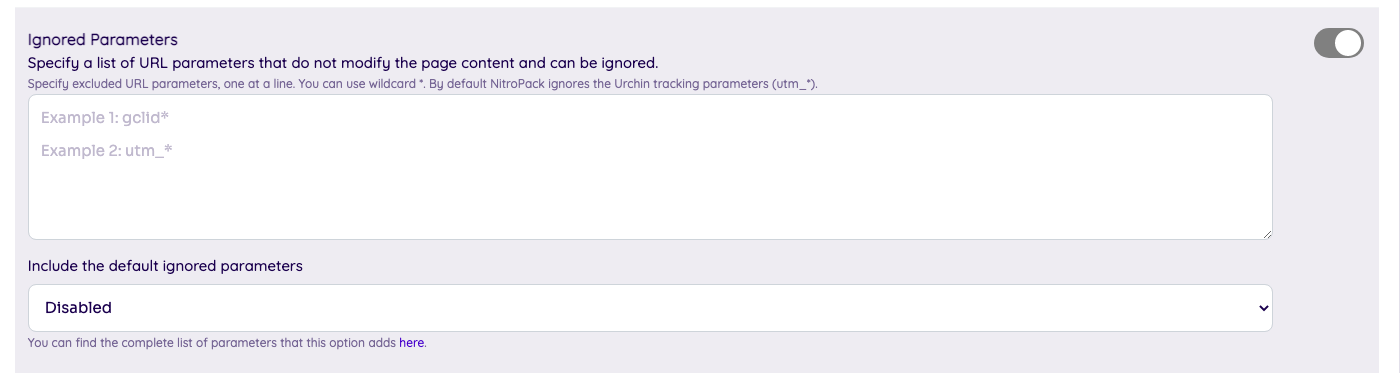
1) Ignored parameters
Make sure "Include the default ignored parameters" is disabled.
2) Excluded Cookies (Now Obsolete, see Variation Cookies below instead)
Add the following cookies and all the custom parameters you created in "Excluded Cookies" section.

utm_campaign, utm_source, utm_term, utm_medium, utm_content, gclid, first_utm_campaign, first_utm_source, first_utm_term, first_utm_medium, first_utm_content, handl_original_ref, handl_landing_page, handl_ip, handl_ref, handl_url, organic_source, gaclientid
//and all the custom parameters created by you
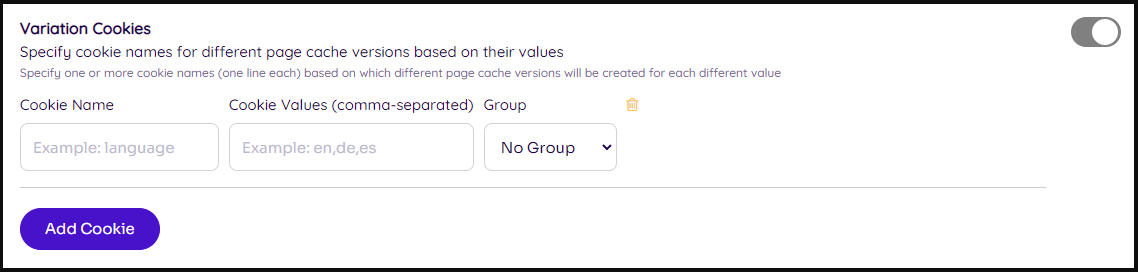
2) Variation Cookies
With Excluded ones (the method above), NitroPack wouldn't generate any cache for the pages containing your cookies.
While with Variation cookie, a new optimization would be created based on the different cookie values.
Still having problems? Let us know, clicking the chat bubble at the bottom right of the page.