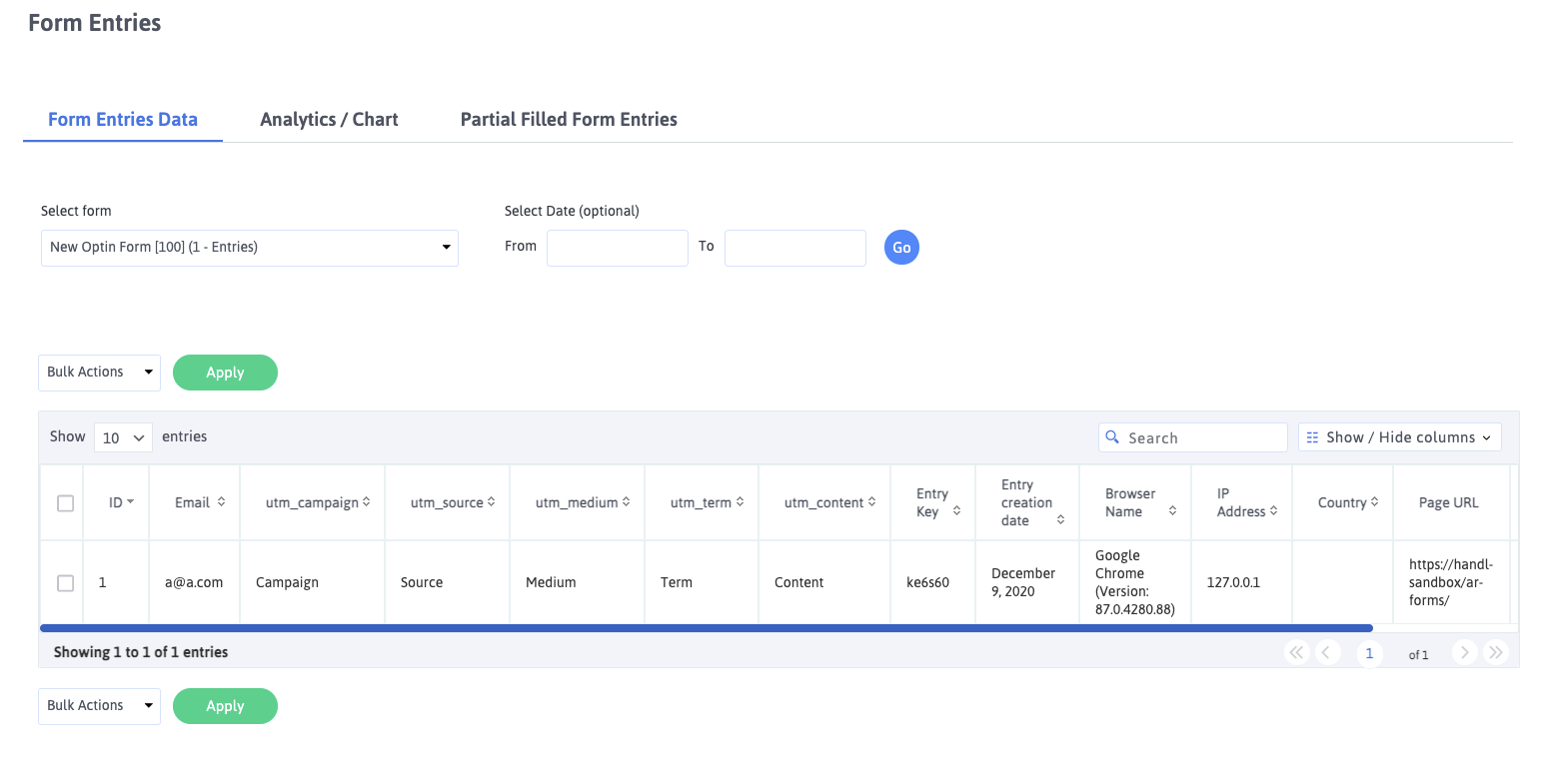
Collect UTMs in ARForms with HandL UTM Grabber
UTM attribution overview
This guide explains Collect UTMs in ARForms with HandL UTM Grabber. It helps you capture UTM source, medium, campaign, term, content, click IDs, referrer, and landing page data and keep the marketing context needed for accurate reporting across forms, bookings, signups, and sales.
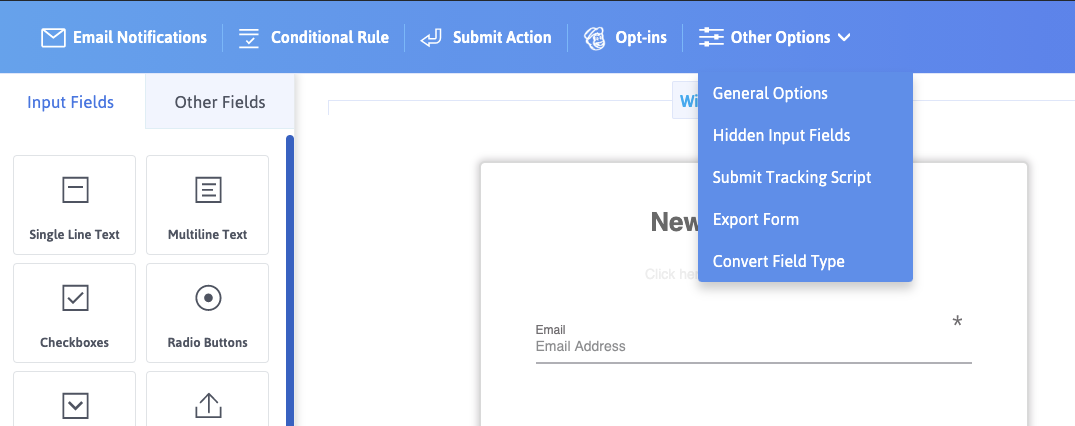
Click Hidden Input Fields from the menu
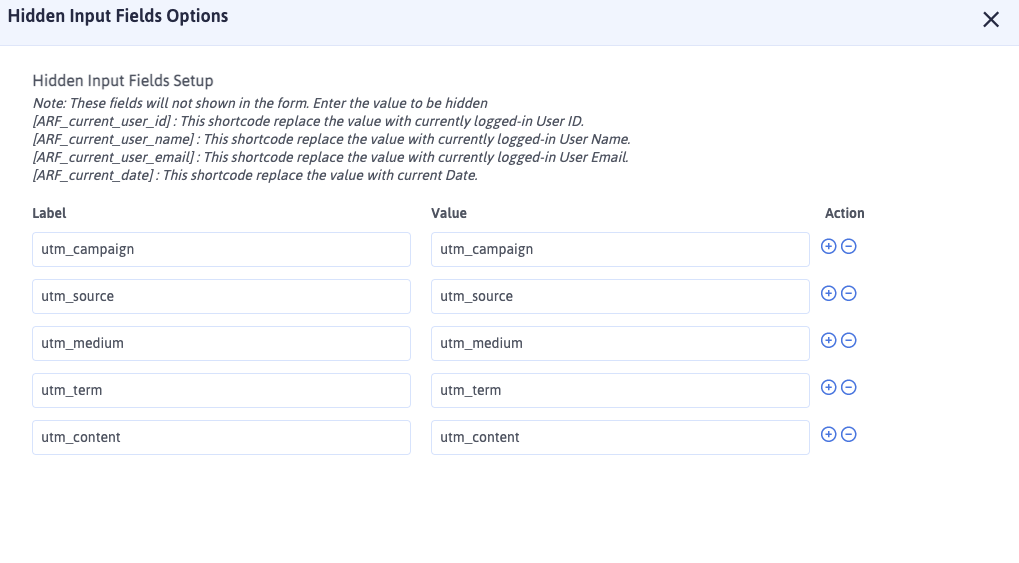
Add the UTM fields as shown below. Make sure value is NOT shortcode
After prospects fill out form, all the UTMs will be captured automatically.