Bloom Integration for UTM collection with HandL UTM Grabber
UTM attribution overview
This guide explains Bloom Integration for UTM collection with HandL UTM Grabber. It helps you capture UTM source, medium, campaign, term, content, click IDs, referrer, and landing page data and keep the marketing context needed for accurate reporting across forms, bookings, signups, and sales.
Here we are going to explain just for ActiveCampaign, but this is pretty much applicable to any email service provider (CRM) available in GBS.
1) Authorize your ActiveCampaign in Bloom.
We are not going to cover this part here, please see Bloom's own documentation for this.
2) Add the custom fields to your Bloom opt-in
Click gear icon for the optin and design. Scroll down to Custom Fields and select "Yes" and all the custom fields as shown below.

3) Add the following script to your footer section of the optin form.
You may need to modify the code to fit your need. such as changing the placeholder field to fit your field name.
<script>
jQuery( document ).ready(function() {
  jQuery('*[placeholder="UTM_Campaign"]').val(Cookies.get("utm_campaign"))
  jQuery('*[placeholder="UTM_Source"]').val(Cookies.get("utm_source"))
  jQuery('*[placeholder="UTM_Medium"]').val(Cookies.get("utm_medium"))
  jQuery('*[placeholder="UTM_Content"]').val(Cookies.get("utm_content"))
});
</script>
4) Hide the custom fields
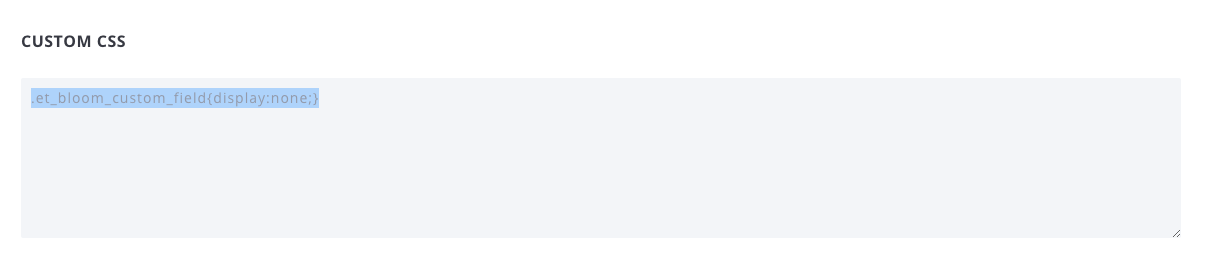
You can add the following CSS rule to hide the custom fields ut adding it to Custom CSS field in Bloom > Design
.et_bloom_custom_field{display:none;}