Brave (widget) builder UTM capture Integration with HandL UTM Grabber
UTM attribution overview
This guide explains Brave (widget) builder UTM capture Integration with HandL UTM Grabber. It helps you capture UTM source, medium, campaign, term, content, click IDs, referrer, and landing page data and keep the marketing context needed for accurate reporting across forms, bookings, signups, and sales.
Create the fields in Brave Form
As shown before. Field Name MUST match our parameter name. See our parameter name here Native WP Shortcodes
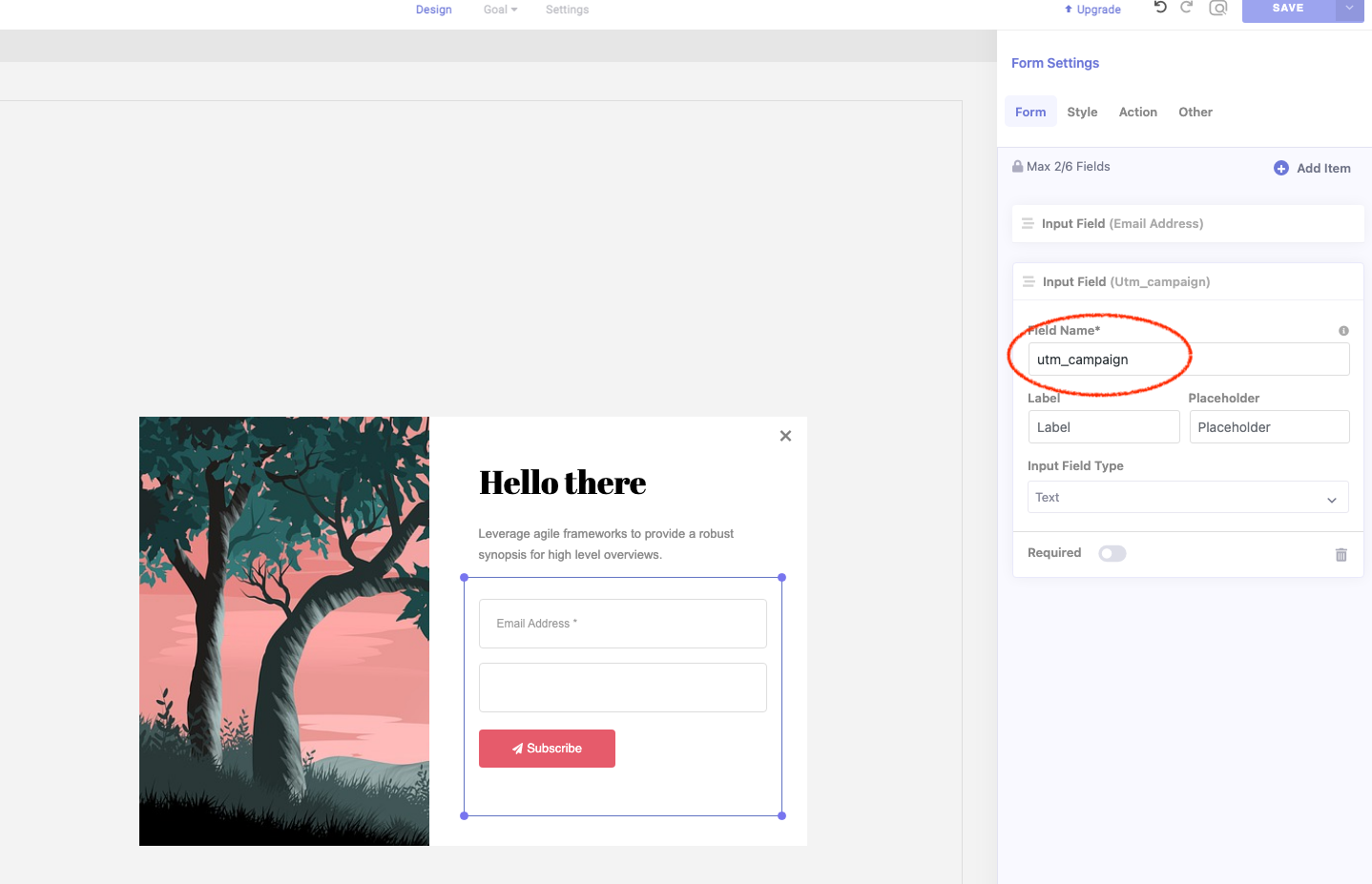
Add the following JS codes in your WP's footer
<script>
jQuery( document ).ready(function() {
	Object.entries(brave_popup_formData).forEach(entry => {
		var [k, v] = entry;
		var fields = JSON.parse(v.fields)
		Object.entries(fields).forEach(entry2 => {
			var [k2, v2] = entry2;
			if (v2.uid && handl_utm_all_params.indexOf(v2.uid) > -1){
				jQuery('#brave_form_field'+k2).hide()
				jQuery('[name="'+k2+'"]').attr('value',Cookies.get(v2.uid))
			}
		})
	})
})
</script>