``` #### NOTE: interestingly the wrapper div is required :) We have added only some UTMs, `organic_source` and `traffic_source` as an example. You can add as much fields as you wish. Make sure the class variable matches with our naming convention here [Native WP Shortcodes](https://docs.utmgrabber.com/books/102-getting-started-for-handl-utm-grabber-v3/page/native-wp-shortcodes) As long as you maintain that, our plugin will be able to aitofill the fields. After that you can test and go to Sendinblue to confirm [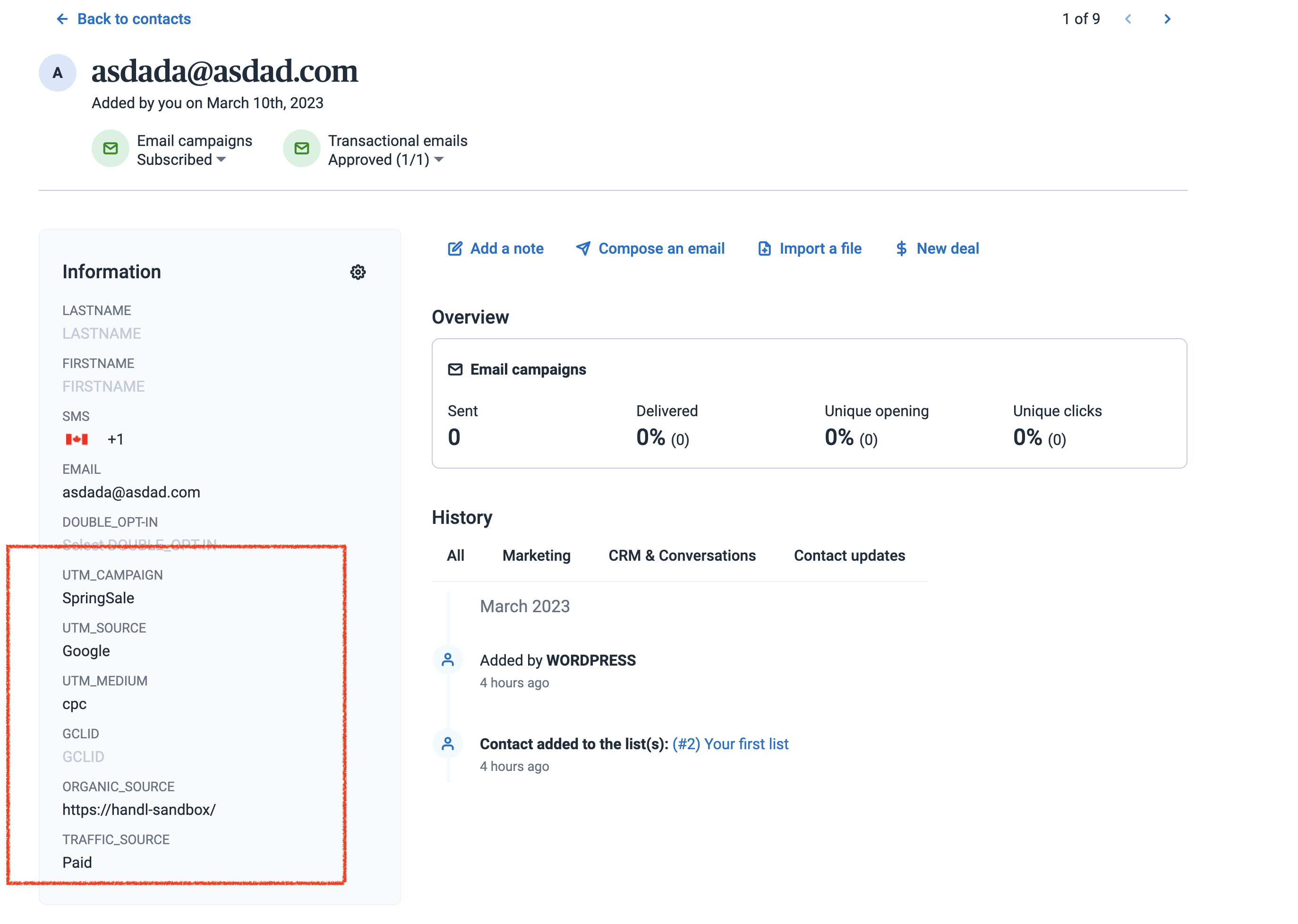](https://docs.utmgrabber.com/uploads/images/gallery/2023-03/image-1678499956690.png) # Send Brevo Sendinblue UTMs via Zapier or Webhook ## UTM attribution overview This walkthrough covers sending full UTM Grabber data from Brevo Sendinblue to Zapier, Make, or your own webhook. Handy when you need gclid, fbclid, first-touch fields, or custom params alongside the lead or order. For the primary setup, see [the main Brevo Sendinblue guide](https://docs.utmgrabber.com/books/brevo-sendinblue/page/track-utms-in-sendinblue-form). ### When a webhook makes sense Native fields in Brevo Sendinblue often stop at basic UTMs. A webhook lets you push everything UTM Grabber stores without trimming values or losing click IDs. ### Thank-you page script Paste this on your confirmation page. Swap in your Zapier or Make hook URL. ``` ``` Full pattern explained in [Triggering Zapier on Thank you Page](https://docs.utmgrabber.com/books/zapier-integration/page/triggering-zapier-on-thank-you-page). ### Quick Zapier / Make checklist 1. Create a Catch Hook trigger and copy the URL 2. Run a test conversion with UTMs in the landing URL 3. Confirm gclid, utm\_source, and email (if present) show up in the payload 4. Map fields into your CRM or spreadsheet Parameter reference: [Native WP Shortcodes](https://docs.utmgrabber.com/books/102-getting-started-for-handl-utm-grabber-v3/page/native-wp-shortcodes). Make users: see [Make Integromat integration](https://docs.utmgrabber.com/books/makecomintegromat-utm-tracking-integration).