Calendly UTM Tracking Integration
Capture UTM parameters in Calendly bookings with HandL UTM Grabber so source, medium, campaign, click ID, and referrer data follow every scheduled conversion.
UTM Tracking in Calendly using init with HandL UTM Grabber
UTM attribution overview
This guide explains UTM Tracking in Calendly using init with HandL UTM Grabber. It helps you capture UTM source, medium, campaign, term, content, click IDs, referrer, and landing page data and keep the marketing context needed for accurate reporting across forms, bookings, signups, and sales.
Please insert the following code. Make sure replacing the URL with yours.
<!-- Calendly inline widget begin -->
<div id="handlCalendly" class="calendly-inline-widget" style="min-width:320px;height:580px;" data-auto-load="false">
<script type="text/javascript" src="https://assets.calendly.com/assets/external/widget.js"></script>

<script>
setTimeout(function(){
    Calendly.initInlineWidget({
        url: 'https://calendly.com/YOUR_LINK/30min',
        parentElement: document.getElementById('handlCalendly'),
        utm: {
            utmCampaign: Cookies.get("utm_campaign"),
            utmSource: Cookies.get("utm_source"),
            utmMedium: Cookies.get("utm_medium"),
            utmContent: Cookies.get("utm_content"),
            utmTerm: Cookies.get("utm_term")
        }
   });
}, 1000);
</script>
</div>
You should see the UTMs after the booking in Calendly
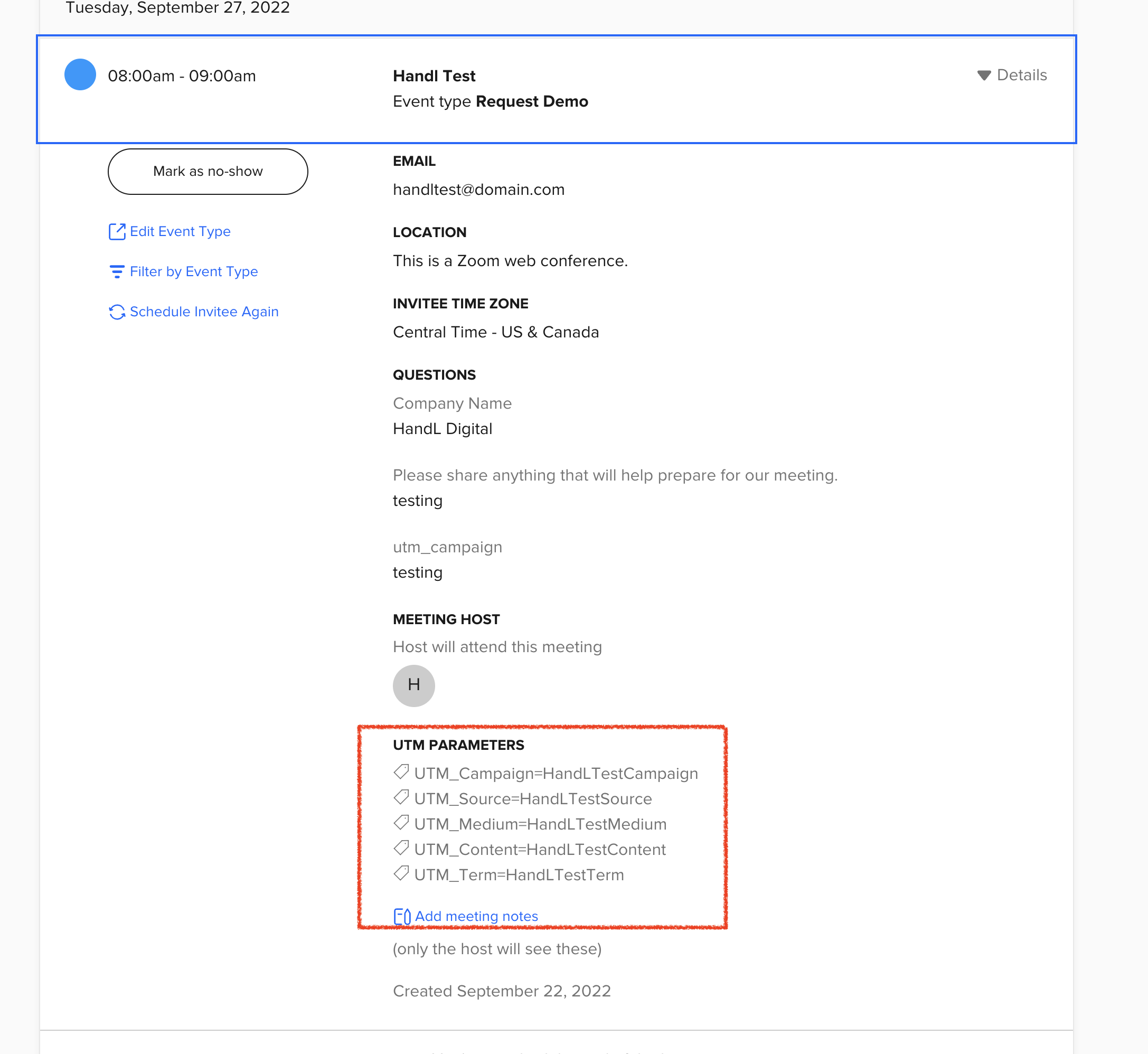
How to Track UTMs in Calendly
UTM attribution overview
This guide explains How to Track UTMs in Calendly with HandL UTM Grabber. It helps you capture UTM source, medium, campaign, term, content, click IDs, referrer, and landing page data and keep the marketing context needed for accurate reporting across forms, bookings, signups, and sales.
Add class attributes to the iframe
<iframe class="utm-src" src="https://calendly.com/test" width="100%" height="100%" frameborder="0"></iframe>