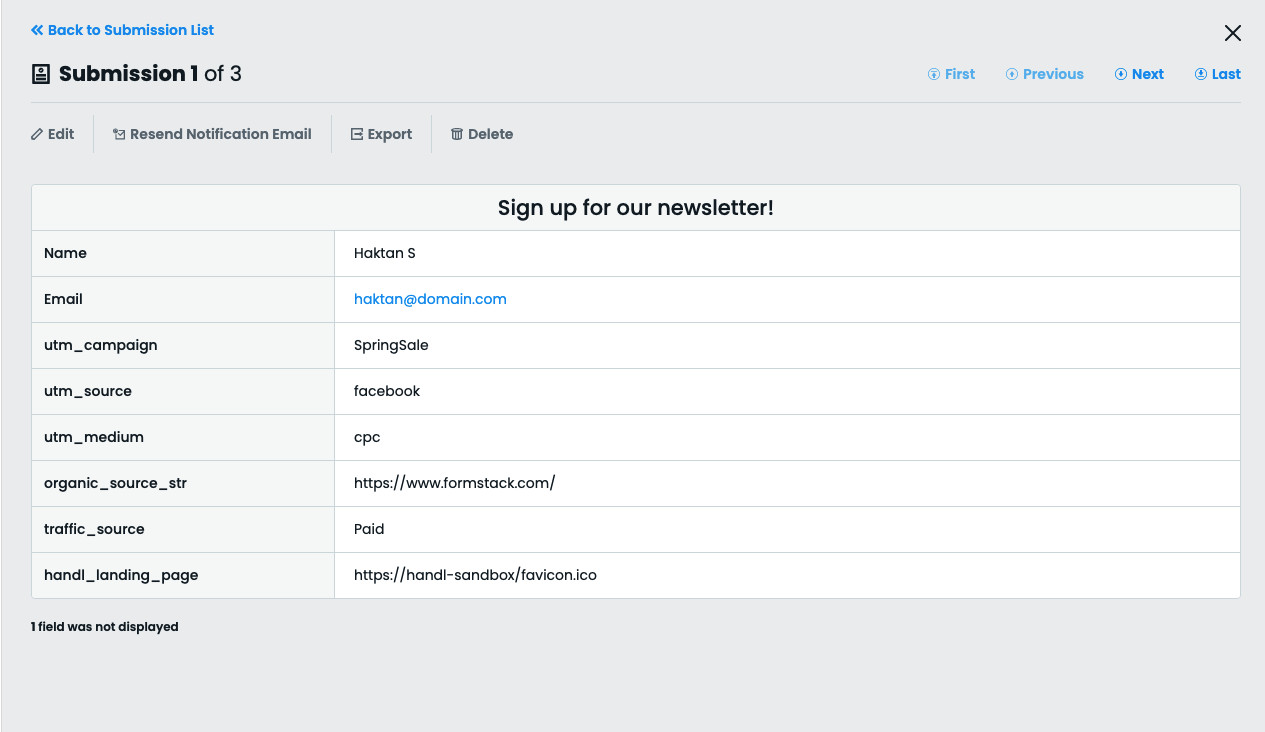
Capture UTMs using Formstack forms with HandL UTM Grabber
UTM attribution overview
This guide explains Capture UTMs using Formstack forms with HandL UTM Grabber. It helps you capture UTM source, medium, campaign, term, content, click IDs, referrer, and landing page data and keep the marketing context needed for accurate reporting across forms, bookings, signups, and sales.
This form only works in HandL UTM Grabber V3
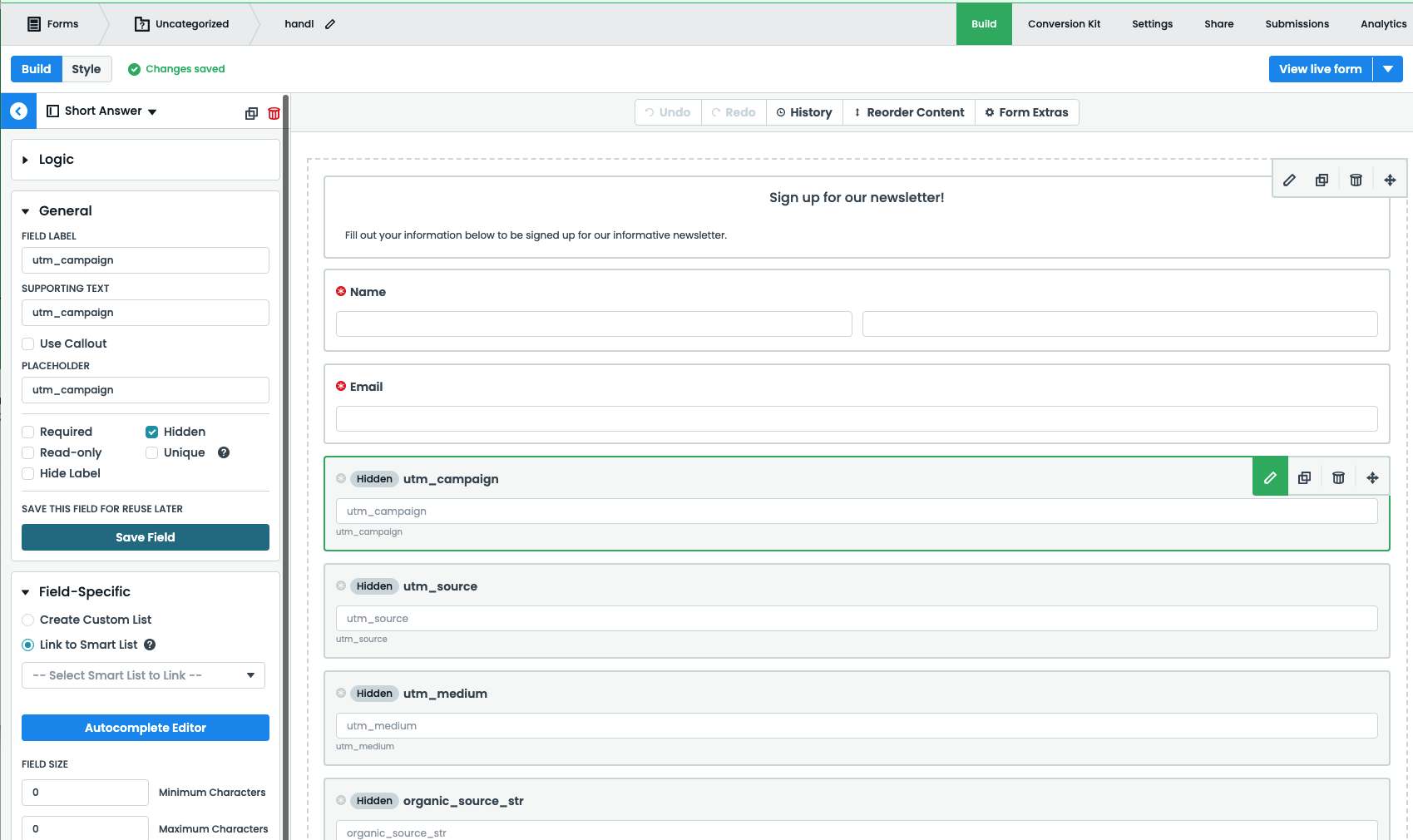
After activating the plugin, insert the following code in your custom javascript file:
function FF_OnAfterRender(){
	console.log("Form rendered successfully!");
	var vars = ["Lead.UTM_Campaign__c","Lead.UTM_Medium__c","Lead.UTM_Source__c","Lead.UTM_Term__c","Lead.UTM_Content__c","Lead.GCLID__c","Lead.FBclid__c"]
	for (v of vars){
		escape_v = v.replace(/\./g, '\\.')
		jQuery("#"+escape_v).val(Cookies.get(v));
	}
	return true;
}
And the fields will be automatically populated after lead is submitted.