Jotform UTM Tracking Integration
Set up Jotform with HandL UTM Grabber to capture UTM parameters, GCLID, FBCLID, referrer, and landing page data in hidden fields for lead attribution.
- JotForm UTM tracking via iframe embed with HandL UTM Grabber
- JotForm JavaScript implementation - HandL UTM Grabber Guide
JotForm UTM tracking via iframe embed with HandL UTM Grabber
UTM attribution overview
This guide explains JotForm UTM tracking via iframe embed with HandL UTM Grabber. It helps you capture UTM source, medium, campaign, term, content, click IDs, referrer, and landing page data and keep the marketing context needed for accurate reporting across forms, bookings, signups, and sales.
HandL UTM Grabber V3 integrates with JotForm very easily.
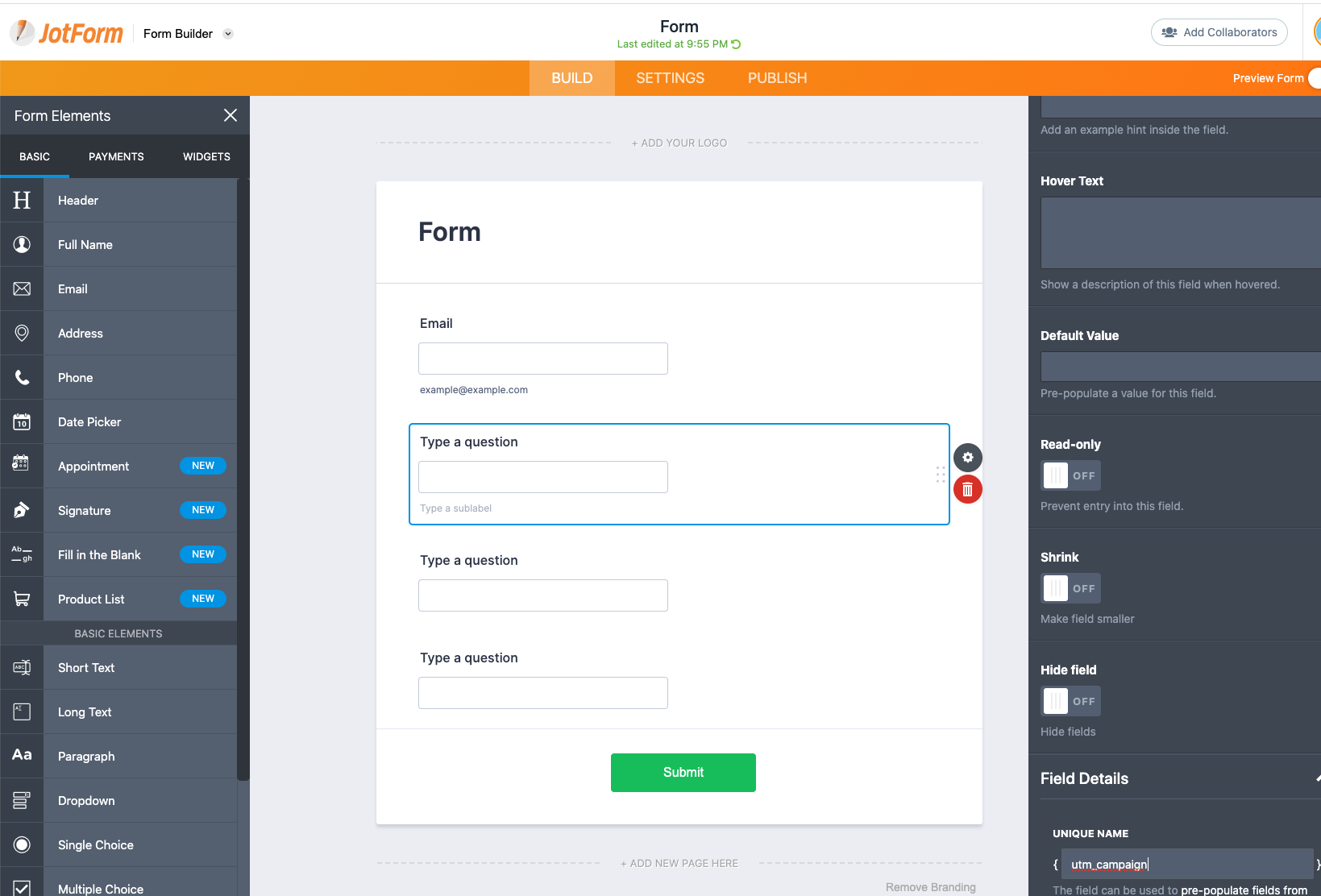
After defining the variables in the form similar to the one below picture.
Copy paste the embed code from JotForm to your WordPress
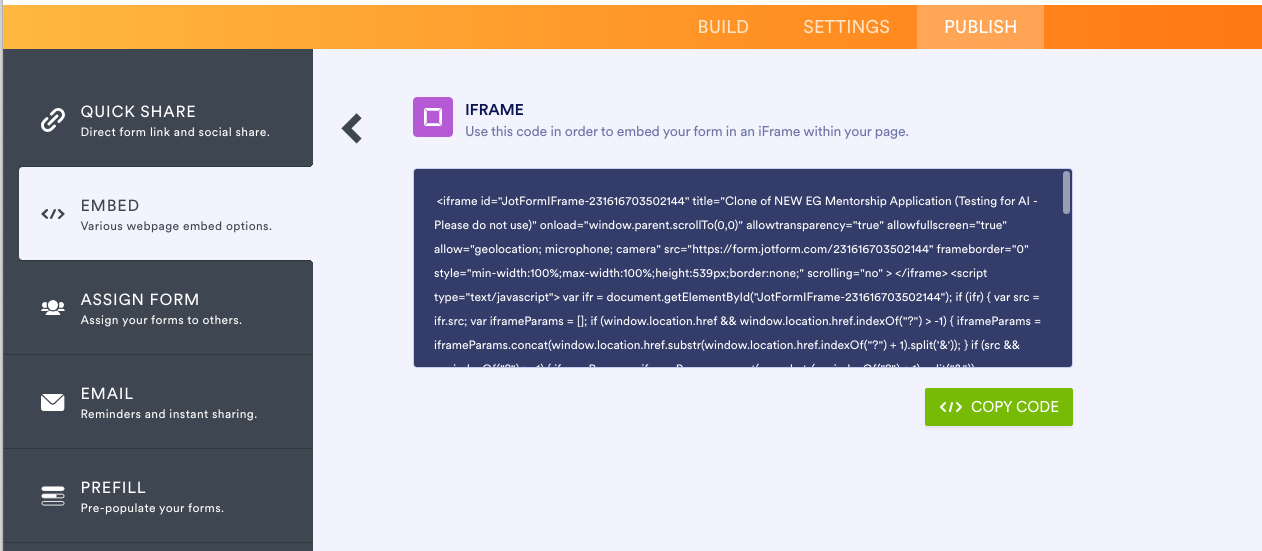
It will be something like this: simply copy and paste this into your WordPress editor or page builder.
<iframe id="JotFormIFrame-YOURJOTFORMID" title="Form" onload="window.parent.scrollTo(0,0)" allowtransparency="true" allow="geolocation; microphone; camera; fullscreen" src="https://form.jotform.com/202977053711051" frameborder="0" style="min-width:100%;max-width:100%;height:539px;border:none;" scrolling="no" > </iframe> <script src='https://form.jotform.com/s/umd/latest/for-form-embed-handler.js'></script> <script>window.jotformEmbedHandler("iframe[id='JotFormIFrame-YOURJOTFORMID'", "https://form.jotform.com/")</script>
After this code, copy and paste the code below. Ensure you replace YOURJOTFORMID with your form ID (as shown above).
<script>
setTimeout(() => {
	if (typeof(utms_js) == 'object'){
    	var ifr = document.querySelector("iframe[id='JotFormIFrame-YOURJOTFORMID'")
		var iframeParams = [];
		iframeParams.push( jQuery.param(utms_js) )
		var src = ifr.src;
		ifr.src = src + "?" + iframeParams.join('&');
	}
}, "500");
</script>
JotForm JavaScript implementation - HandL UTM Grabber Guide
UTM attribution overview
This guide explains JotForm JavaScript implementation - HandL UTM Grabber Guide. It helps you capture UTM source, medium, campaign, term, content, click IDs, referrer, and landing page data and keep the marketing context needed for accurate reporting across forms, bookings, signups, and sales.
HandL UTM Grabber V3 integrates with JotForm very easily.
After defining the variables in the form similar to the one below picture.
Click Publish > Embed and copy the JavaScript code
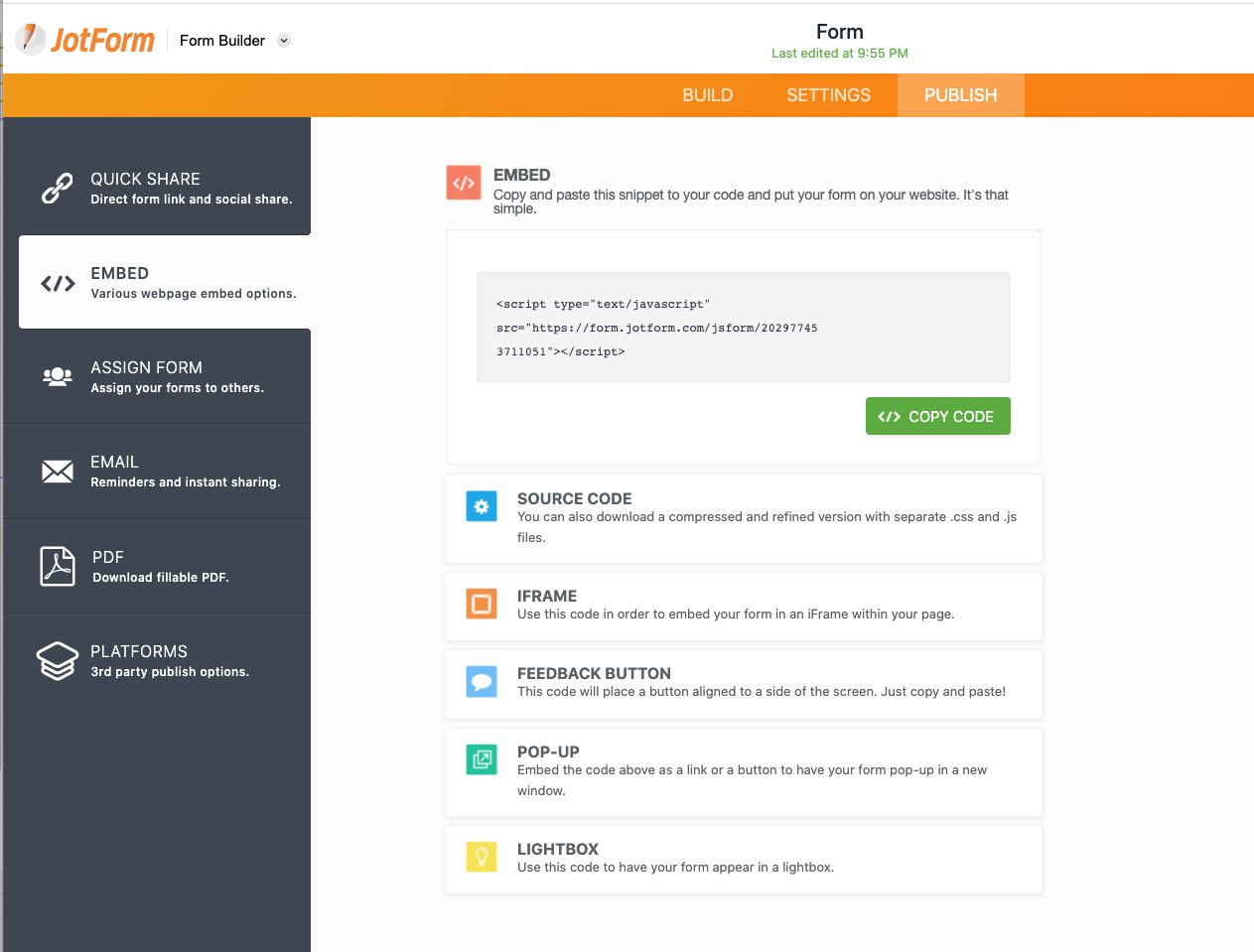
Before you paste the code in your WordPress editor. Wrap it with the [handl_all_i] just like shown below.
[handl_all_i]<script type="text/javascript" src="https://form.jotform.com/jsform/202977053711051?%s"></script>[/handl_all_i]
Another way of doing this is appending all the tracked parameters using handl_all_i
[handl_all_i]<div class="typeform-widget" data-url="https://yourdomain.typeform.com/to/xa12xas?%s" style="width: 100%; height: 500px;"></div> <script> (function() { var qs,js,q,s,d=document, gi=d.getElementById, ce=d.createElement, gt=d.getElementsByTagName, id="typef_orm", b="https://embed.typeform.com/"; if(!gi.call(d,id)) { js=ce.call(d,"script"); js.id=id; js.src=b+"embed.js"; q=gt.call(d,"script")[0]; q.parentNode.insertBefore(js,q) } })() </script> <div style="font-family: Sans-Serif;font-size: 12px;color: #999;opacity: 0.5; padding-top: 5px;"></div>[/handl_all_i]
NOTE: Make sure you've added question mark and %s after the link
You are all set and now can capture UTM and other parameters.