# JotForm JavaScript implementation - HandL UTM Grabber Guide
## UTM attribution overview
This guide explains JotForm JavaScript implementation - HandL UTM Grabber Guide. It helps you capture UTM source, medium, campaign, term, content, click IDs, referrer, and landing page data and keep the marketing context needed for accurate reporting across forms, bookings, signups, and sales.
HandL UTM Grabber V3 integrates with JotForm very easily.
After defining the variables in the form similar to the one below picture.
[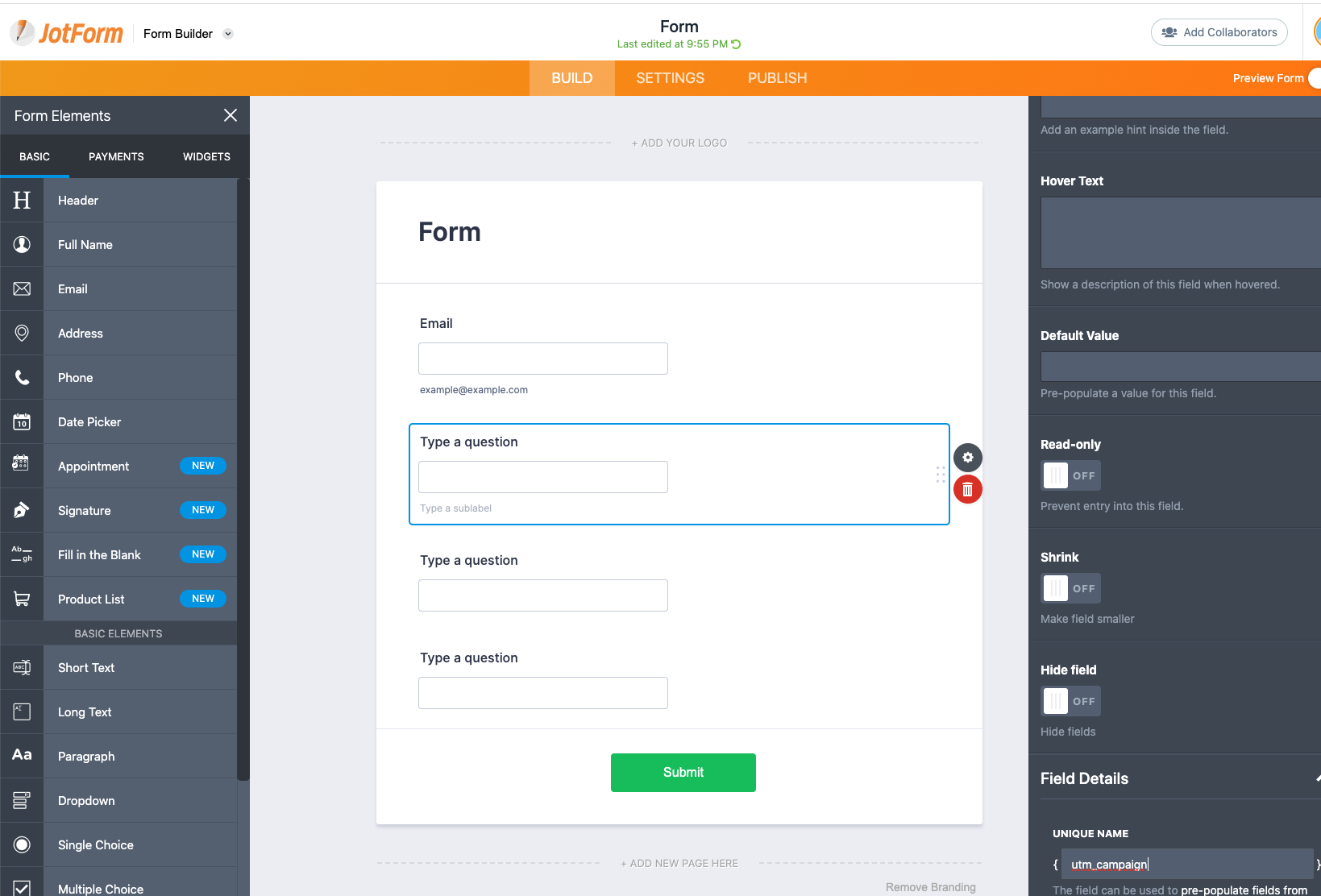](https://docs.utmgrabber.com/uploads/images/gallery/2020-10/image-1603595141506.png)
Click Publish > Embed and copy the JavaScript code
[](https://docs.utmgrabber.com/uploads/images/gallery/2020-10/image-1603595304342.png)
Before you paste the code in your WordPress editor. Wrap it with the `[handl_all_i]` just like shown below.
```
[handl_all_i][/handl_all_i]
```
Another way of doing this is appending all the tracked parameters using `handl_all_i`
```
[handl_all_i] [/handl_all_i]
```
NOTE: Make sure you've added question mark and %s after the link
You are all set and now can capture UTM and other parameters.