JotForm UTM tracking via iframe embed with HandL UTM Grabber
UTM attribution overview
This guide explains JotForm UTM tracking via iframe embed with HandL UTM Grabber. It helps you capture UTM source, medium, campaign, term, content, click IDs, referrer, and landing page data and keep the marketing context needed for accurate reporting across forms, bookings, signups, and sales.
HandL UTM Grabber V3 integrates with JotForm very easily.
After defining the variables in the form similar to the one below picture.
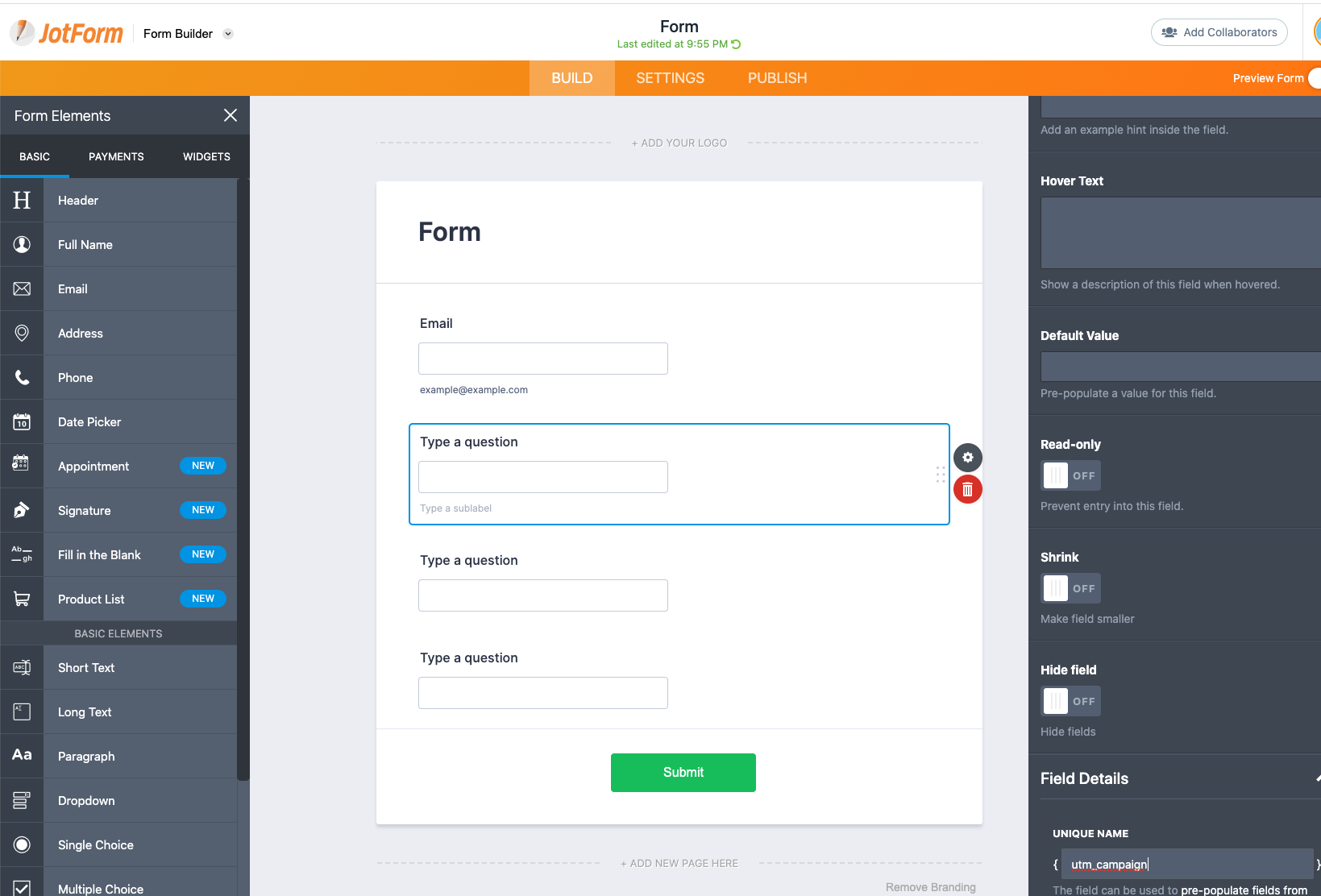
Copy paste the embed code from JotForm to your WordPress
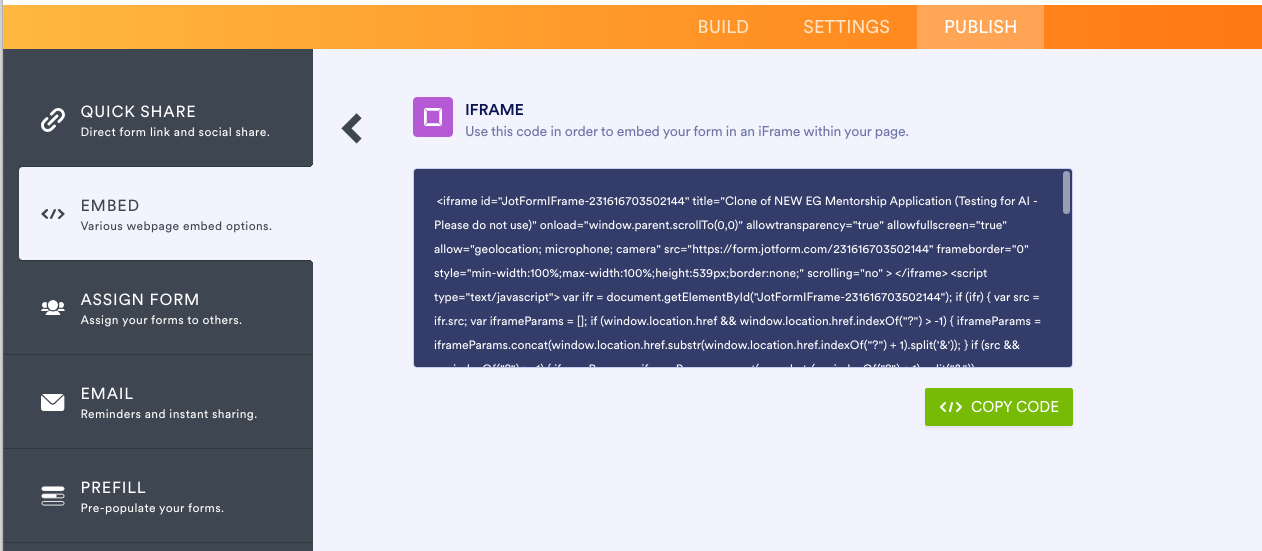
It will be something like this: simply copy and paste this into your WordPress editor or page builder.
<iframe id="JotFormIFrame-YOURJOTFORMID" title="Form" onload="window.parent.scrollTo(0,0)" allowtransparency="true" allow="geolocation; microphone; camera; fullscreen" src="https://form.jotform.com/202977053711051" frameborder="0" style="min-width:100%;max-width:100%;height:539px;border:none;" scrolling="no" > </iframe> <script src='https://form.jotform.com/s/umd/latest/for-form-embed-handler.js'></script> <script>window.jotformEmbedHandler("iframe[id='JotFormIFrame-YOURJOTFORMID'", "https://form.jotform.com/")</script>
After this code, copy and paste the code below. Ensure you replace YOURJOTFORMID with your form ID (as shown above).
<script>
setTimeout(() => {
	if (typeof(utms_js) == 'object'){
    	var ifr = document.querySelector("iframe[id='JotFormIFrame-YOURJOTFORMID'")
		var iframeParams = [];
		iframeParams.push( jQuery.param(utms_js) )
		var src = ifr.src;
		ifr.src = src + "?" + iframeParams.join('&');
	}
}, "500");
</script>