LatePoint Booking UTM Tracking Integration
Capture UTM parameters in LatePoint bookings with HandL UTM Grabber so source, medium, campaign, click ID, and referrer data follow every appointment.
UTM Tracking in LatePoint with HandL UTM Grabber
UTM attribution overview
This guide explains UTM Tracking in LatePoint with HandL UTM Grabber. It helps you capture UTM source, medium, campaign, term, content, click IDs, referrer, and landing page data and keep the marketing context needed for accurate reporting across forms, bookings, signups, and sales.
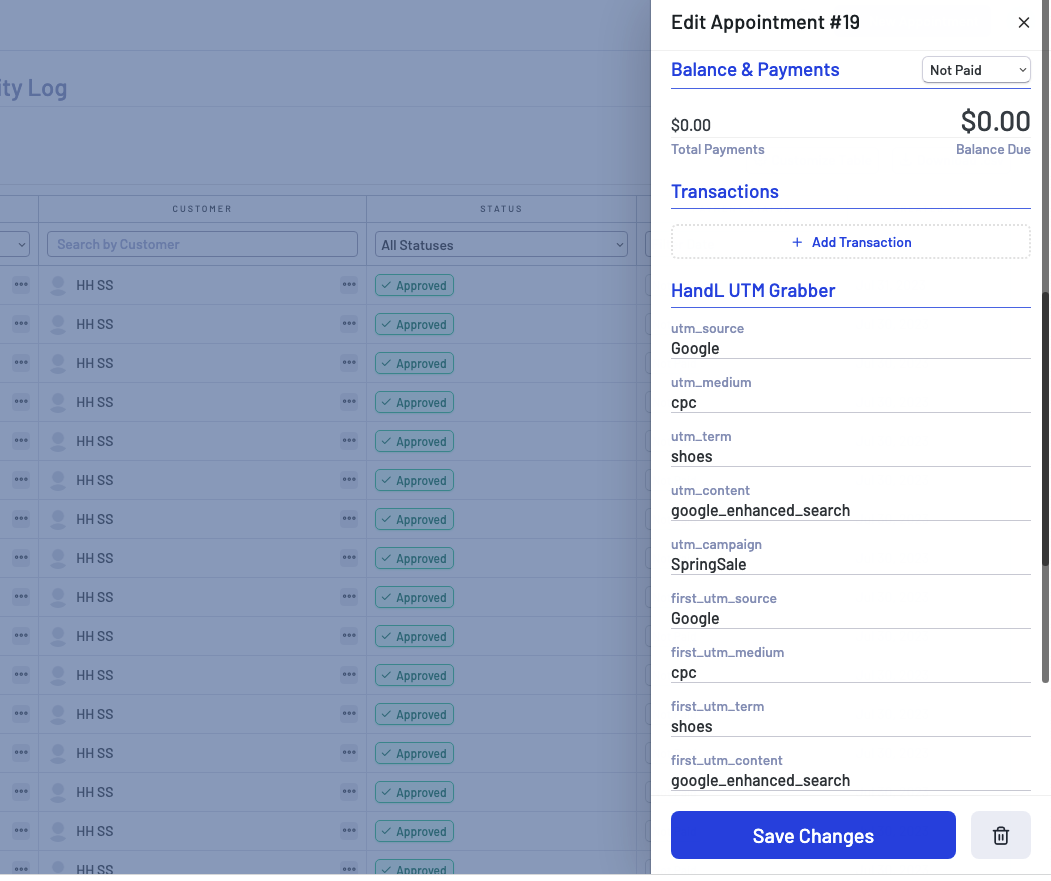
There is no setup required, we natively track all the params and capture them once booking is completed.
Here is a screenshot from LatePoint.
Track UTMs via Thank-You Page Webhook
UTM attribution overview
Send full HandL UTM Grabber attribution from LatePoint Booking UTM Tracking Integration bookings to Zapier, Make, or your CRM using a custom confirmation page and webhook.
Primary setup: UTM Tracking in LatePoint with HandL UTM Grabber
Custom confirmation redirect
Point your booking tool at a WordPress thank-you page after the appointment is confirmed. Include the customer email in the redirect URL when the tool supports it.
Webhook script on thank-you page
Use the merge script from Triggering Zapier on Thank you Page to combine URL parameters with handl_utm and send the full payload to your webhook.
Verify the payload
Book a test appointment from a page with ?utm_source=booking-test. Check that utm_source, gclid, and email (if passed) arrive in Zapier or Make.