UTM Grabber for Real Cookie Banner
UTM attribution overview
This guide explains UTM Grabber for Real Cookie Banner. It helps you respect consent choices while preserving UTM parameters for compliant WordPress attribution and keep the marketing context needed for accurate reporting across forms, bookings, signups, and sales.
By default, UTM Grabber collects tracking data regardless of the Real Cookie Banner consent decision. To make UTM Grabber wait for consent from Real Cookie Banner, complete the two steps below.
1. Turn on the Real Cookie Banner integration in UTM Grabber
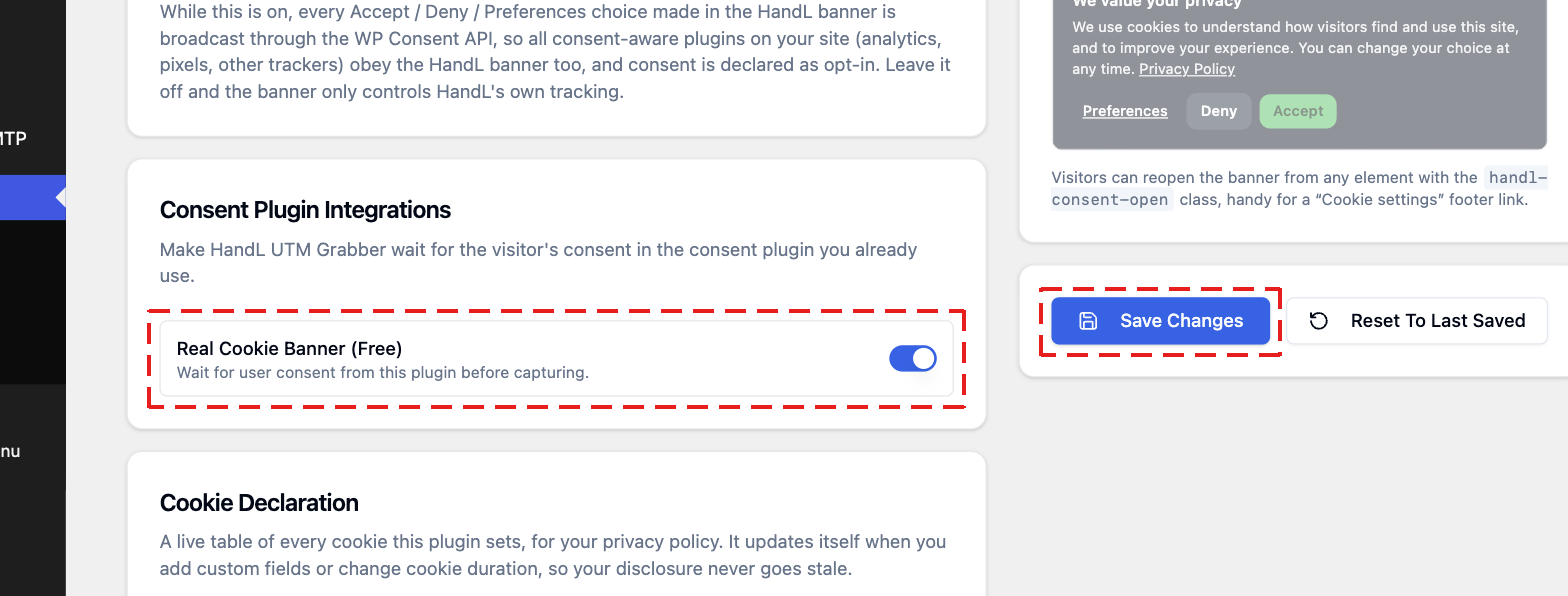
Go to UTM > GDPR. Under Consent Plugin Integrations, turn on Real Cookie Banner and click Save Changes. The toggle shows the edition you use, Real Cookie Banner (Free) or Real Cookie Banner (Pro). Both work the same way.
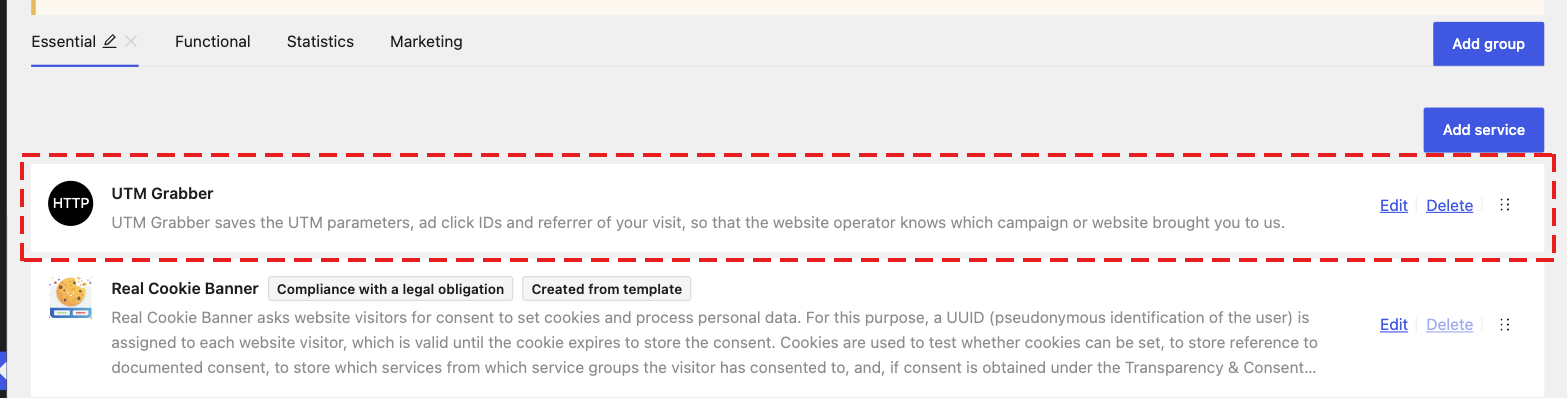
2. Add a UTM Grabber service in Real Cookie Banner
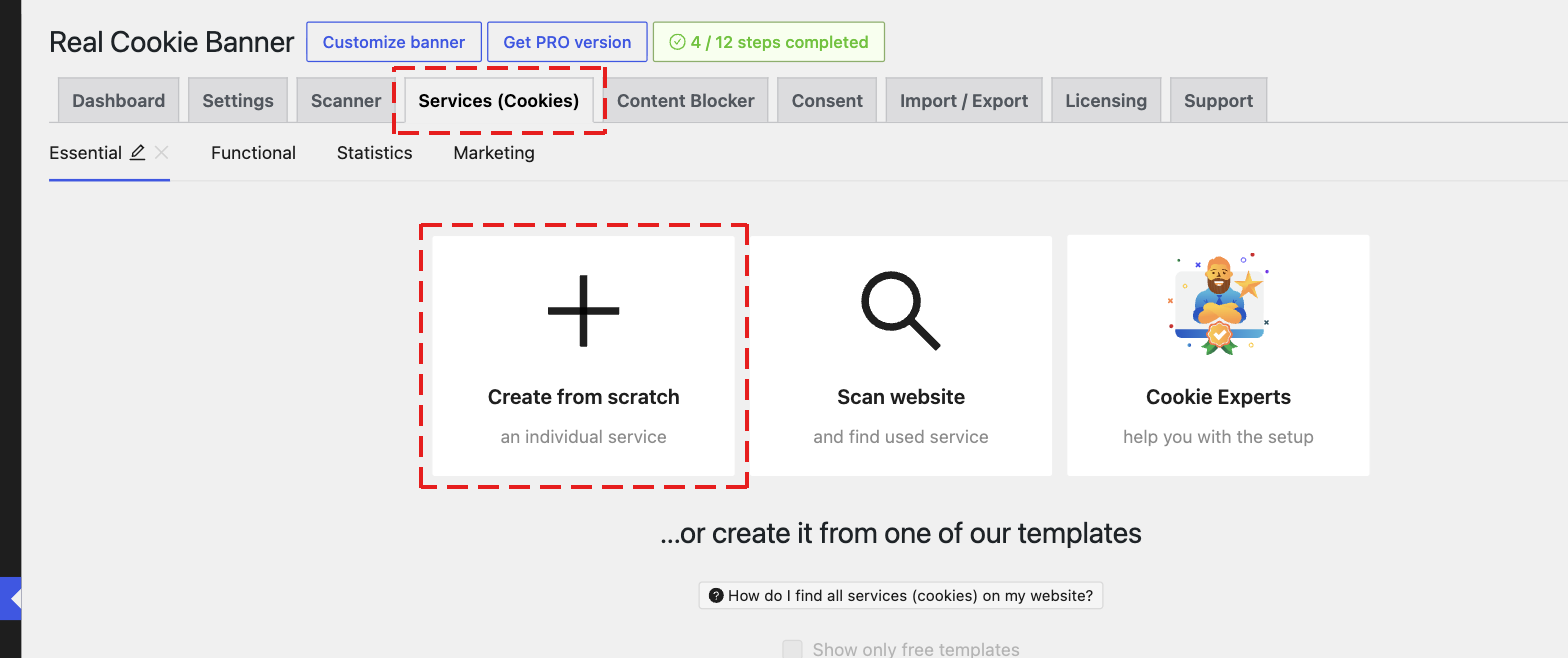
3. Name the service UTM Grabber and choose its group
Set the Name to exactly UTM Grabber. UTM Grabber finds its service by this name, so do not use a different name.
Choose the Group. Here we used Essential.
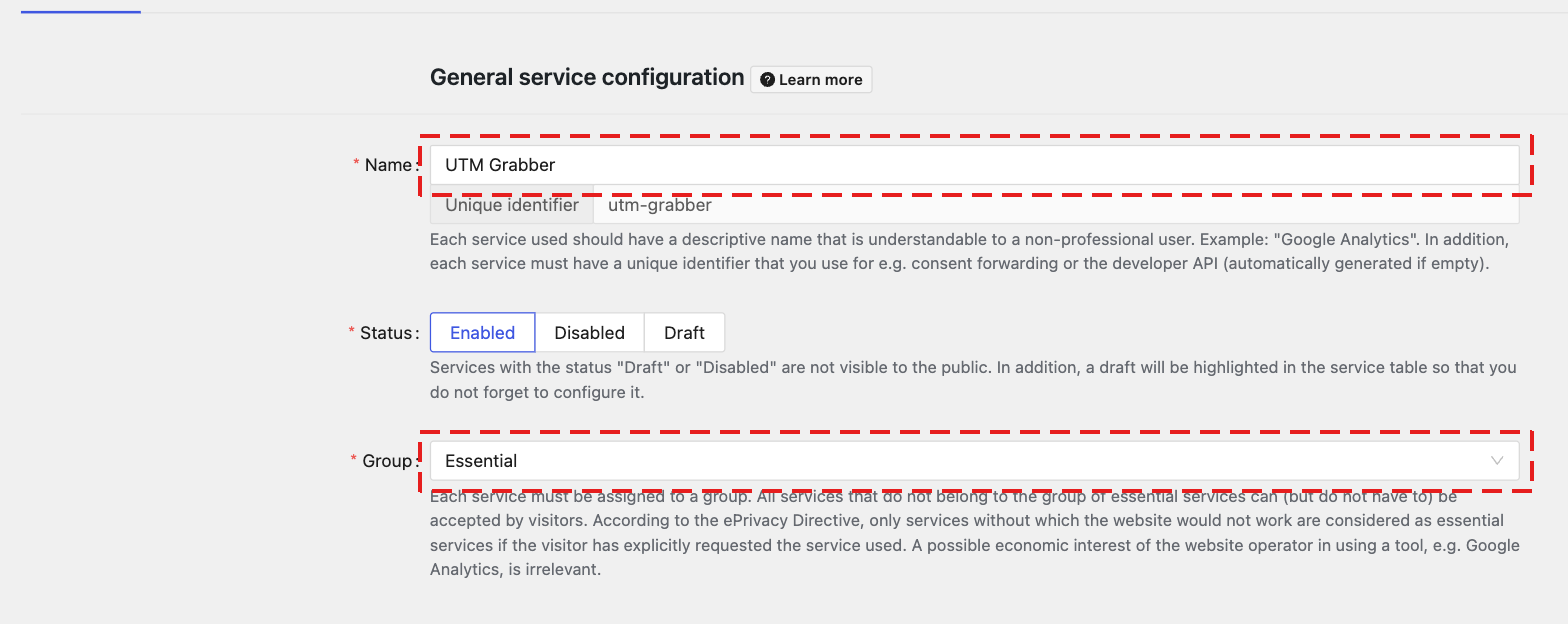
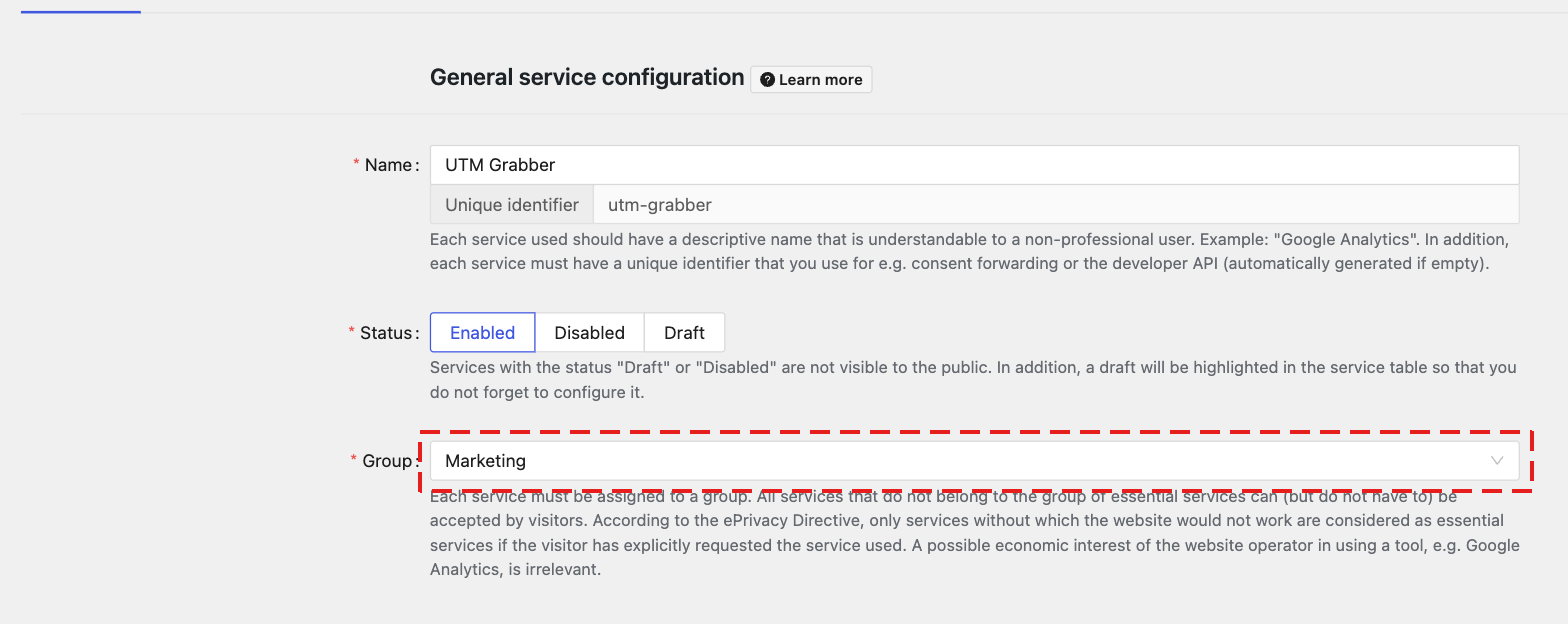
The group decides when UTM Grabber starts tracking:
- Essential: tracking starts as soon as the visitor makes a choice in the cookie banner.
- Marketing: tracking starts only when the visitor accepts the UTM Grabber service.
4. Complete the required fields and save
- Provider: your company name, or turn on the website operator option.
- Privacy policy of the provider: the link to your privacy policy.
- Technical cookie information: at least one cookie. You can find every UTM Grabber cookie in the Cookie Declaration card under UTM > GDPR.
Click Save.
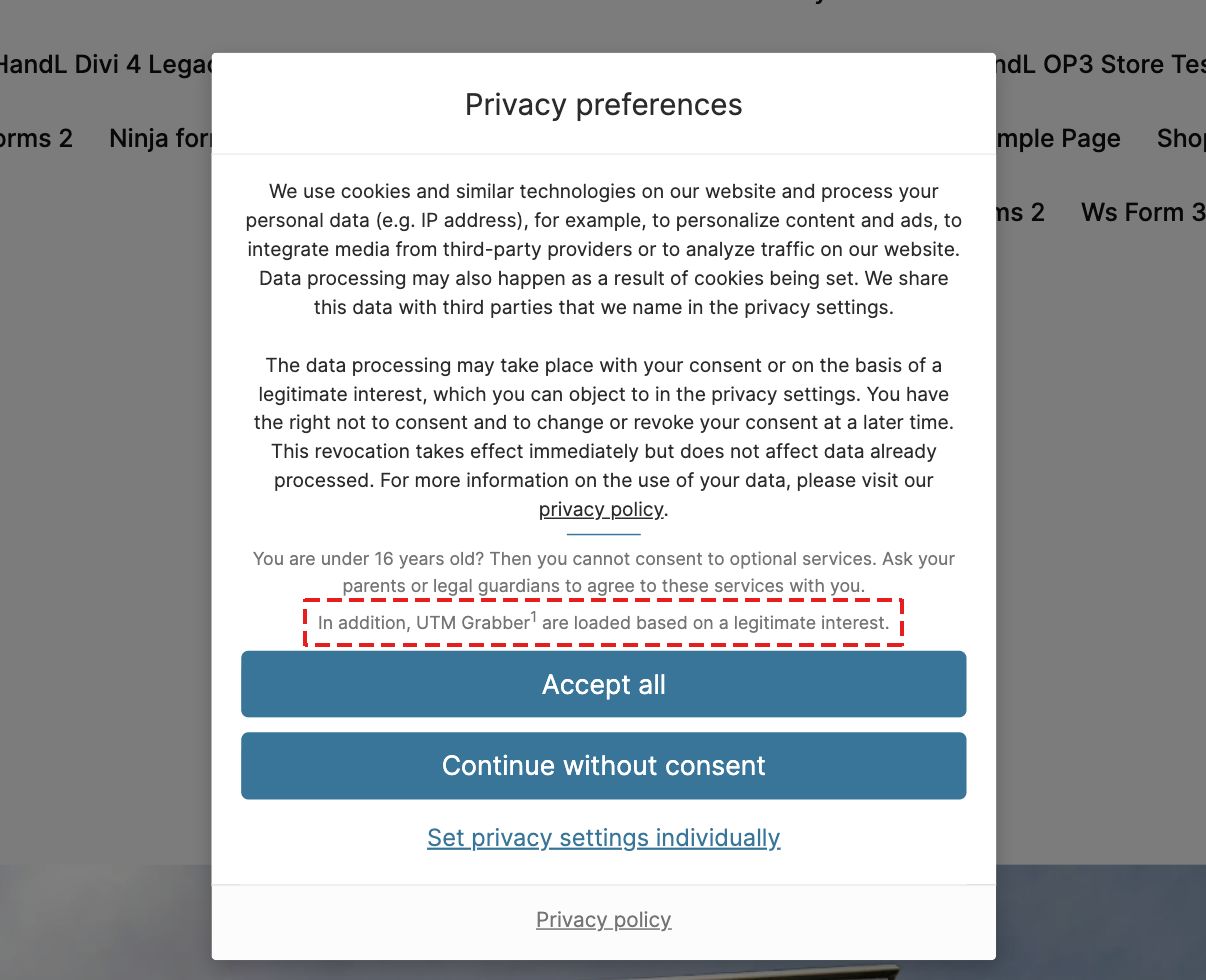
5. Check the cookie banner
Open your website in a private window. The cookie banner now lists UTM Grabber.
Your setup is done. UTM Grabber now waits for consent from Real Cookie Banner before it collects data.