Salesforce UTM Tracking Integration
UTM attribution overview
This guide explains Salesforce UTM Tracking Integration with HandL UTM Grabber. It helps you pass lead attribution into your CRM, email platform, or marketing automation workflow and keep the marketing context needed for accurate reporting across forms, bookings, signups, and sales.
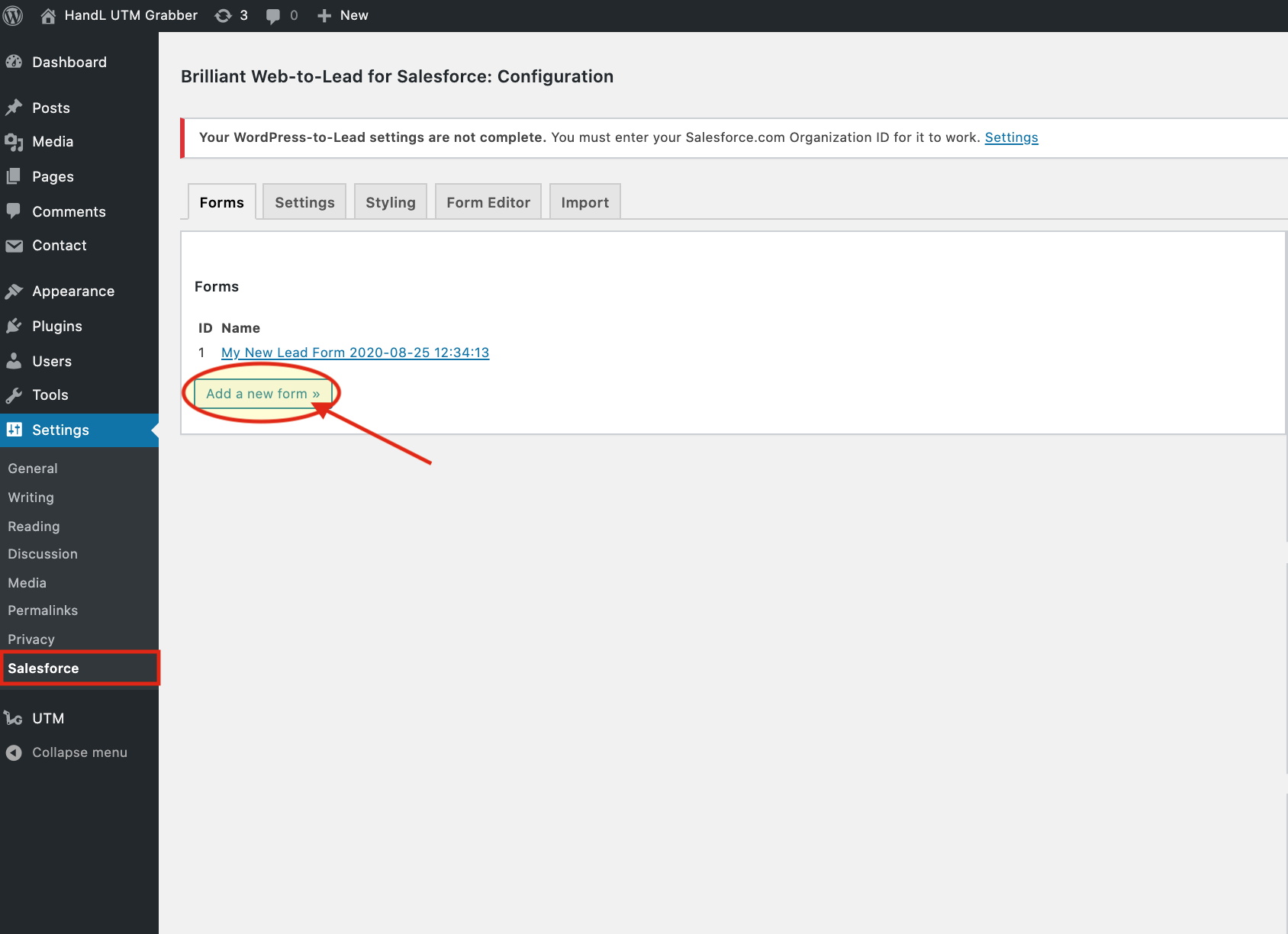
1.Go to "Settings -> Salesforce" and Add a New Form
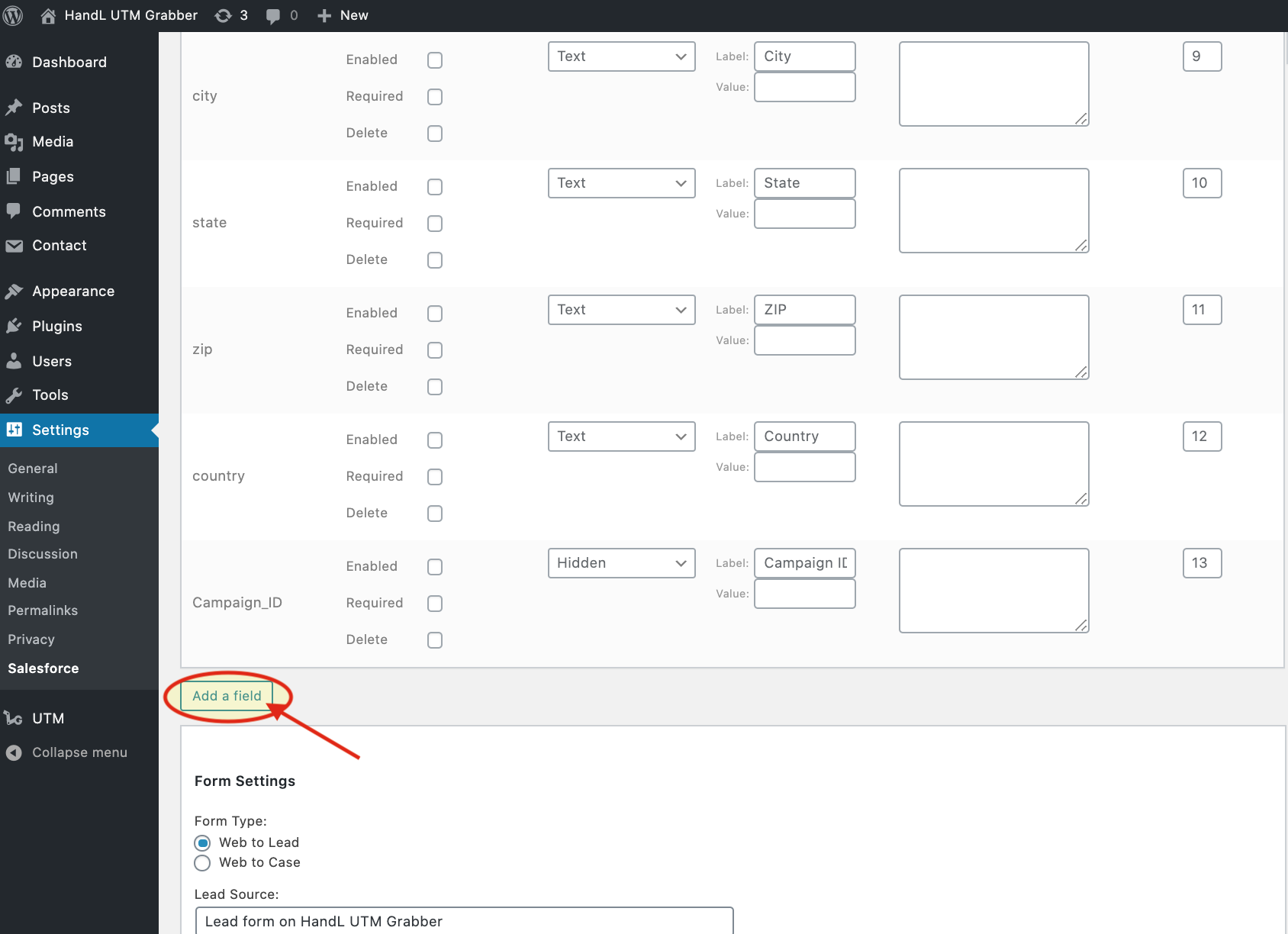
2.Click Add A Field
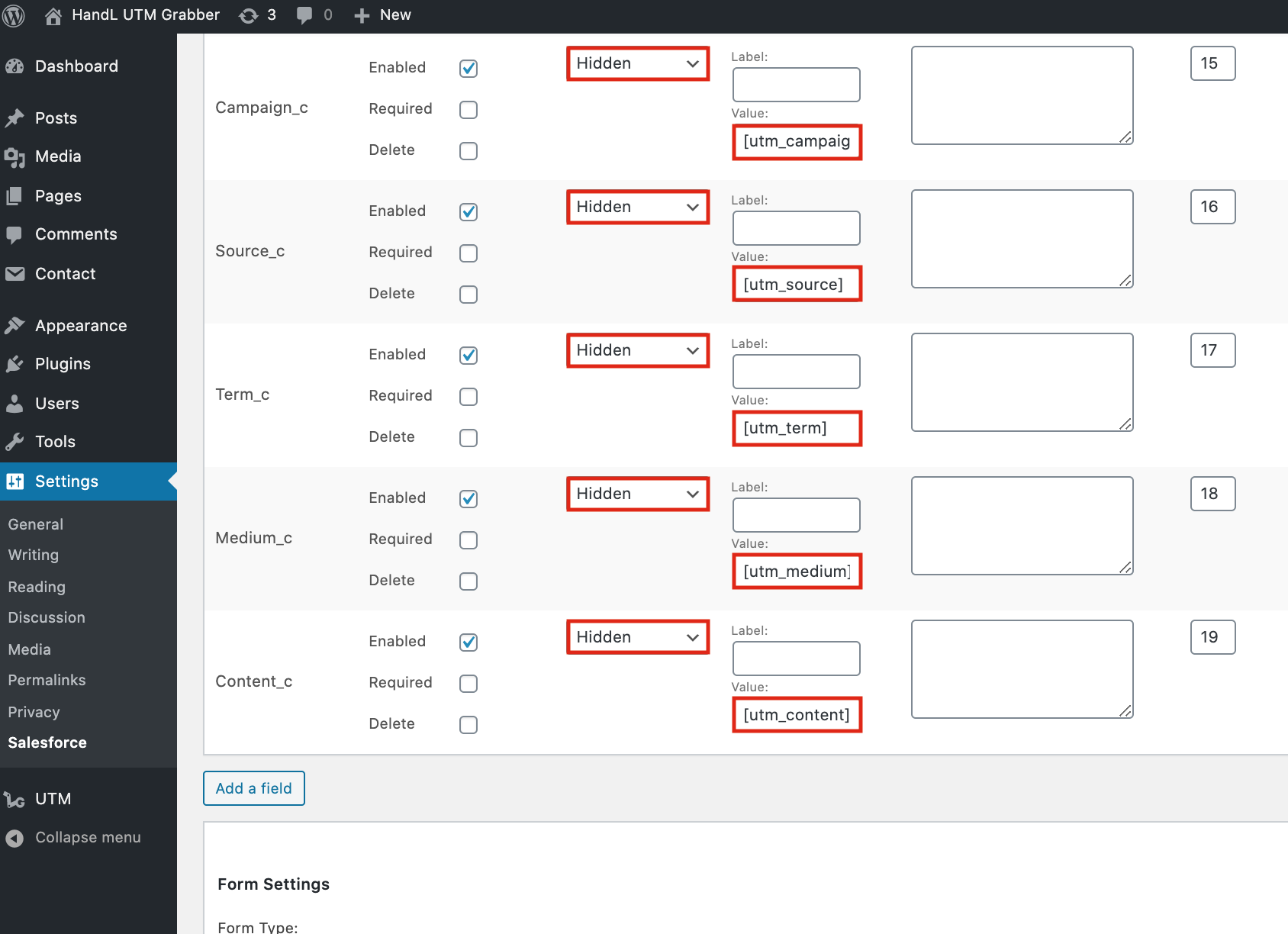
3.Check for “Enabled”, select field type as “Hidden” and use the shortcode in “Value”
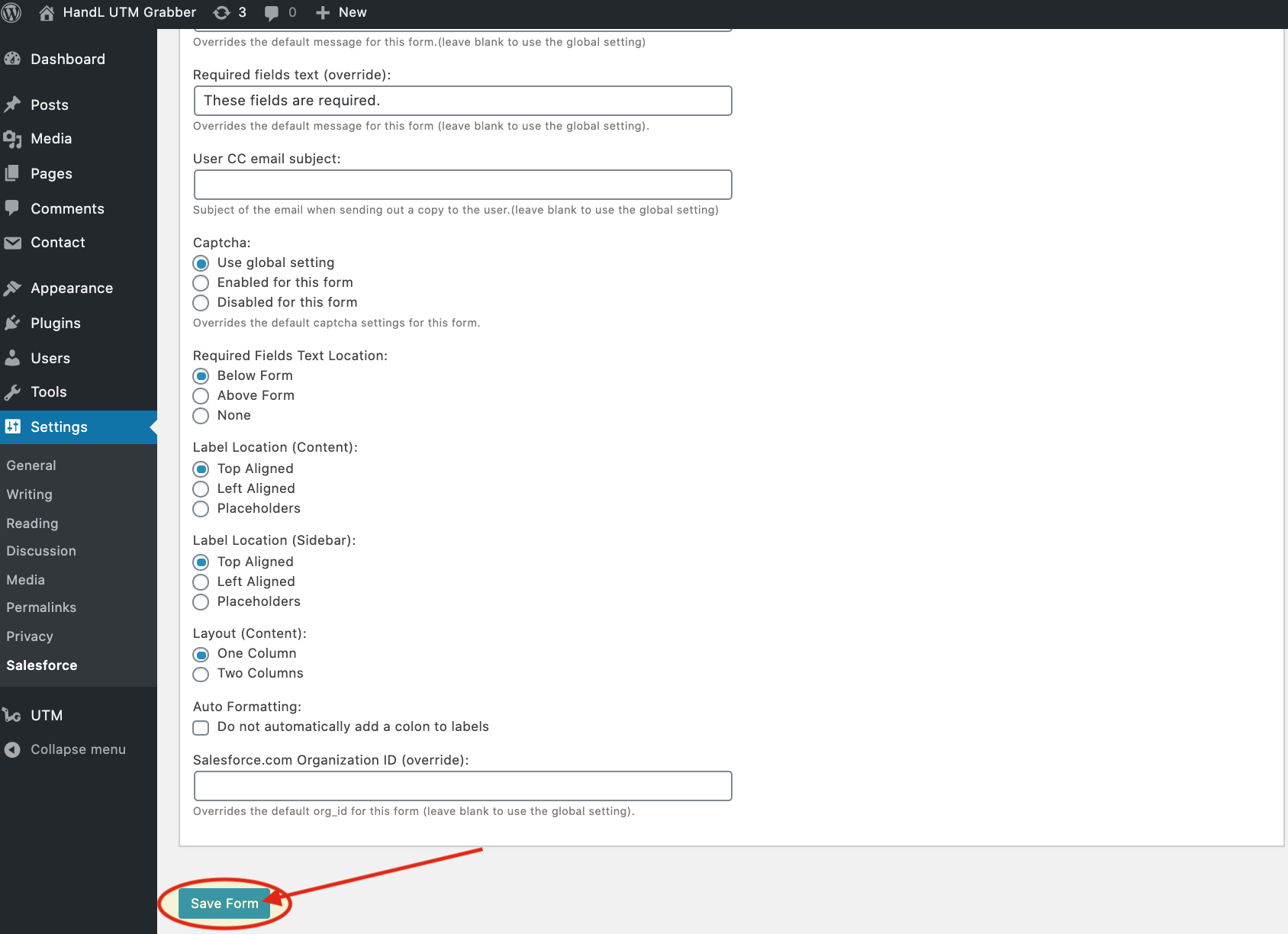
4.Save The Form