SureCart UTM Tracking Integration
Track campaign attribution through SureCart with HandL UTM Grabber, capturing UTM parameters, click IDs, referrer data, and landing pages on checkouts and purchases.
How to Track UTMs in SureCart
UTM attribution overview
This guide explains How to Track UTMs in SureCart with HandL UTM Grabber. It helps you capture campaign attribution on checkouts, orders, quote requests, and ecommerce conversions and keep the marketing context needed for accurate reporting across forms, bookings, signups, and sales.
Edit Your Checkout Page
First, edit your checkout page.
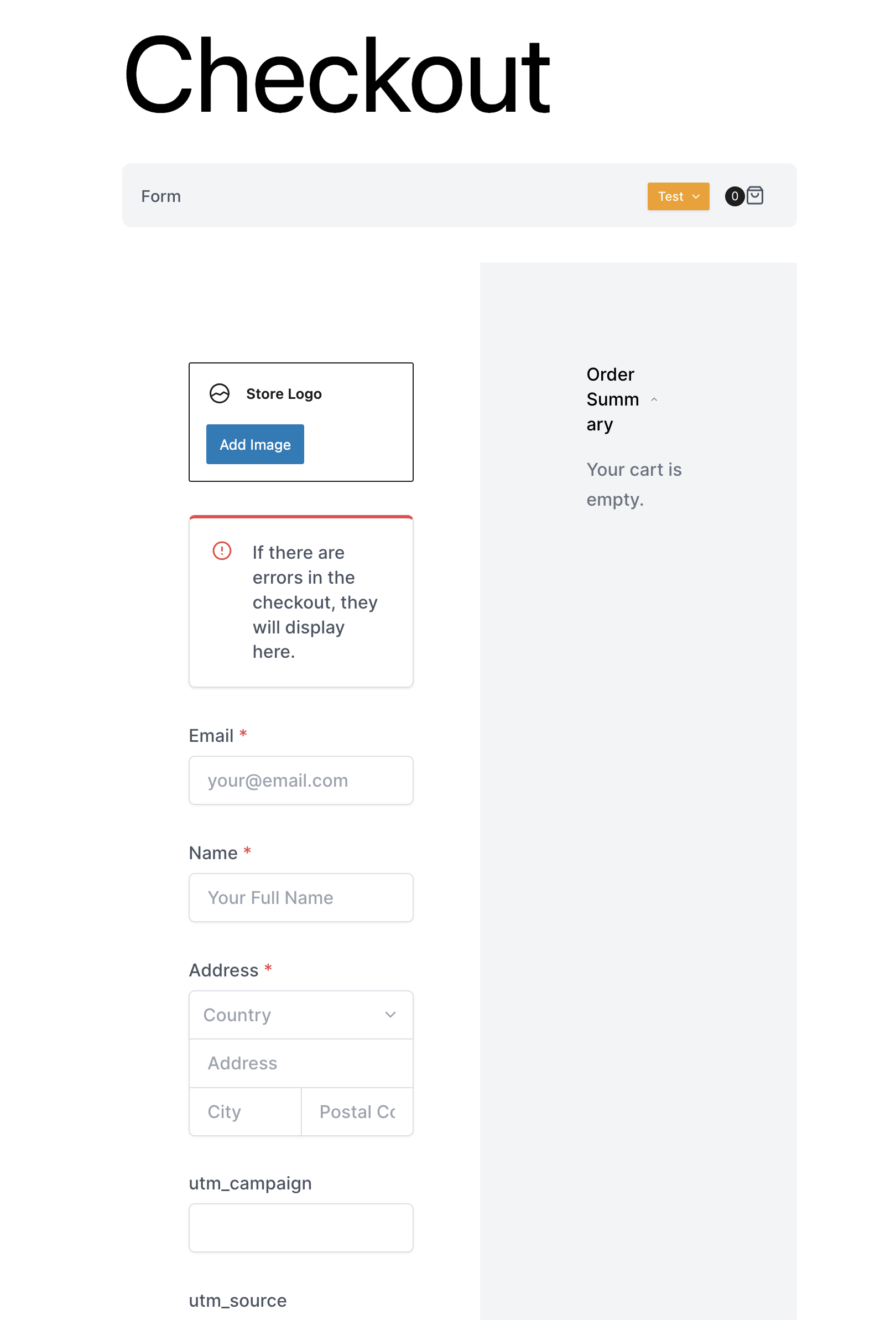
Add a Text Field to Your Checkout Page
Add a text field to your checkout page, ensuring you adhere to our naming convention found here: Native WP Shortcodes. For each parameter you wish to track, create a new field and ensure the name field exactly matches our naming convention.
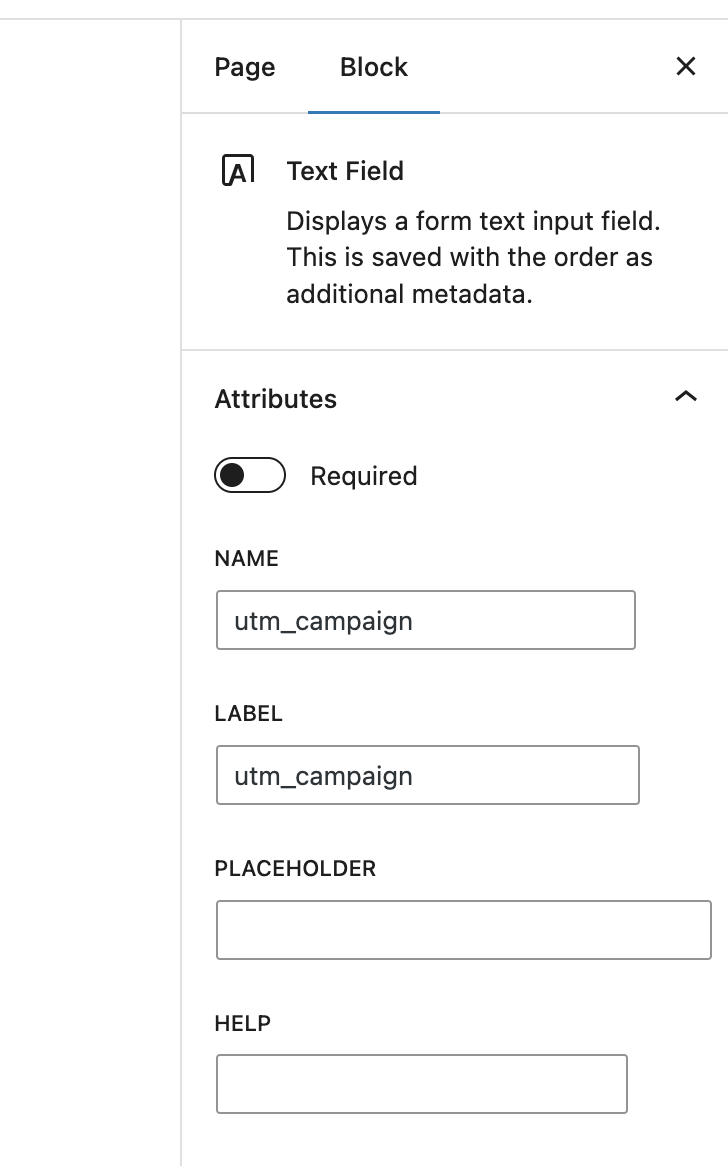
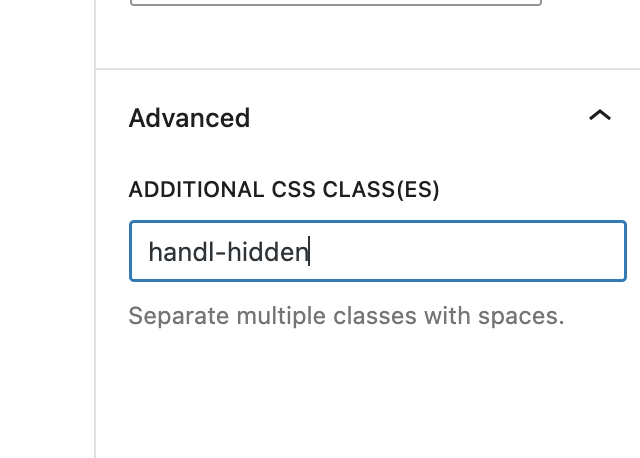
Hide the Text Field
To hide the text field, go to the text field settings, navigate to the Advanced section, and enter handl-hidden in the ADDITIONAL CSS CLASS(ES) field.
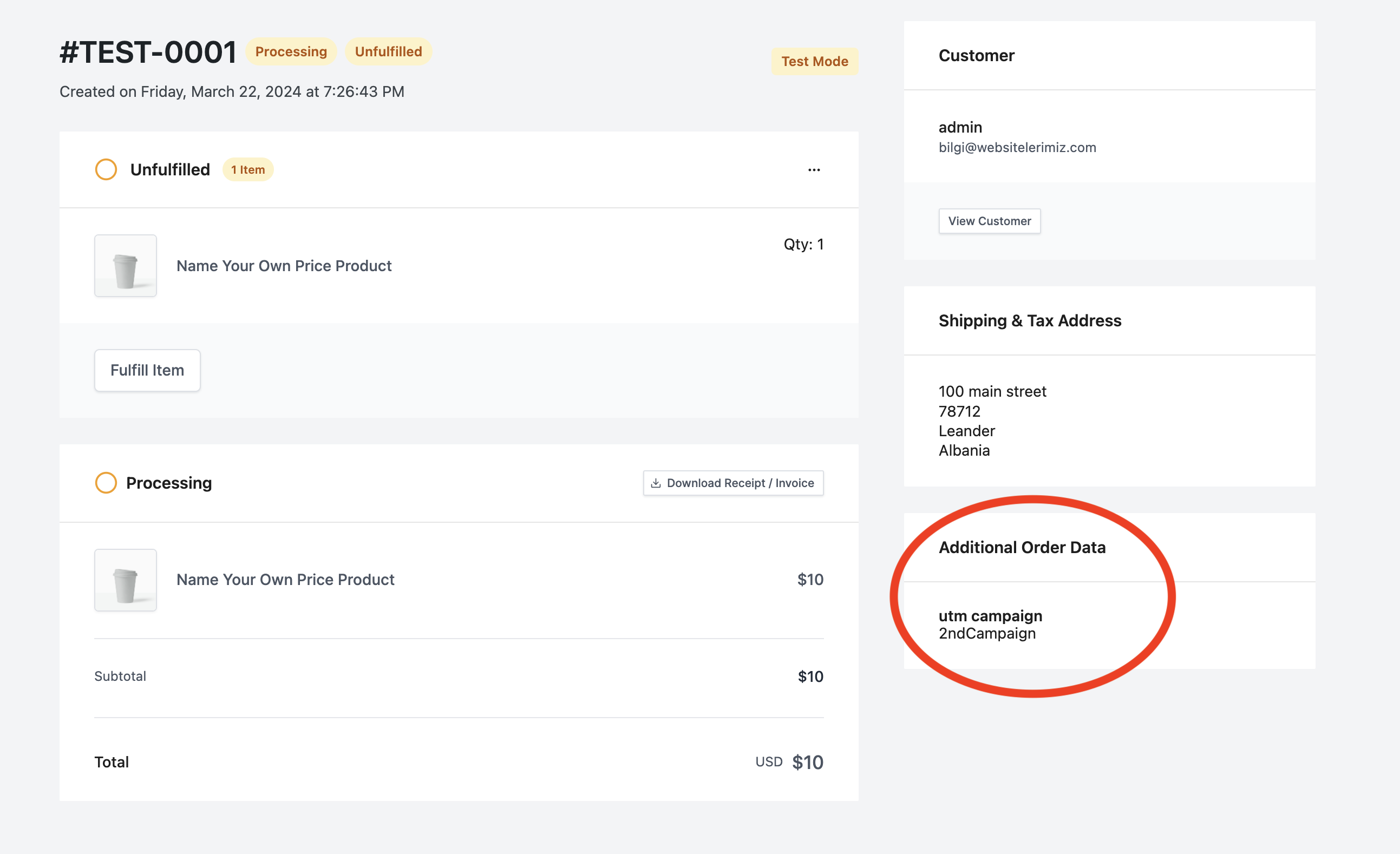
Fields Will Be Populated and Saved by UTM Grabber
The results can be displayed on the order page under the additional order data section.
Track UTMs via Checkout Success Page Webhook
UTM attribution overview
This walkthrough covers sending full UTM Grabber data from SureCart to Zapier, Make, or your own webhook. Handy when you need gclid, fbclid, first-touch fields, or custom params alongside the lead or order.
For the primary setup, see the main SureCart guide.
When a webhook makes sense
Native fields in SureCart often stop at basic UTMs. A webhook lets you push everything UTM Grabber stores without trimming values or losing click IDs.
Thank-you page script
Paste this on your confirmation page. Swap in your Zapier or Make hook URL.
<script>
var qvars = {};
window.location.href.replace(/[?&]+([^=&]+)=([^&]*)/gi, function(m, key, value) {
    qvars[key] = decodeURIComponent(value.replace(/\+/g, ' '));
});
qvars = Object.assign({}, (typeof handl_utm !== 'undefined' ? handl_utm : {}), qvars);
setTimeout(function() {
    var data = new URLSearchParams(qvars).toString();
    var xmlHttp = new XMLHttpRequest();
    xmlHttp.open('GET', 'https://hooks.zapier.com/hooks/catch/YOUR_ID/YOUR_KEY/?' + data, true);
    xmlHttp.send(null);
}, 1000);
</script>
Full pattern explained in Triggering Zapier on Thank you Page.
Quick Zapier / Make checklist
- Create a Catch Hook trigger and copy the URL
- Run a test conversion with UTMs in the landing URL
- Confirm gclid, utm_source, and email (if present) show up in the payload
- Map fields into your CRM or spreadsheet
Parameter reference: Native WP Shortcodes.
Make users: see Make Integromat integration.