# Passing UTM Variables to New Registration Admin Email Template - HandL UTM Grabber Guide
## UTM attribution overview
This guide explains Passing UTM Variables to New Registration Admin Email Template - HandL UTM Grabber Guide. It helps you capture UTM source, medium, campaign, term, content, click IDs, referrer, and landing page data and keep the marketing context needed for accurate reporting across forms, bookings, signups, and sales.
#### **1-) Go to Ultimate Member > Settings > Email > New User Notification > Click the settings cog**
[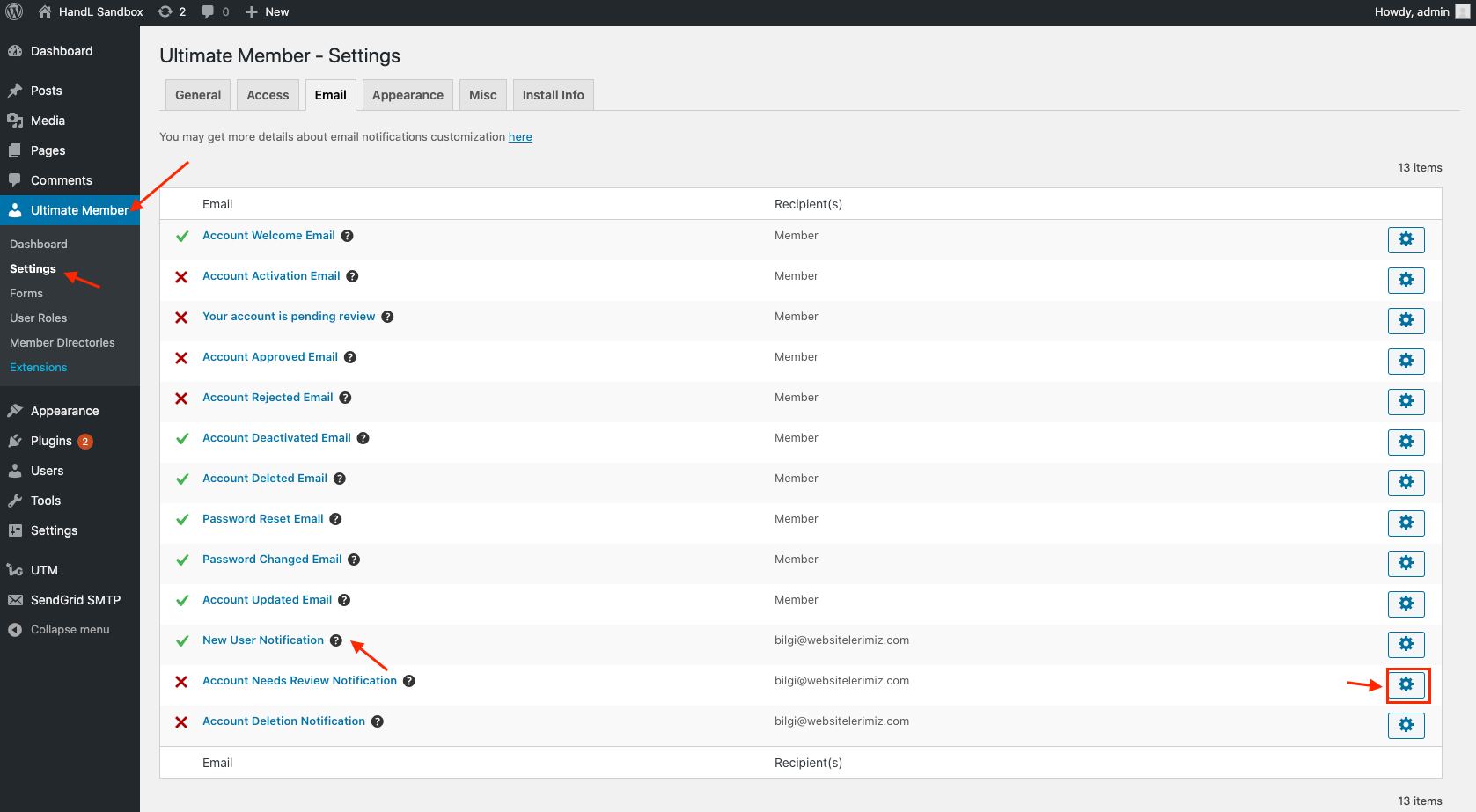](https://docs.utmgrabber.com/uploads/images/gallery/2020-08/1-edit-email-template-for-new-user-notification.png)
#### **2-) Add the following short tags in the admin email template**
[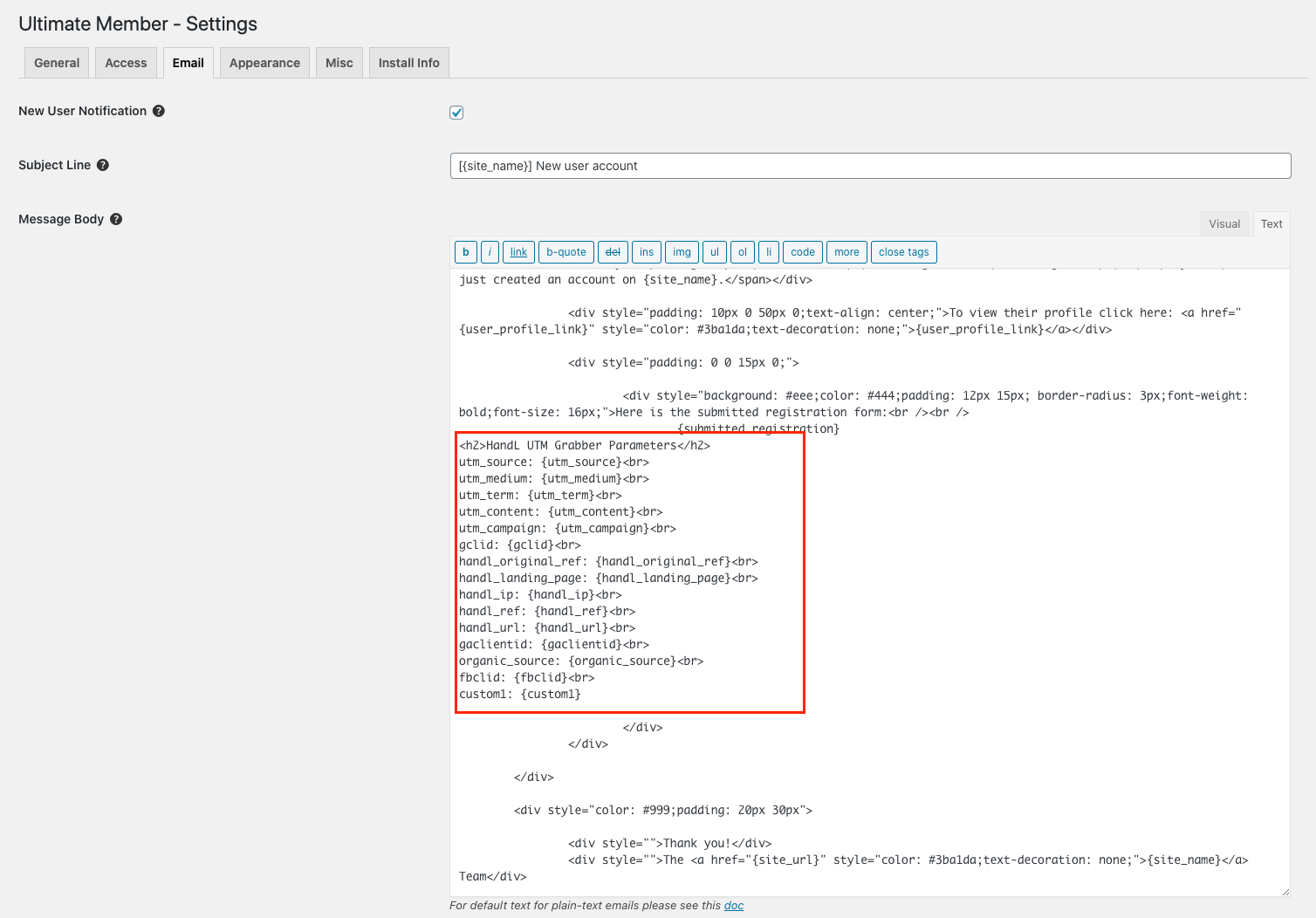](https://docs.utmgrabber.com/uploads/images/gallery/2020-08/2-add-following-shortcodes-into-html.png)
#### **Code Snippet**
```
HandL UTM Grabber Parameters
utm_source: {utm_source}
utm_medium: {utm_medium}
utm_term: {utm_term}
utm_content: {utm_content}
utm_campaign: {utm_campaign}
gclid: {gclid}
handl_original_ref: {handl_original_ref}
handl_landing_page: {handl_landing_page}
handl_ip: {handl_ip}
handl_ref: {handl_ref}
handl_url: {handl_url}
gaclientid: {gaclientid}
organic_source: {organic_source}
fbclid: {fbclid}
custom1: {custom1}
custom2: {custom2}
custom3: {custom3}
...
```