WooCommerce to Facebook Conversion API (FB CAPI) - v3.1 - HandL UTM Grabber Guide
UTM attribution overview
This guide explains WooCommerce to Facebook Conversion API (FB CAPI) - v3.1 - HandL UTM Grabber Guide. It helps you capture campaign attribution on checkouts, orders, quote requests, and ecommerce conversions and keep the marketing context needed for accurate reporting across forms, bookings, signups, and sales.
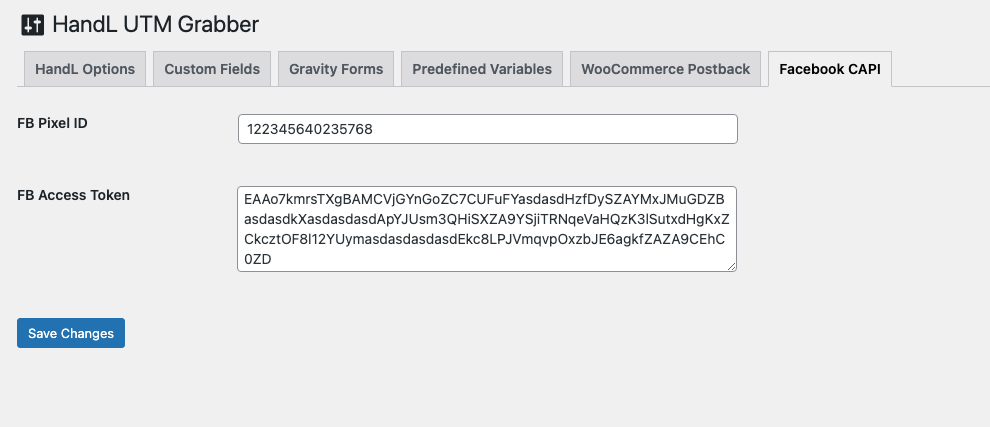
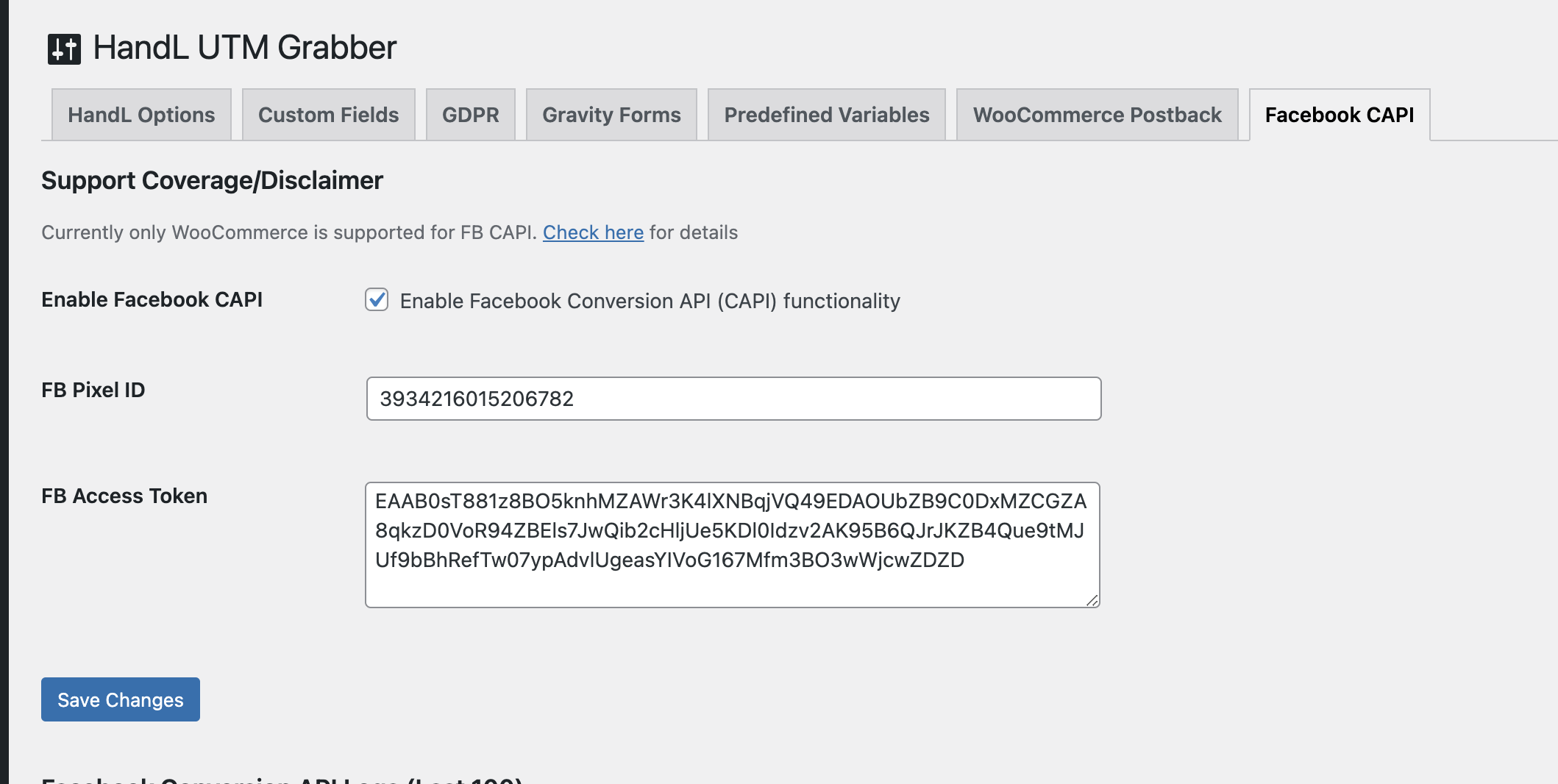
Click Facebook CAPI menu in UTM and enter Facebook pixel id and access token
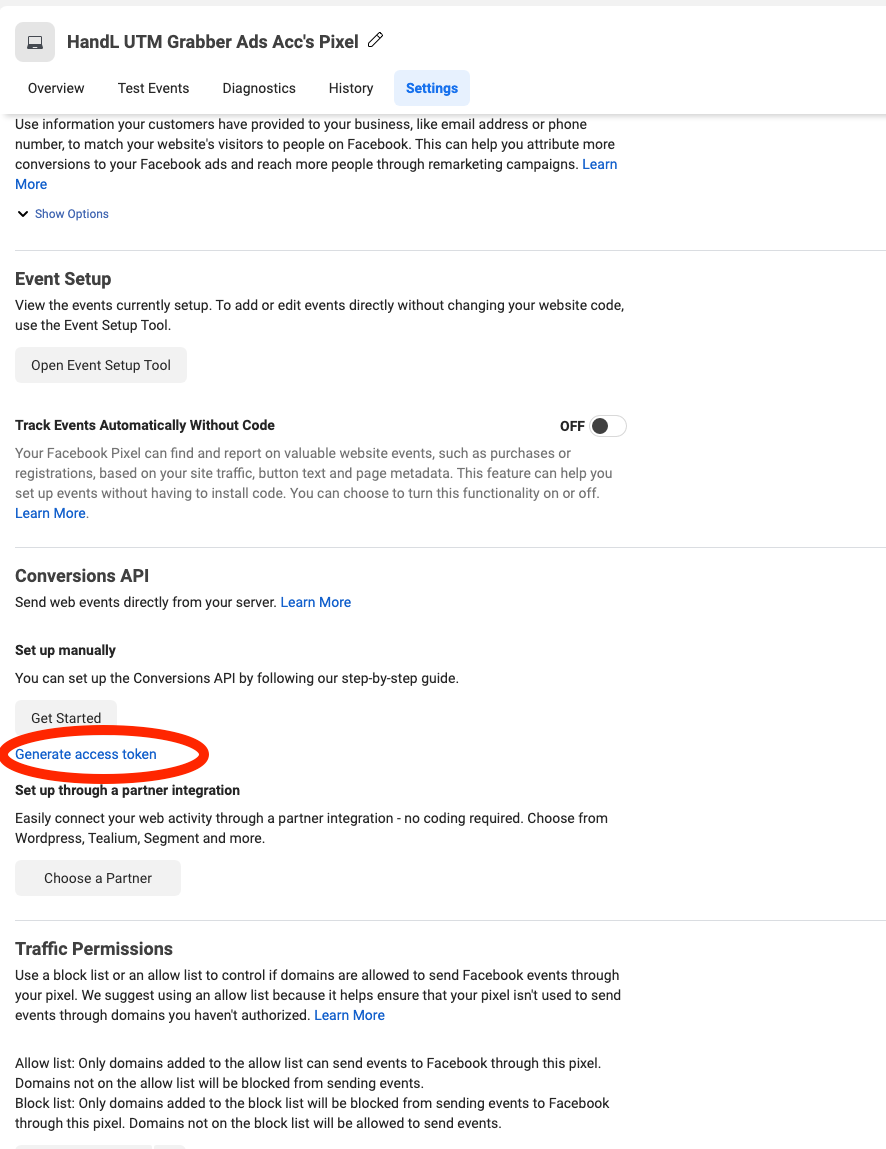
How to generate Access Token: Go to your pixel, click Settings, scroll down to the Conversion API and click Generate Access Token.
Once you set it up everything, keep monitoring your events and watch your event match increases to high 8-9s.

When you are ready, enable the feature by checking the "Enable Facebook Conversion API (CAPI)" functionality.
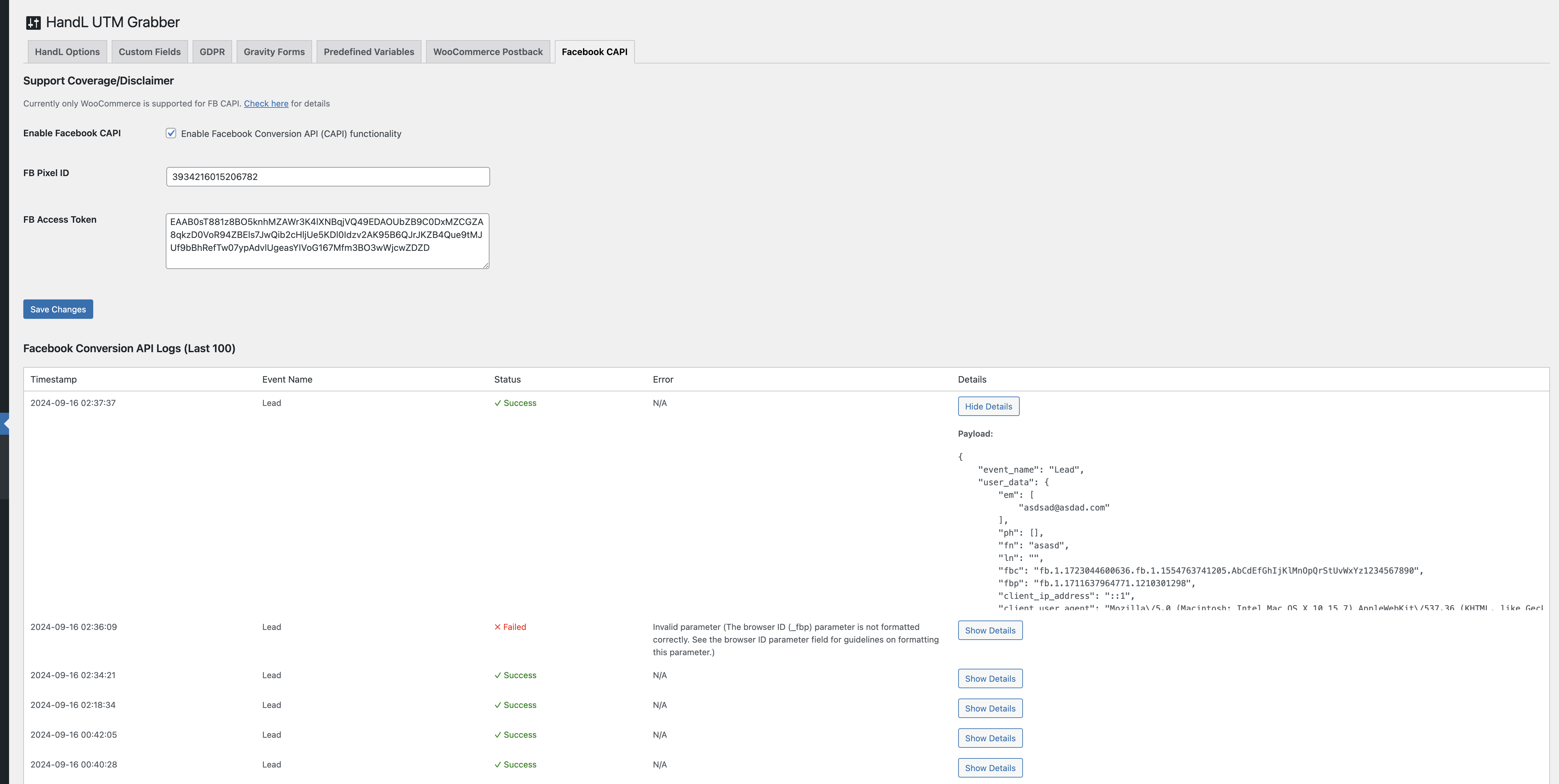
You can check the events in the Facebook Conversion API Logs after they are sent. If there is any failure, it will be reported there, detailing what went wrong.