Zapier For Contact Form 7
Track all UTM from Contact Form 7 to Zapier via HandL UTM Grabber/Tracker
HandL UTM Grabber is an advance UTM Tracking system
- Contact Form 7 to Zapier UTM Tracking Integration Screen Shot Documentation
- Contact Form 7 to Zapier UTM Tracking Integration Video Tutorial
Contact Form 7 to Zapier UTM Tracking Integration Screen Shot Documentation
UTM attribution overview
This guide explains Contact Form 7 to Zapier UTM Tracking Integration Screen Shot Documentation with HandL UTM Grabber. It helps you send UTM and click ID data into automations, webhooks, reports, and connected tools and keep the marketing context needed for accurate reporting across forms, bookings, signups, and sales.
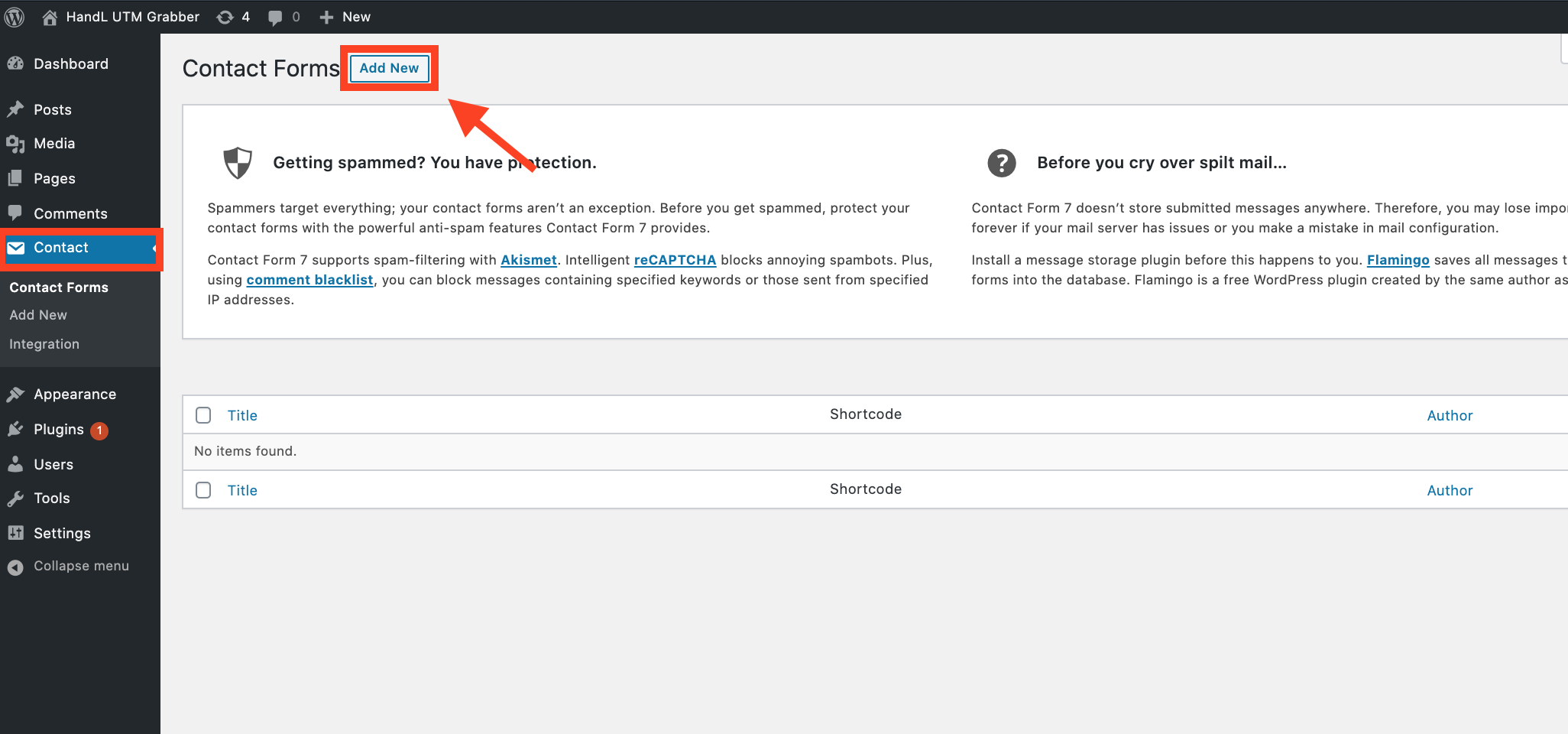
1.Click Contact And Add New
2.Paste The Code Shown Below to the Form Section Like that
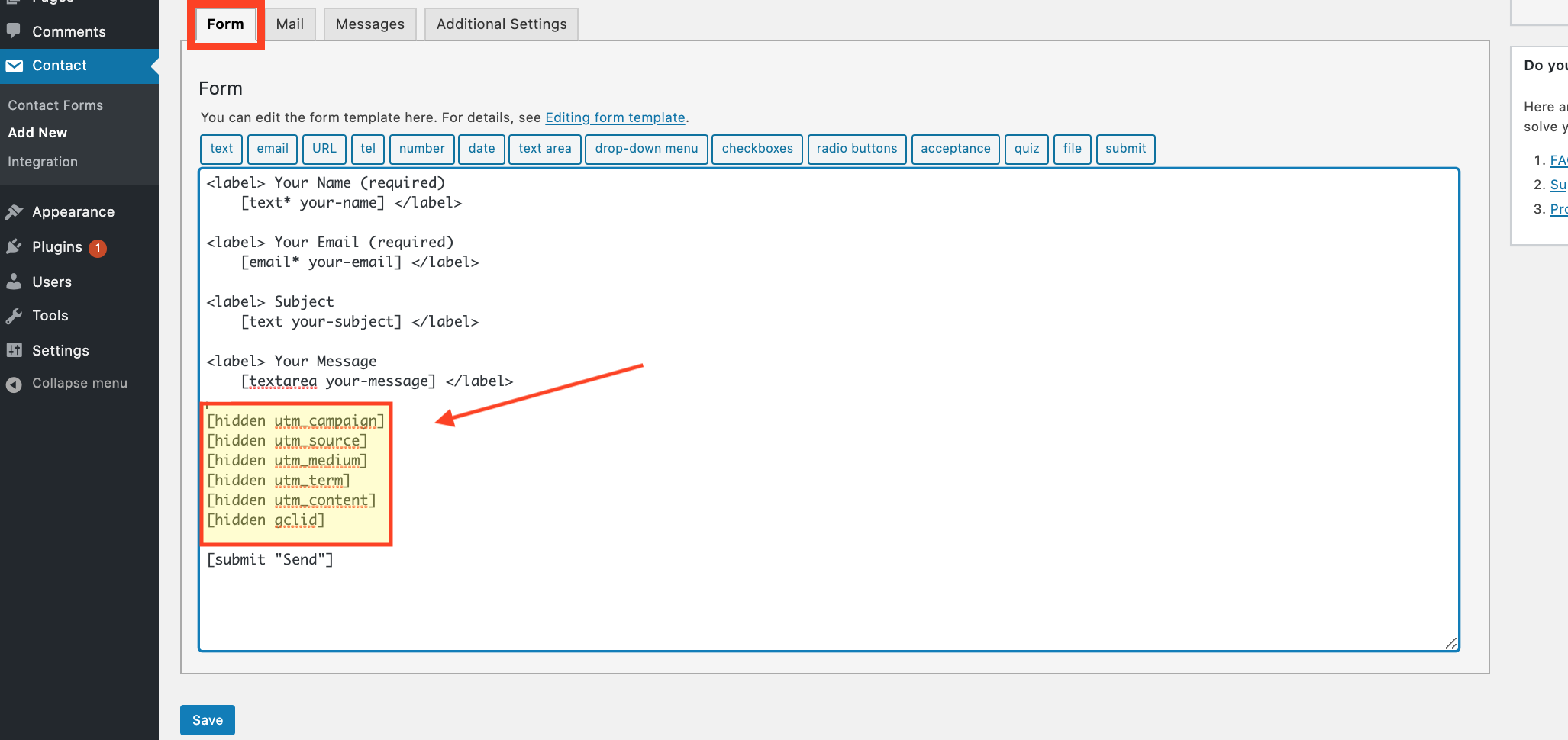
--->Code Snippets<---
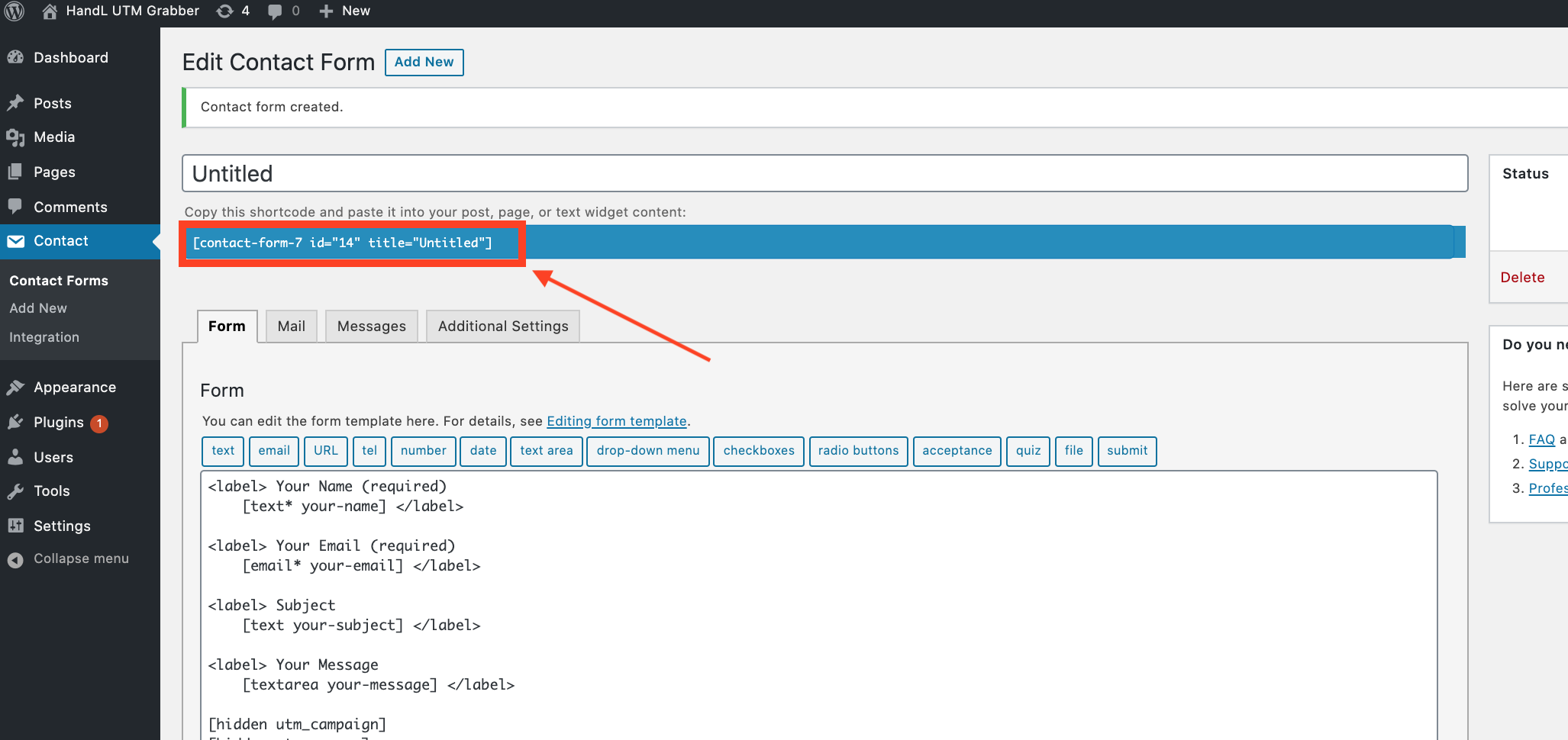
3.Copy the Shortcode
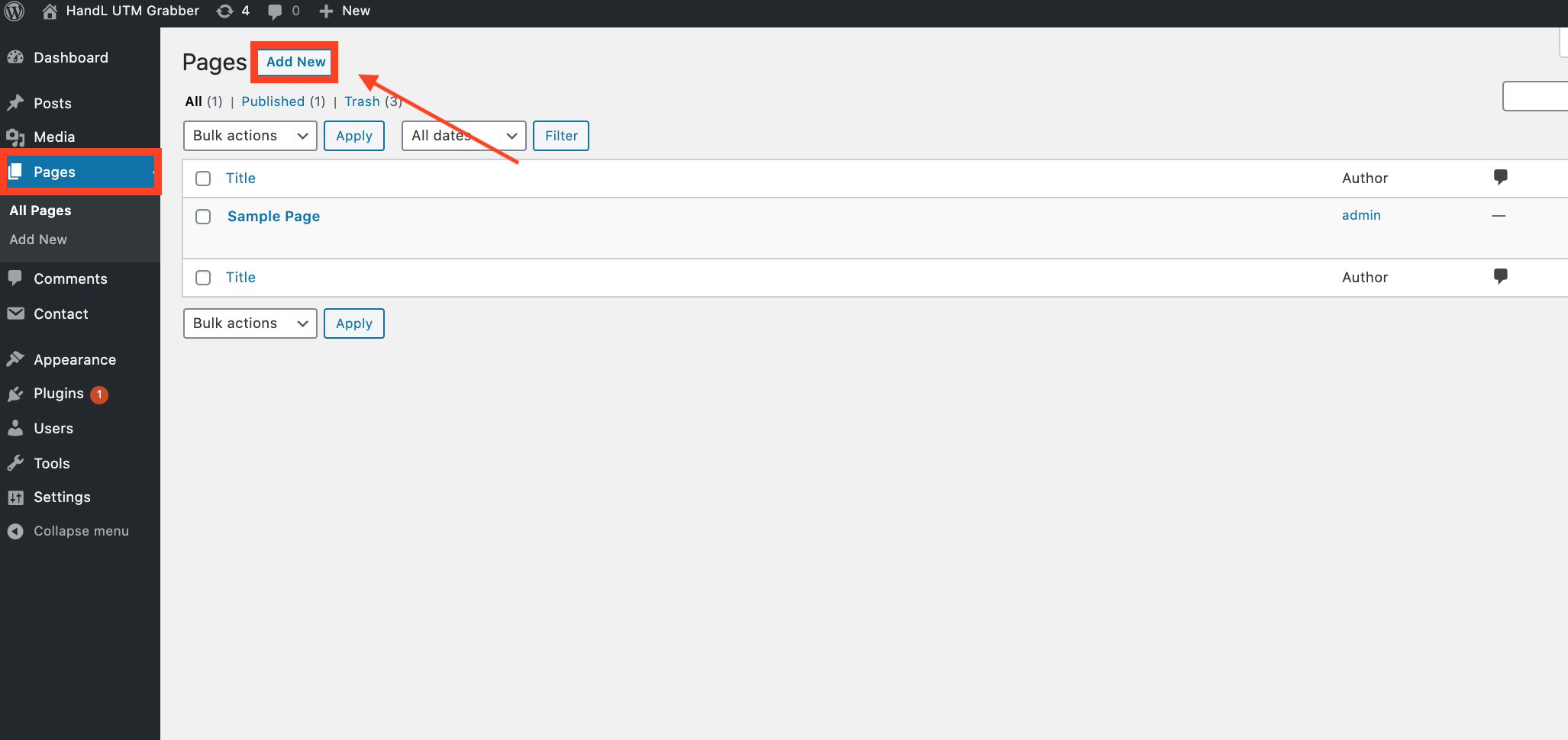
4.Click 'Pages' and then click the 'Add New' button
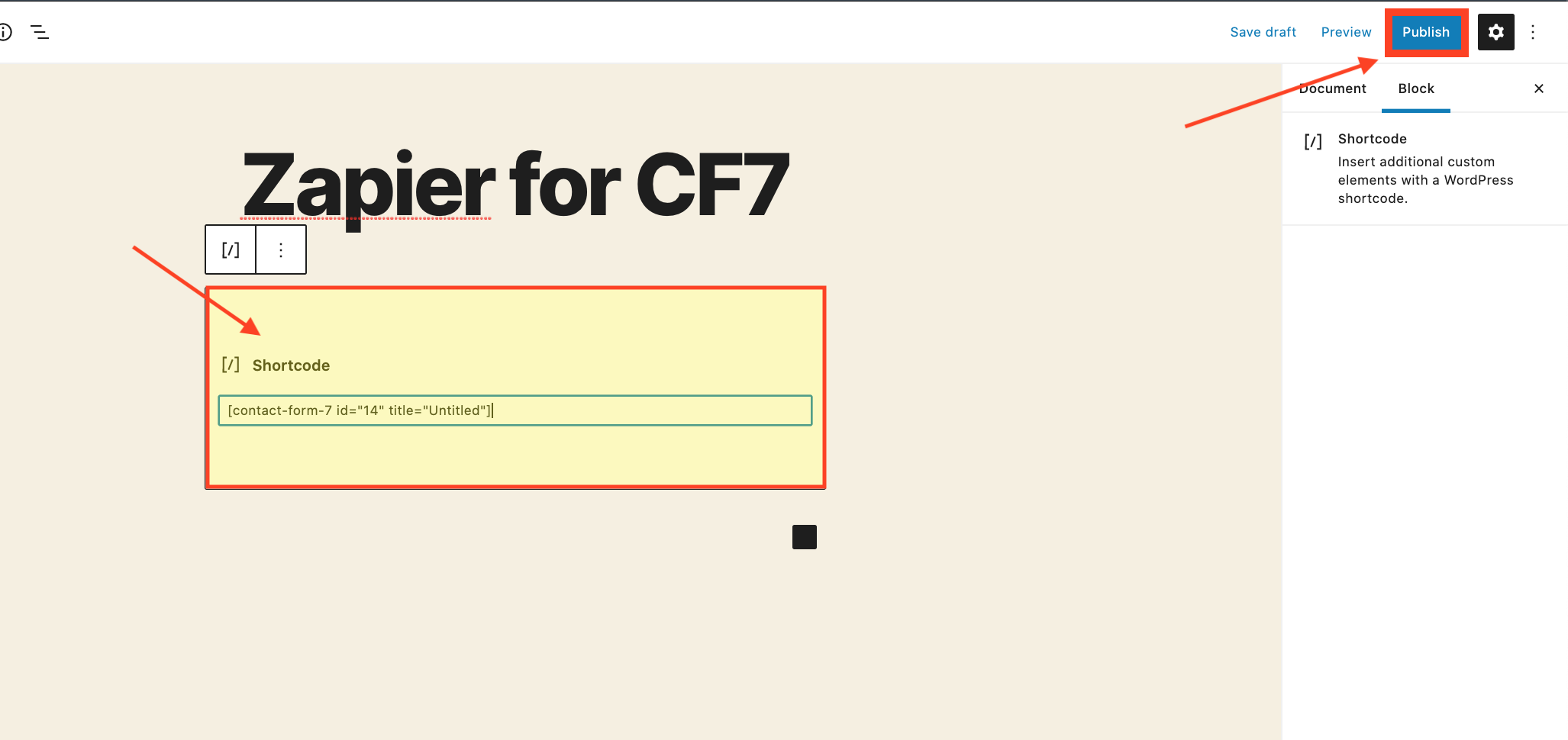
5.Paste the code that you copied and click 'Publish' button
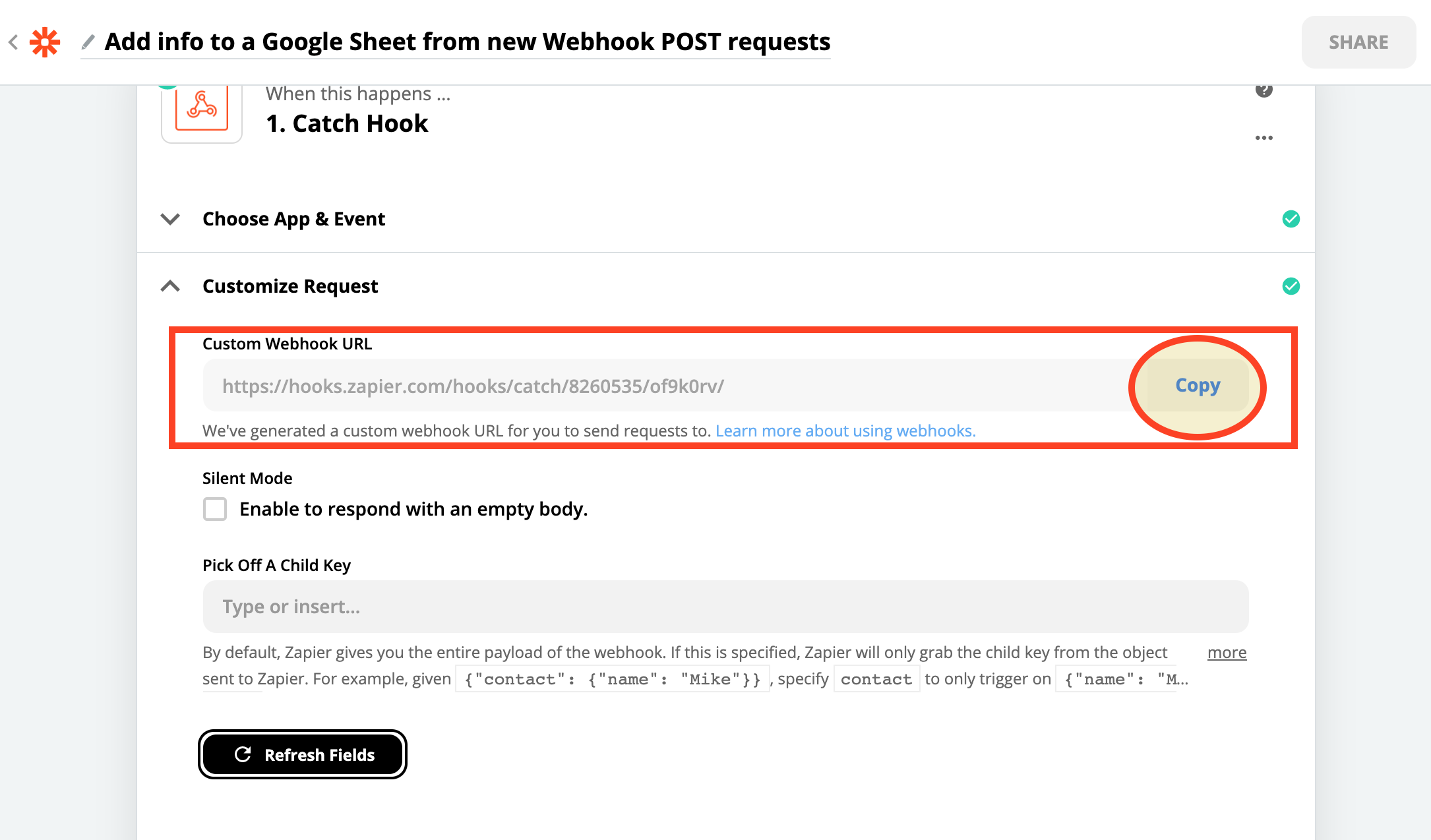
6.Copy The Webhook URL that you created on ZAPIER
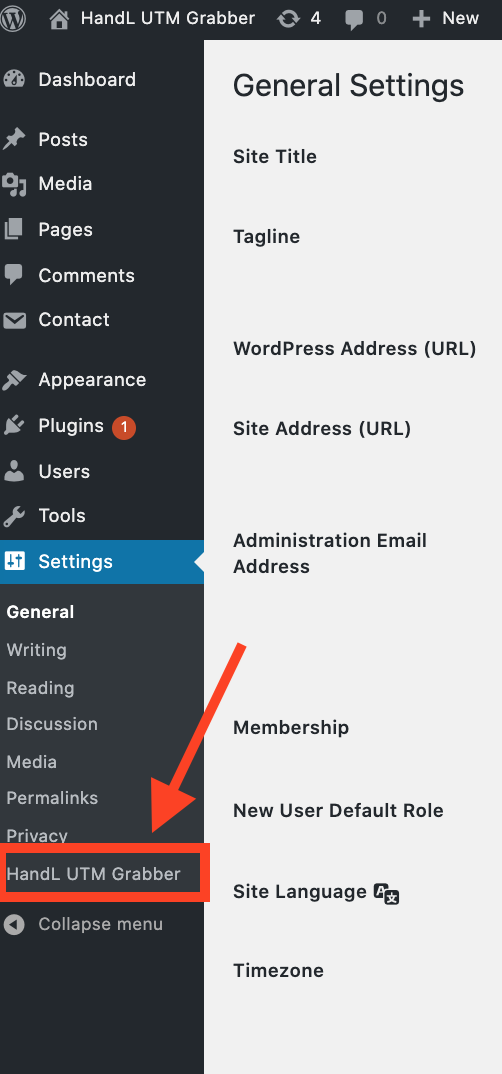
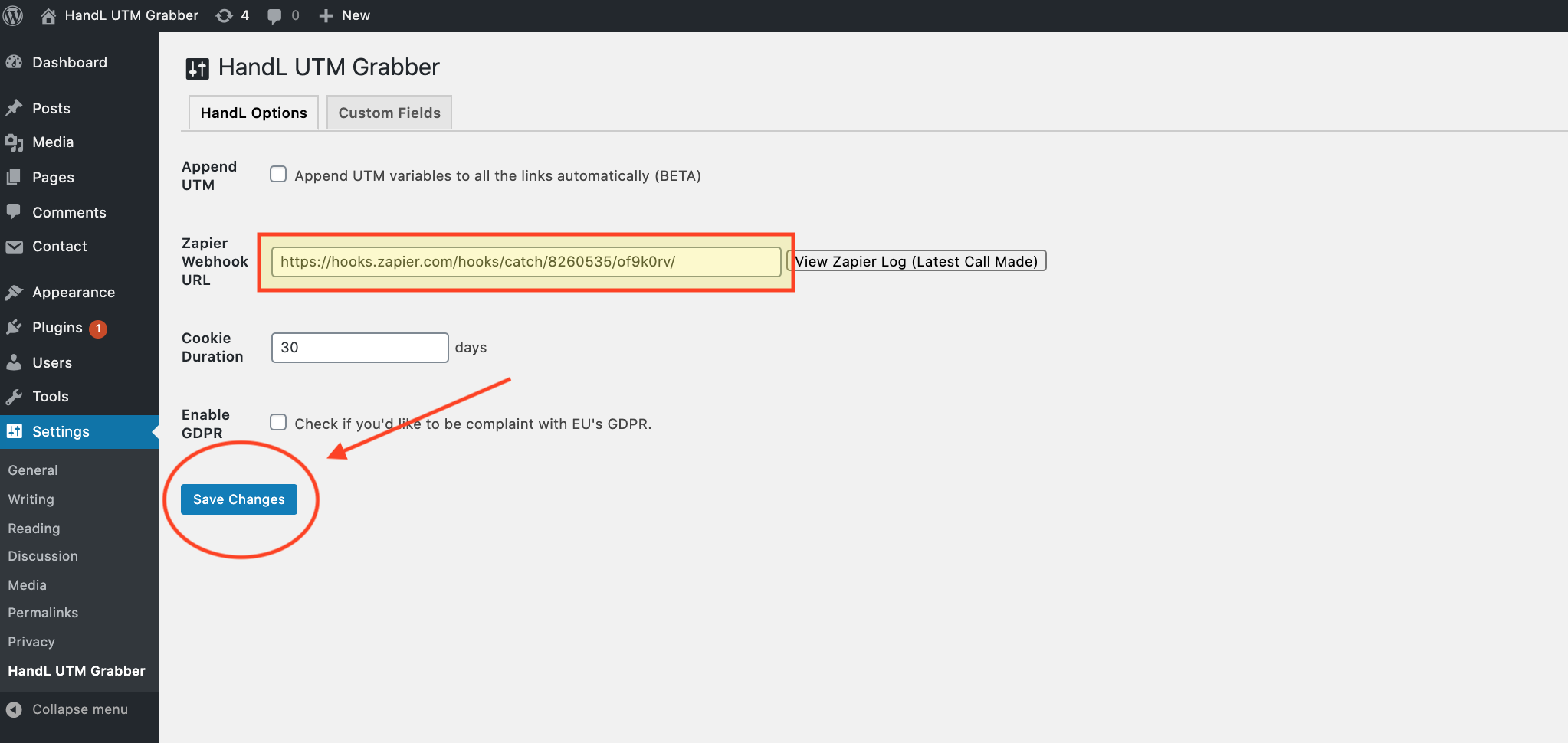
7.Click the 'HandL UTM Grabber' button from Settings
8.Paste the Webhook URL that you copied to the Zapier Webhook URL section and click 'Save Changes'
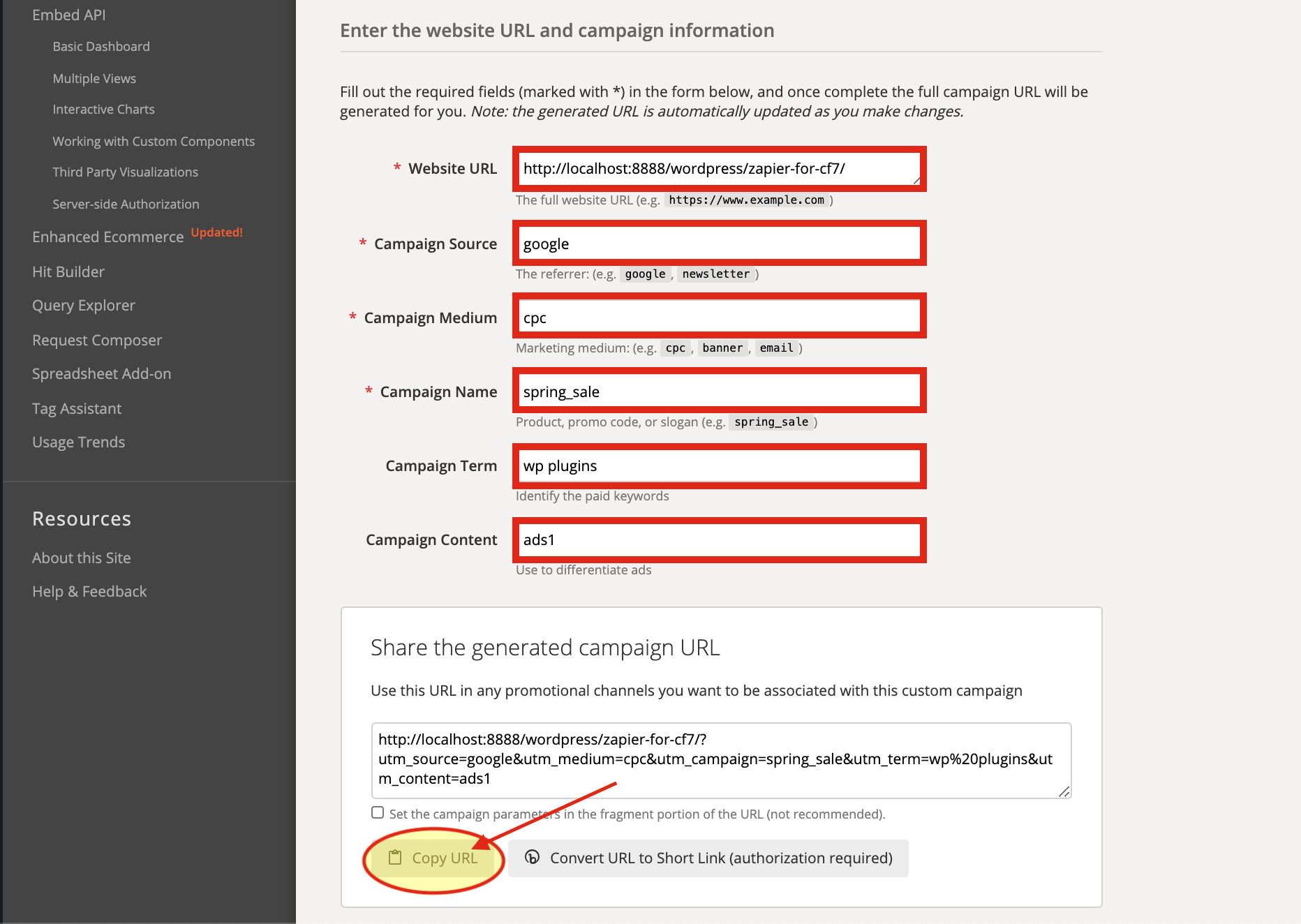
9.Go to campaign URL builder and Copy The URL.
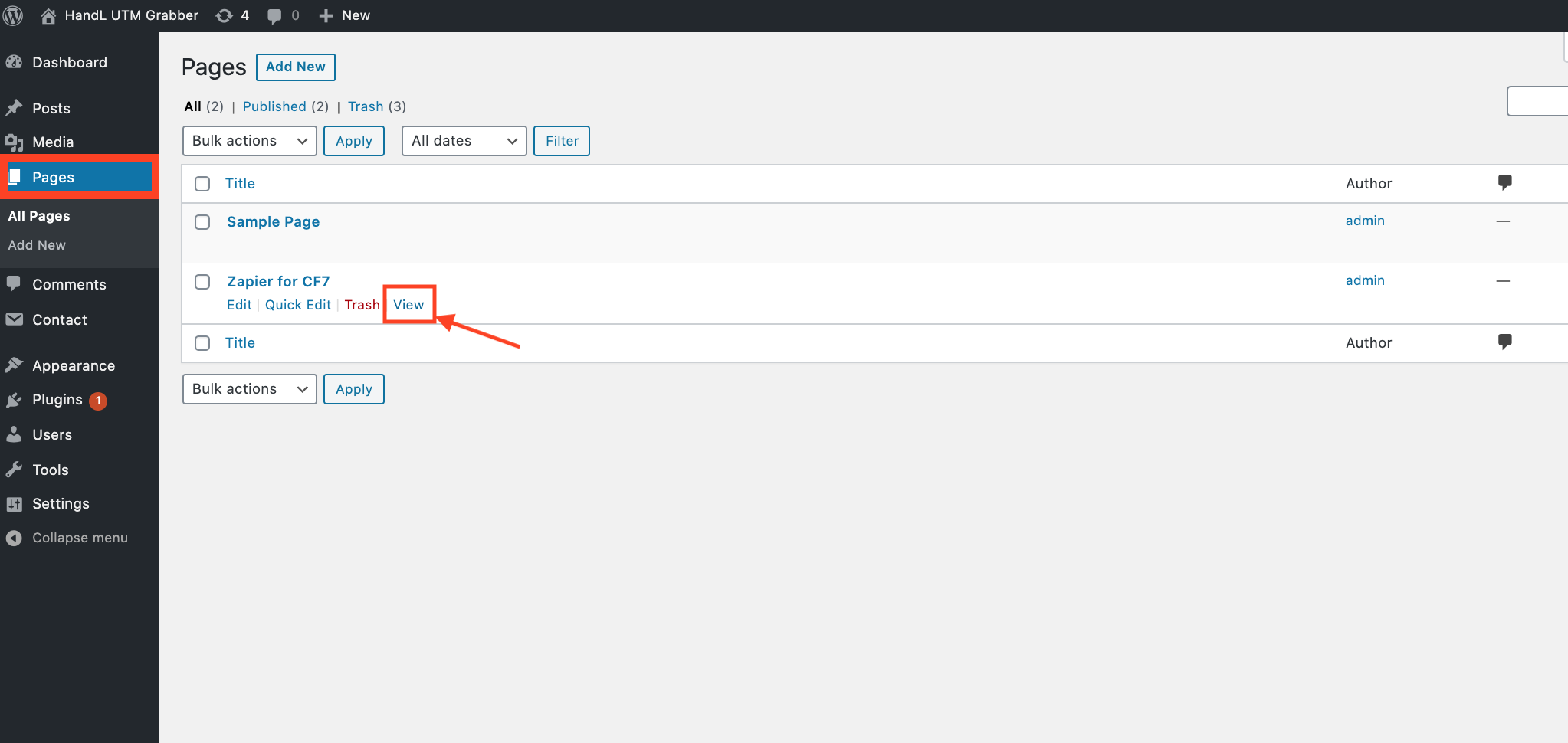
10.Come back to the Pages and View Your Contact Form
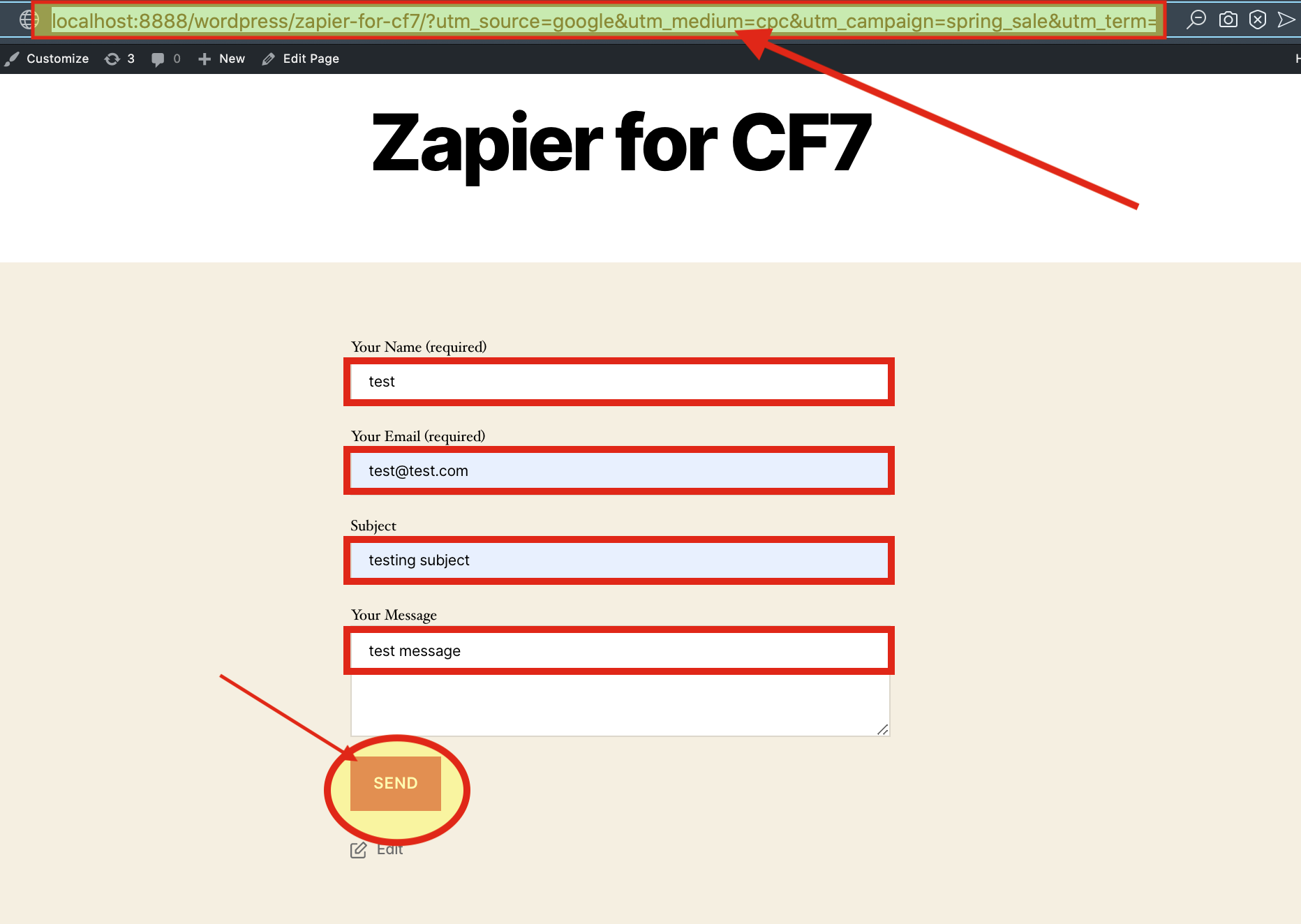
11.Paste the URL that you copied then Fill the blanks on your form and 'SEND'
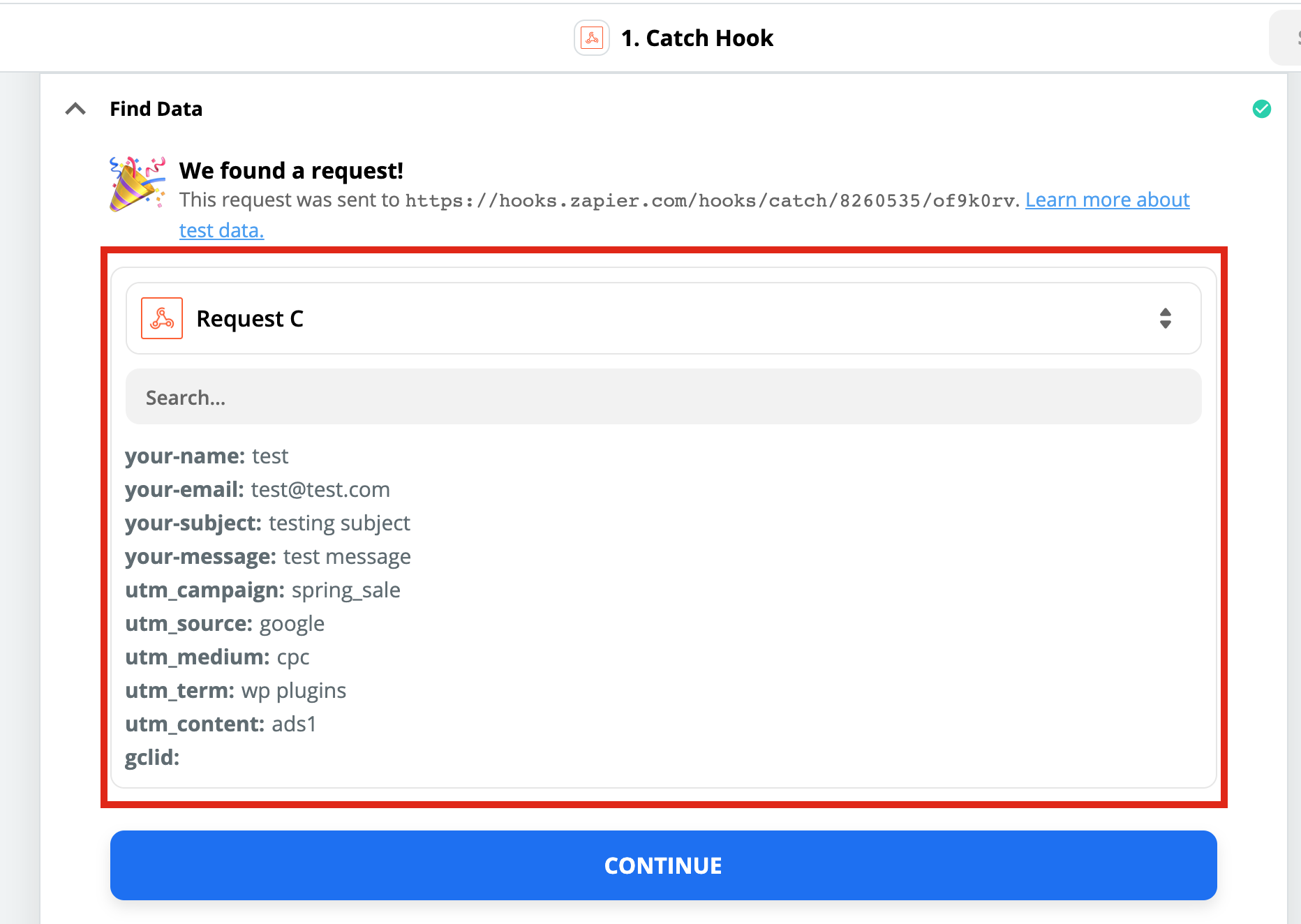
12.Here is your Result on Zapier
Contact Form 7 to Zapier UTM Tracking Integration Video Tutorial
UTM attribution overview
This guide explains Contact Form 7 to Zapier UTM Tracking Integration Video Tutorial with HandL UTM Grabber. It helps you send UTM and click ID data into automations, webhooks, reports, and connected tools and keep the marketing context needed for accurate reporting across forms, bookings, signups, and sales.
Please watch the related Video Tutorial below
and click right to the video and open link in new tab