# Zapier UTM Tracking Integration
Connect HandL UTM Grabber to Zapier so WordPress form submissions can send UTM source, medium, campaign, click IDs, and referrer data into your automation workflows.
# Zapier For Contact Form 7
Track all UTM from Contact Form 7 to Zapier via HandL UTM Grabber/Tracker
HandL UTM Grabber is an advance UTM Tracking system
# Contact Form 7 to Zapier UTM Tracking Integration Screen Shot Documentation
## UTM attribution overview
This guide explains Contact Form 7 to Zapier UTM Tracking Integration Screen Shot Documentation with HandL UTM Grabber. It helps you send UTM and click ID data into automations, webhooks, reports, and connected tools and keep the marketing context needed for accurate reporting across forms, bookings, signups, and sales.
#### **1.Click Contact And Add New** ####
[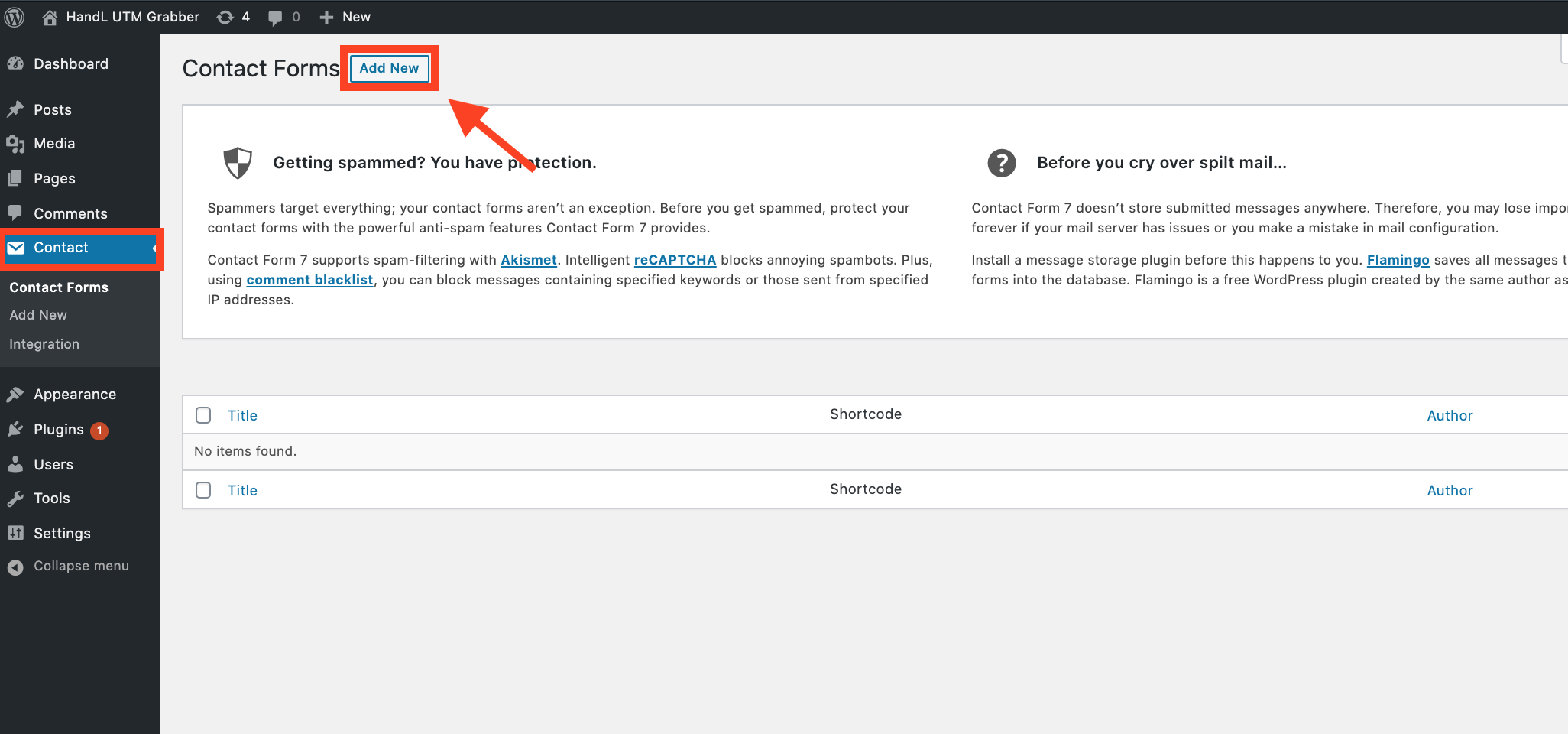](https://docs.utmgrabber.com/uploads/images/gallery/2020-08/1-zapier-add-contact.png)
#### **2.Paste The Code Shown Below to the Form Section Like that** ####
[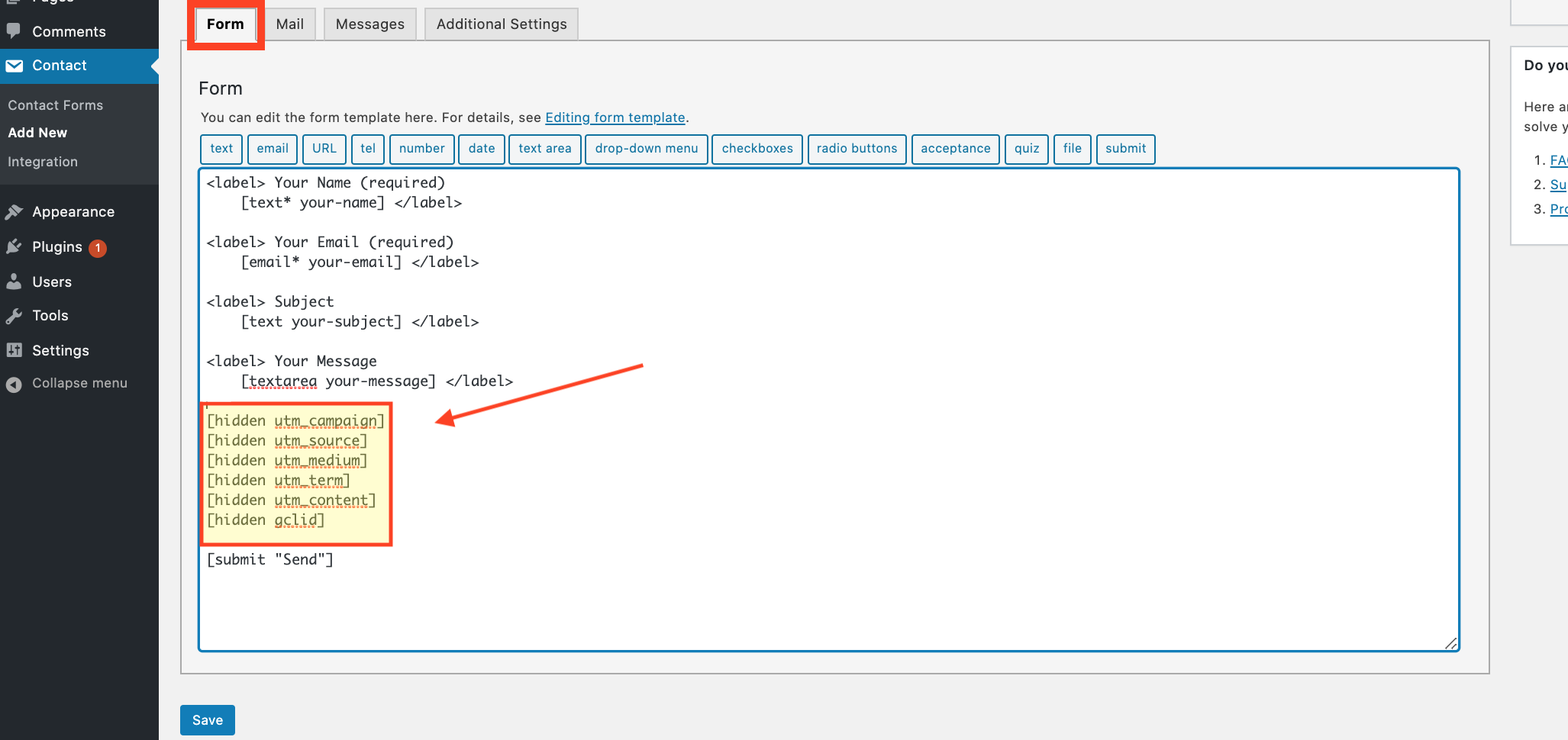](https://docs.utmgrabber.com/uploads/images/gallery/2020-08/2-zapier-paste-the-code.png)
#### **--->Code Snippets<---** ####
```
[hidden utm_campaign]
[hidden utm_source]
[hidden utm_medium]
[hidden utm_term]
[hidden utm_content]
[hidden gclid]
```
#### **3.Copy the Shortcode** ####
[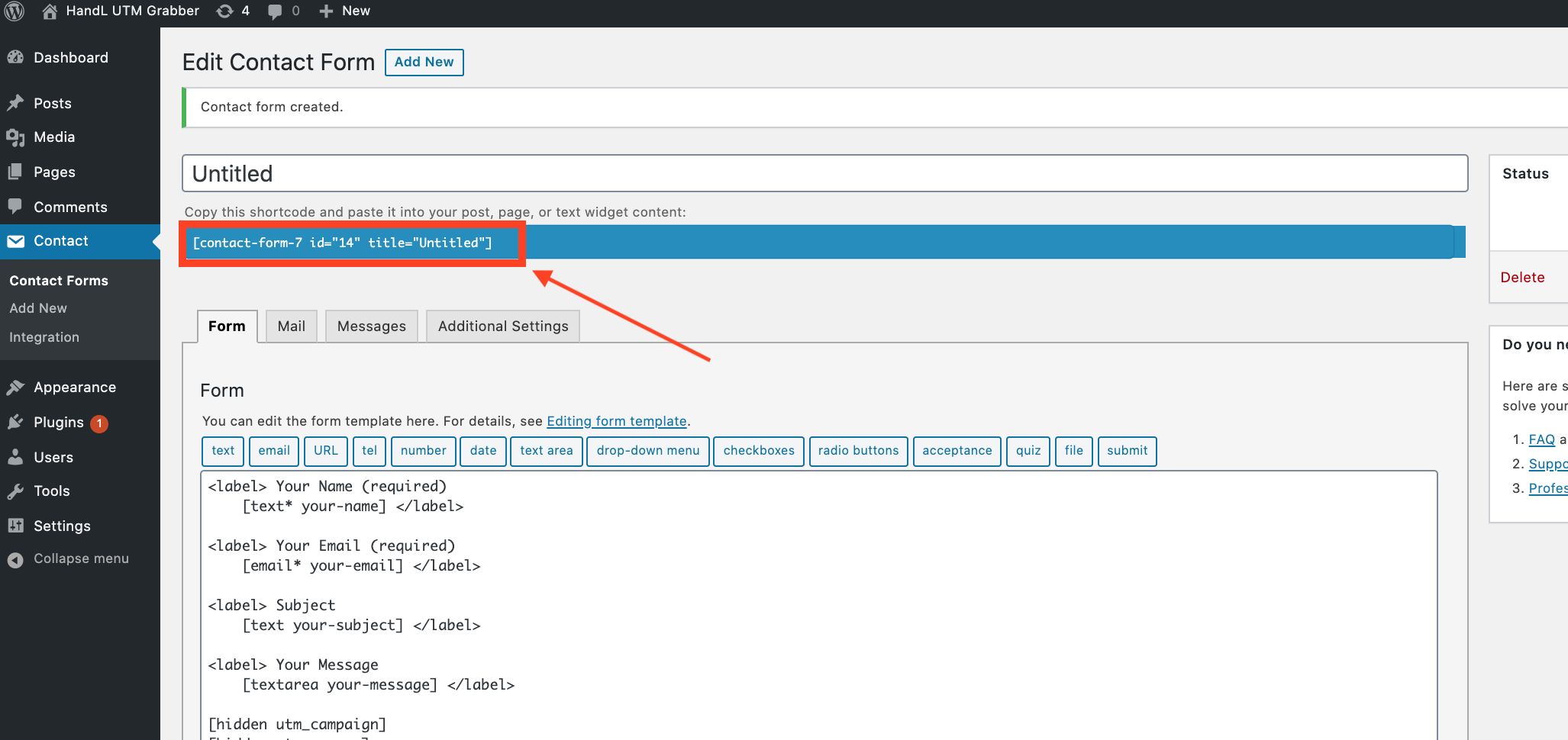](https://docs.utmgrabber.com/uploads/images/gallery/2020-08/3-zapier-copy-the-shortcode.png)
#### **4.Click 'Pages' and then click the 'Add New' button** ####
[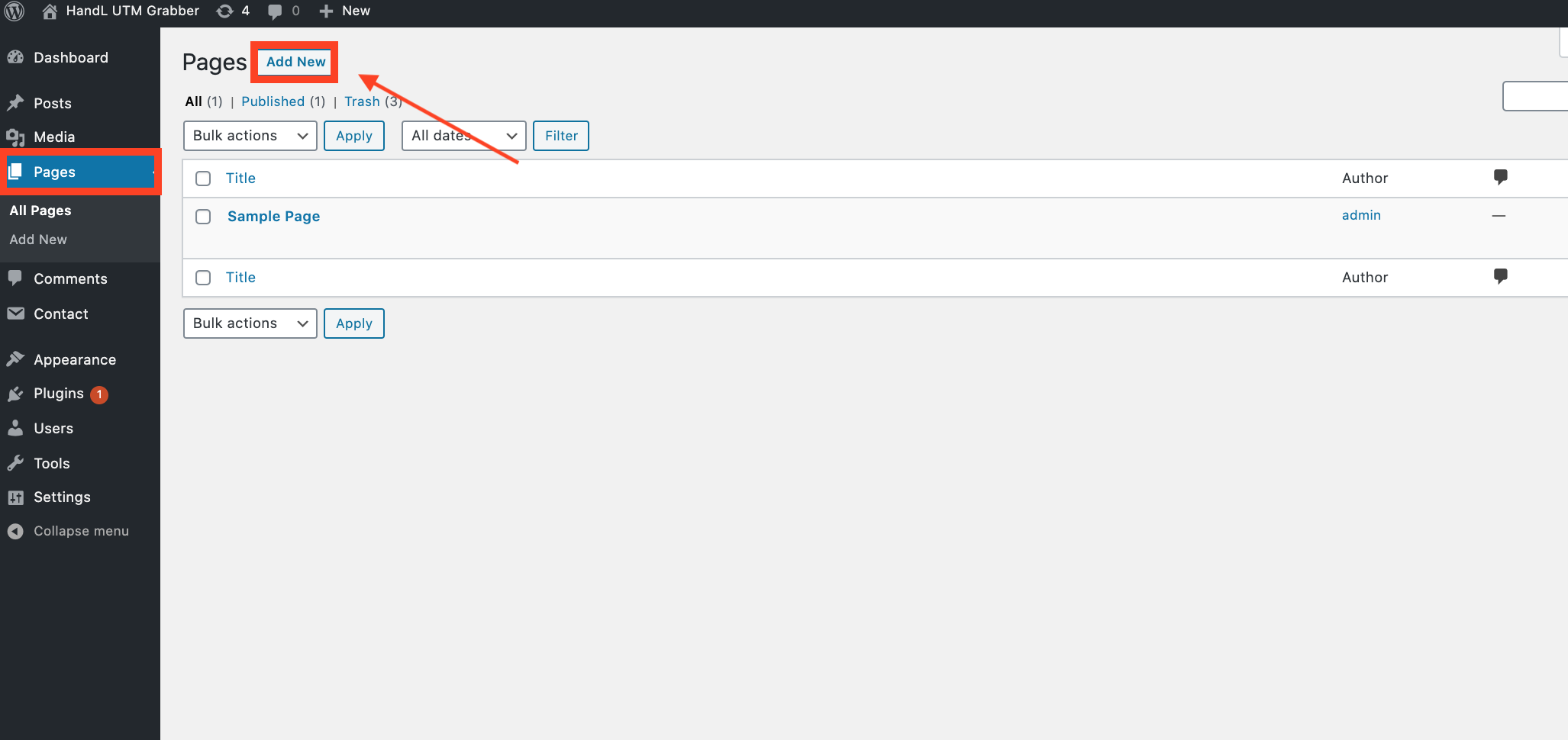](https://docs.utmgrabber.com/uploads/images/gallery/2020-08/4-zapier-add-new-page.png)
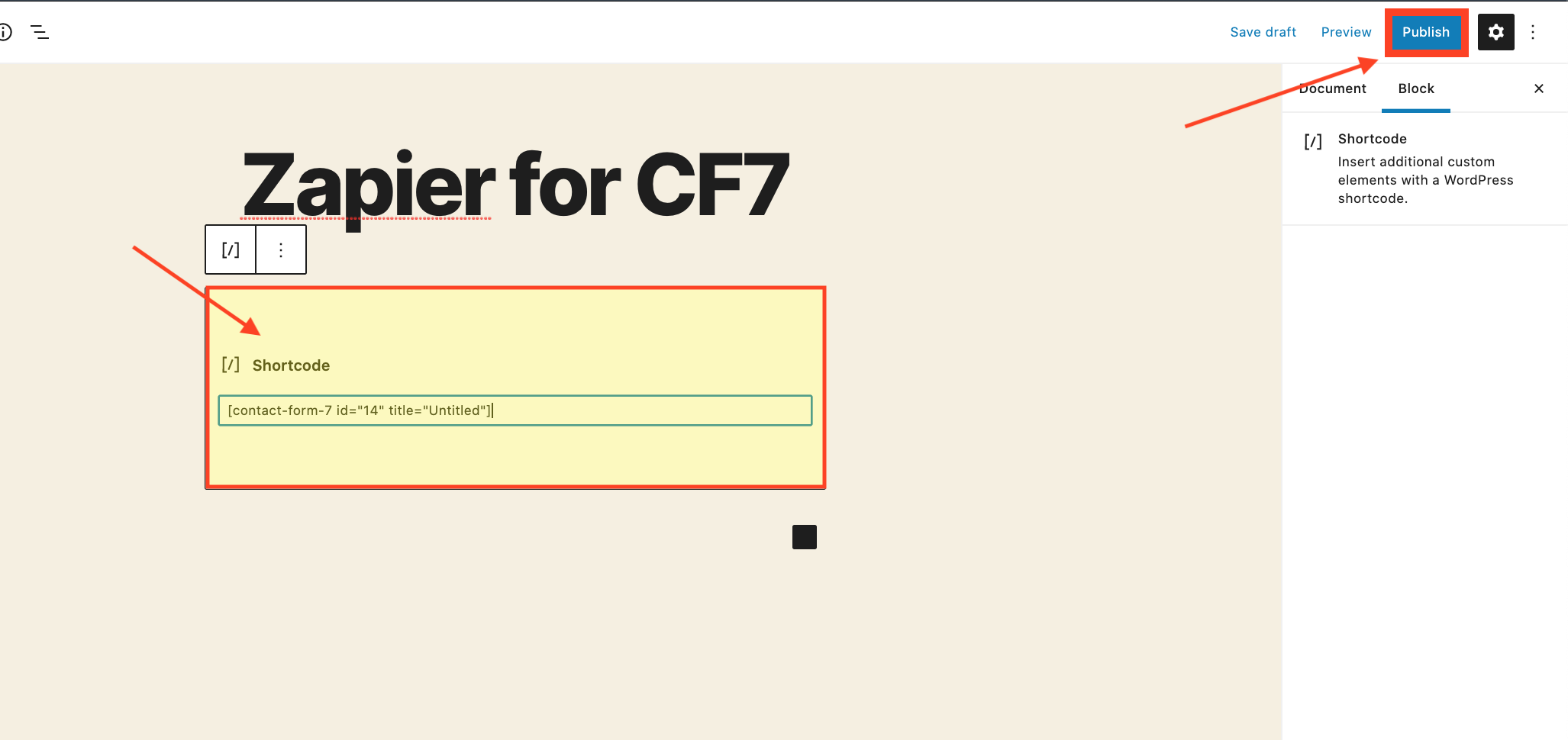
#### **5.Paste the code that you copied and click 'Publish' button** ####
[](https://docs.utmgrabber.com/uploads/images/gallery/2020-08/5-zapier-paste-the-shortcode.png)
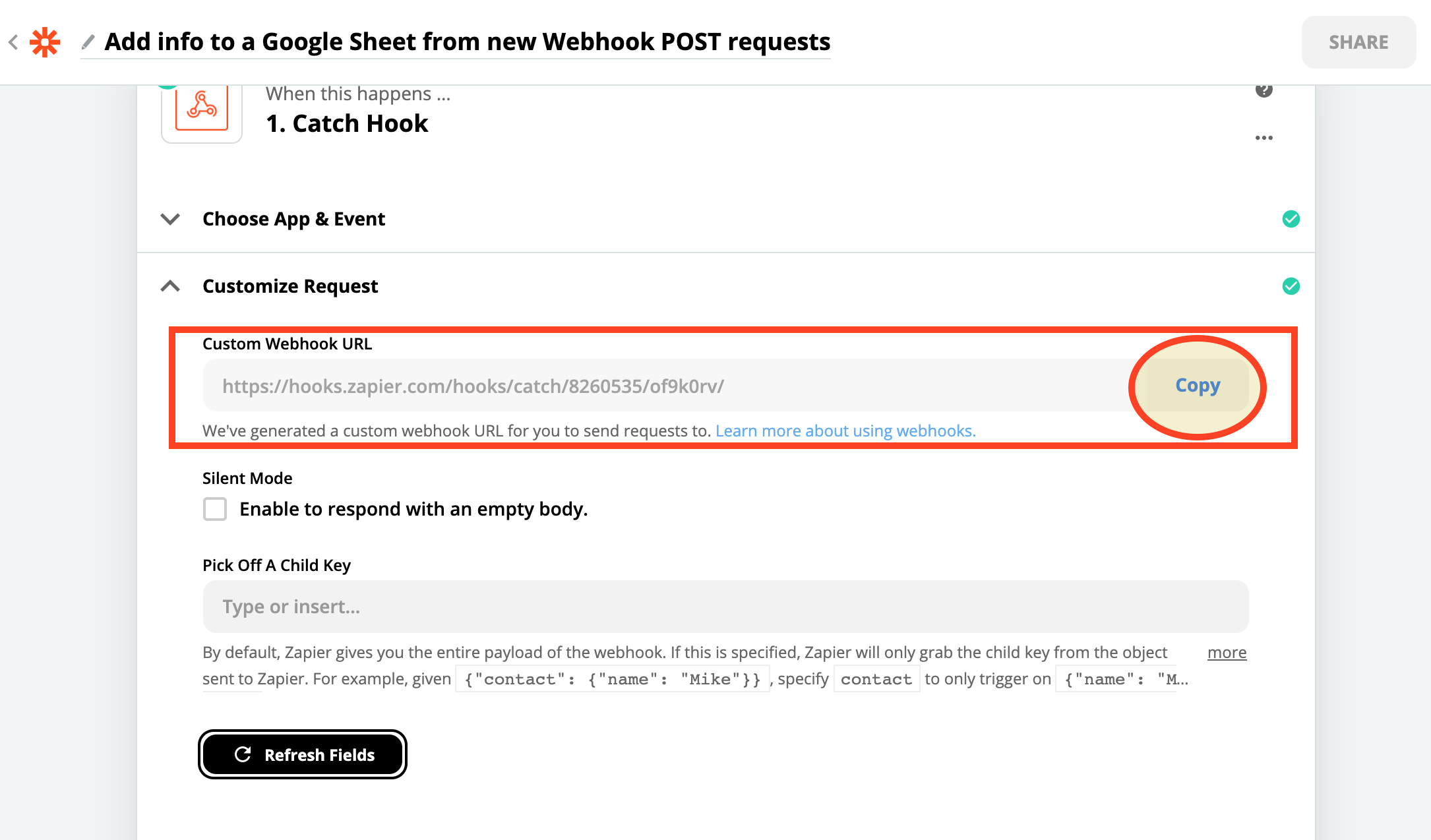
#### **6.Copy The Webhook URL that you created on ZAPIER** ####
[](https://docs.utmgrabber.com/uploads/images/gallery/2020-08/6-zapier-copy-the-webhook-url.png)
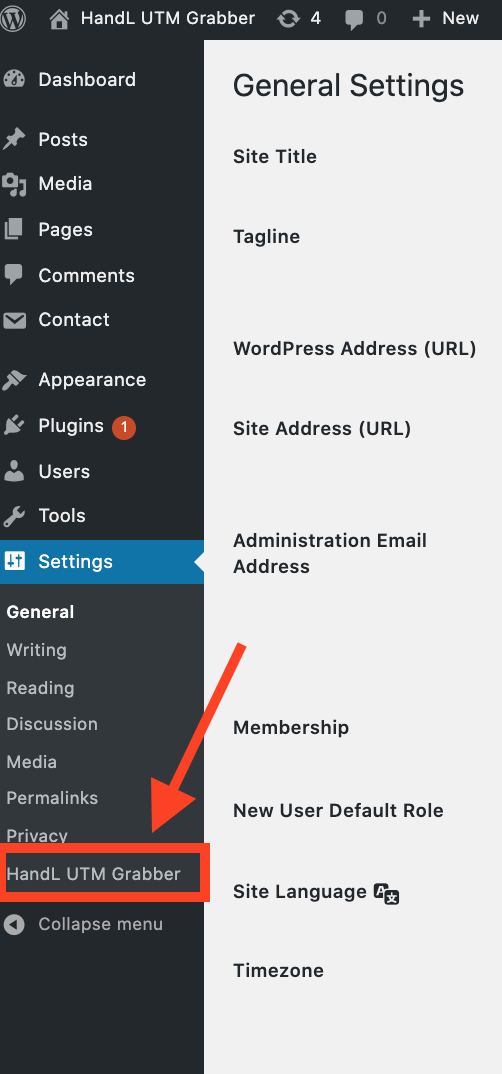
#### **7.Click the 'HandL UTM Grabber' button from Settings** ####
[](https://docs.utmgrabber.com/uploads/images/gallery/2020-08/7-zapier-handl-utm-grabber-settings.png)
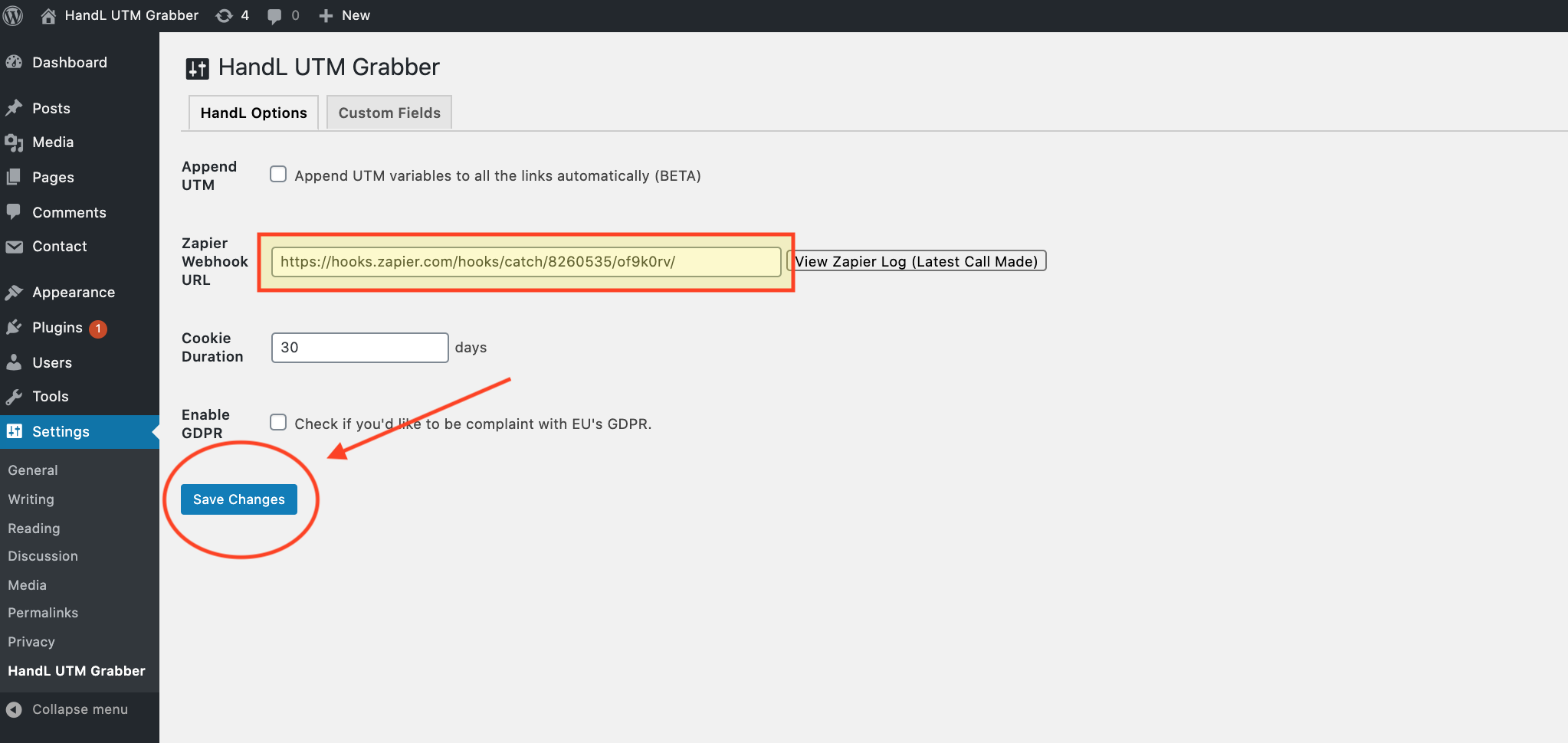
#### **8.Paste the Webhook URL that you copied to the Zapier Webhook URL section and click 'Save Changes'** ####
[](https://docs.utmgrabber.com/uploads/images/gallery/2020-08/8-zapier-paste-the-webhook-url.png)
#### **9.Go to campaign URL builder and Copy The URL.** ####
[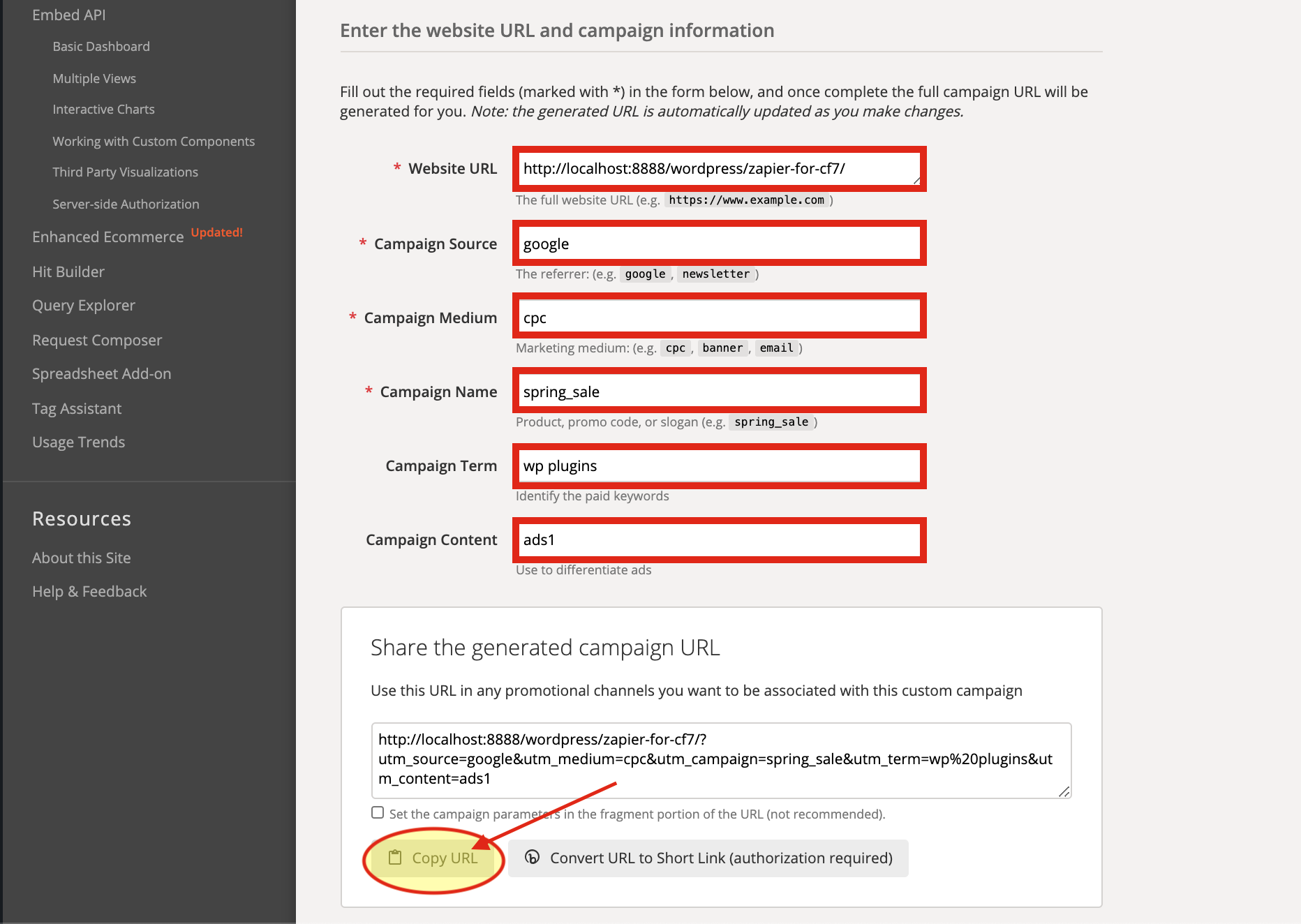](https://docs.utmgrabber.com/uploads/images/gallery/2020-08/9-zapier-active-campaign-url.png)
#### **10.Come back to the Pages and View Your Contact Form** ####
[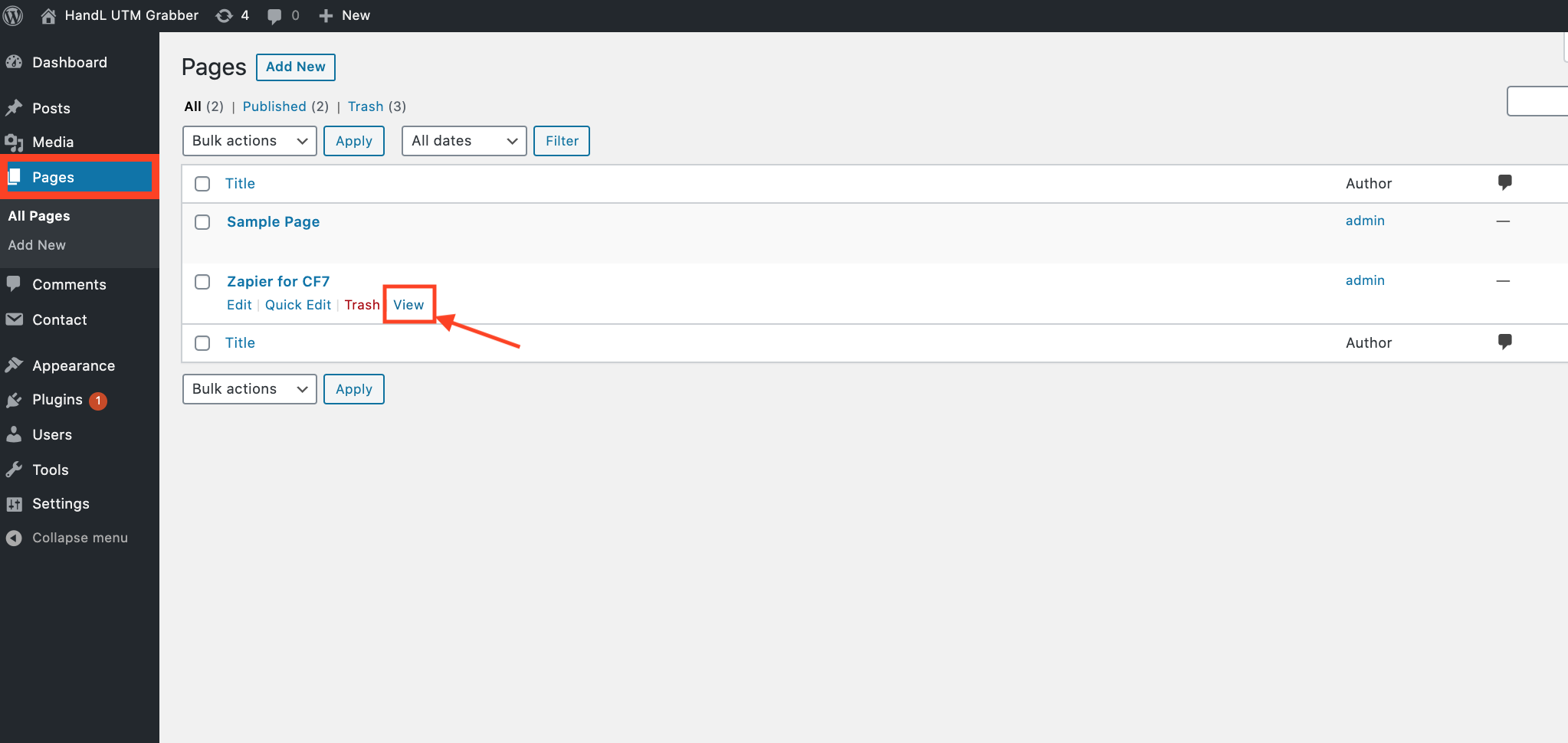](https://docs.utmgrabber.com/uploads/images/gallery/2020-08/9-zapier-view-the-form.png)
#### **11.Paste the URL that you copied then Fill the blanks on your form and 'SEND'** ####
[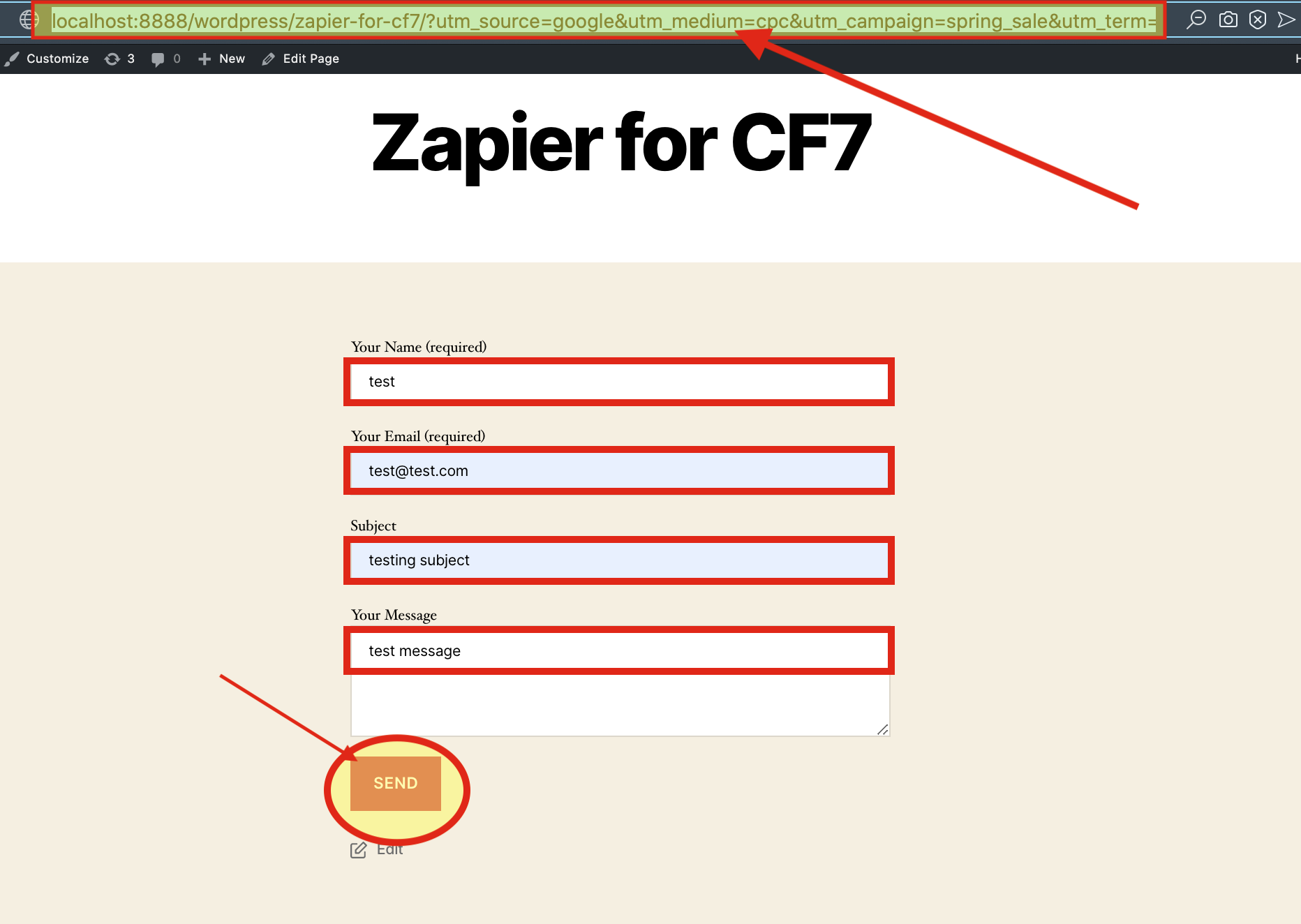](https://docs.utmgrabber.com/uploads/images/gallery/2020-08/11-zapier-paste-the-url-to-the-form.png)
#### **12.Here is your Result on Zapier** ####
[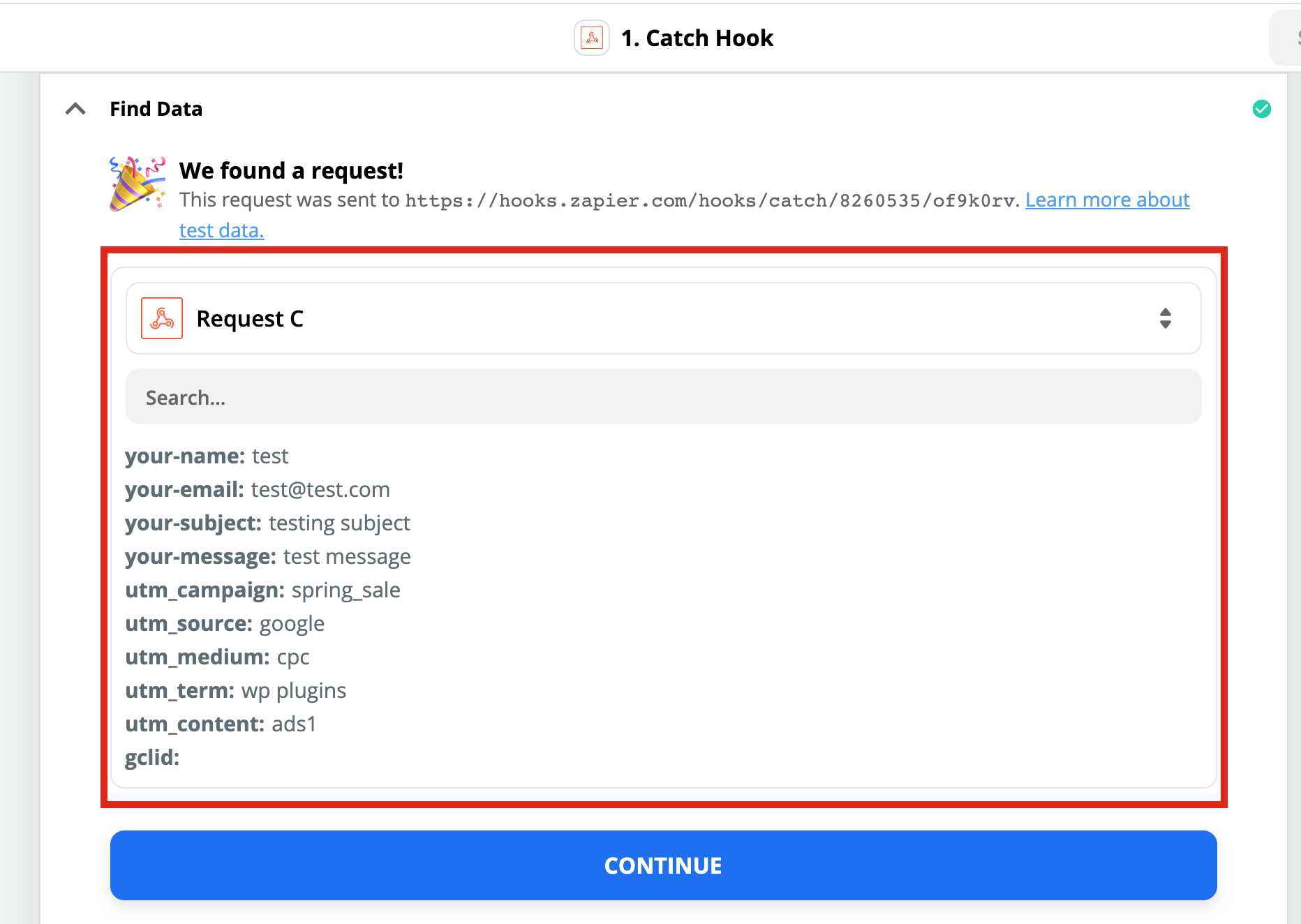](https://docs.utmgrabber.com/uploads/images/gallery/2020-08/12-zapier-here-is-your-result.png)
# Contact Form 7 to Zapier UTM Tracking Integration Video Tutorial
## UTM attribution overview
This guide explains Contact Form 7 to Zapier UTM Tracking Integration Video Tutorial with HandL UTM Grabber. It helps you send UTM and click ID data into automations, webhooks, reports, and connected tools and keep the marketing context needed for accurate reporting across forms, bookings, signups, and sales.
#### *Please watch the related Video Tutorial below*
#### *and click right to the video and open link in new tab*
[](http://www.youtube.com/watch?v=tD5jjl71548 "Contact Form 7 to Zapier Integration Video Tutorial")
#### Track UTMs from Contact Form 7 to Zapier via HandL UTM Grabber
# Zapier for Gravity Forms
Gravity Forms to Zapier Integration Tutorial
# Gravity Forms to Zapier UTM Tracking Integration Screen Shot tutorial
## UTM attribution overview
This guide explains Gravity Forms to Zapier UTM Tracking Integration Screen Shot tutorial with HandL UTM Grabber. It helps you send UTM and click ID data into automations, webhooks, reports, and connected tools and keep the marketing context needed for accurate reporting across forms, bookings, signups, and sales.
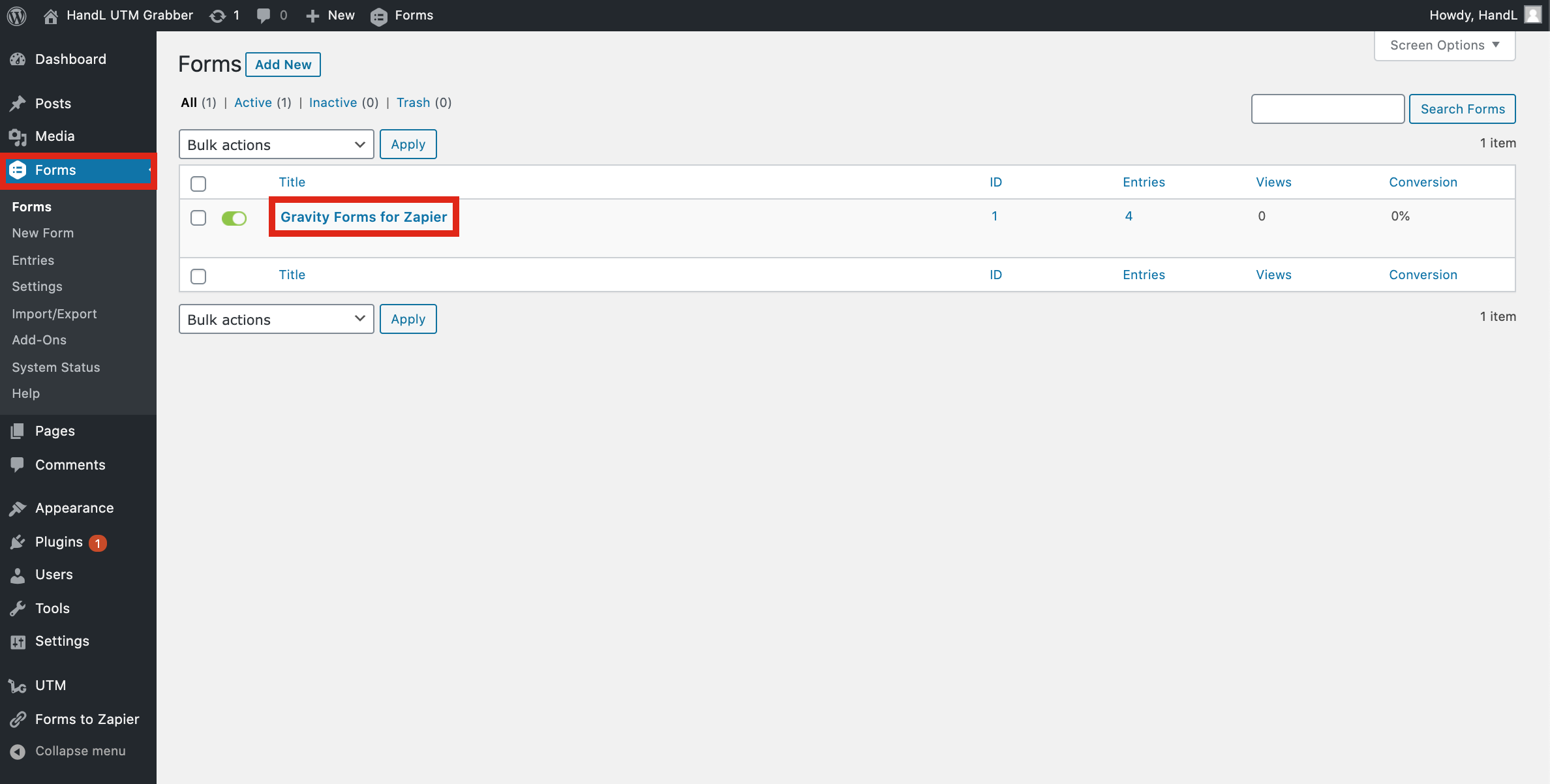
#### **1-)Go to your Gravity Form** ####
[](https://docs.utmgrabber.com/uploads/images/gallery/2020-09/gf-1-go-to-your-gravity-form.png)
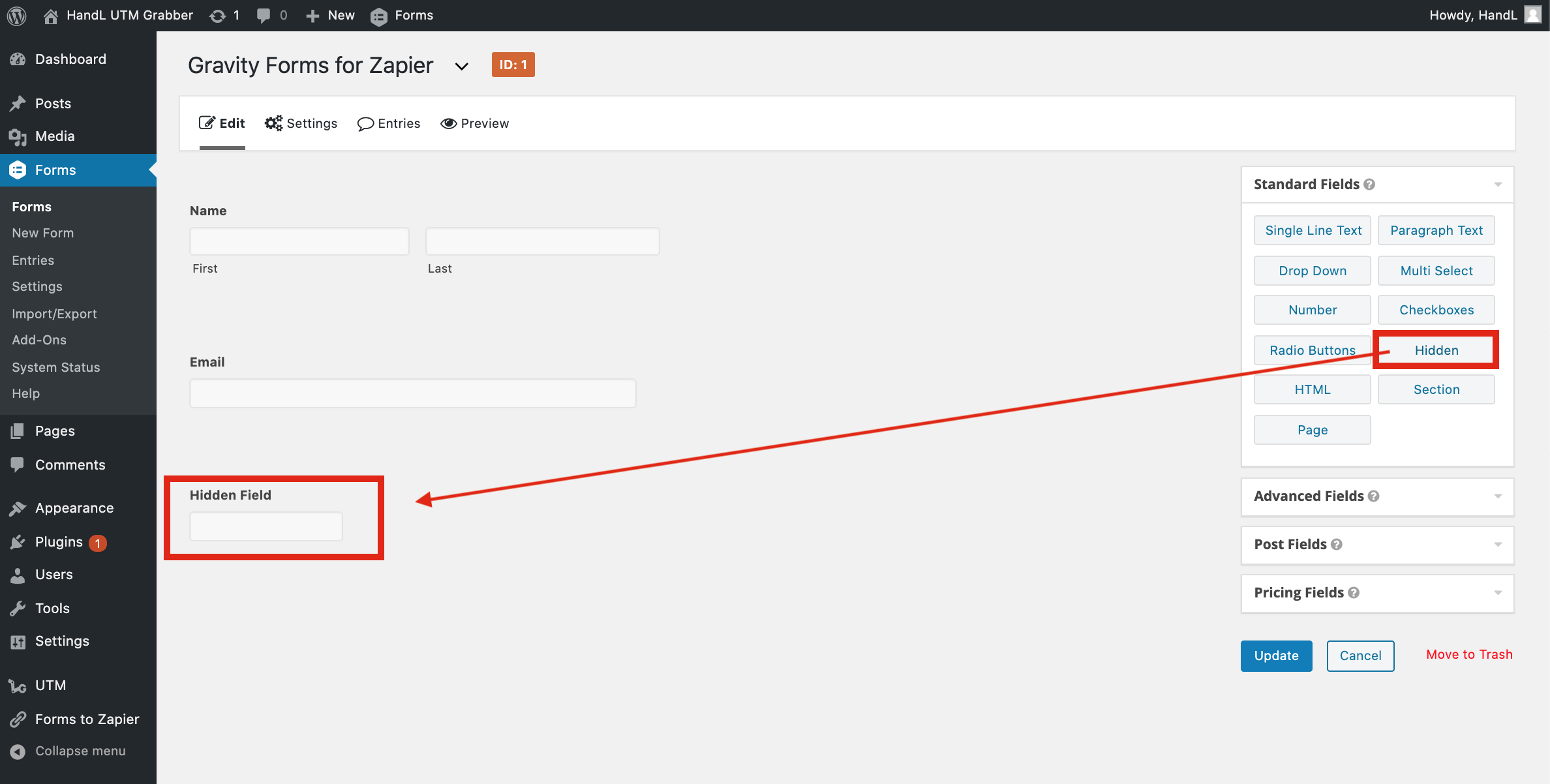
#### **2-)Add Hidden Fields to your Form** ####
[](https://docs.utmgrabber.com/uploads/images/gallery/2020-09/gf-2-add-hidden-fields-to-your-form.png)
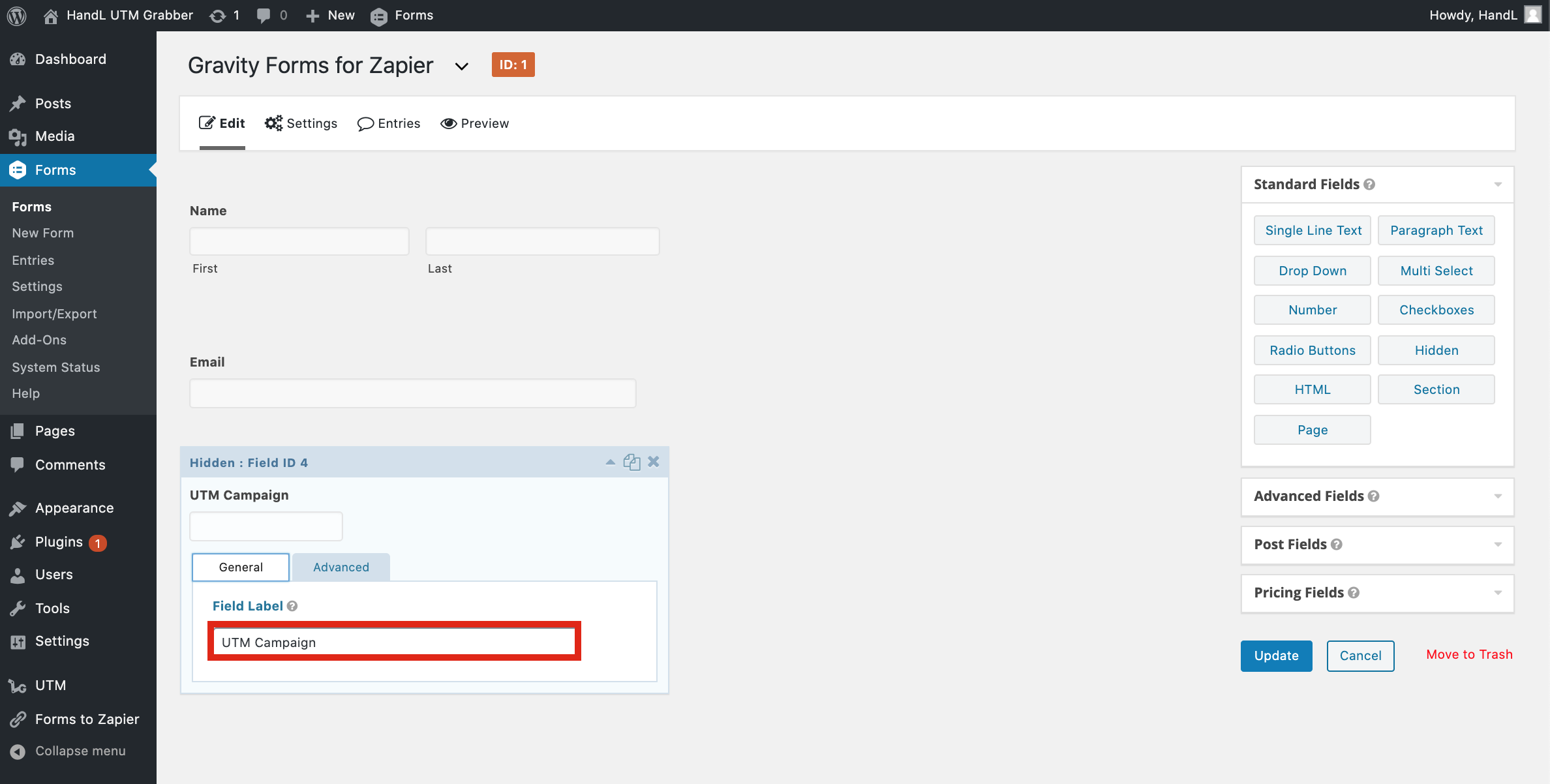
#### **3-)Fill the Field Label Bar** ####
[](https://docs.utmgrabber.com/uploads/images/gallery/2020-09/gf-3-fill-the-field-label-bar.png)
#### **4-)Allow Field to be Populating dynamically and enter your parameter name** ####
[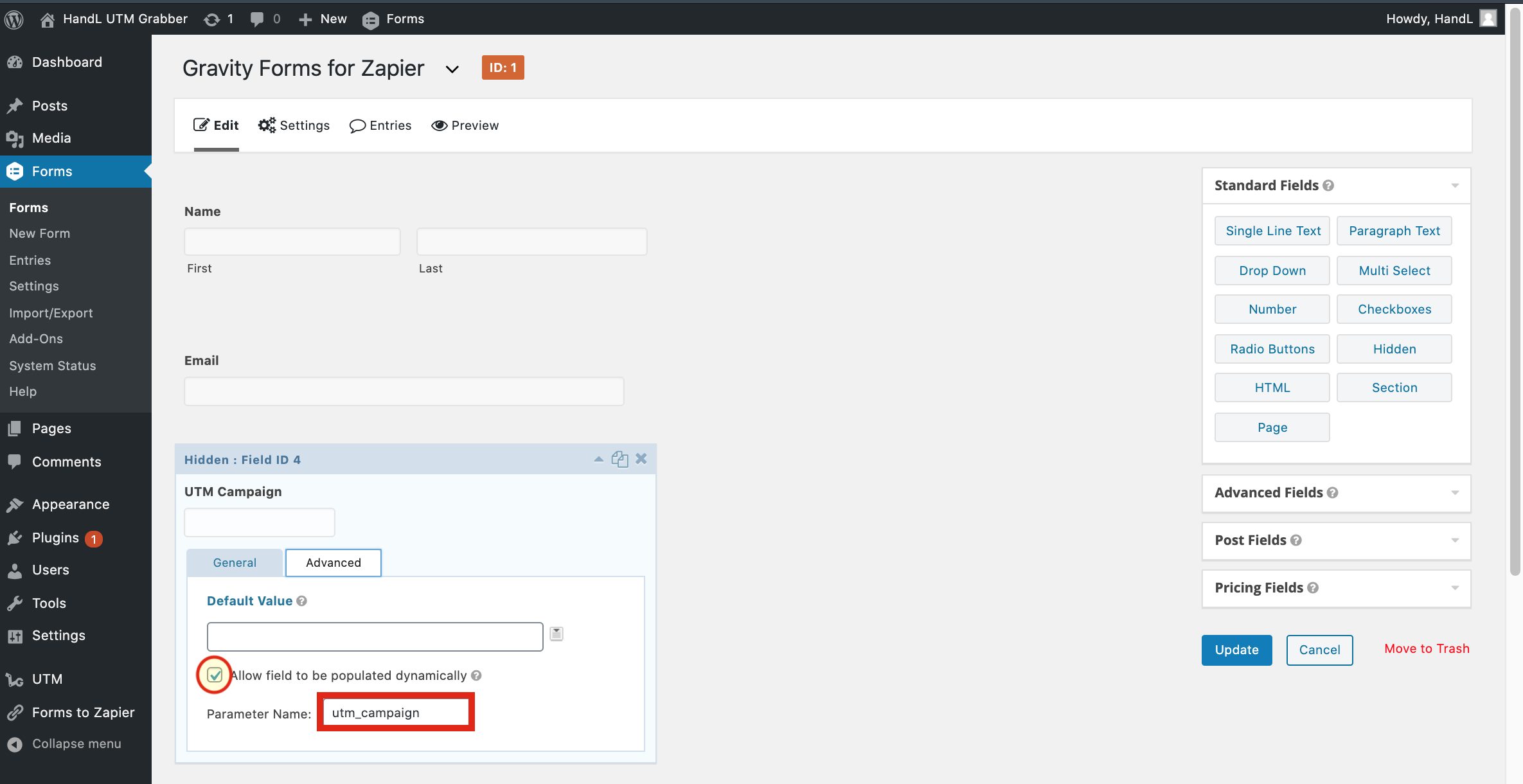](https://docs.utmgrabber.com/uploads/images/gallery/2020-09/gf-4-allow-field-to-be-populating-dynamically-and-enter-your-parameter-name.png)
#### **5-)Make it to all of the UTM's and click Update** ####
[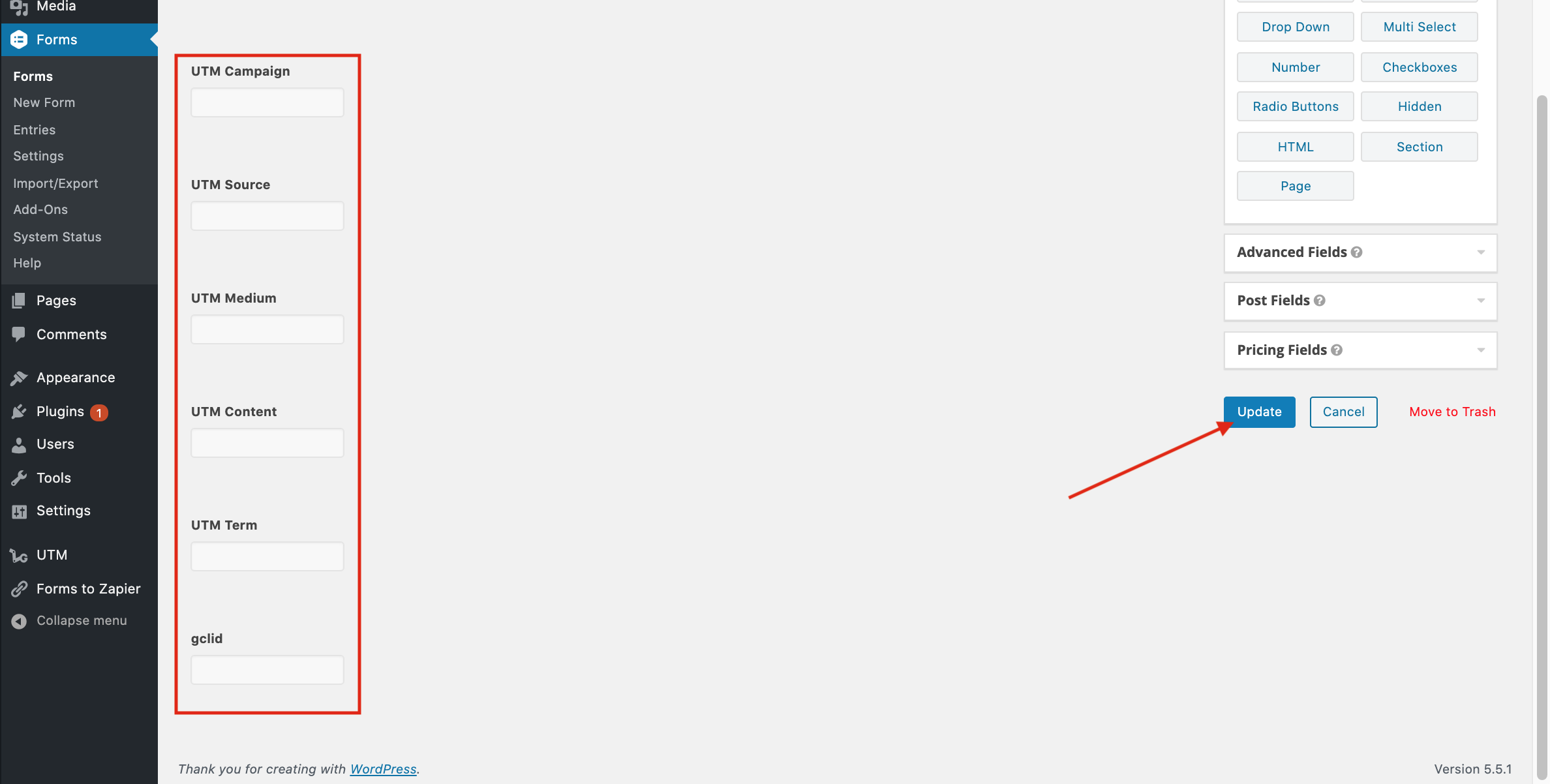](https://docs.utmgrabber.com/uploads/images/gallery/2020-09/gf-5-make-it-to-all-of-the-utms-and-click-update.png)
#### **6-)Go to Zapier and Create a Webhook Zap** ####
[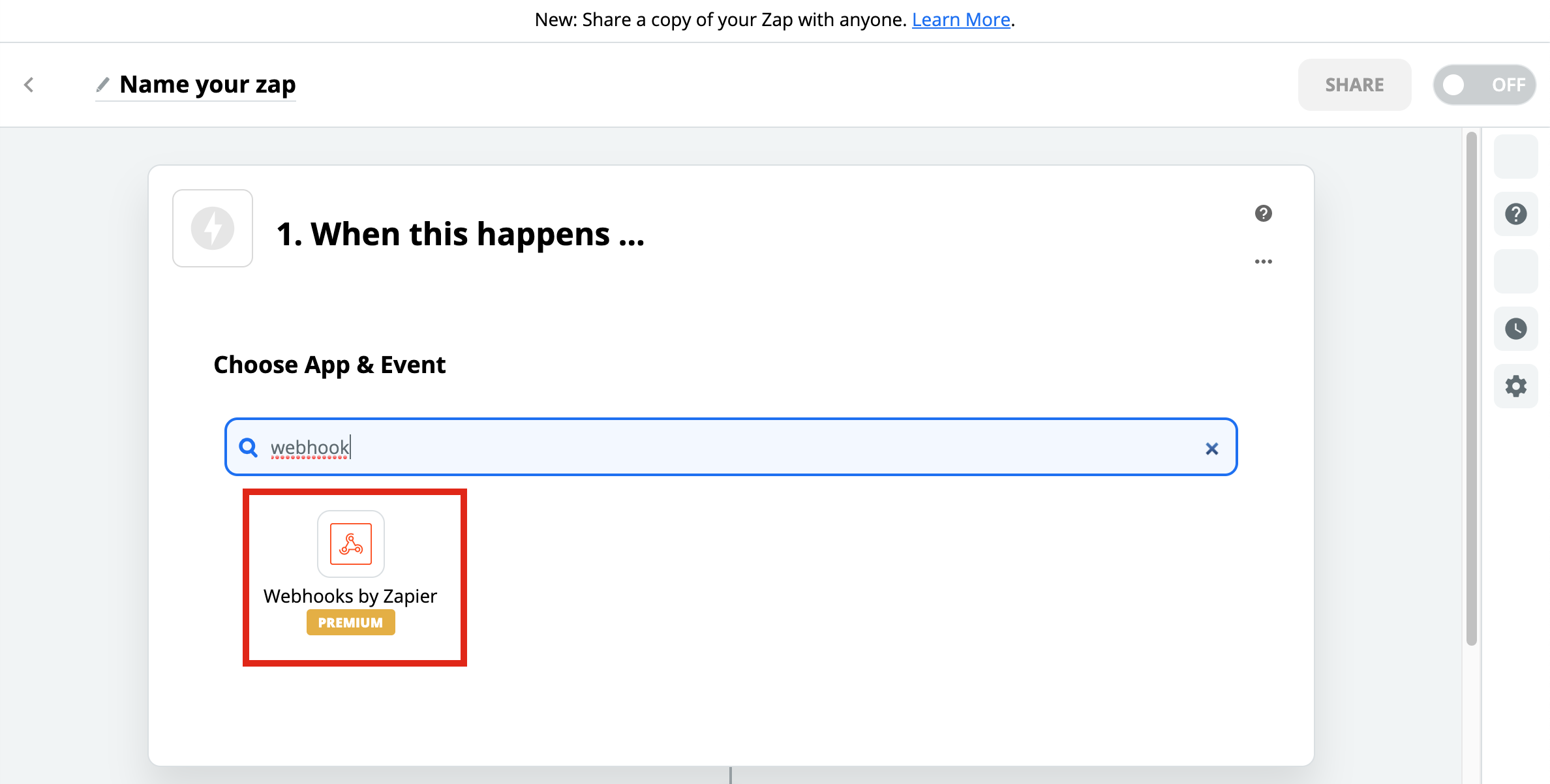](https://docs.utmgrabber.com/uploads/images/gallery/2020-09/gf-7-create-a-webhook-zap.png)
#### **7-)Select Catch Hook** ####
[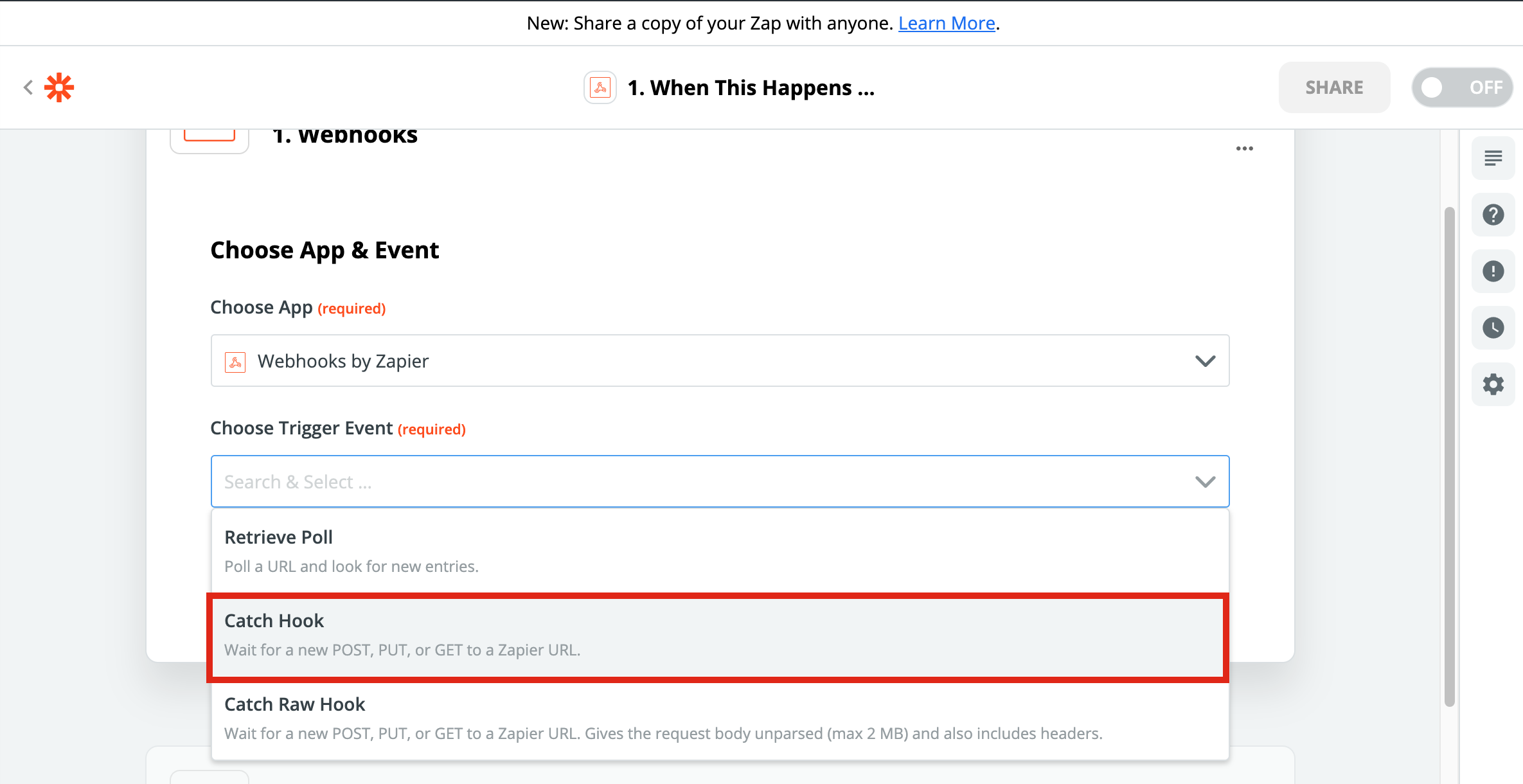](https://docs.utmgrabber.com/uploads/images/gallery/2020-09/gf-7-select-catch-hook.png)
#### **8-)Copy the URL that Zapier Generated** ####
[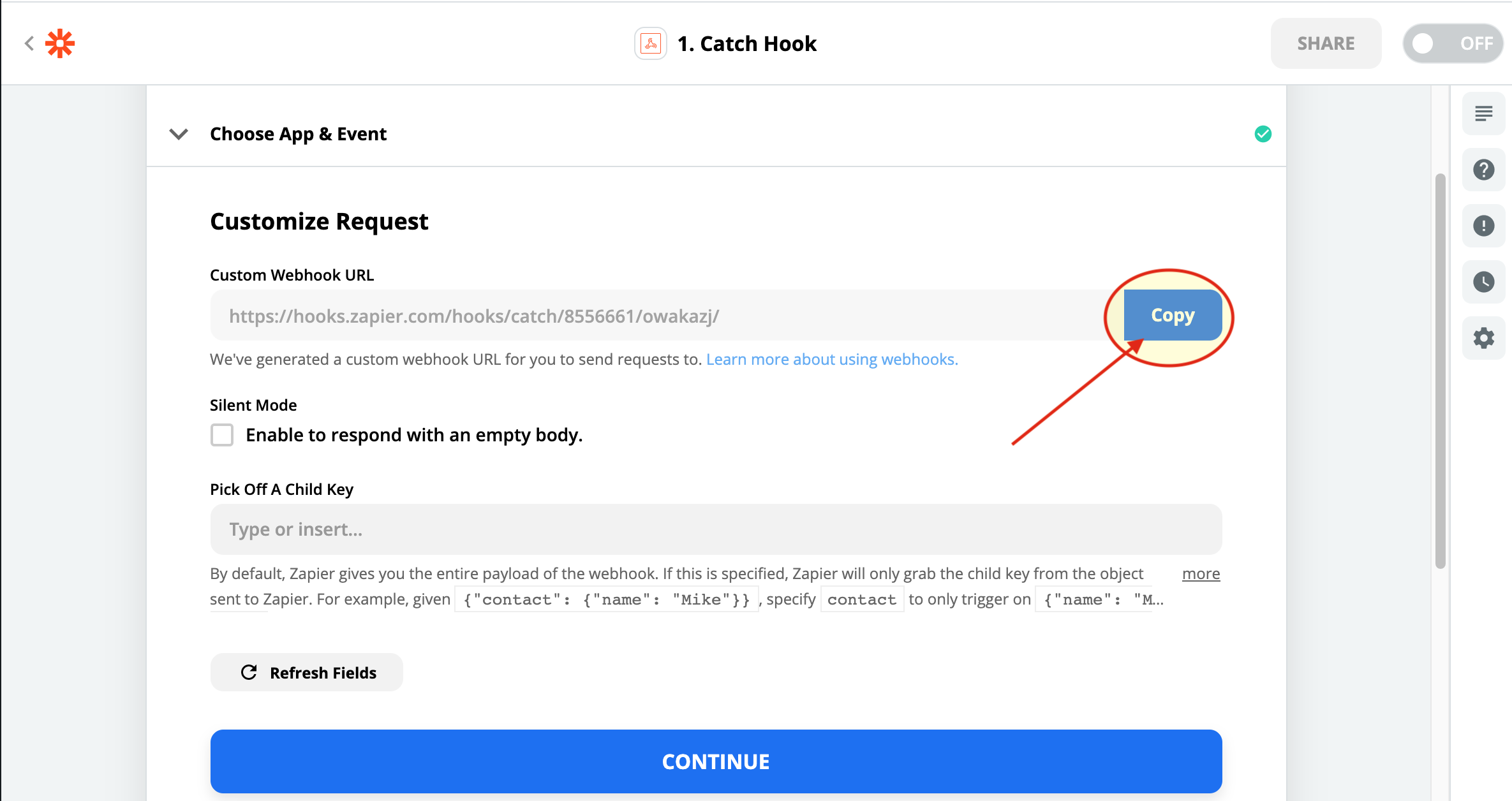](https://docs.utmgrabber.com/uploads/images/gallery/2020-09/gf-8-copy-the-url-that-zapier-generated.png)
#### **9-)Paste The URL that you copied and save changes** ####
[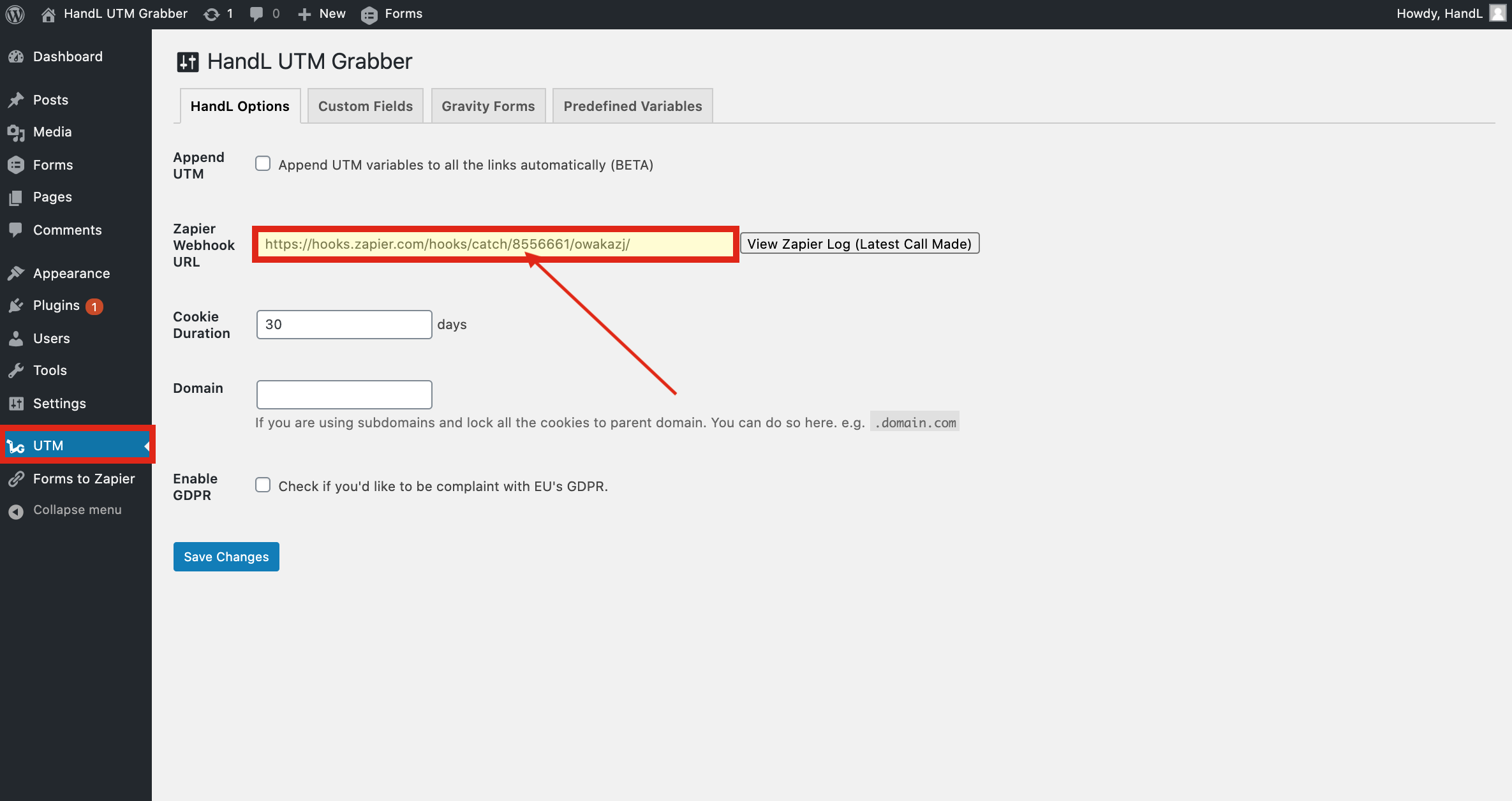](https://docs.utmgrabber.com/uploads/images/gallery/2020-09/gf-9-paste-the-url-that-you-copied-and-save-changes.png)
#### **10-)Go To Pages and Click on Your Page** ####
[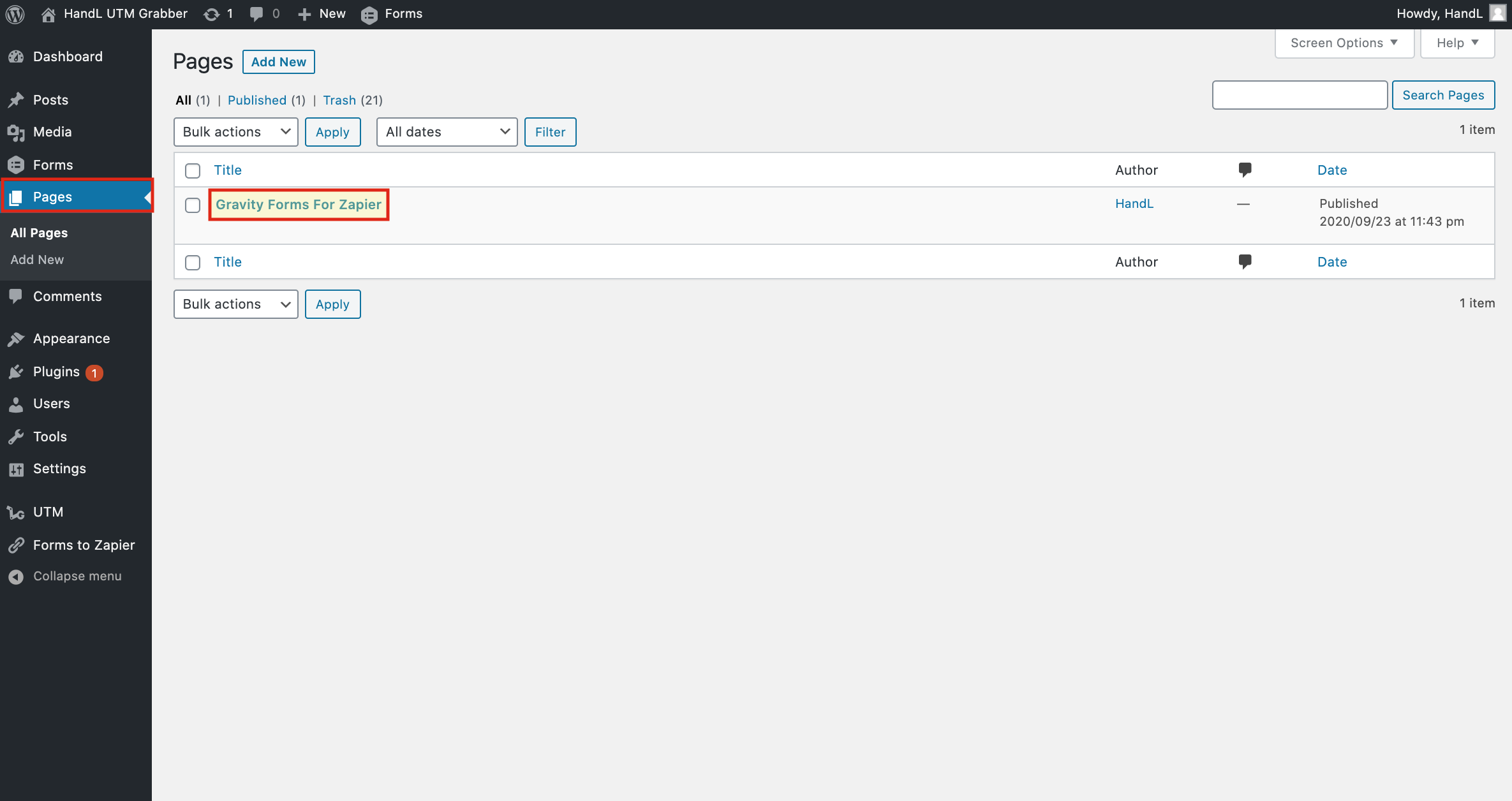](https://docs.utmgrabber.com/uploads/images/gallery/2020-09/gf-10-go-to-pages-and-click-on-your-page.png)
#### **11-)Click On Plus Button and Select Form** ####
[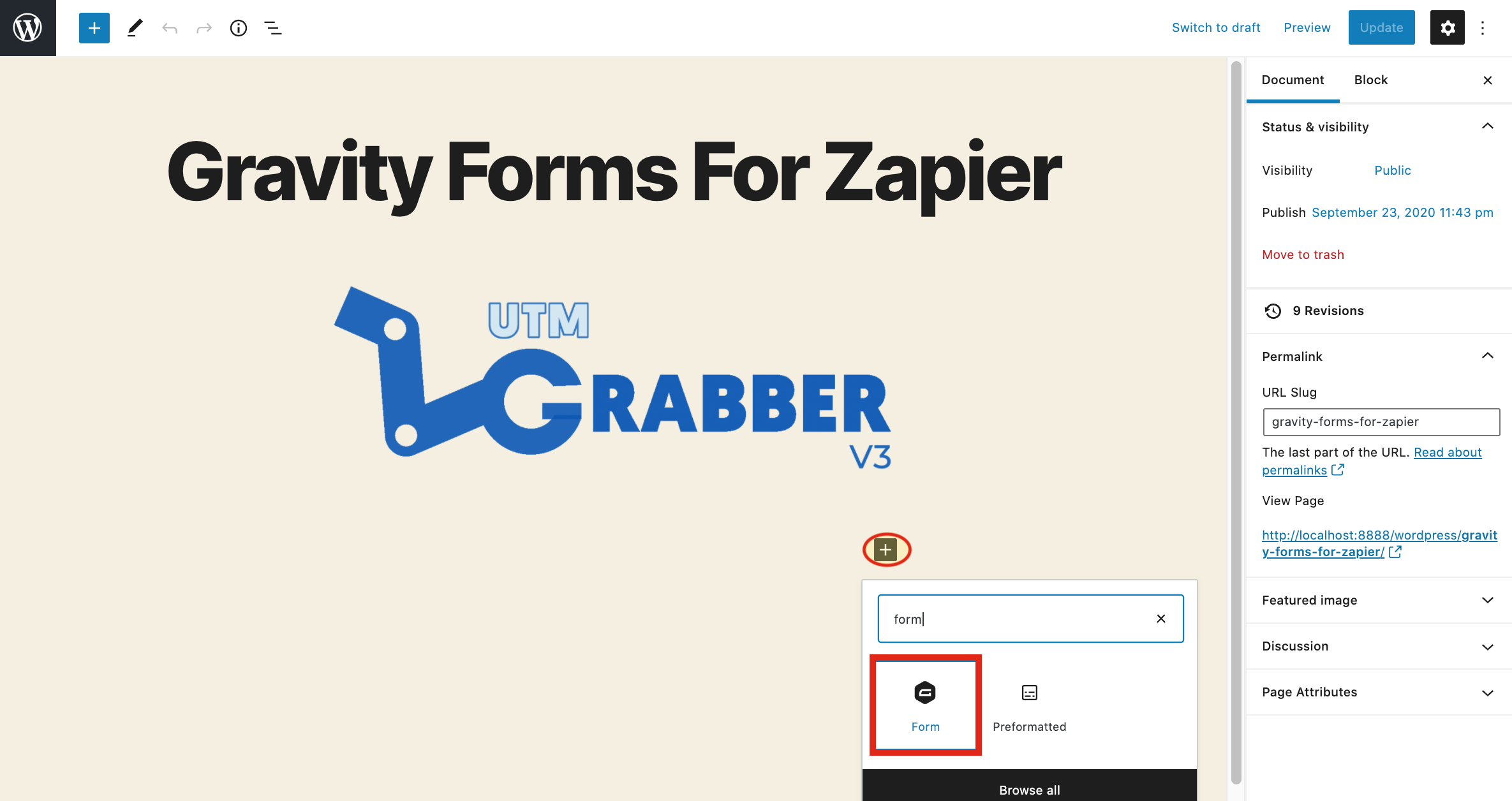](https://docs.utmgrabber.com/uploads/images/gallery/2020-09/gf-11-click-on-plus-button-and-select-form.png)
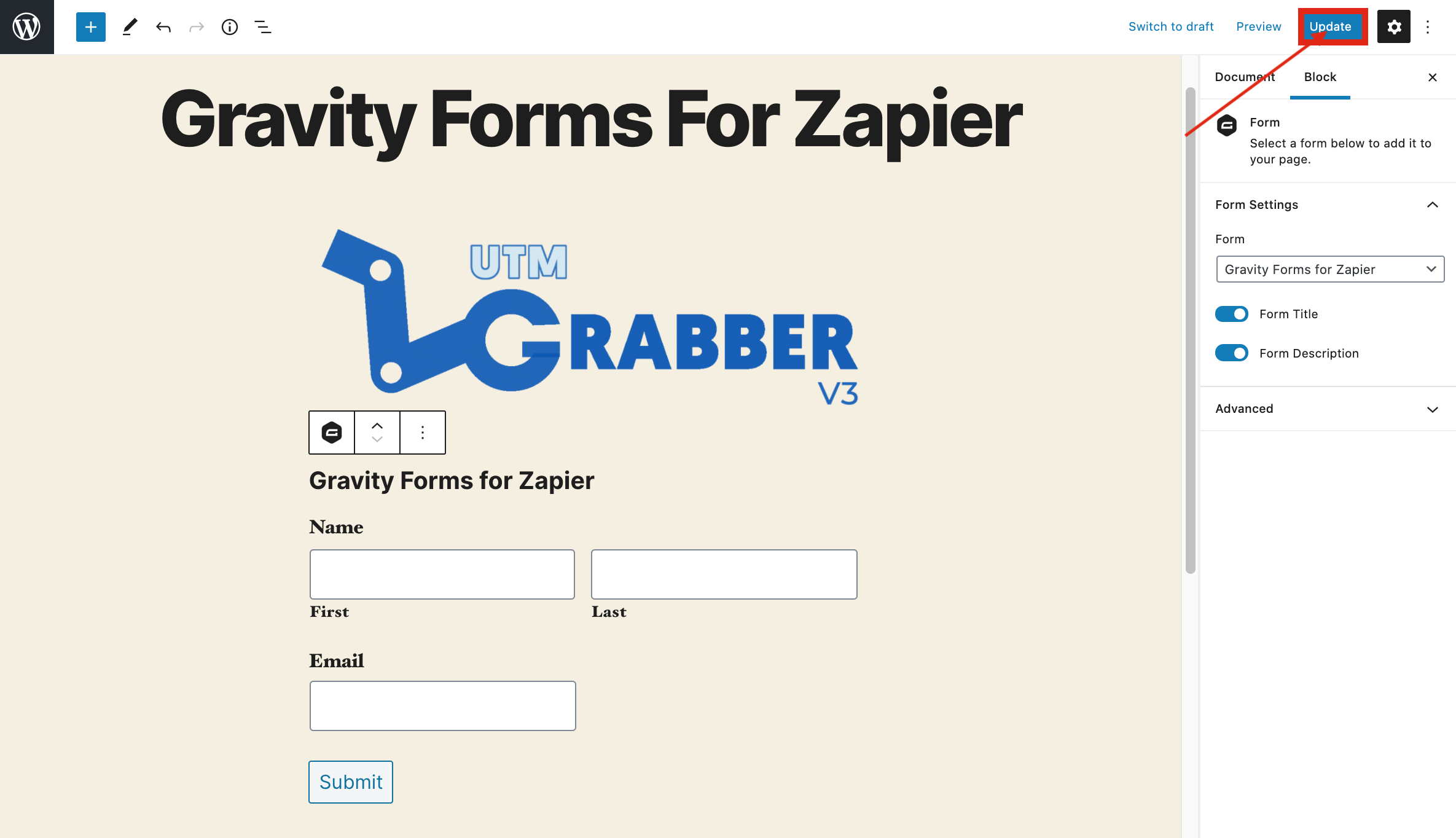
#### **12-)Click on Update Button** ####
[](https://docs.utmgrabber.com/uploads/images/gallery/2020-09/gf-12-click-on-update-button.png)
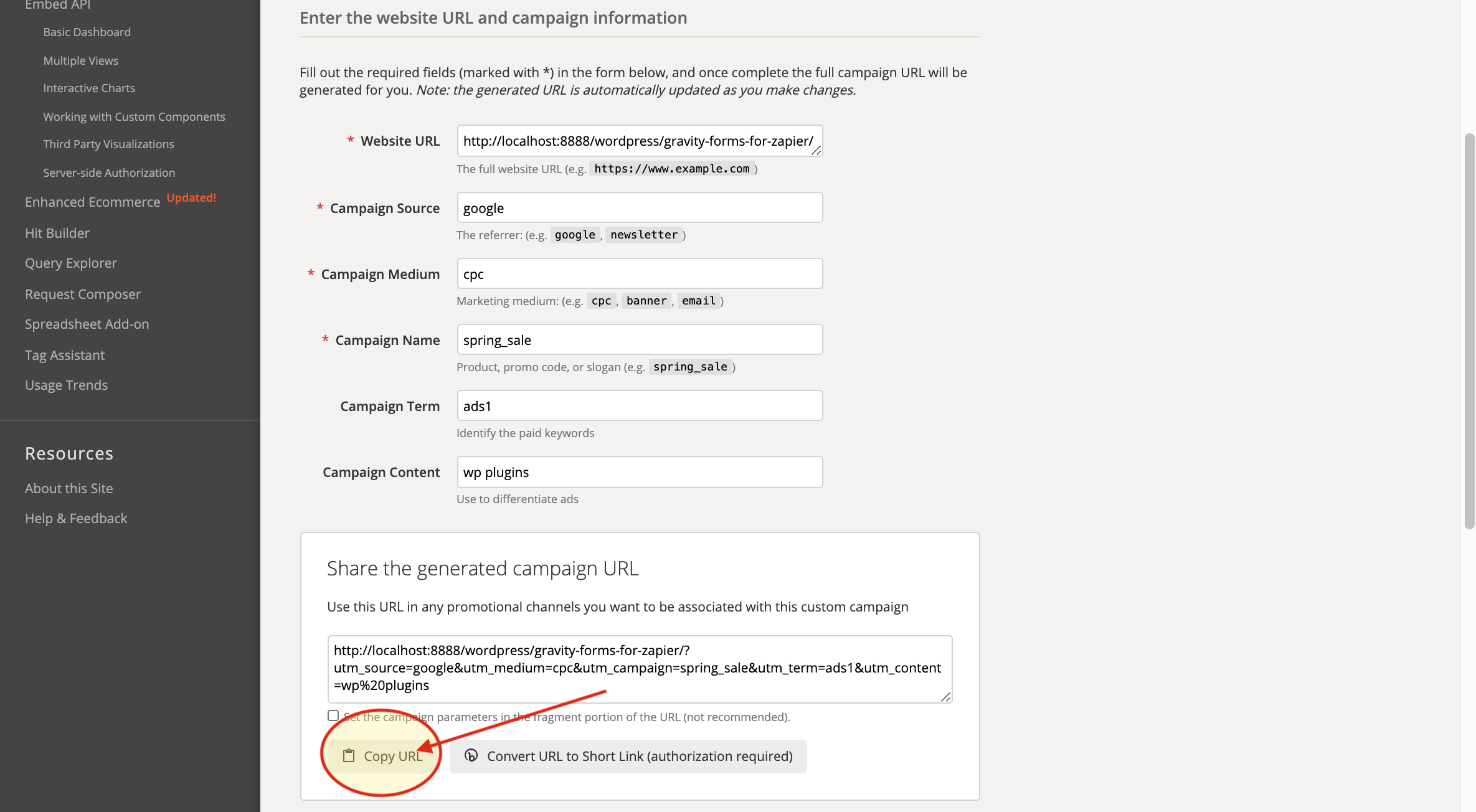
#### **13-)Go To Campaign URL Builder And Copy The URL that it Generated** ####
[](https://docs.utmgrabber.com/uploads/images/gallery/2020-09/gf-13-go-to-campaign-url-builder-and-copy-the-url-that-it-generated.png)
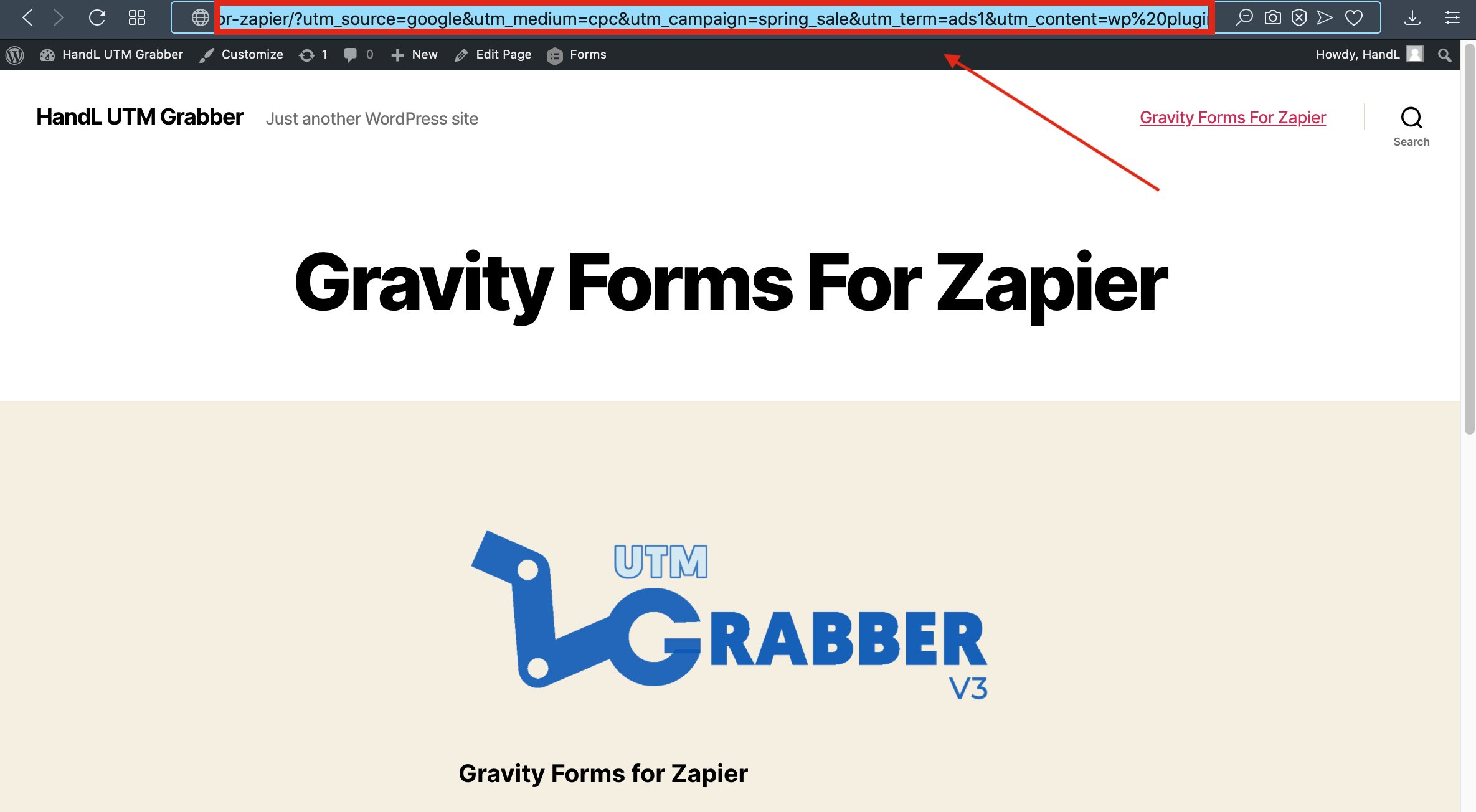
#### **14-)Paste the URL that you copied** ####
[](https://docs.utmgrabber.com/uploads/images/gallery/2020-09/gf-14-paste-the-url-that-you-copied.png)
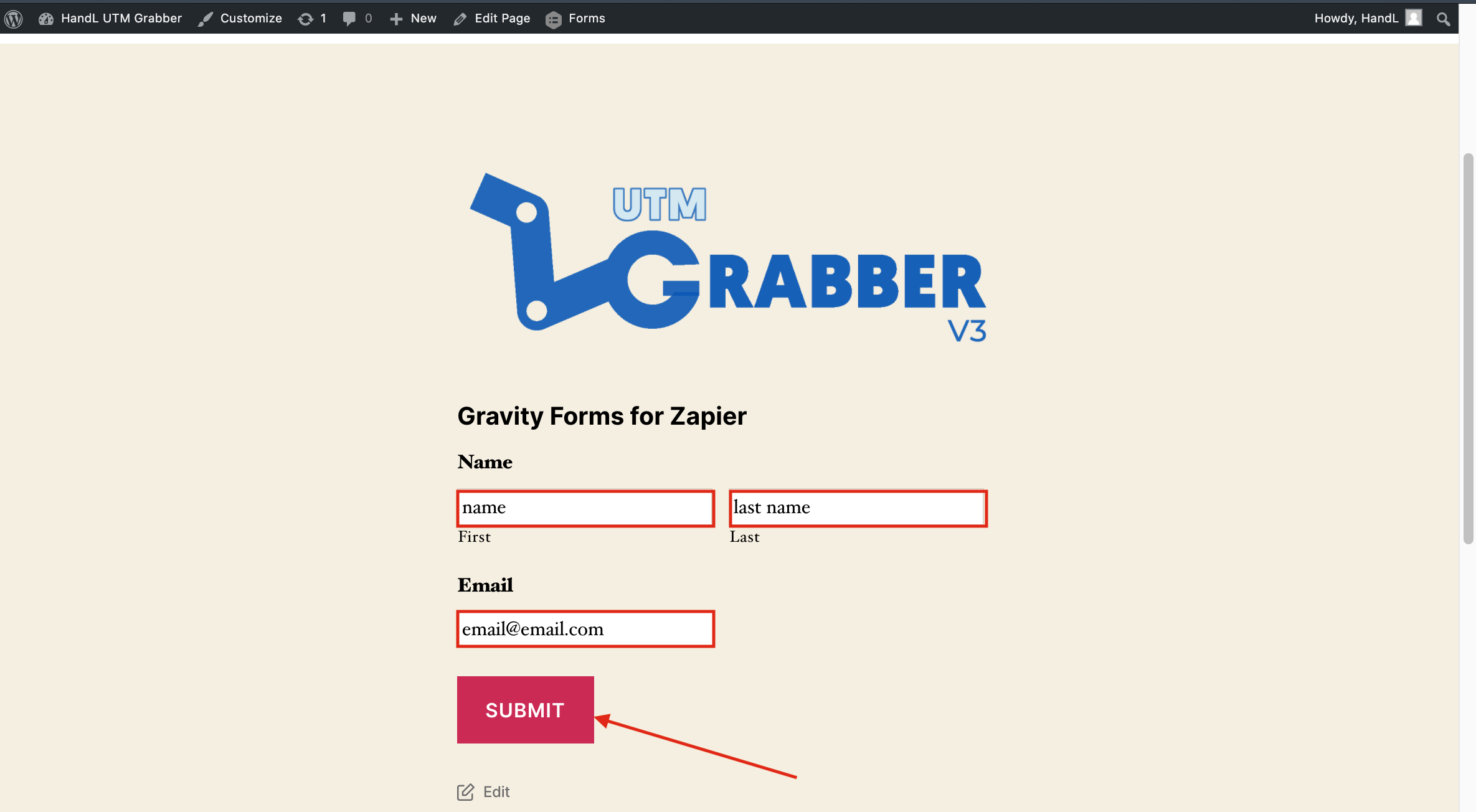
#### **15-)Fill the blanks on your form and submit** ####
[](https://docs.utmgrabber.com/uploads/images/gallery/2020-09/gf-15-fill-the-blanks-on-your-form-and-submit.png)
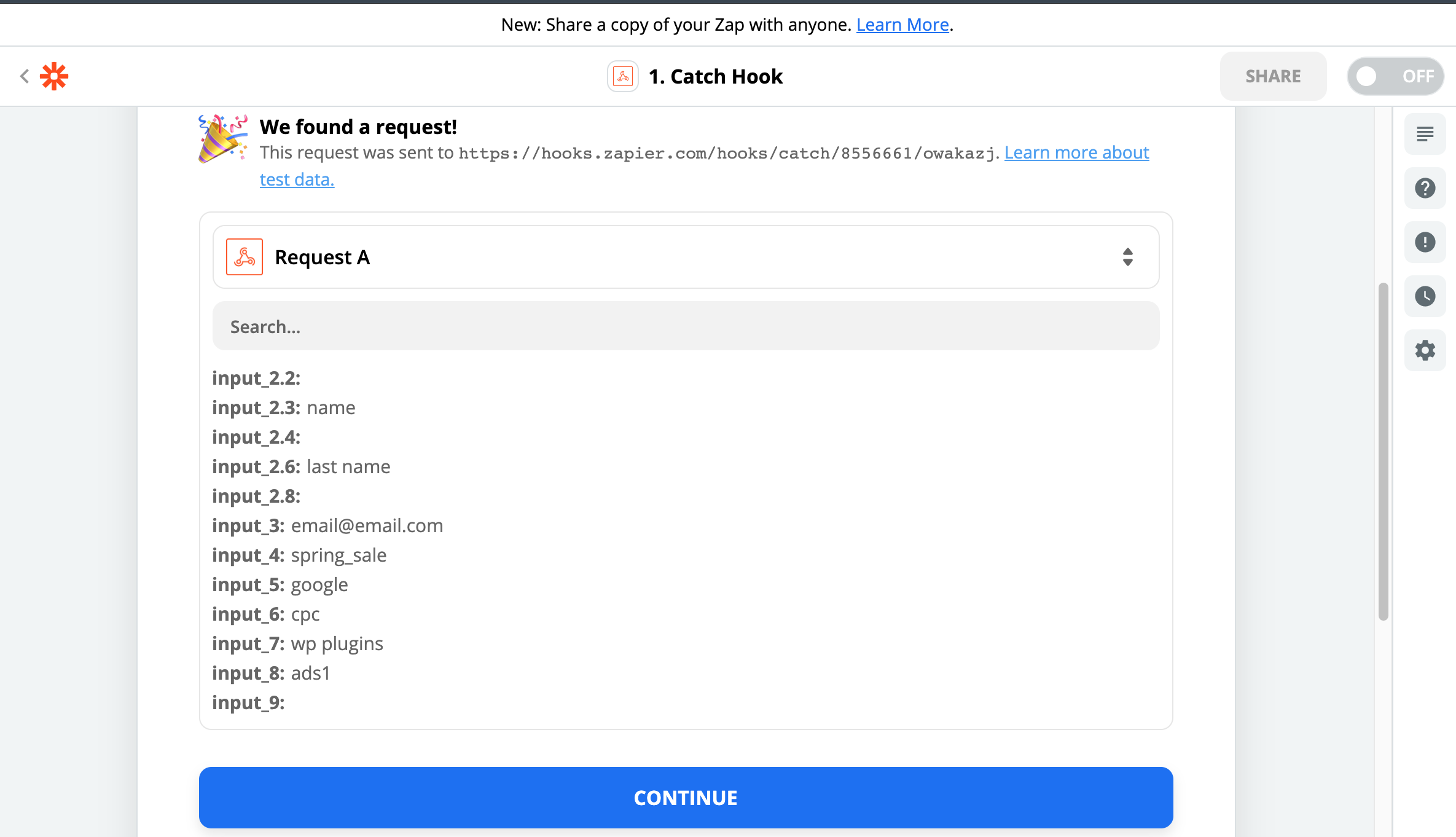
#### **16-)Here is Your Result on Zapier** ####
[](https://docs.utmgrabber.com/uploads/images/gallery/2020-09/gf-16-here-is-your-result-on-zapier.png)
# Gravity Forms to Zapier UTM Tracking Integration Video Tutorial
## UTM attribution overview
This guide explains Gravity Forms to Zapier UTM Tracking Integration Video Tutorial with HandL UTM Grabber. It helps you send UTM and click ID data into automations, webhooks, reports, and connected tools and keep the marketing context needed for accurate reporting across forms, bookings, signups, and sales.
### *Please watch the related Video Tutorial below*
#### *and click right to the video and open link in new tab*
Track UTMs from Gravity Forms to Zapier via HandL UTM Grabber
[](http://www.youtube.com/watch?v=ihKu6Z5gsjY "Gravity Forms to Zapier Integration Video Tutorial")
# Gravity Forms to Zapier SIMPLE UTM Tracking Integration Video Tutorial
## UTM attribution overview
This guide explains Gravity Forms to Zapier SIMPLE UTM Tracking Integration Video Tutorial with HandL UTM Grabber. It helps you send UTM and click ID data into automations, webhooks, reports, and connected tools and keep the marketing context needed for accurate reporting across forms, bookings, signups, and sales.
### *Please watch the related Video Tutorial below*
#### *and click right to the video and open link in new tab*
Track UTMs from Gravity Forms to Zapier via HandL UTM Grabber
[](http://www.youtube.com/watch?v=NTutZTBGhLw "Gravity Forms to Zapier SIMPLE Integration Video Tutorial")
# Zapier for Ninja Forms
Ninja Forms to Zapier Integration Tutorial
# Ninja Forms to Zapier UTM Tracking Integration Screen Shot Tutorial
## UTM attribution overview
This guide explains Ninja Forms to Zapier UTM Tracking Integration Screen Shot Tutorial with HandL UTM Grabber. It helps you send UTM and click ID data into automations, webhooks, reports, and connected tools and keep the marketing context needed for accurate reporting across forms, bookings, signups, and sales.
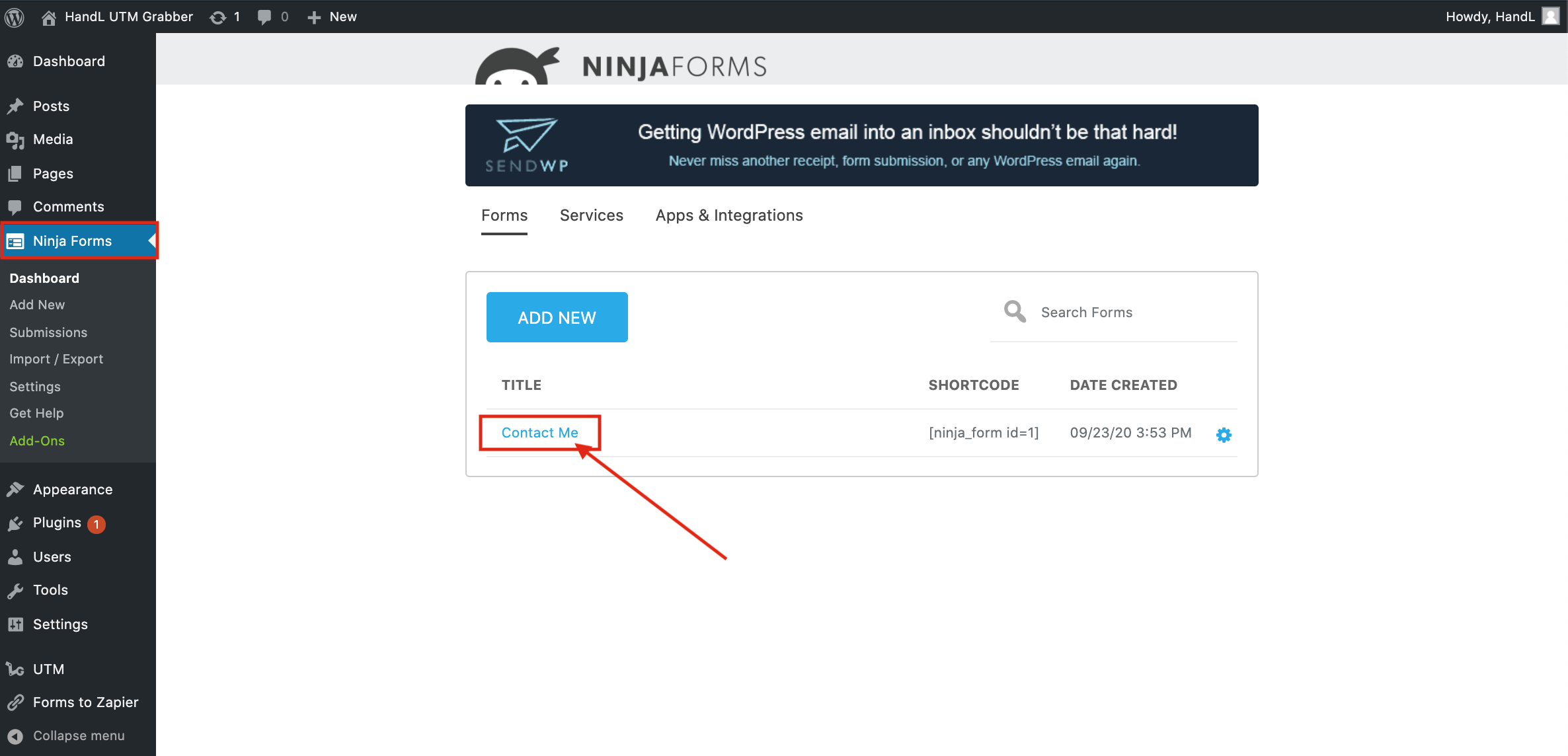
#### **1-) Click On Your Ninja Form** ####
[](https://docs.utmgrabber.com/uploads/images/gallery/2020-09/nf-1-click-on-your-ninja-form.png)
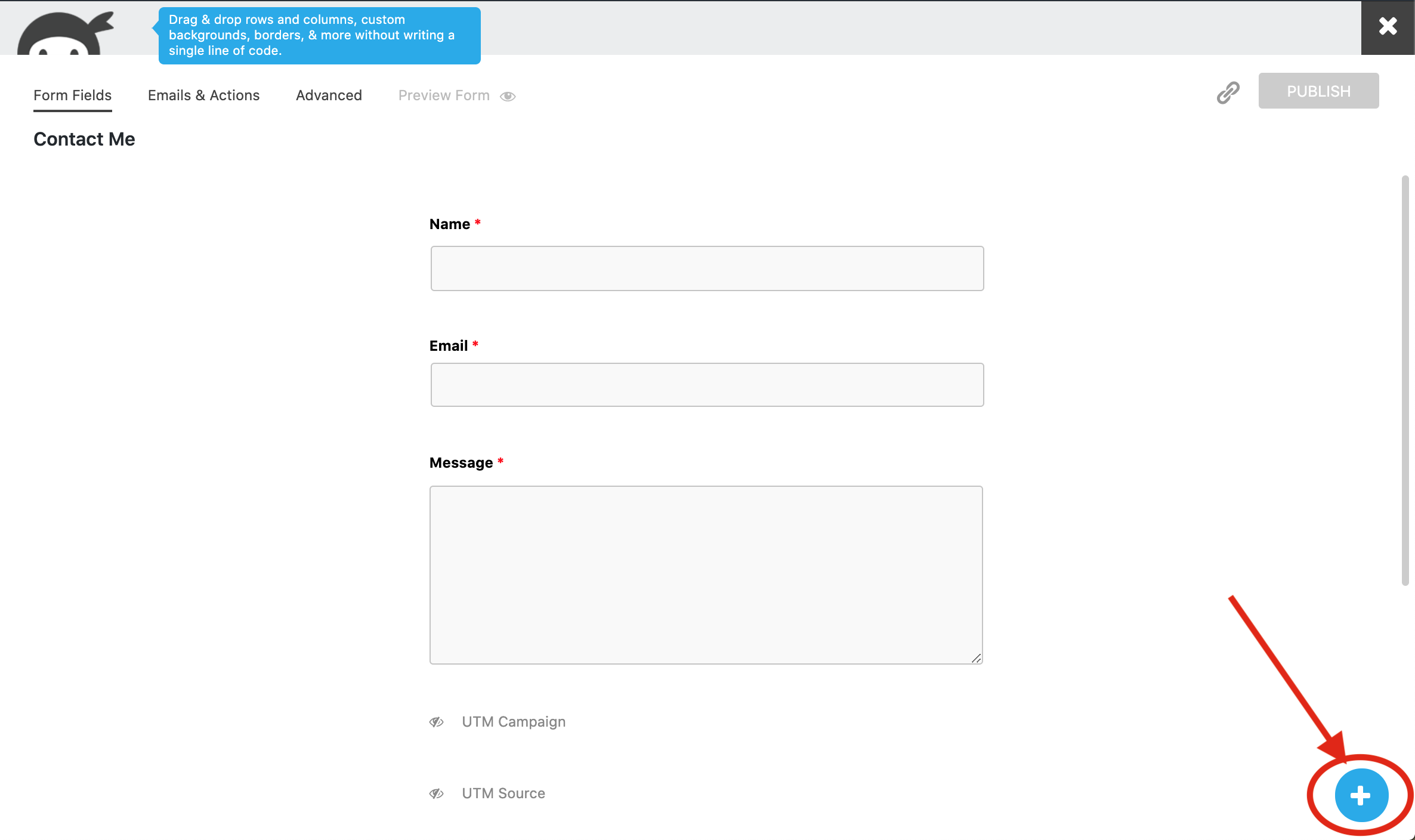
#### **2-) Click the Plus Button to Add fields to your form** ####
[](https://docs.utmgrabber.com/uploads/images/gallery/2020-09/nf-2-click-the-plus-button-to-add-fields-to-your-form.png)
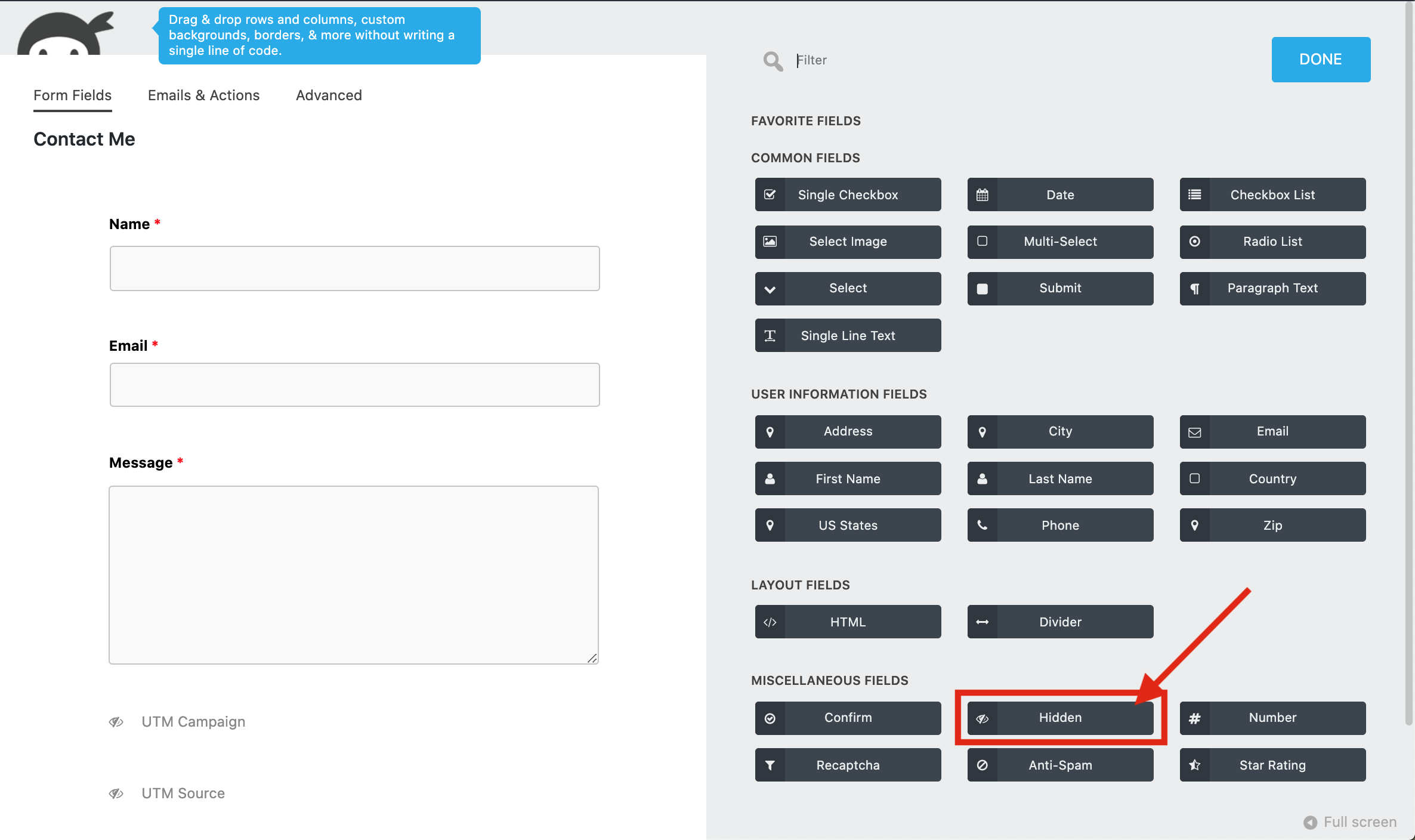
#### **3-)Add hidden field to your form** ####
[](https://docs.utmgrabber.com/uploads/images/gallery/2020-09/nf-3-add-hidden-field-to-your-form.png)
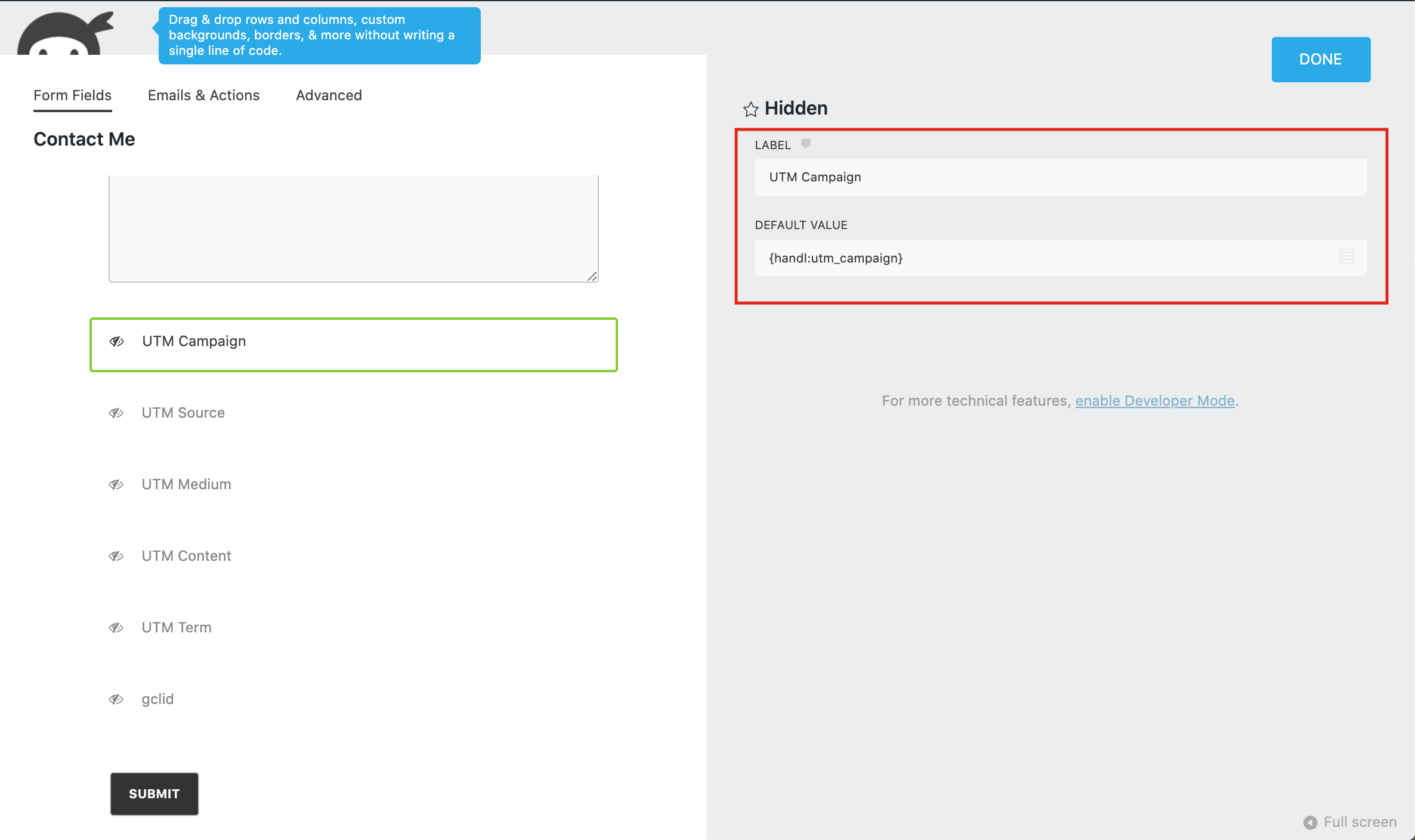
#### **4-)Fill The blanks like that to your hidden fields** ####
[](https://docs.utmgrabber.com/uploads/images/gallery/2020-09/nf-4-fill-the-blanks-like-that-to-your-hidden-filed.png)
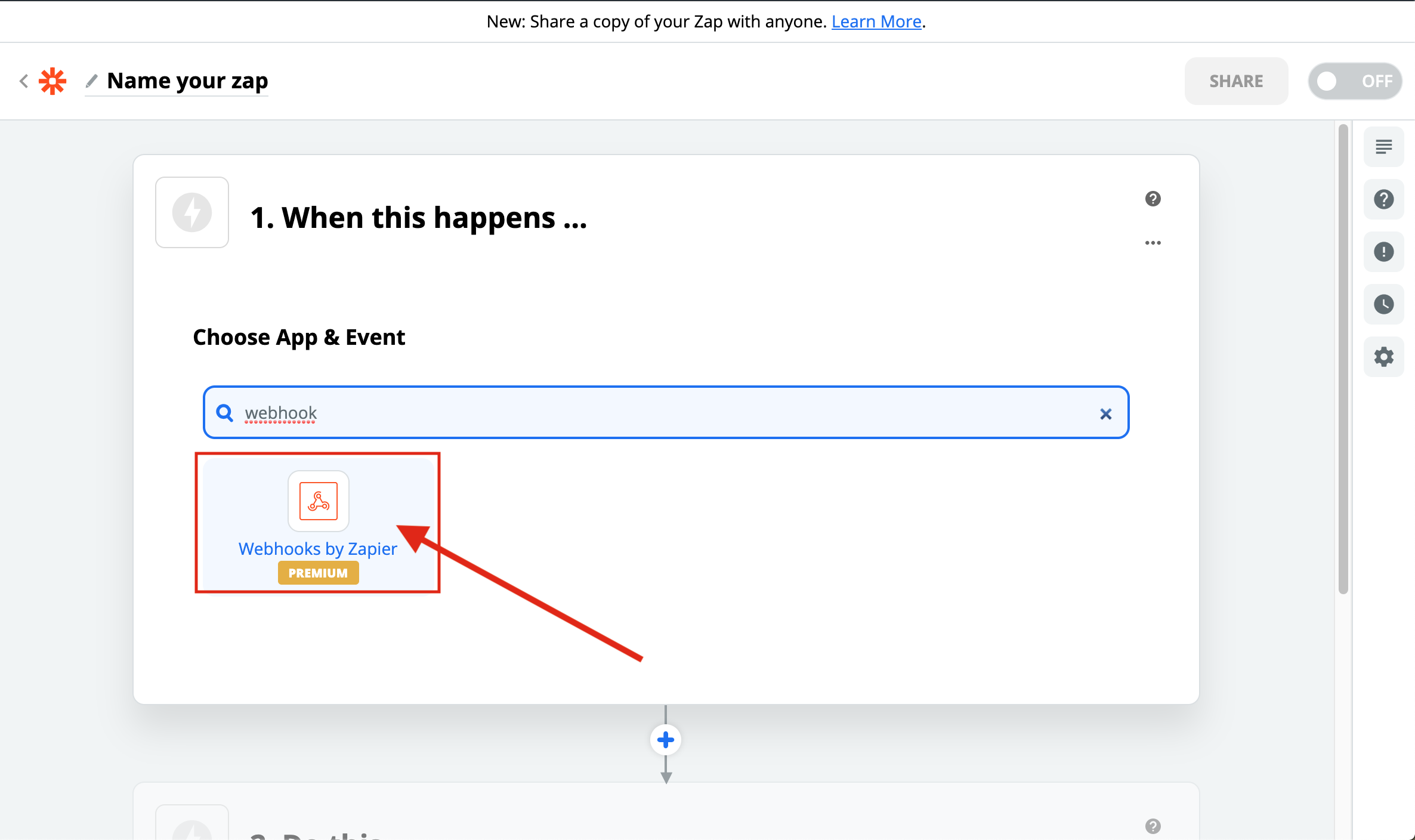
#### **5-)Create a Webhook zap** ####
[](https://docs.utmgrabber.com/uploads/images/gallery/2020-09/nf-5-create-a-webhook-zap.png)
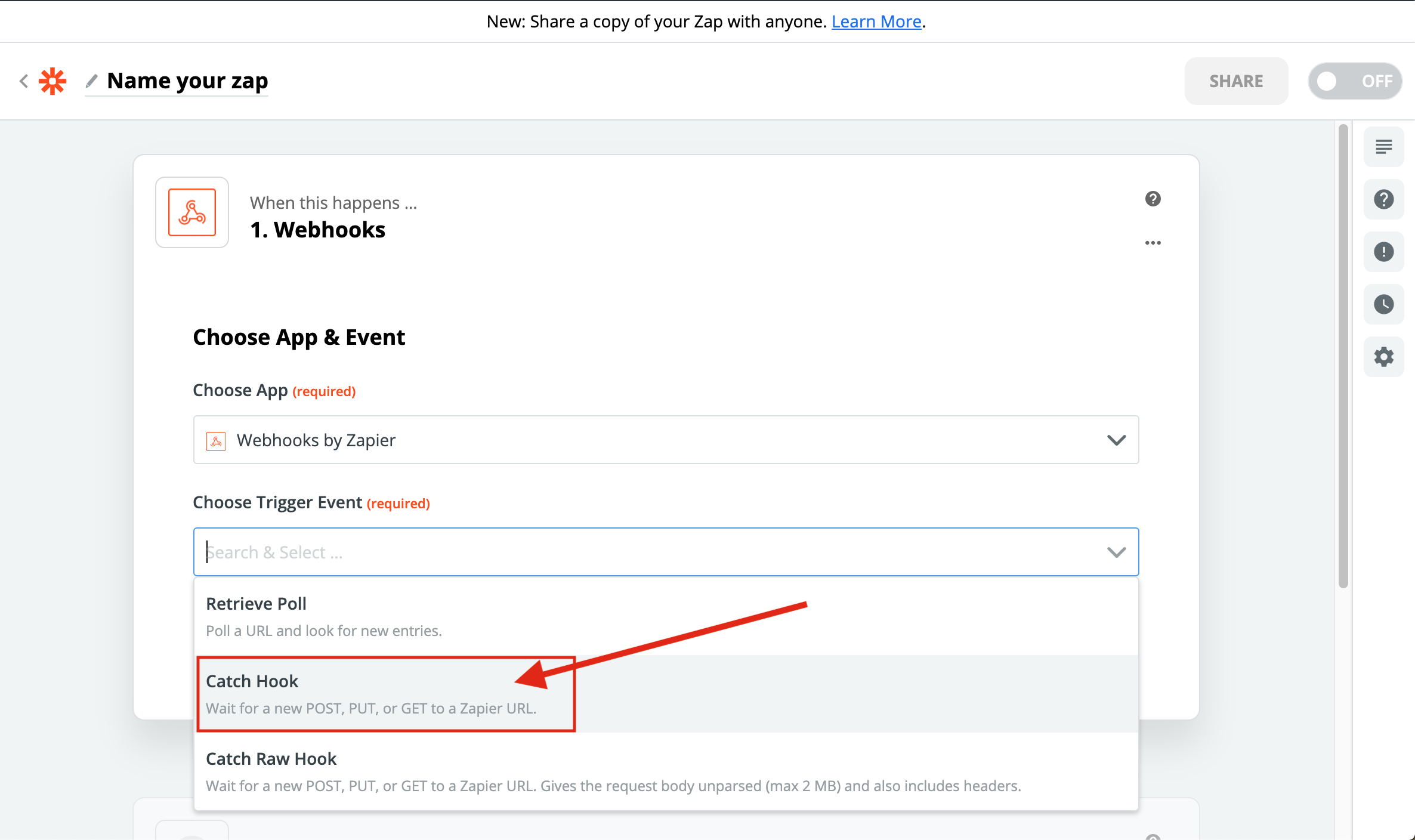
#### **6-)Select the Catch Hook** ####
[](https://docs.utmgrabber.com/uploads/images/gallery/2020-09/nf-6-select-the-catch-hook.png)
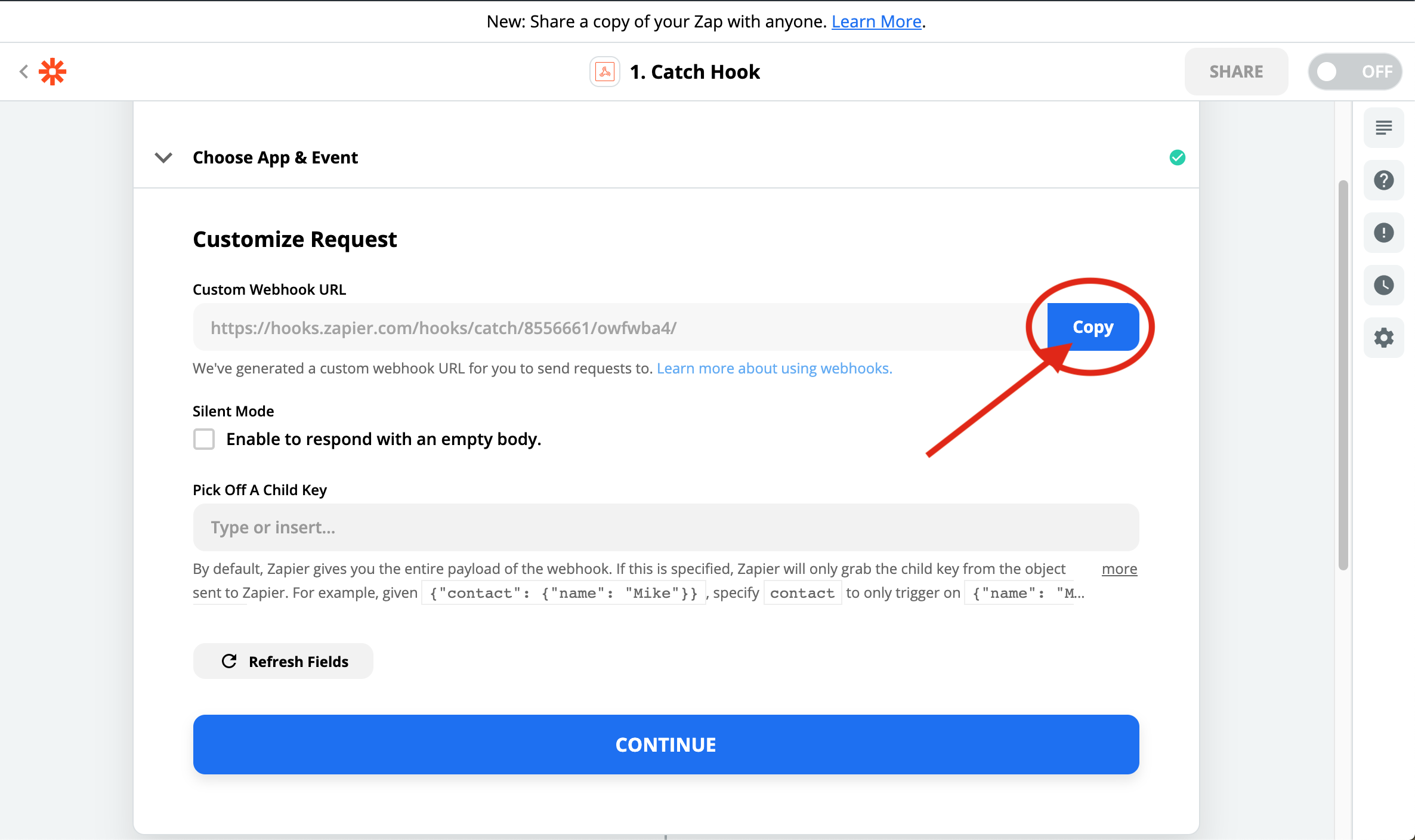
#### **7-)Copy the URL that it generated** ####
[](https://docs.utmgrabber.com/uploads/images/gallery/2020-09/nf-7-copy-the-url-that-it-generated.png)
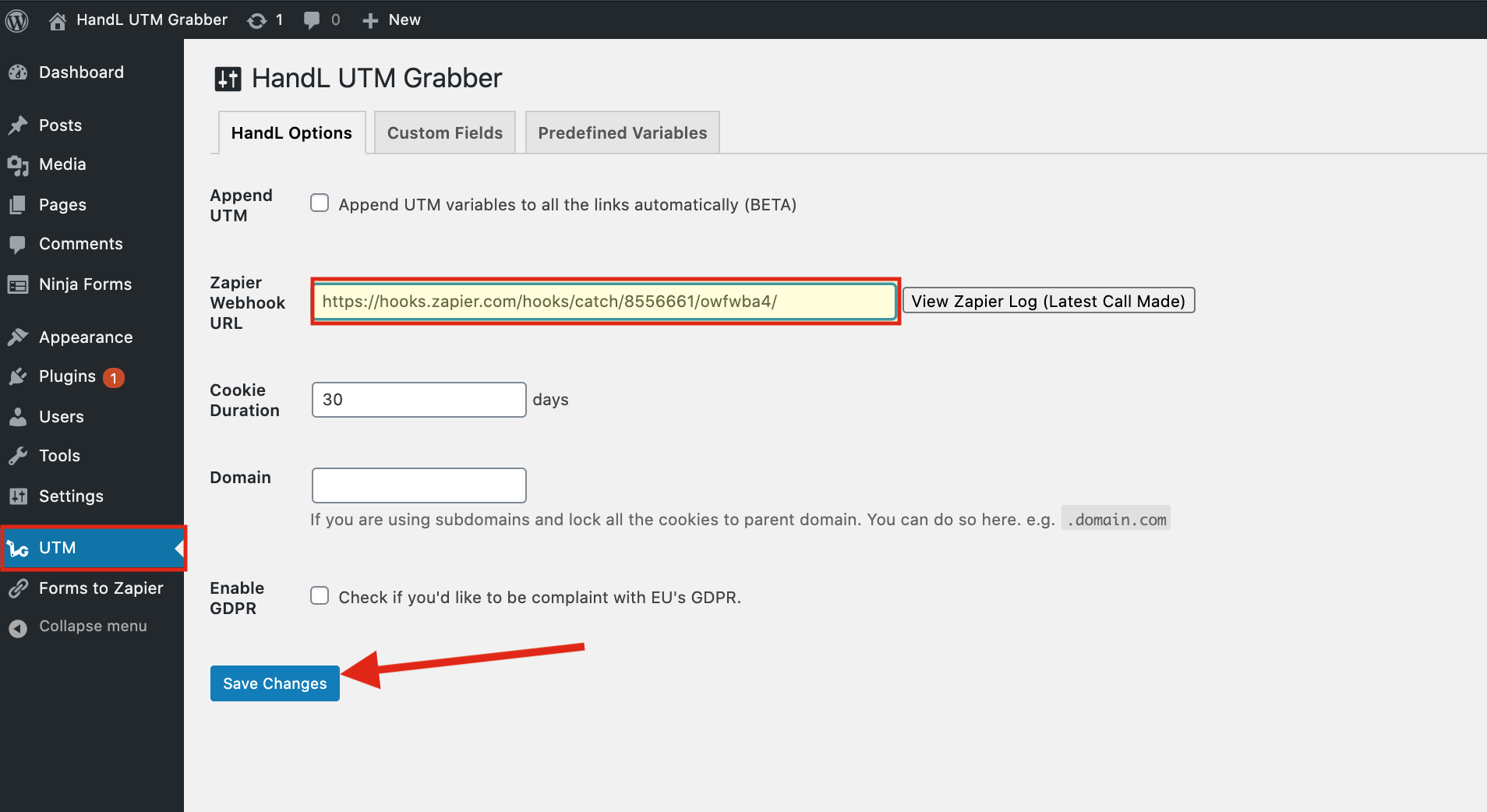
#### **8-)Paste it to the Webhook URL section on the UTM Bar and Save Changes** ####
[](https://docs.utmgrabber.com/uploads/images/gallery/2020-09/nf-8-paste-it-to-the-webhook-url-section-on-utm-bar-and-save-changes.png)
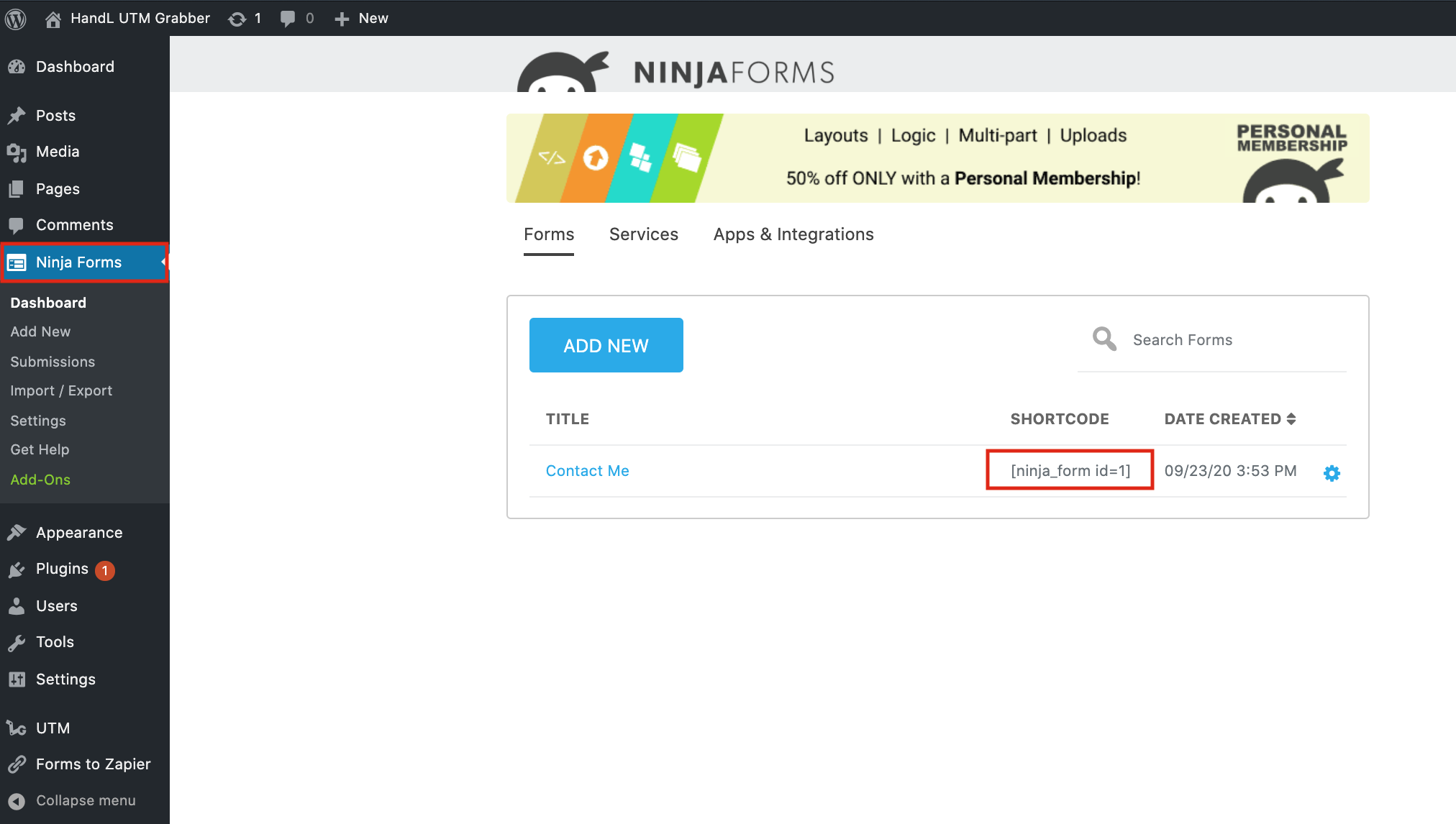
#### **9-)Copy Your Ninja Form Shortcode** ####
[](https://docs.utmgrabber.com/uploads/images/gallery/2020-09/nf-9-copy-your-ninja-form-shortcode.png)
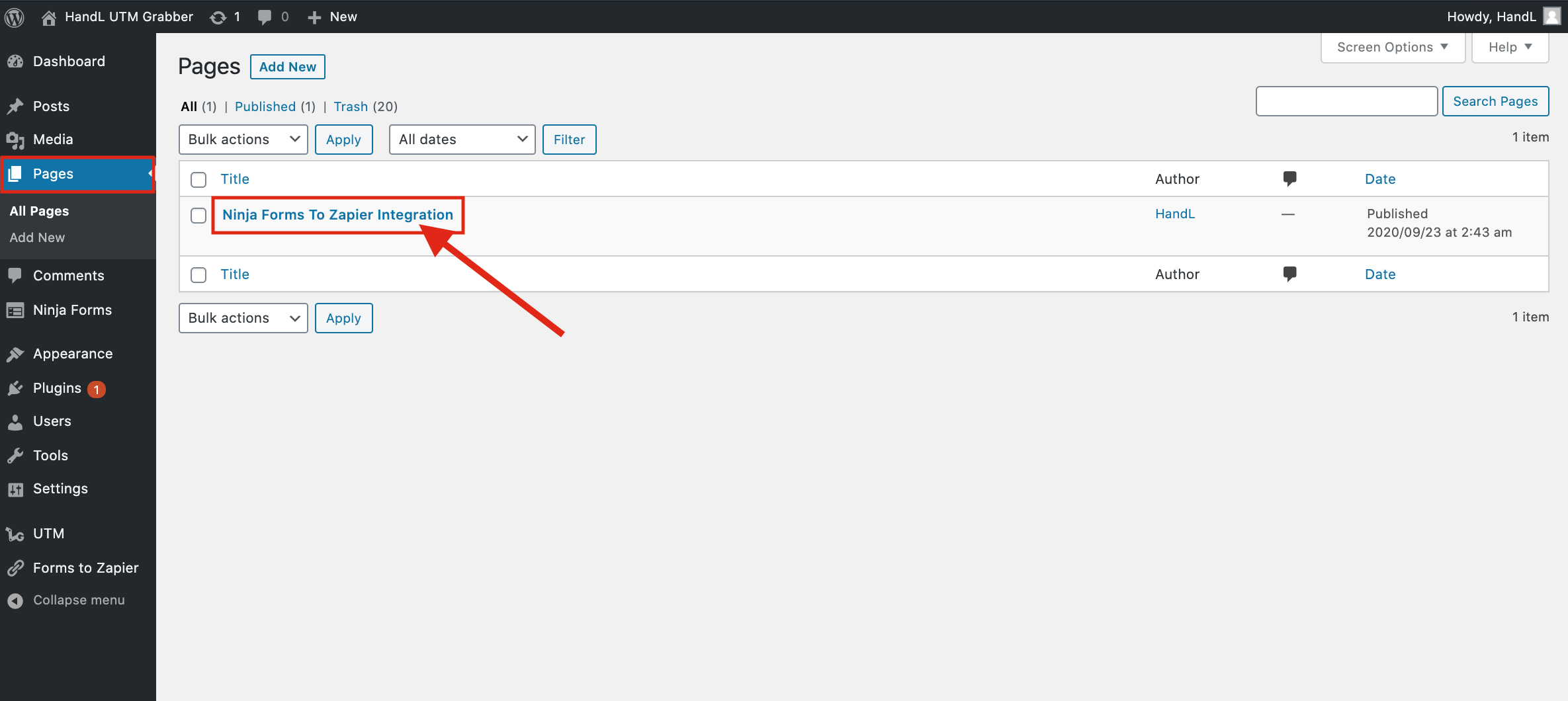
#### **10-)Go to Pages and Open your Page** ####
[](https://docs.utmgrabber.com/uploads/images/gallery/2020-09/nf-10-go-to-pages-and-open-your-page.png)
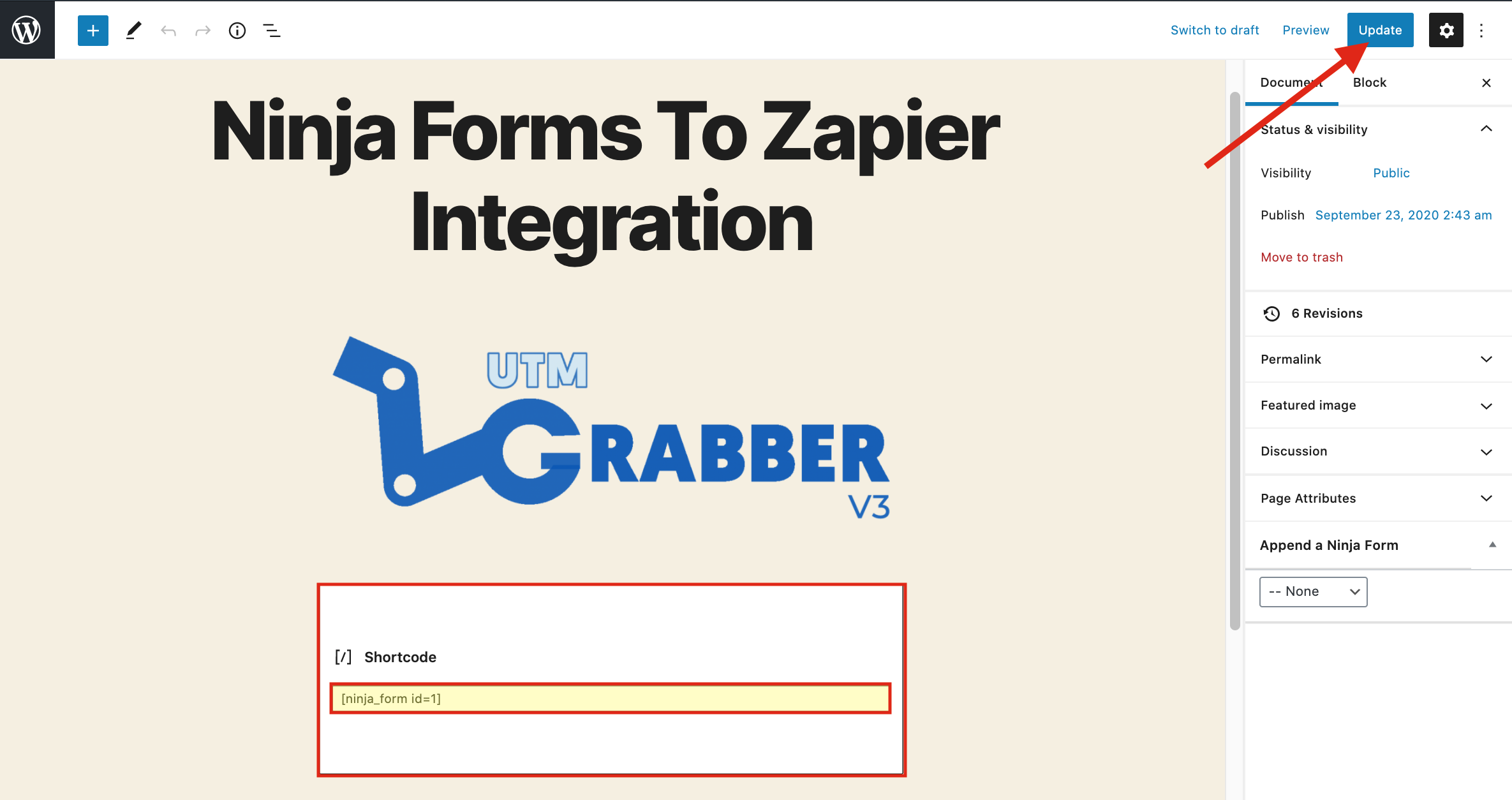
#### **11-)Paste Your Shortcode and Publish** ####
[](https://docs.utmgrabber.com/uploads/images/gallery/2020-09/nf-11-paste-your-shortcode-and-publish.png)
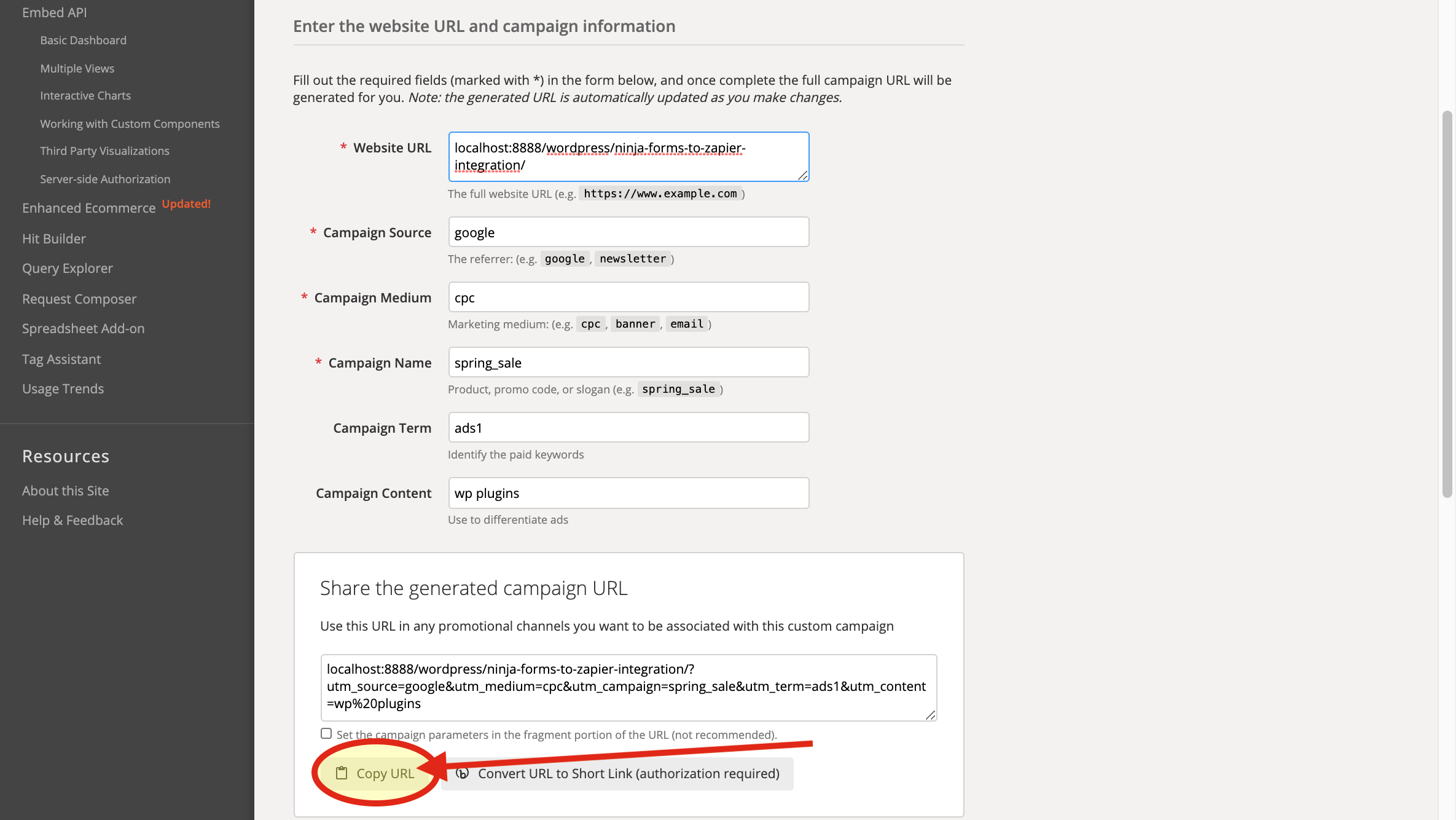
#### **12-)Go to Campaign URL Builder and copy the URL that it generated to fill your UTM's for test it** ####
[](https://docs.utmgrabber.com/uploads/images/gallery/2020-09/nf-12-go-to-campaign-url-builder-and-copy-the-url-that-it-generated-to-fill-your-utms-for-test-it.png)
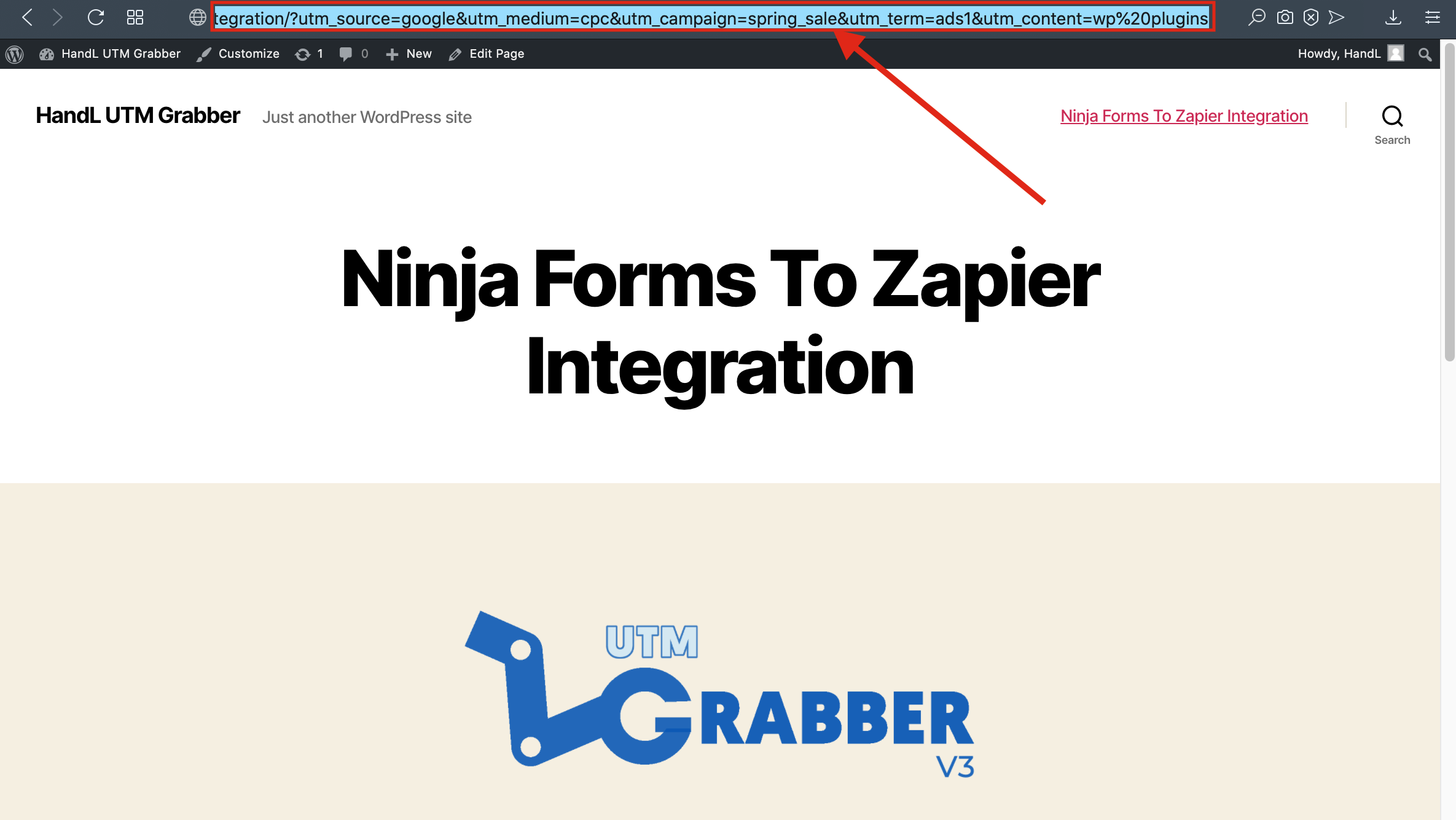
#### **13-)Paste the URL** ####
[](https://docs.utmgrabber.com/uploads/images/gallery/2020-09/nf-13-paste-the-url.png)
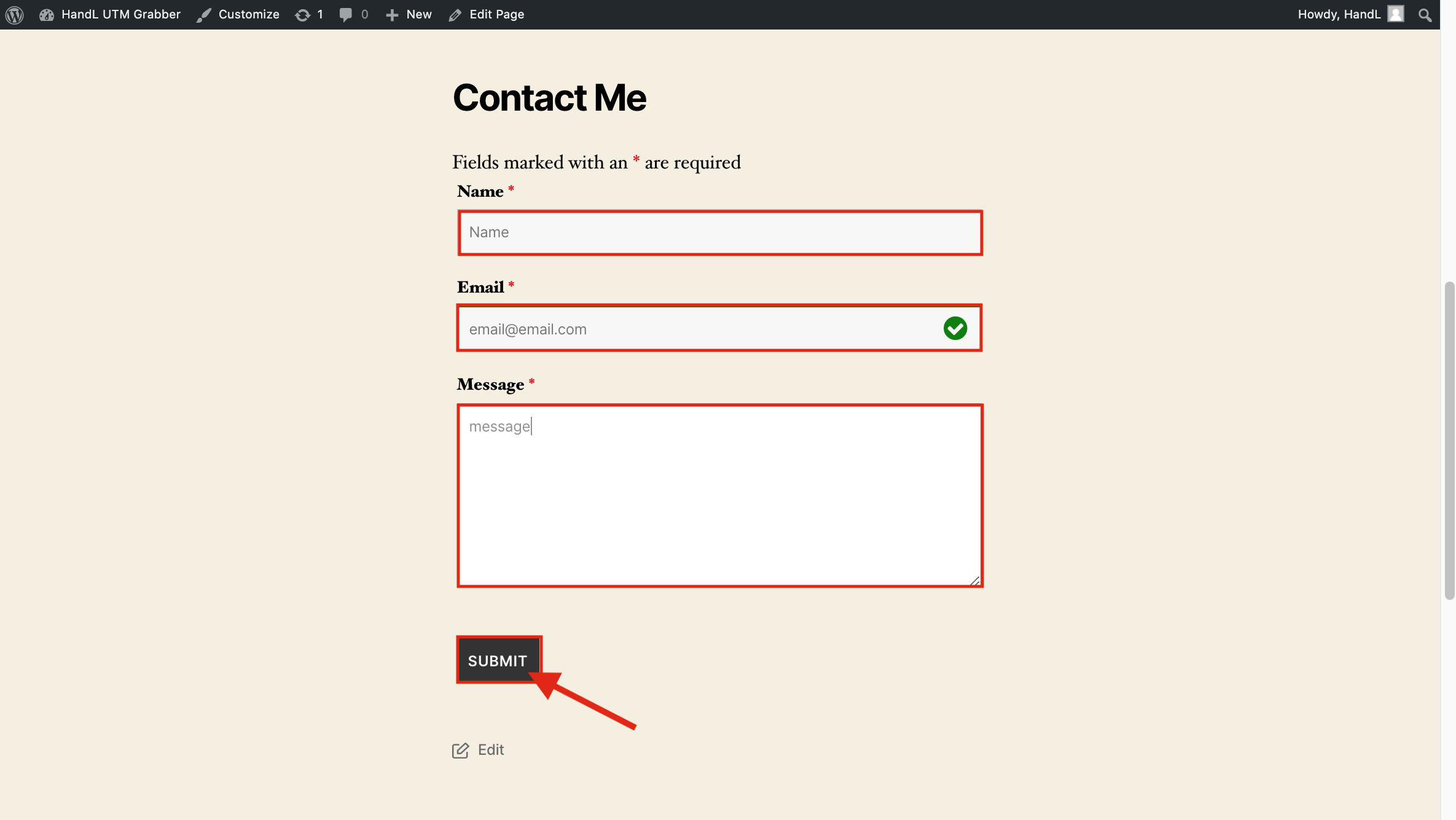
#### **14-)Fill the blanks on your form** ####
[](https://docs.utmgrabber.com/uploads/images/gallery/2020-09/nf-14-fill-the-blanks-on-your-form.png)
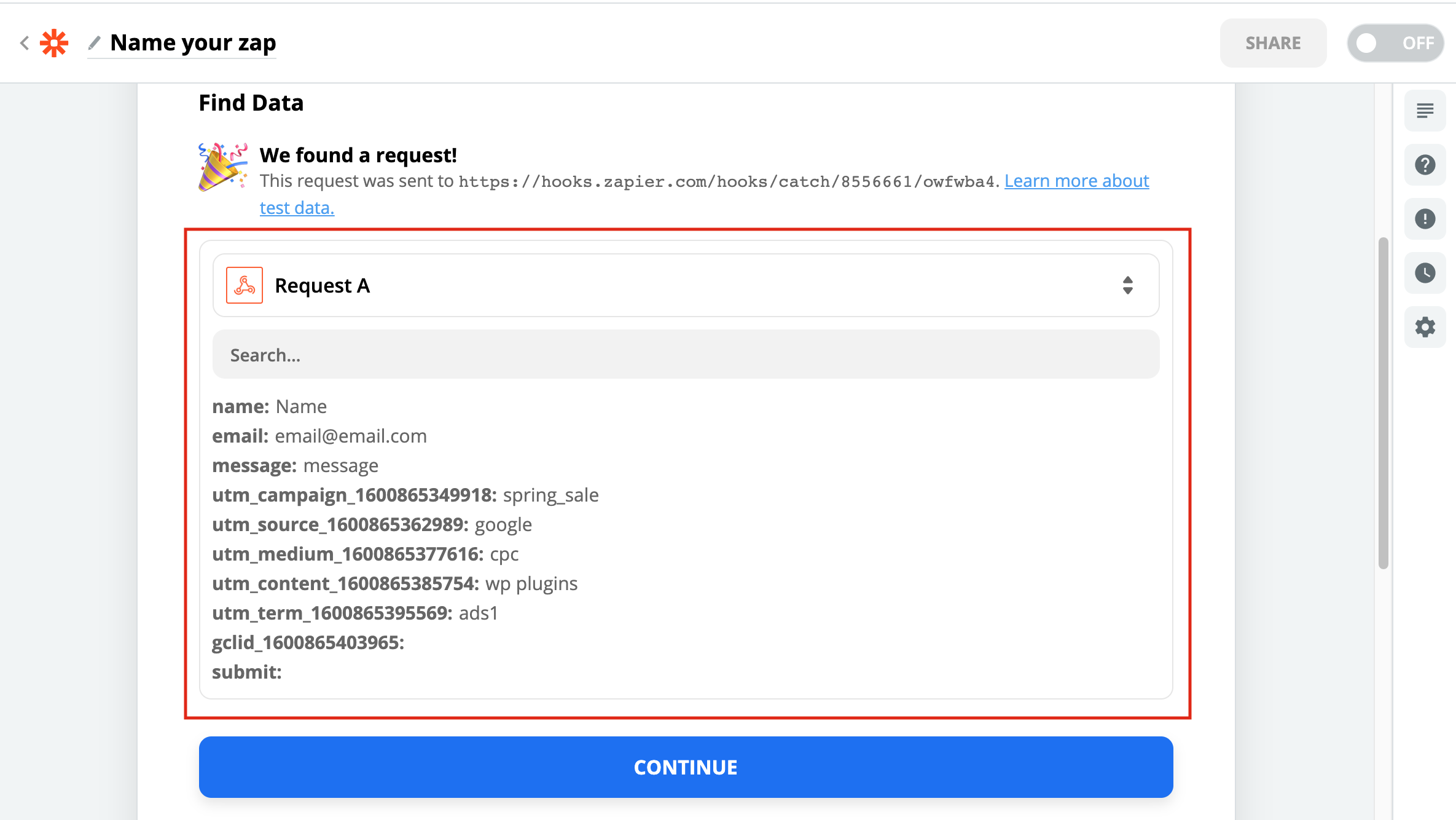
#### **15-) Here is your result on Zapier** ####
[](https://docs.utmgrabber.com/uploads/images/gallery/2020-09/nf-15-here-is-your-result-on-zapier.png)
# Ninja Forms to Zapier UTM Tracking Integration Video Tutorial
## UTM attribution overview
This guide explains Ninja Forms to Zapier UTM Tracking Integration Video Tutorial with HandL UTM Grabber. It helps you send UTM and click ID data into automations, webhooks, reports, and connected tools and keep the marketing context needed for accurate reporting across forms, bookings, signups, and sales.
### *Please watch the related Video Tutorial below*
#### *and click right to the video and open link in new tab*
Track UTMs from NinjaForms to Zapier via HandL UTM Grabber
[](http://www.youtube.com/watch?v=lbNGQzQj4gg "Ninja Forms to Zapier Integration")
# Zapier for Thrive Leads
Fully automated UTM tracking from Thrive Leads to your CRM of your choice via Zapier.
# Thrive Leads to Zapier Video tutorial - HandL UTM Grabber Guide
## UTM attribution overview
This guide explains Thrive Leads to Zapier Video tutorial - HandL UTM Grabber Guide. It helps you send UTM and click ID data into automations, webhooks, reports, and connected tools and keep the marketing context needed for accurate reporting across forms, bookings, signups, and sales.
### *Please watch the related Video Tutorial below*
#### *and click right to the video and open link in new tab*
UTM Tracking Thrive Leads to Zapier
[](http://www.youtube.com/watch?v=doNlcWJt-xk "UTM Tracking Thrive Leads to Zapier ")
# Triggering Zapier on Thank you Page - HandL UTM Grabber Guide
## UTM attribution overview
This guide explains Triggering Zapier on Thank you Page - HandL UTM Grabber Guide. It helps you send UTM and click ID data into automations, webhooks, reports, and connected tools and keep the marketing context needed for accurate reporting across forms, bookings, signups, and sales.
Simply add the following snippet on your thank you page.
The following script will merge the query argument with the handl utm grabber cookies and trigger your webhook with all the data.
This is especially useful, when prospects redirected from webinar optin signup where the optin data appended to the thank you page URL as query arguments.
Don't forget to change the Zapier URL below with your own Webhook URL.
```
```
# Triggering Zapier/External API on Button Click - HandL UTM Grabber Guide
## UTM attribution overview
This guide explains Triggering Zapier/External API on Button Click - HandL UTM Grabber Guide. It helps you send UTM and click ID data into automations, webhooks, reports, and connected tools and keep the marketing context needed for accurate reporting across forms, bookings, signups, and sales.
Simply add the following snippet to your webpage and bind it to a button click event.
The following script will capture data from HandL UTM grabber and trigger your webhook with all the gathered data when the button is clicked.
This is especially useful for sending data seamlessly when users engage by clicking a specific button on your page.
Don't forget to change the URL below with your own Webhook URL.
```html
```