
How to cancel my membership? - HandL UTM Grabber Guide
UTM attribution overview
This guide explains How to cancel my membership? - HandL UTM Grabber Guide. It helps you configure HandL UTM Grabber correctly so campaign attribution works reliably across WordPress and keep the marketing context needed for accurate reporting across forms, bookings, signups, and sales.
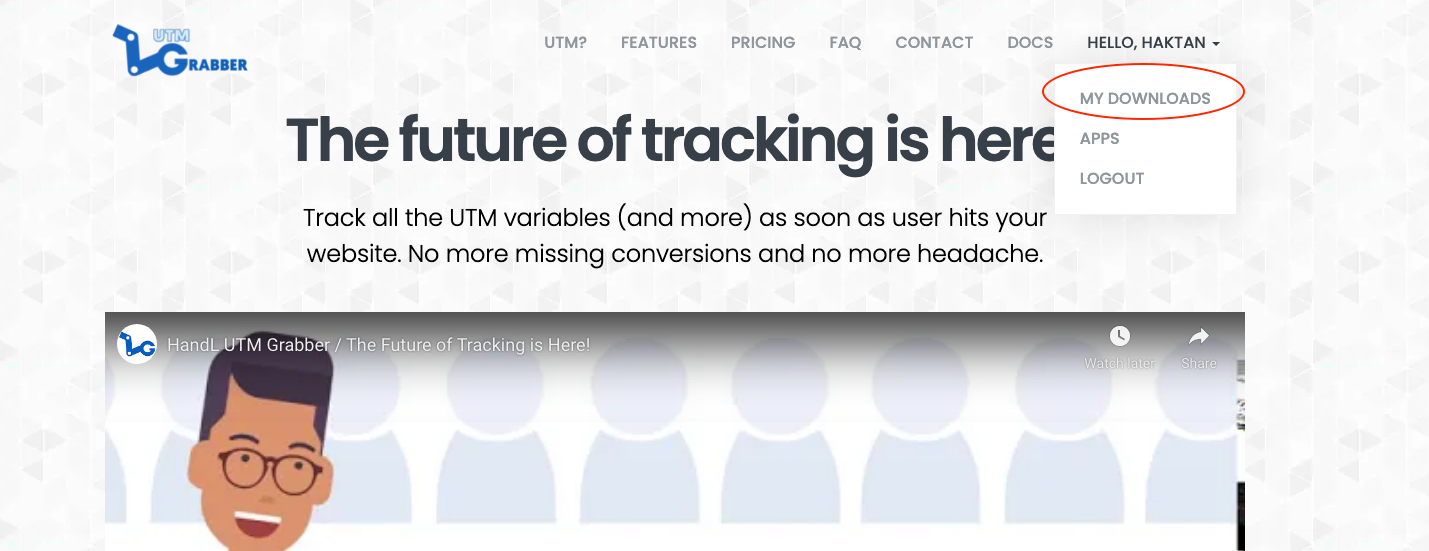
Login to your account at utmgrabber.com
After loging in, click your name uppper right corner of the screen and click "My Downlads"
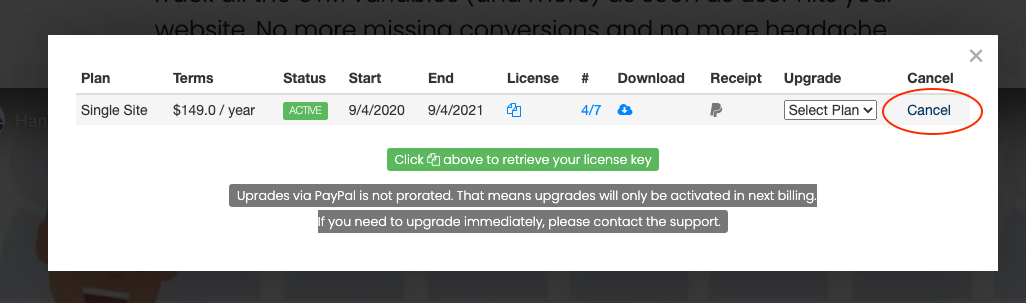
Find the Plan you want to cancel
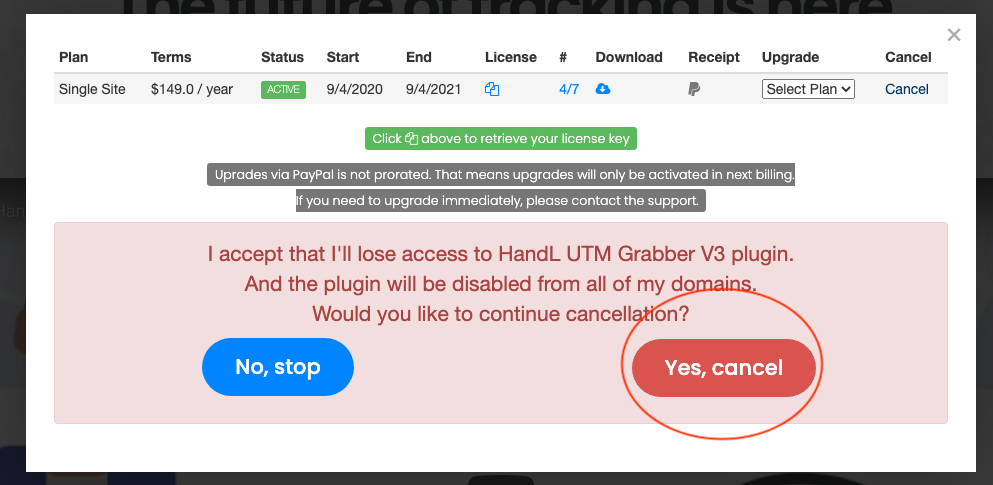
Simply click "Cancel" and navigate through the flow.
If you have trouble canceling your account or need help, please have a chat with us!