How to Track UTMs in Paperform
UTM attribution overview
This guide explains How to Track UTMs in Paperform with HandL UTM Grabber. It helps you capture UTM source, medium, campaign, term, content, click IDs, referrer, and landing page data and keep the marketing context needed for accurate reporting across forms, bookings, signups, and sales.
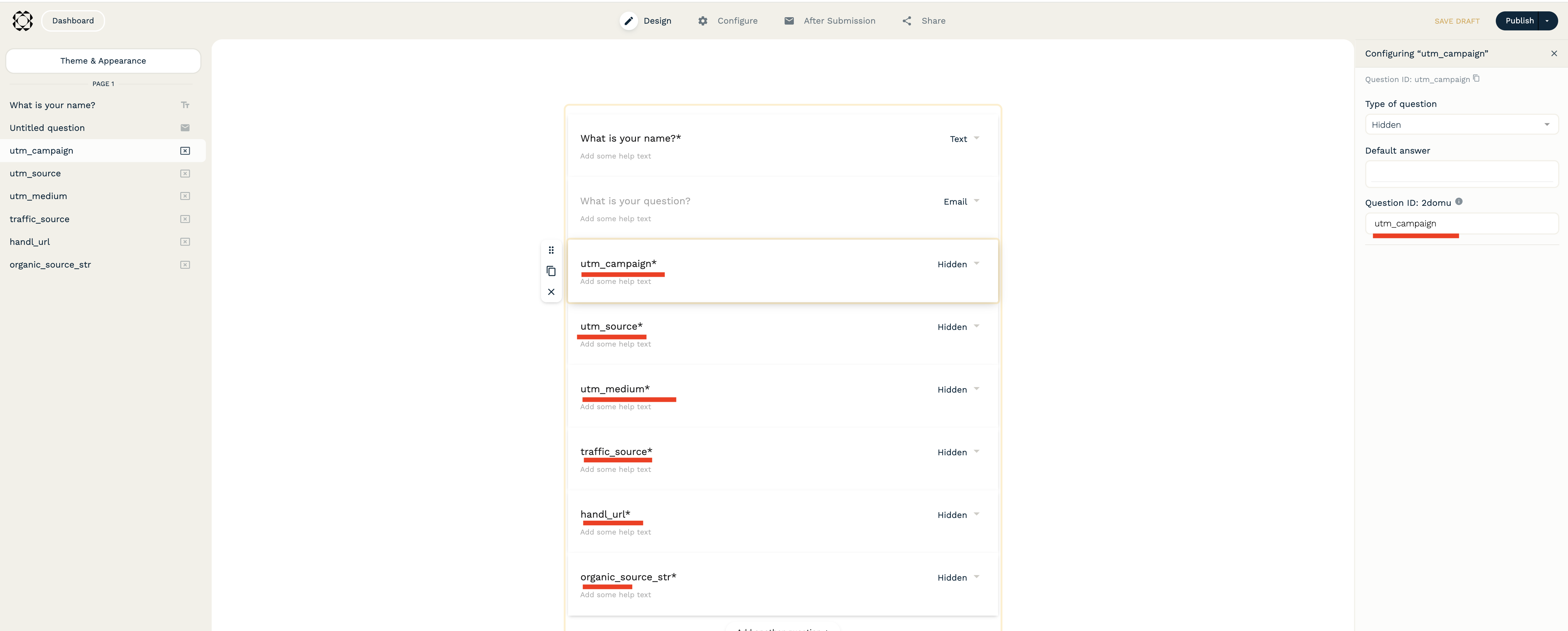
First, create your hidden fields in Paperform as shown below:
There are various methods explained here.
We'll use the most effective one: Dynamic Auto Filling.
Next, use the JavaScript below and copy-paste the code where you want your form:
<div data-paperform-id="kxjpum0m"></div>
<script>
document.addEventListener("DOMContentLoaded", function() {
    const params = getAllHandLUTMParams();
    const queryString = jQuery.param(getAllHandLUTMParams());

    const form = document.querySelector("[data-paperform-id='kxjpum0m']");
    if (form && queryString) {
      form.setAttribute("prefill", queryString);
    }

    // Now embed the Paperform script
    var script = document.createElement('script');
    script.src = "https://paperform.co/__embed.min.js";
    document.body.appendChild(script);
  });
</script>
Make sure you change the form ID in both places in the script according to your form.
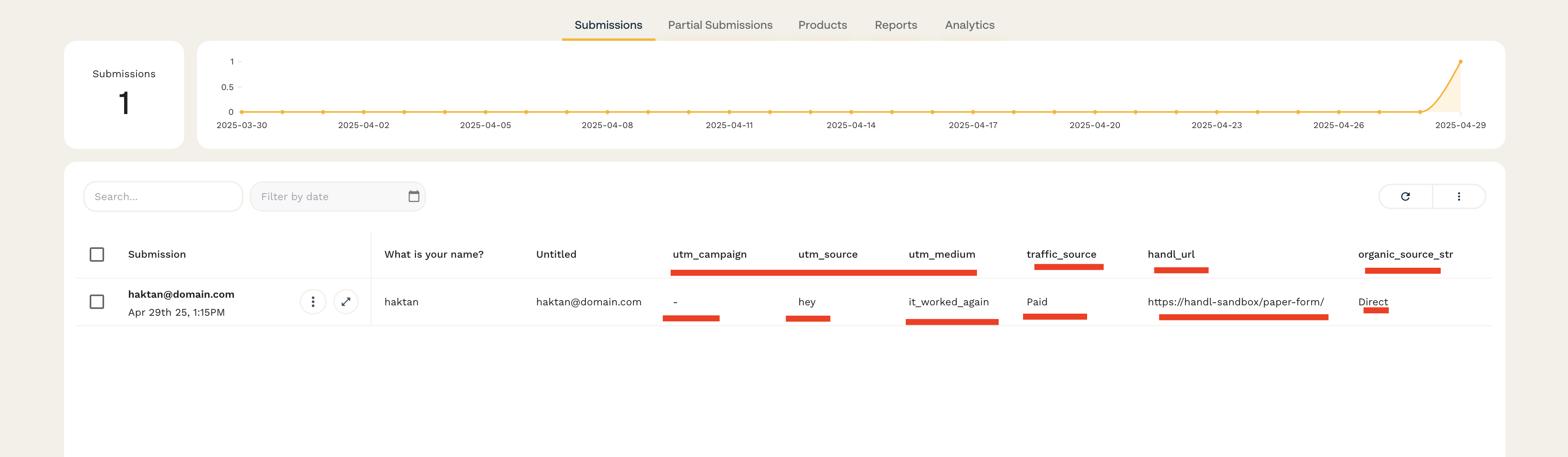
Once done, test it to ensure the parameters appear in the result section of the form: