How to Track UTMs in Webflow page
AddUTM attribution overview
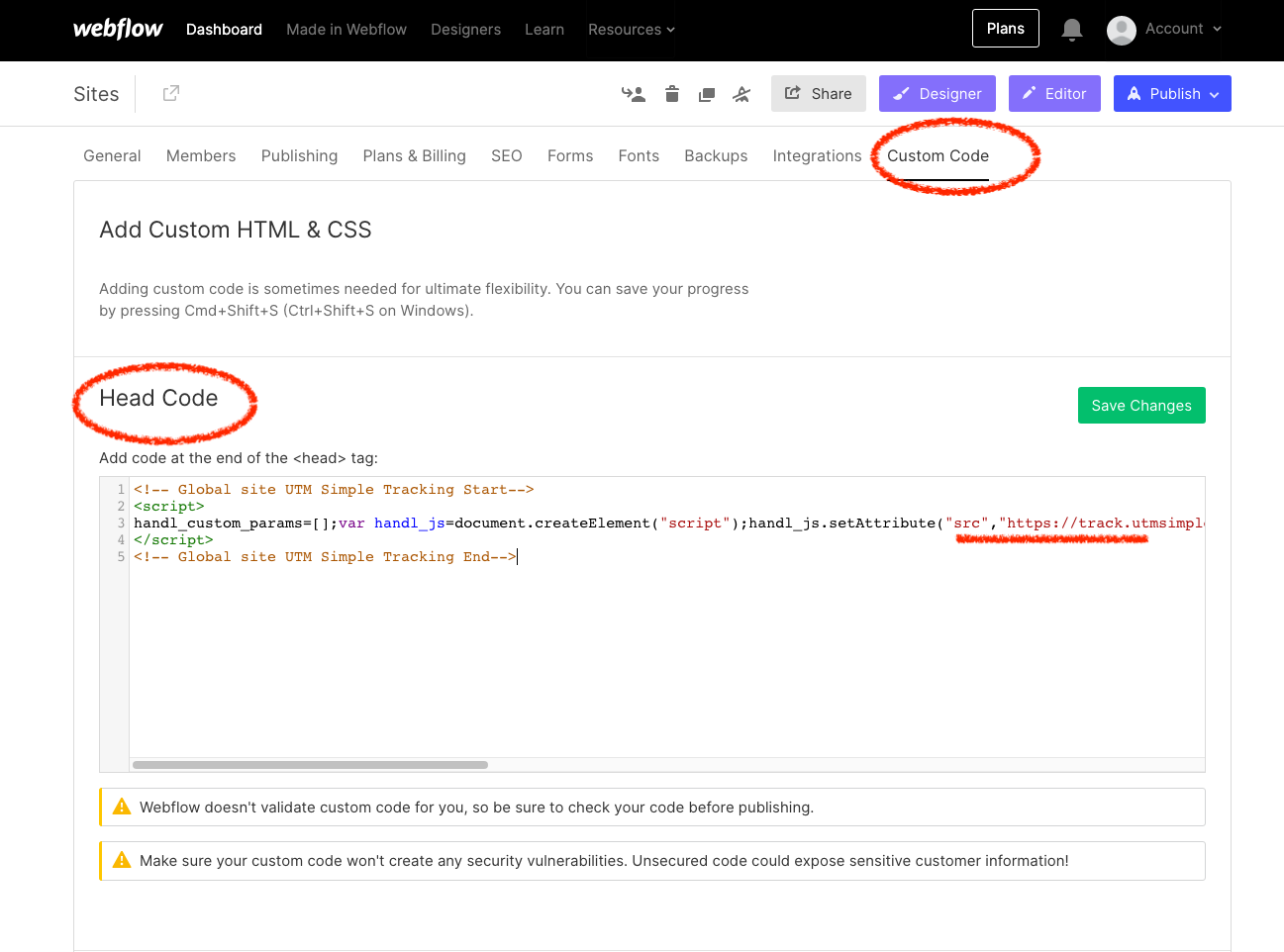
This guide explains How to Track UTMs in Webflow page with HandL UTM Grabber. It helps you capture UTM source, medium, campaign, term, content, click IDs, referrer, and landing page data and keep the genericmarketing scriptcontext inneeded Headerfor
Asaccurate shownreporting here...
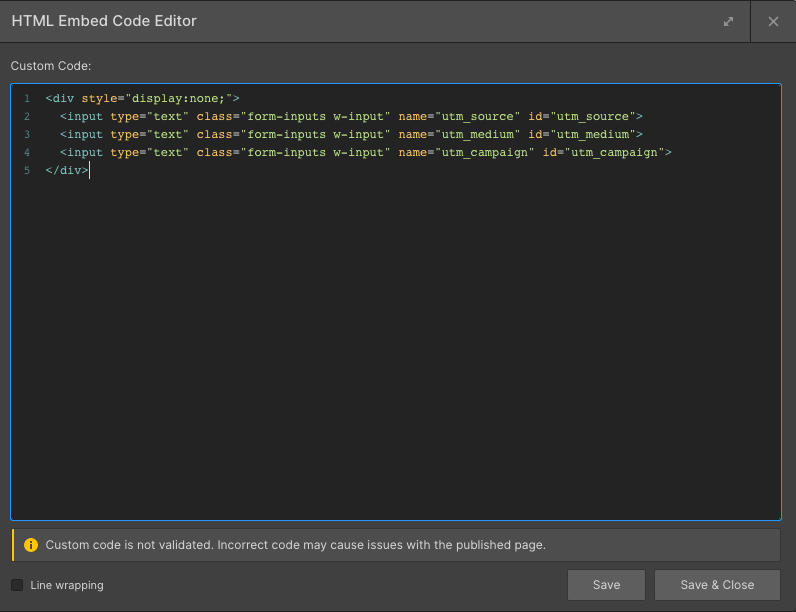
Gobookings, to your pagesignups, and create HTML block in your form
add the following content insales.
<div style="display:none;">
  <input type="text" class="form-inputs w-input" name="utm_source" id="utm_source">
  <input type="text" class="form-inputs w-input" name="utm_medium" id="utm_medium">
  <input type="text" class="form-inputs w-input" name="utm_campaign" id="utm_campaign">
</div>
as shown in the image:
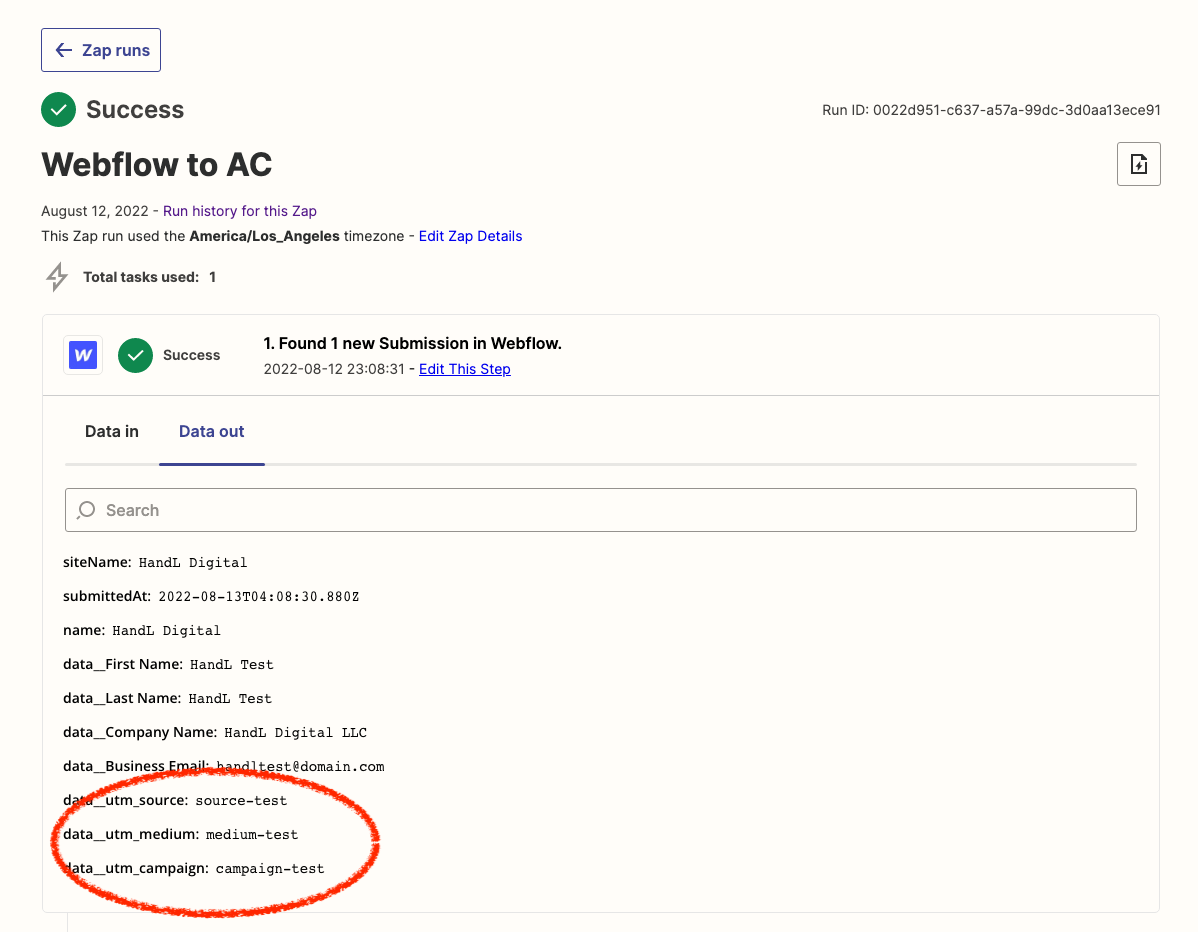
You can add zapier integration and send all the data to Zapier when lead is submitted: