Facebook Conversion API (FB CAPI) - HandL UTM Grabber Guide
UTM attribution overview
This guide explains Facebook Conversion API (FB CAPI) - HandL UTM Grabber Guide. It helps youcan send UTMyour leads and clicksales IDto dataFacebook intofrom automations,your webhooks,server reports, and connected tools and keep the marketing context needed for accurate reporting across forms, bookings, signups, and sales.
As of HandL UTM Grabber v3.1, we have started supportingwith the Facebook Conversion API on(CAPI). theServer followingevents plugins.are Pleasenot bookmarkstopped thisby pagead asblockers weor addbrowser newprivacy supportlimits, everyso day.
Sendcan Eventsmatch frommore WooCommerceof your conversions to Facebookyour Ads
ads.
Supported plugins
| Plugin | Events sent |
|---|---|
| WooCommerce | AddToCart, InitiateCheckout, AddPaymentInfo, Purchase (setup details) |
| Gravity Forms | Lead, on each submission |
| Contact Form 7 | Lead, on each submission |
| Ninja Forms | Lead, on each submission |
| Fluent Forms | Lead, on each submission |
| Elementor Pro Forms | Lead, on each submission |
| WPForms | Lead, on each submission |
| Formidable Forms | Lead, on each submission |
| Thrive Architect | Lead, on each submission |
Set up FB CAPI
1. Open the Facebook CAPI tab
In WordPress, click UTM in the left menu, then click the Facebook CAPI tab.

2. Get your Pixel ID and Purchaseaccess token
In Facebook Events Manager, open your pixel and click Settings. Scroll down to Conversions API and click Generate access token.

3. Turn it on
Paste the Pixel ID and the access token, check Enable Facebook Conversion API (CAPI) functionality, and click Save Changes.
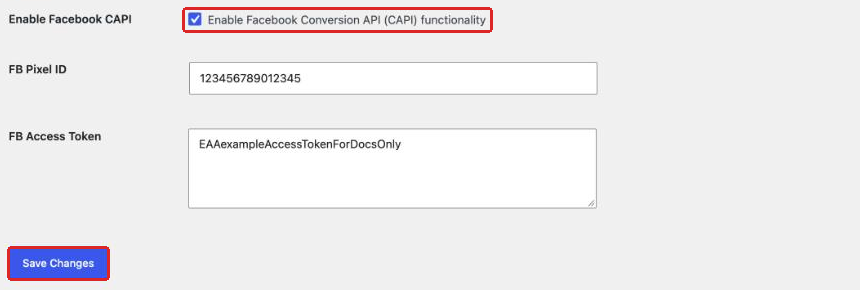
From now on, every form submission sends a Lead event to Facebook.
4. Check the logs
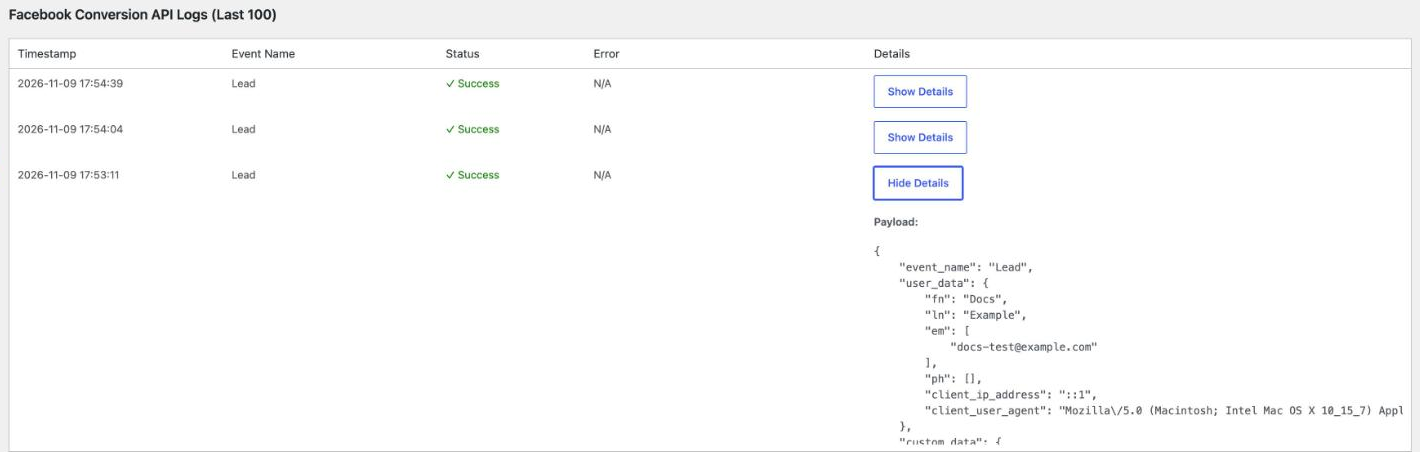
Submit a test form, then scroll down to Facebook Conversion API Logs (Last 100) on the same tab. Each event shows there, and any failure shows the error Facebook returned. Click Show Details to see what was sent.
In Facebook Events Manager, check the Event Match Quality of your Lead events. PleaseIt refergoes toup thesewhen instructionsyour forforms setupsend details.a name, email and phone.
Send

What Eventsis from Gravity Formssent to Facebook
- Contact
Leaddetails:Eventsfirst name, last name, email and phone from the form. They are hashed (SHA-256) before they leave your site. - Browser details: the visitor's IP address and user agent, plus the _fbc and _fbp values. You do not need extra form fields for these. The Meta Pixel sets the _fbc and _fbp cookies, so they are only sent when the Meta Pixel is on your site. See Track and capture fbclid, _fbc and _fbp.
- Form details: the form ID and the form name.
Send
UTM values are not sent to Facebook. They stay in your form entries and in the other integrations.
Troubleshooting
- No events in the logs: check that the Enable box is checked and your license is active. For Contact Form
77,totheFacebookeventAdsisSendsentLeadonly after the form email is sent, so a mail error also stops the event. - Errors in the logs: an expired or wrong access token is the most common cause. Generate a new token in Events
fromManagerNinjaandFormssavetoitFacebookagain.