I'm using WP Fastest Cache - HandL UTM Grabber Guide
UTM attribution overview
This guide explains I'm using WP Fastest Cache - HandL UTM Grabber Guide. It helps you capture UTM source, medium, campaign, term, content, click IDs, referrer, and landing page data and keep the marketing context needed for accurate reporting across forms, bookings, signups, and sales.
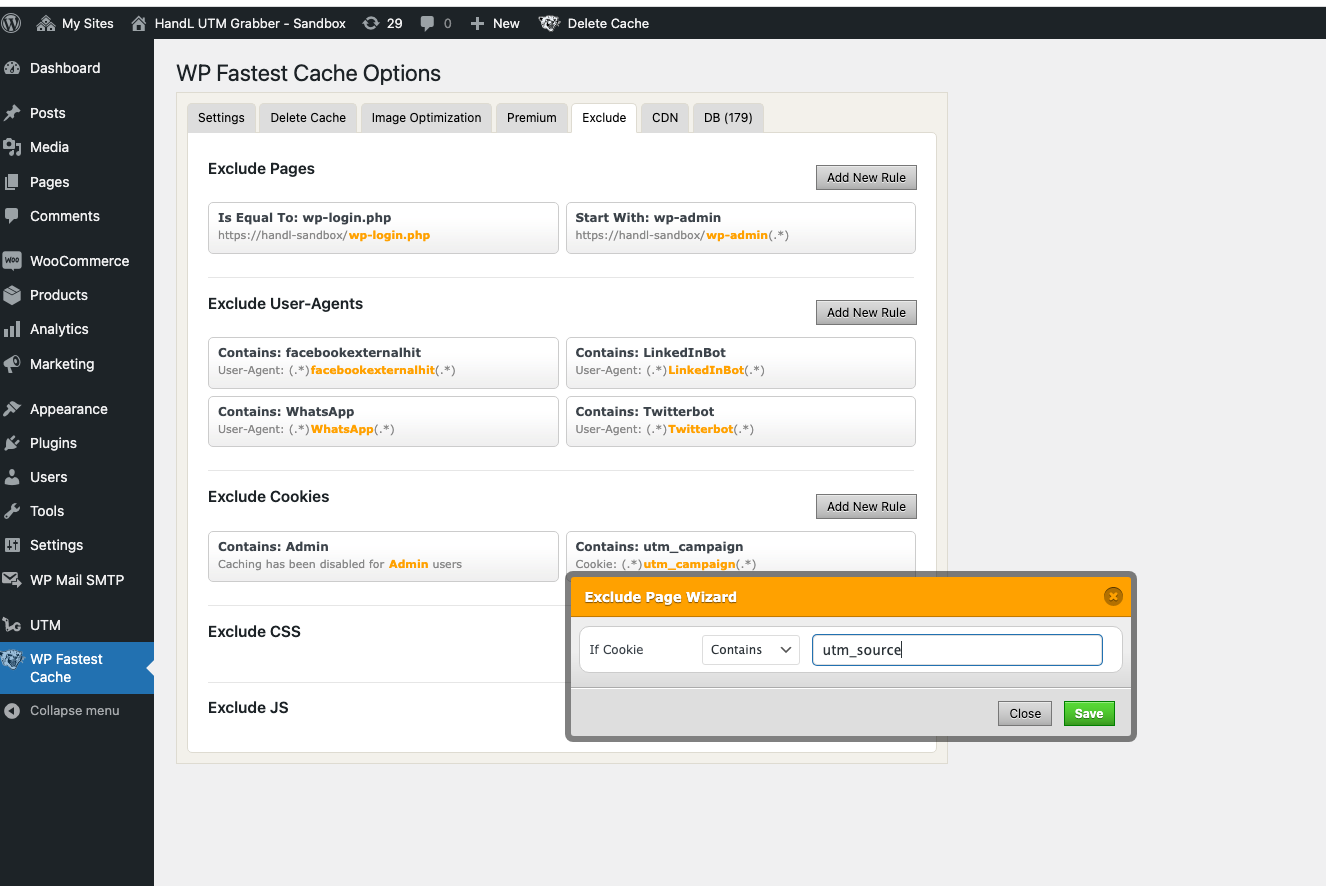
Exclude COOKIES
In order for HandL UTM Grabber to work more efficiently, you may want to whitelist some of the COOKIES our plugin uses so they are not cached.
You can do so very easily following the steps
- Go to the settings for the WP Fastest Cache plugin
- Click on the “Exclude” tab.
- Click the "Add New Rule" button associated with "Exclude Cookies"
- Type the cookie name you use from Native WP Shortcodes in the text box.
- Click "Save".