How to Track UTMs in Kadence Blocks Form
UTM attribution overview
This guide explains How to Track UTMs in Kadence Blocks Form with HandL UTM Grabber. It helps you capture UTM source, medium, campaign, term, content, click IDs, referrer, and landing page data and keep the marketing context needed for accurate reporting across forms, bookings, signups, and sales.
In order to implement our solution, you need to do the following modification on kadence form. If you require assistance, let us know, we'd be happy to help.
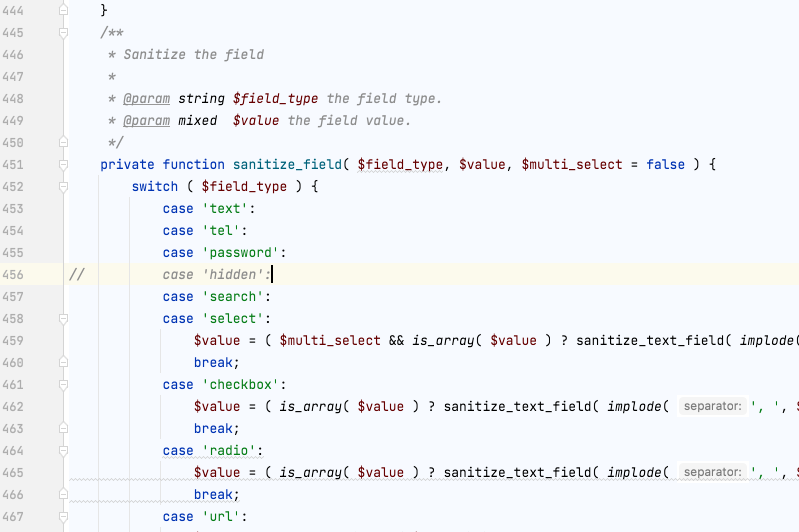
remove or comment out the line from wp-content/plugins/kadence-blocks/dist/form-ajax.php:456
It should looke like this...
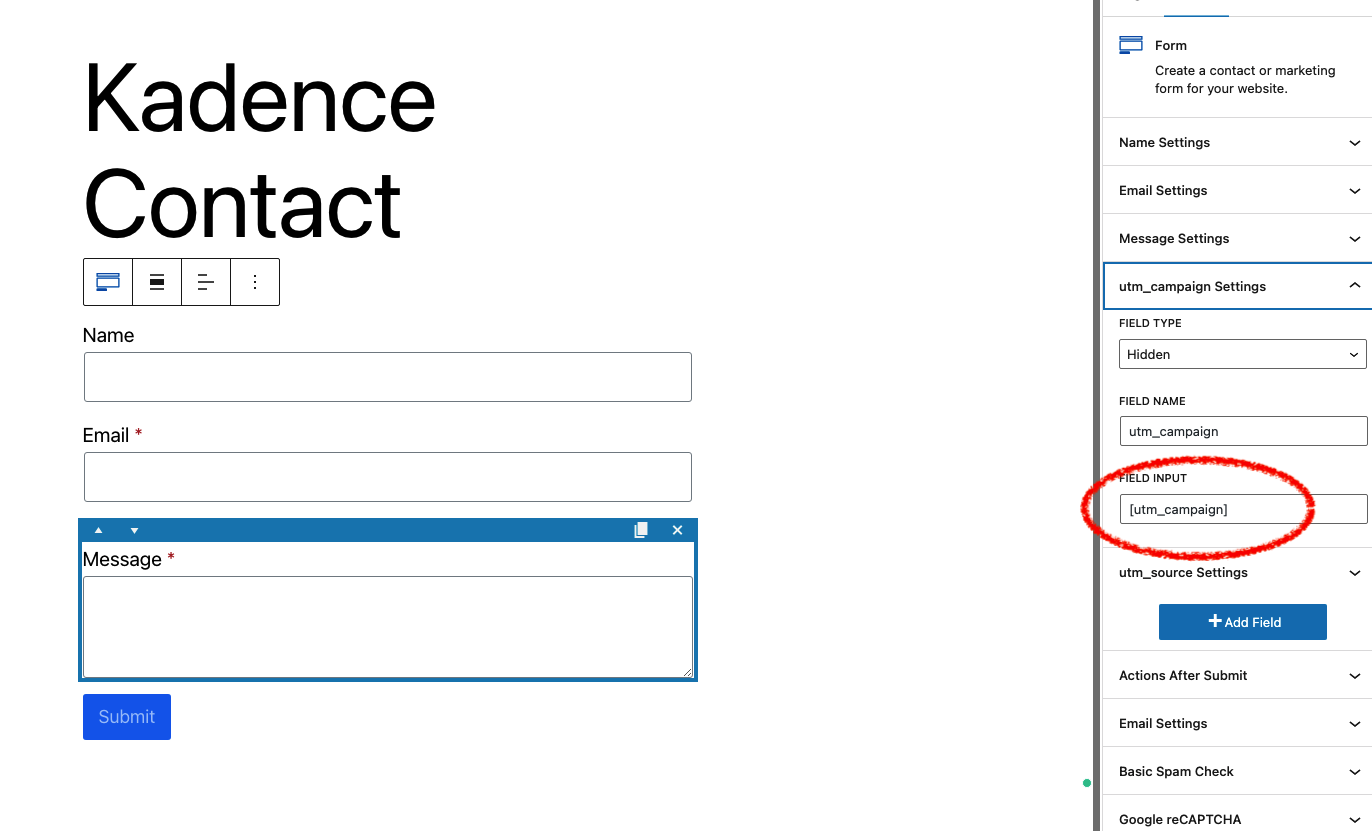
After that, name the form "field input"s with respect to our naming convention here Native WP Shortcodes. And make sure all the fields are marked as "Hidden".
One example can be seen here:
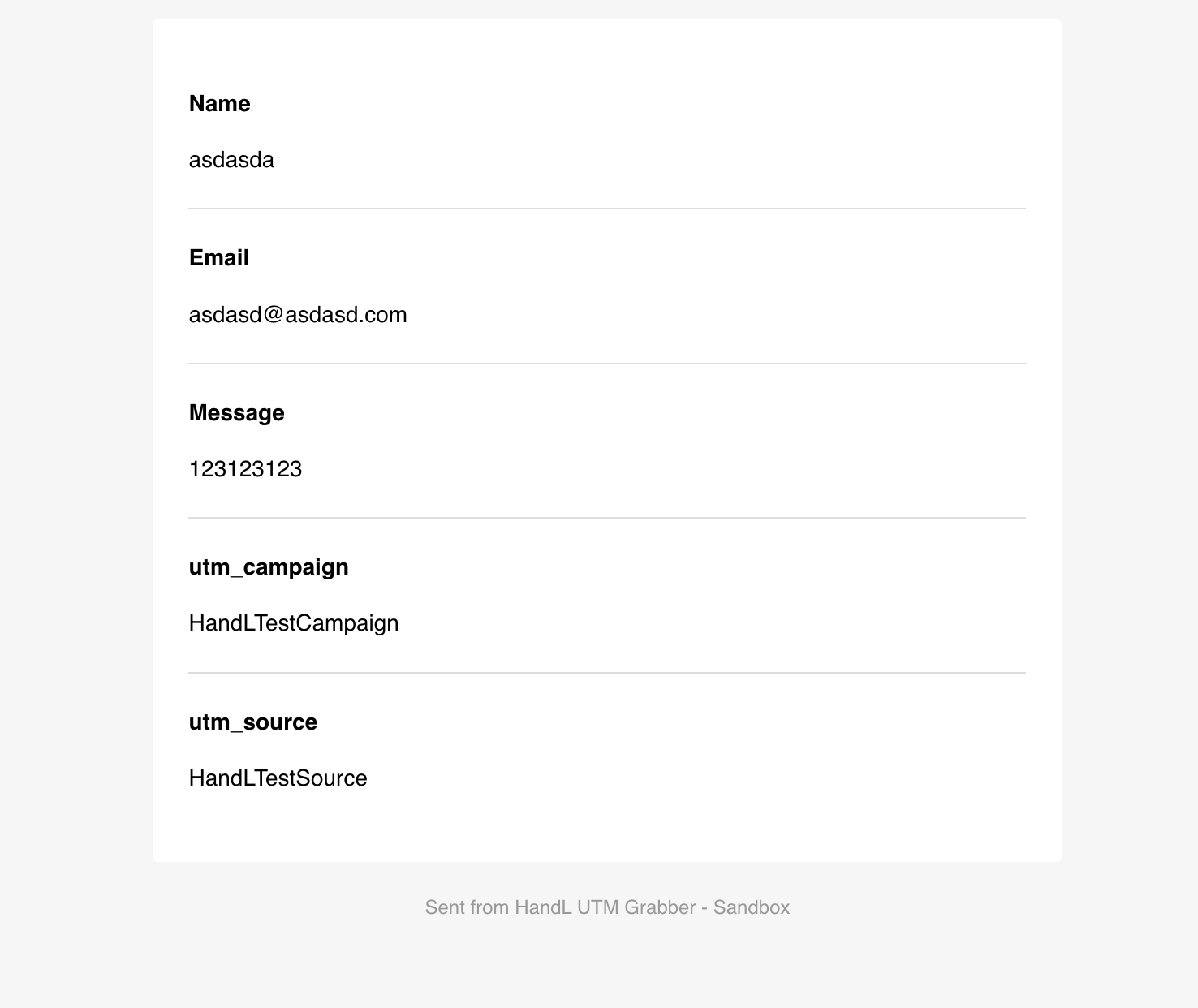
That's it! Wait until you receive a lead or submit a test yourself. The fields should be populated as shown in the image below: