Quform Integration

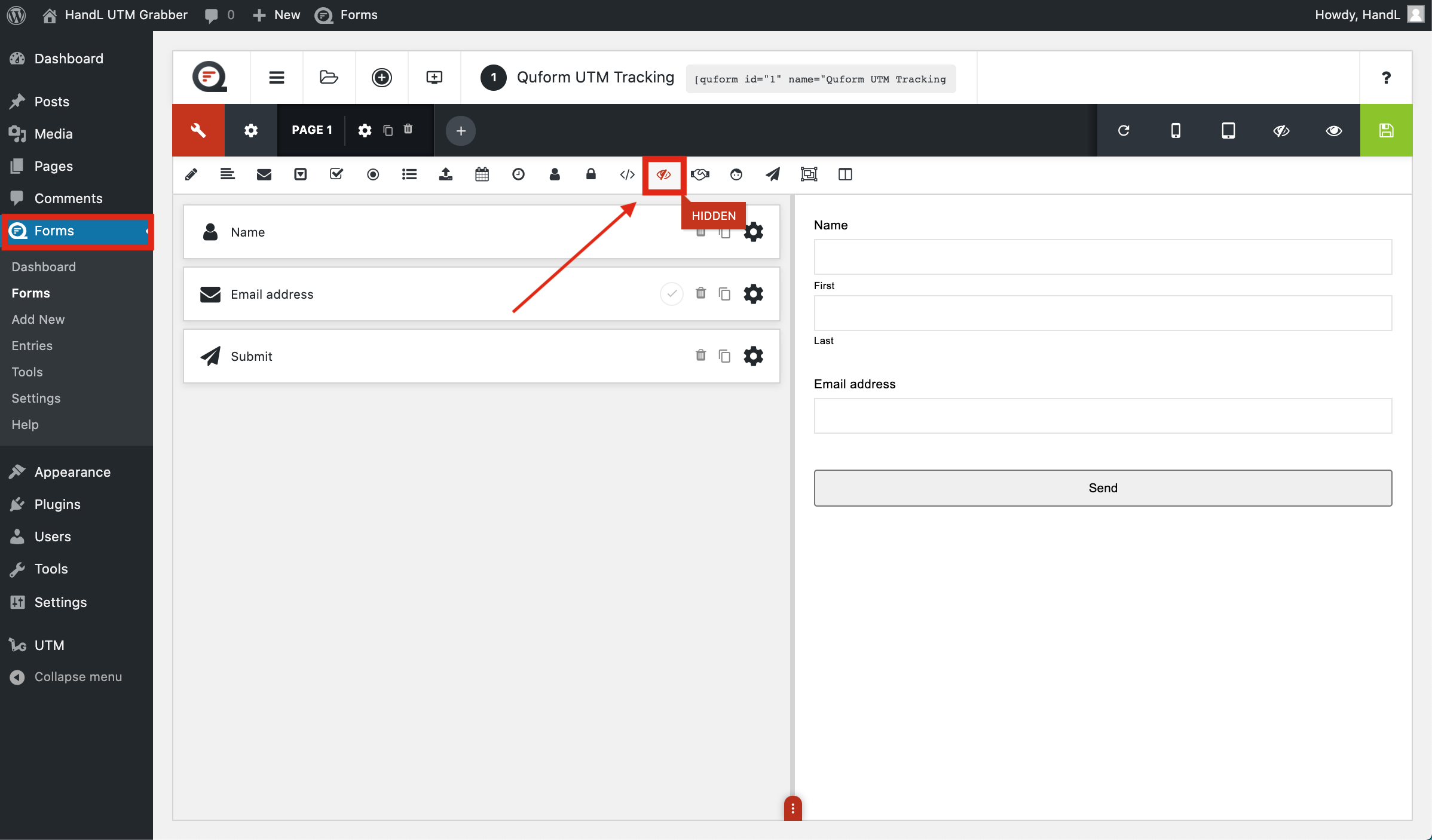
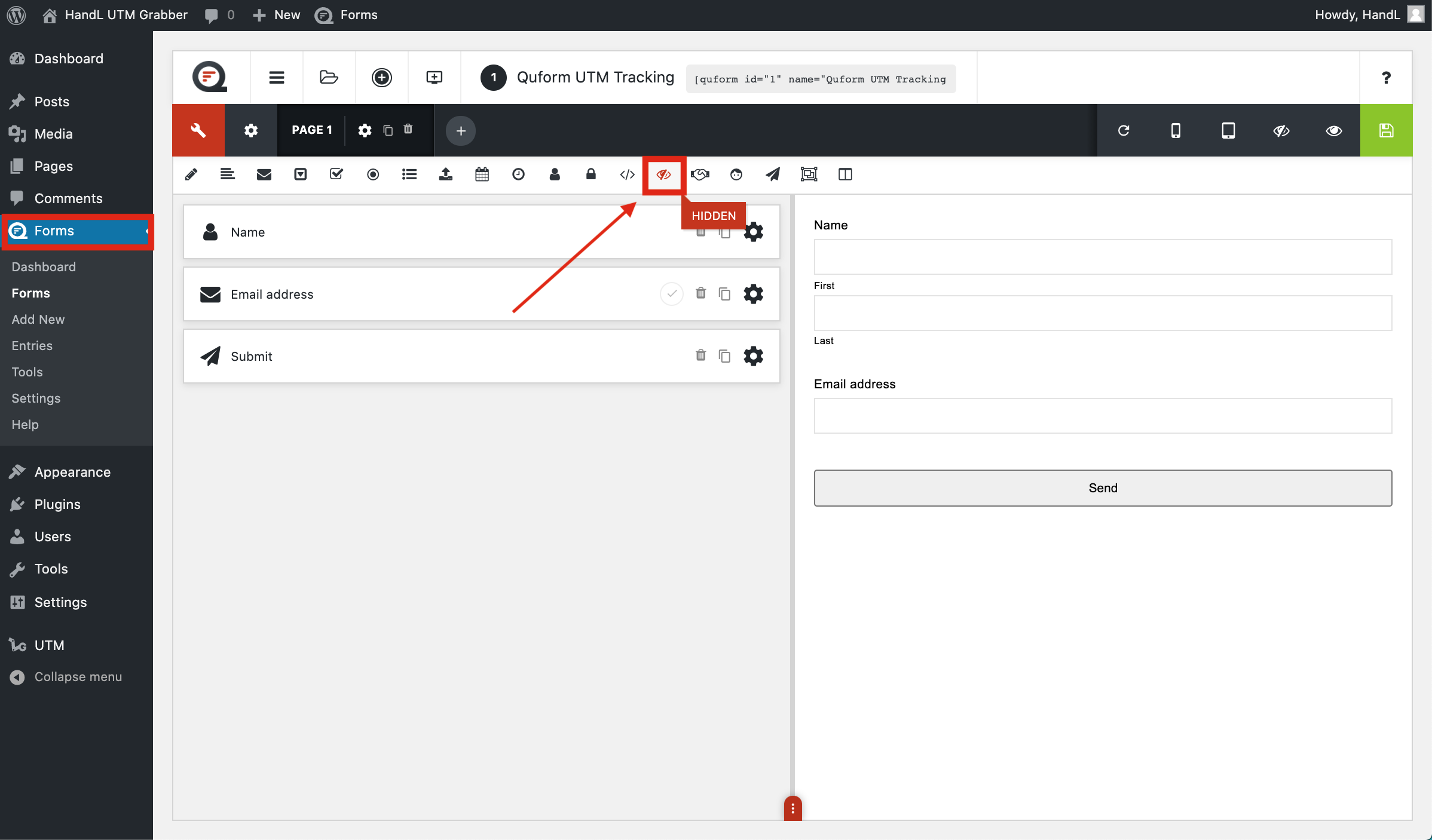
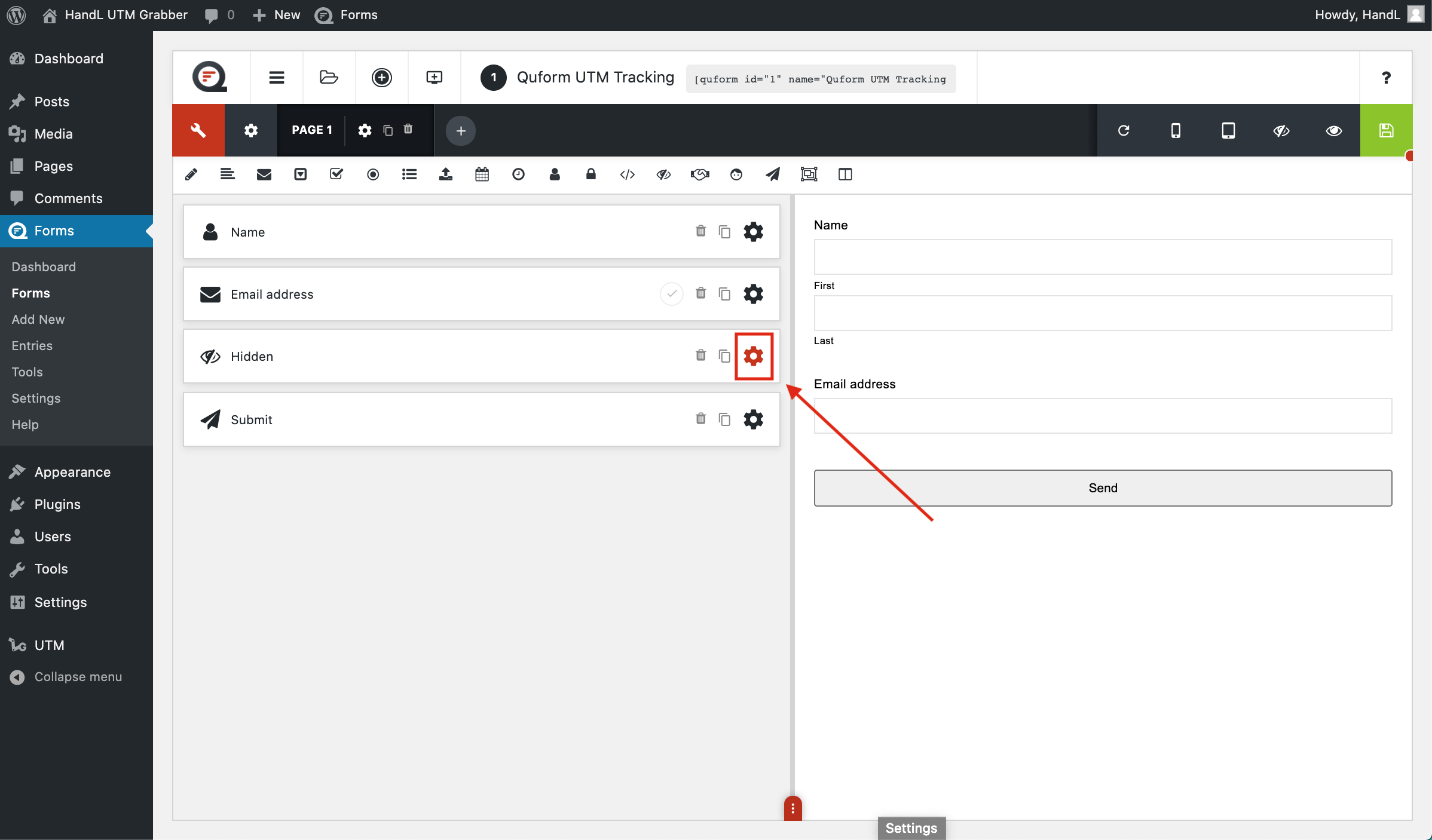
1-)Go to your form and add a hidden field.

QF 1-)Go to your form and add a hidden field.png

2-)Click this button to add parameters.

QF 2-)Click this button to add parameters.png

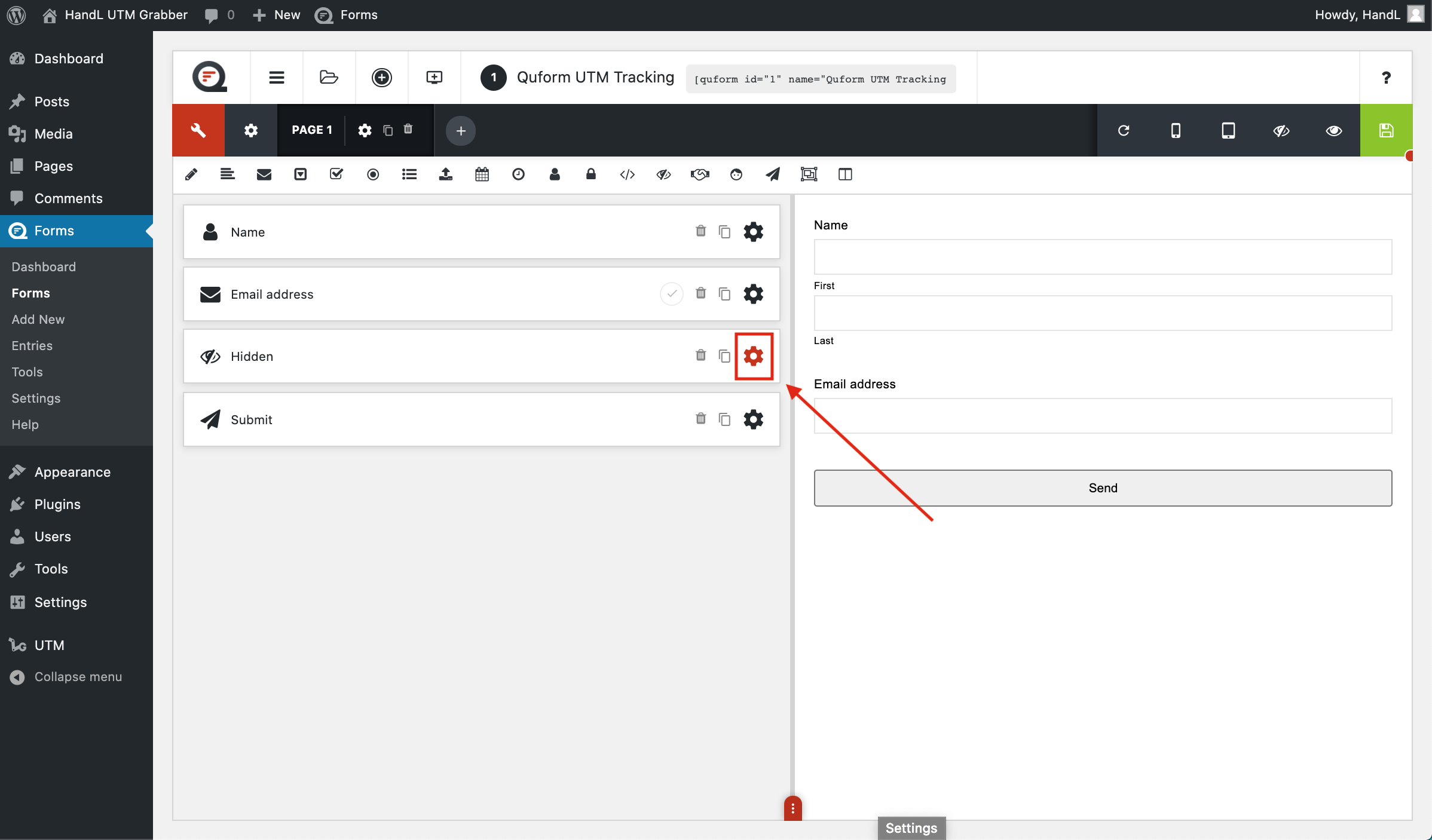
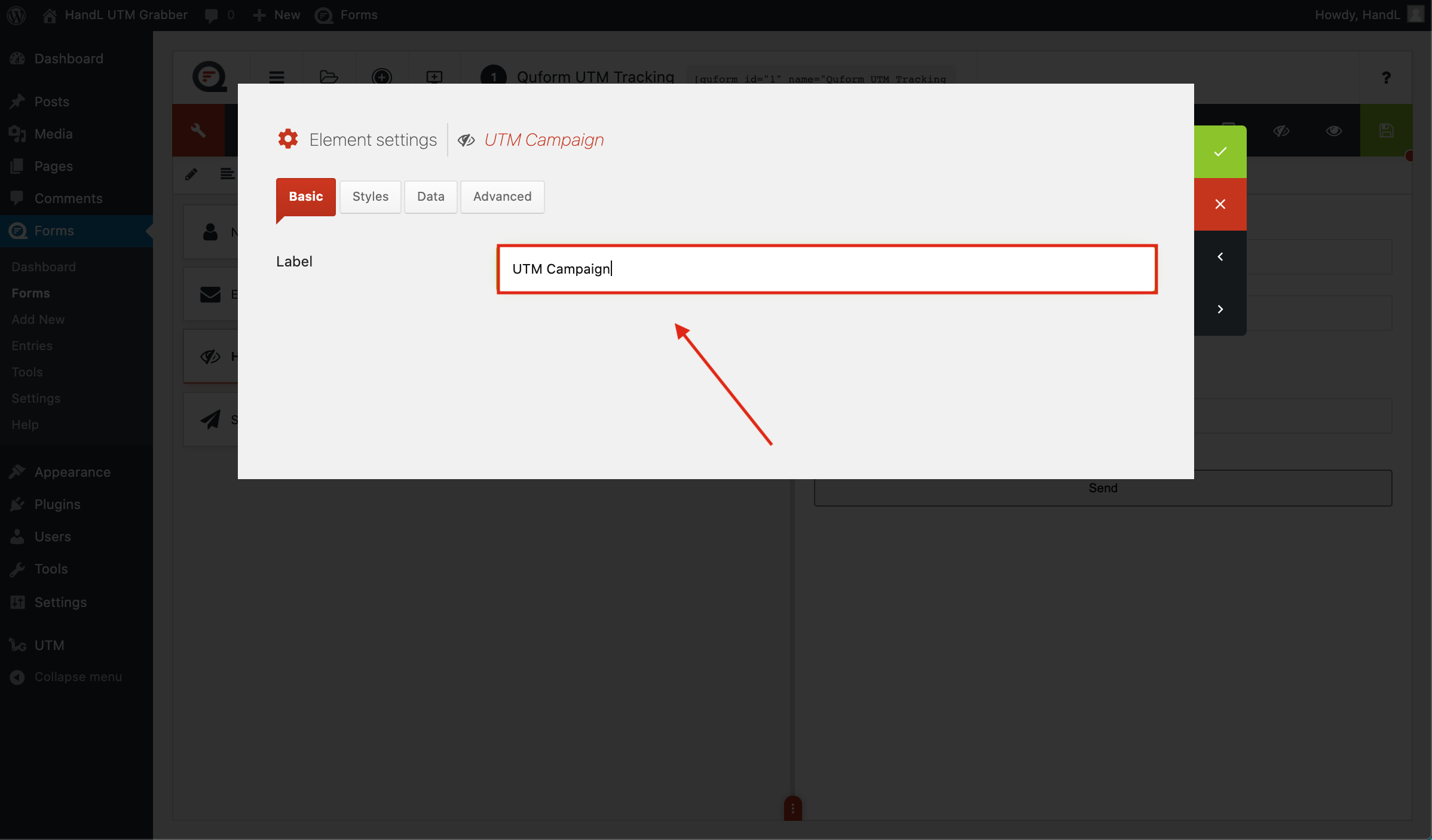
3-)First add a label for recognize the parameter.
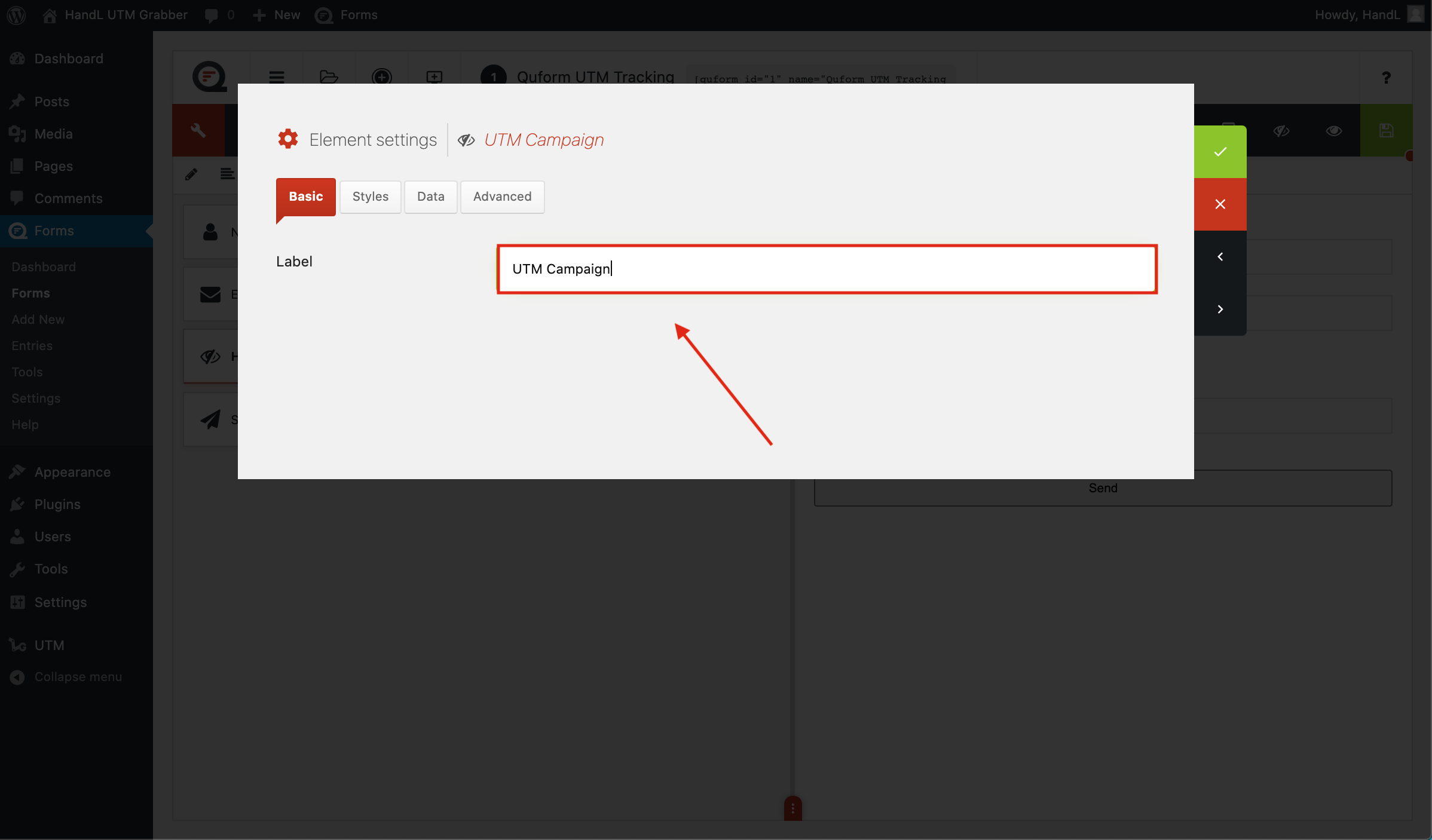
QF 3-)First add a label for recognize the parameter.png

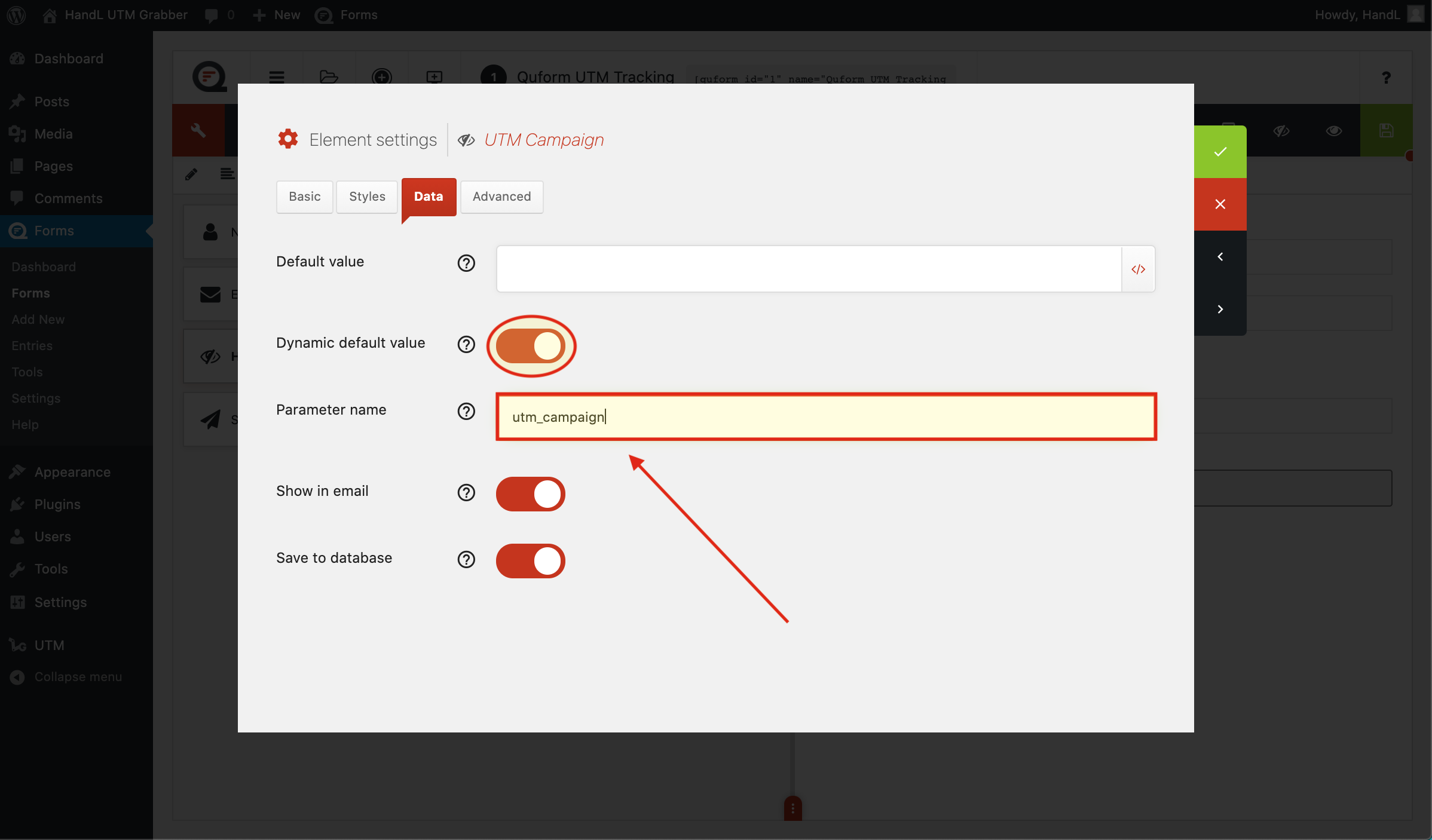
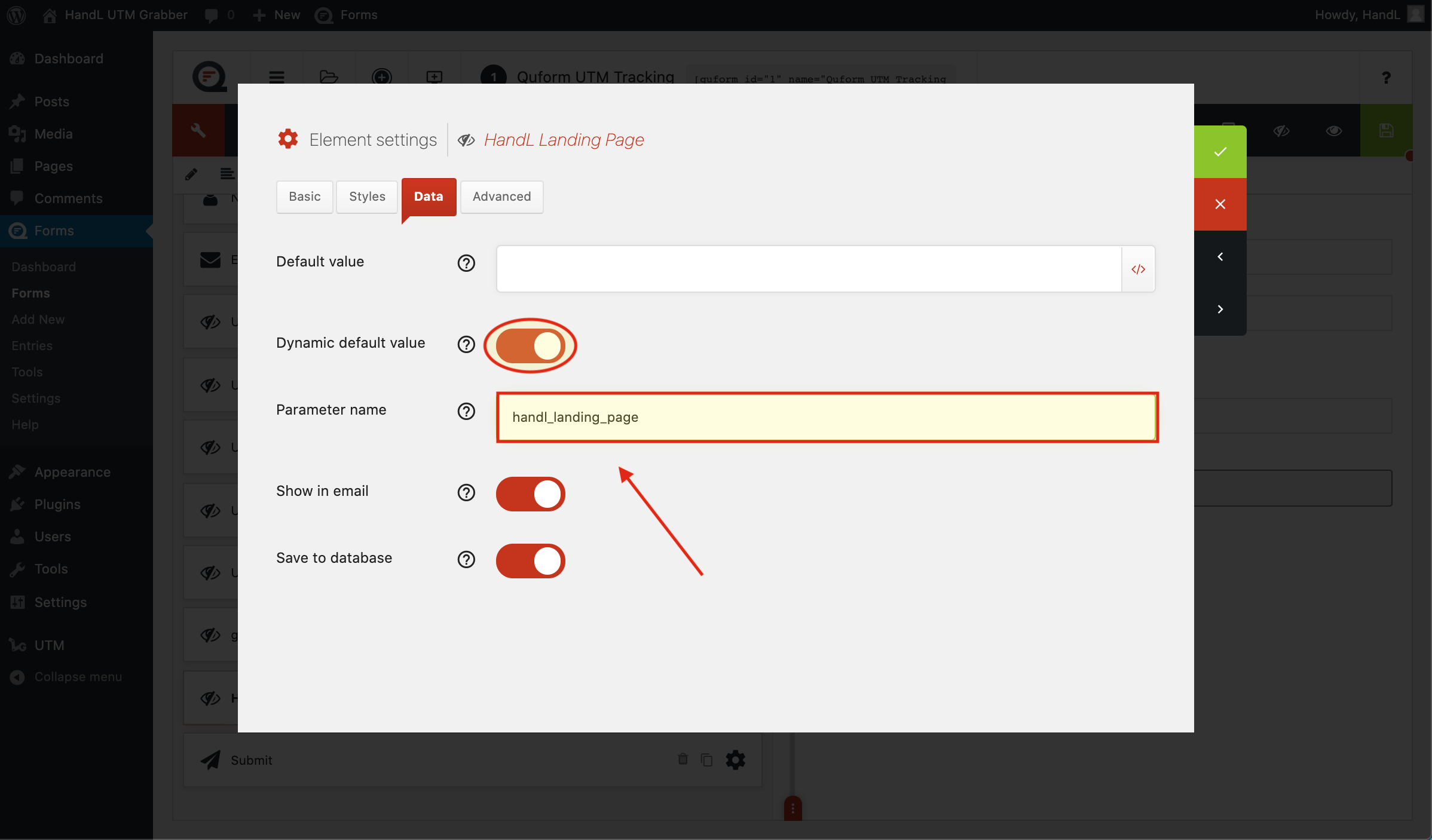
4-)Click the dynamic default value button and enter your parameter.
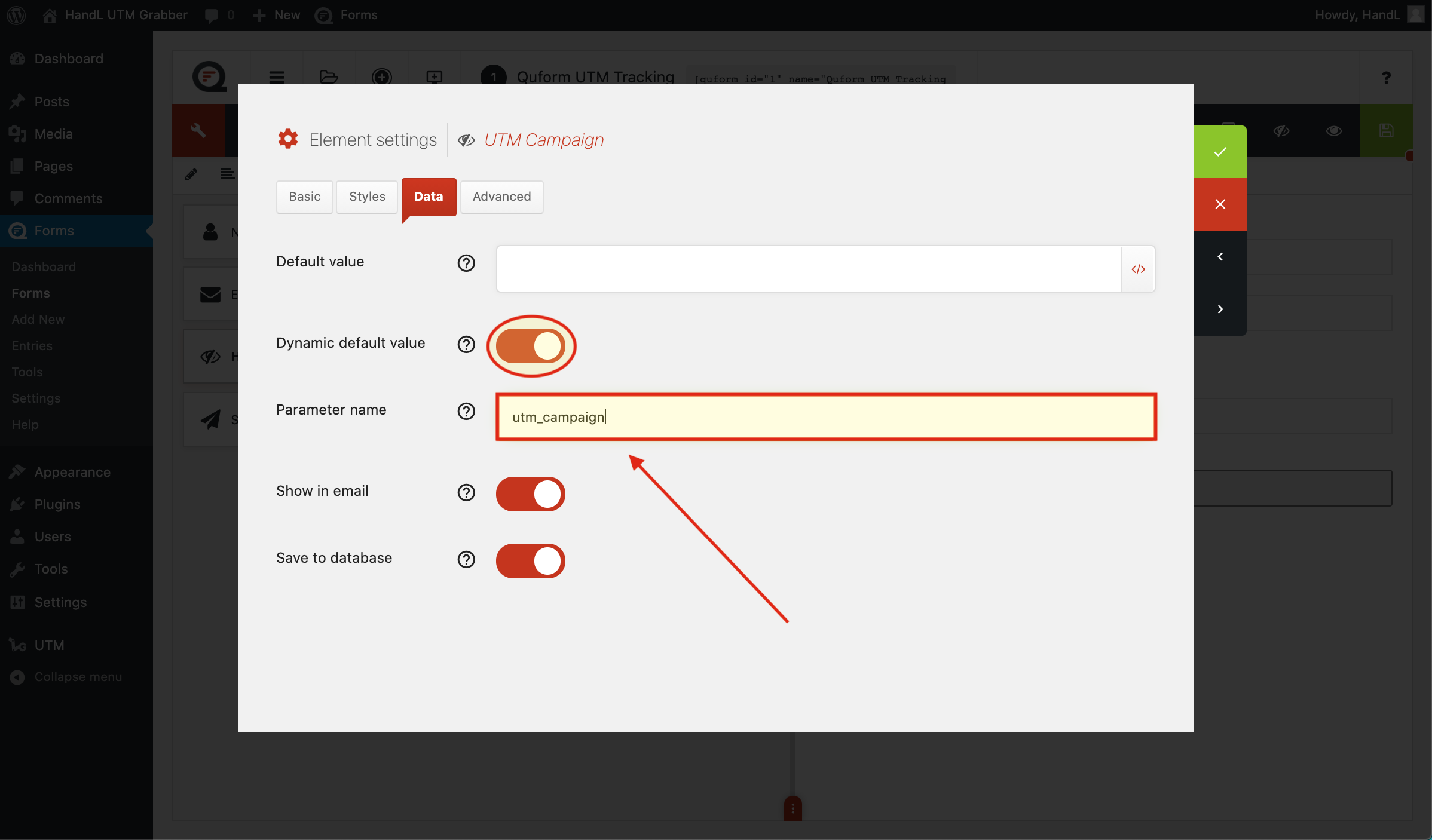
QF 4-)Click the dynamic default value button and enter your parameter.png

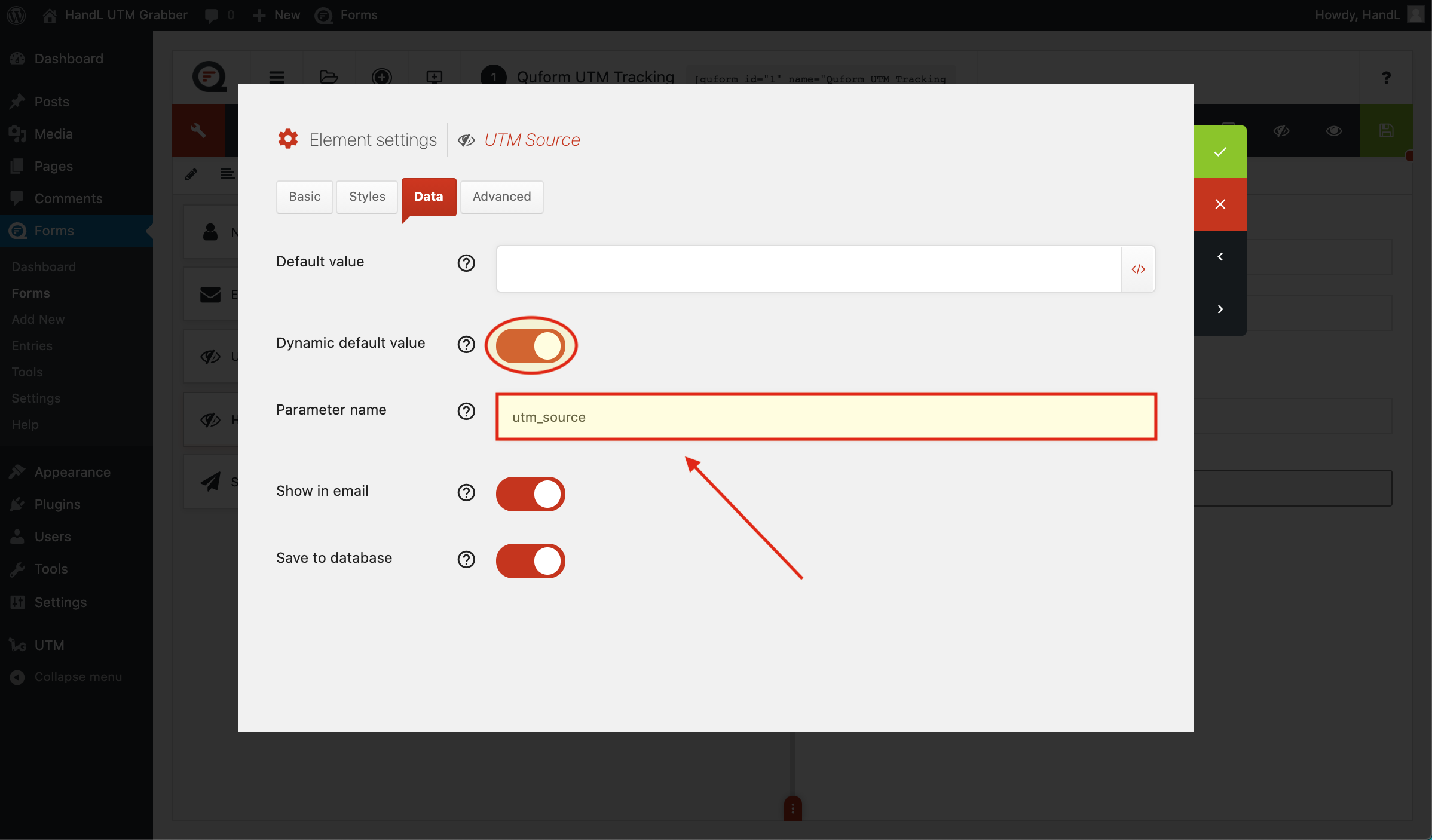
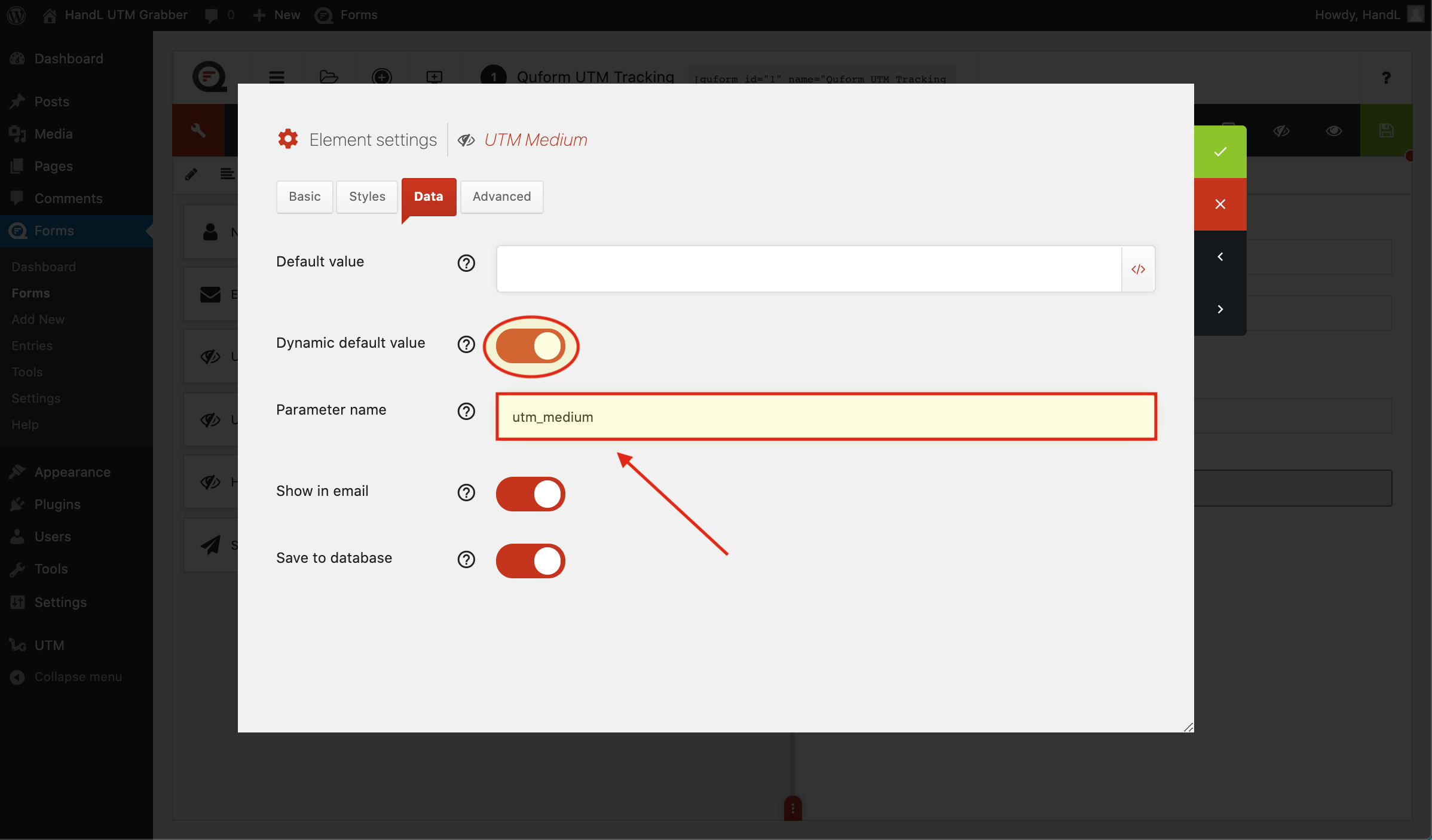
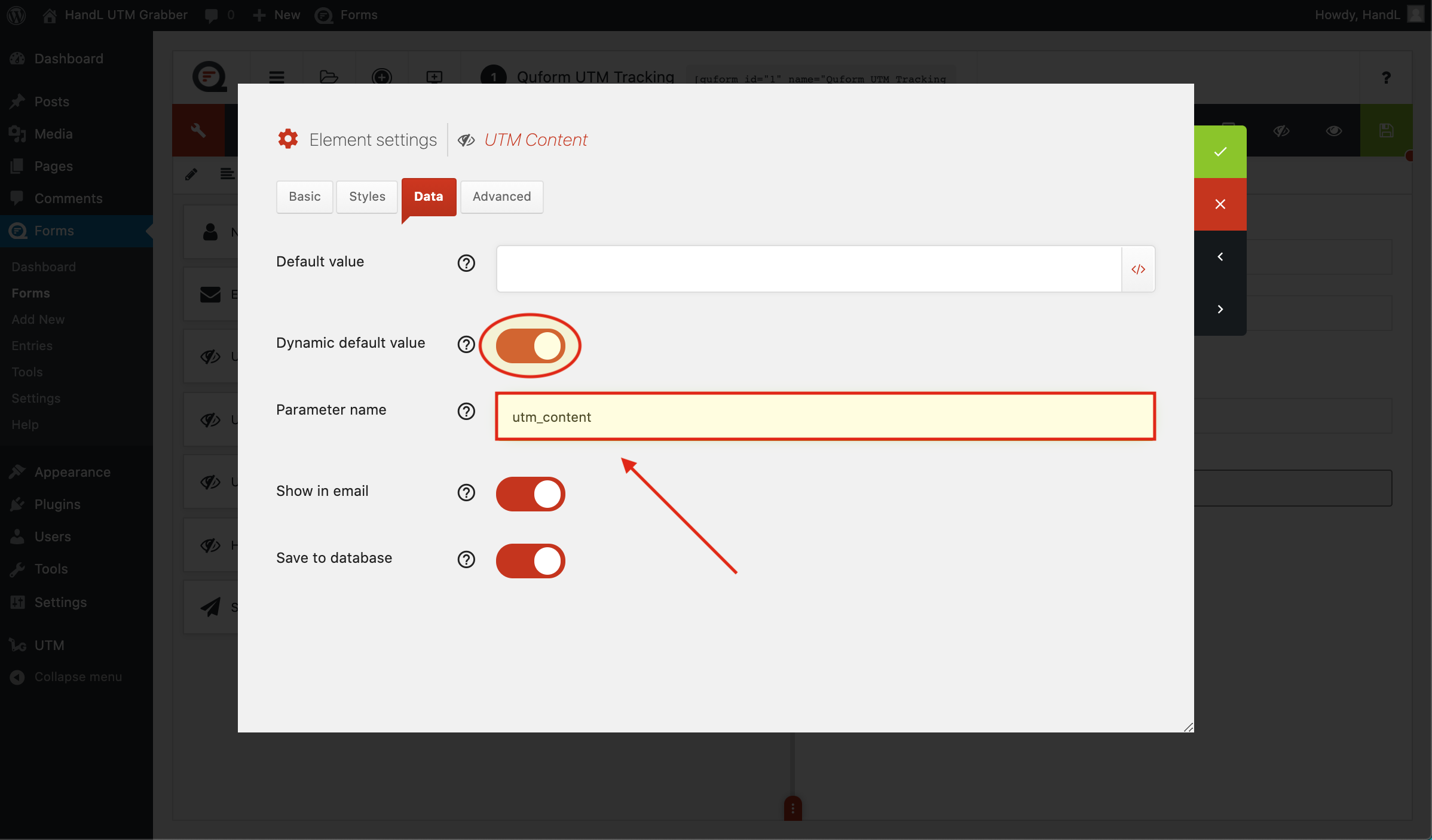
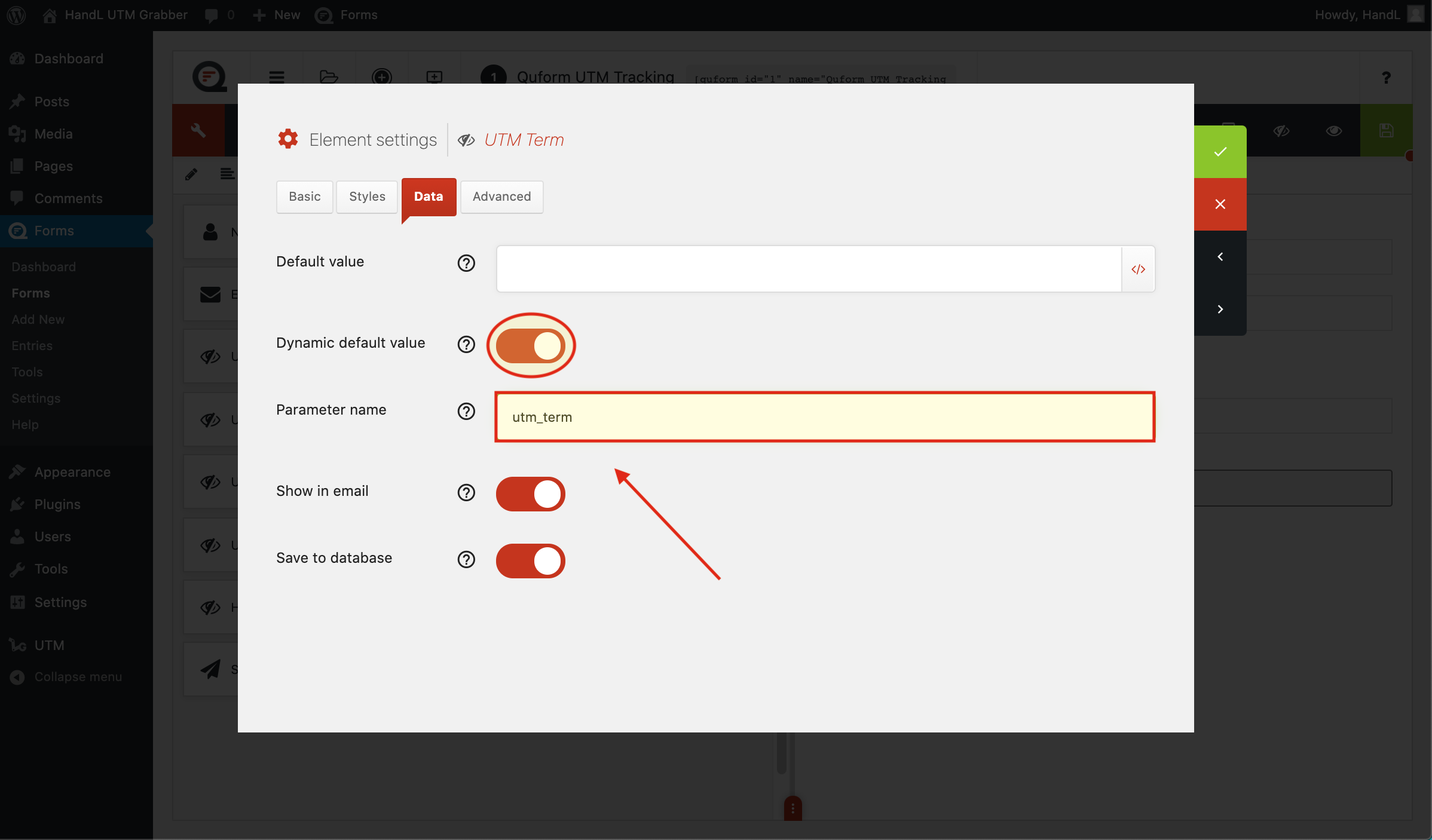
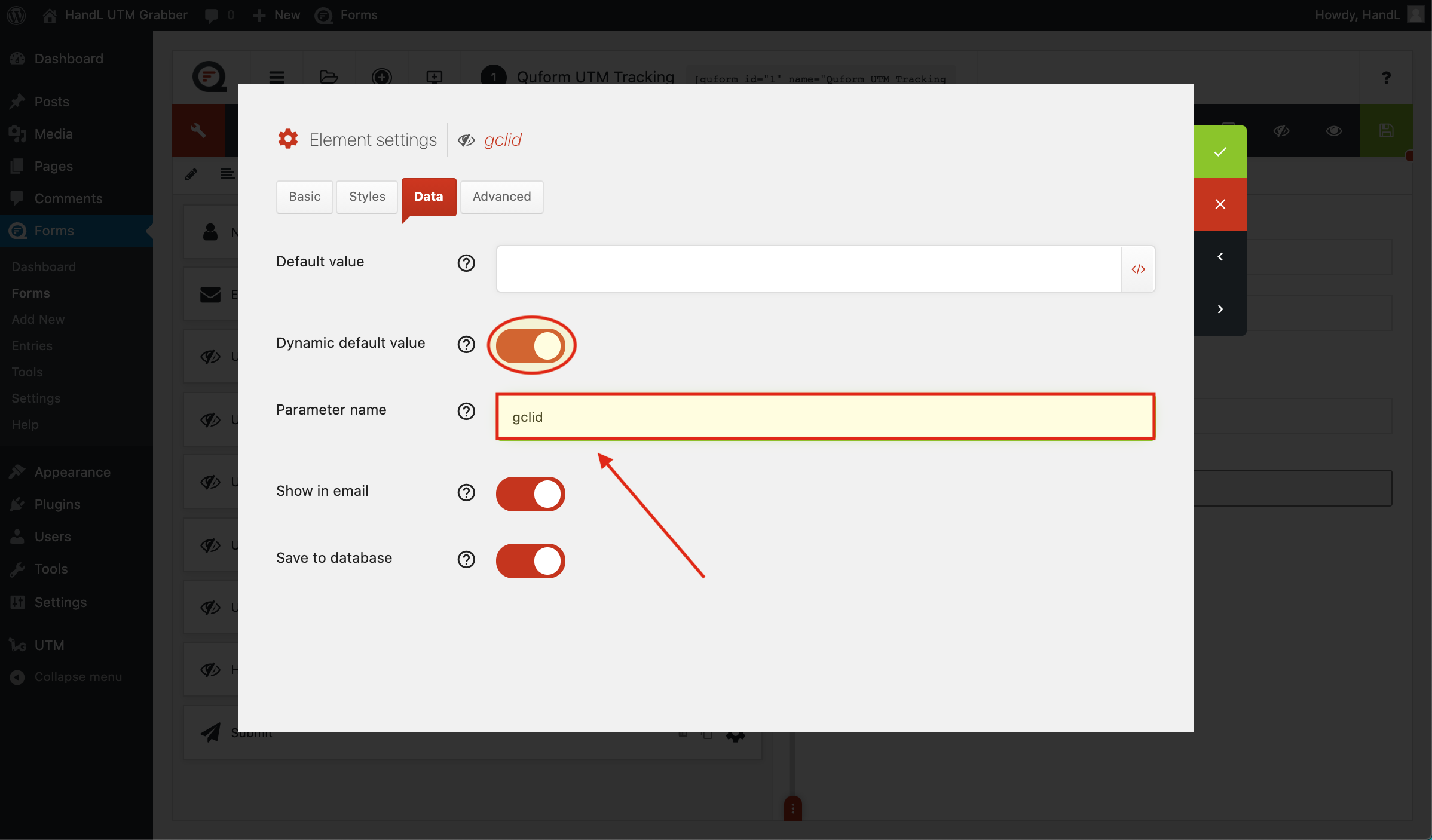
5-)Make the same changes to the other hidden fields.
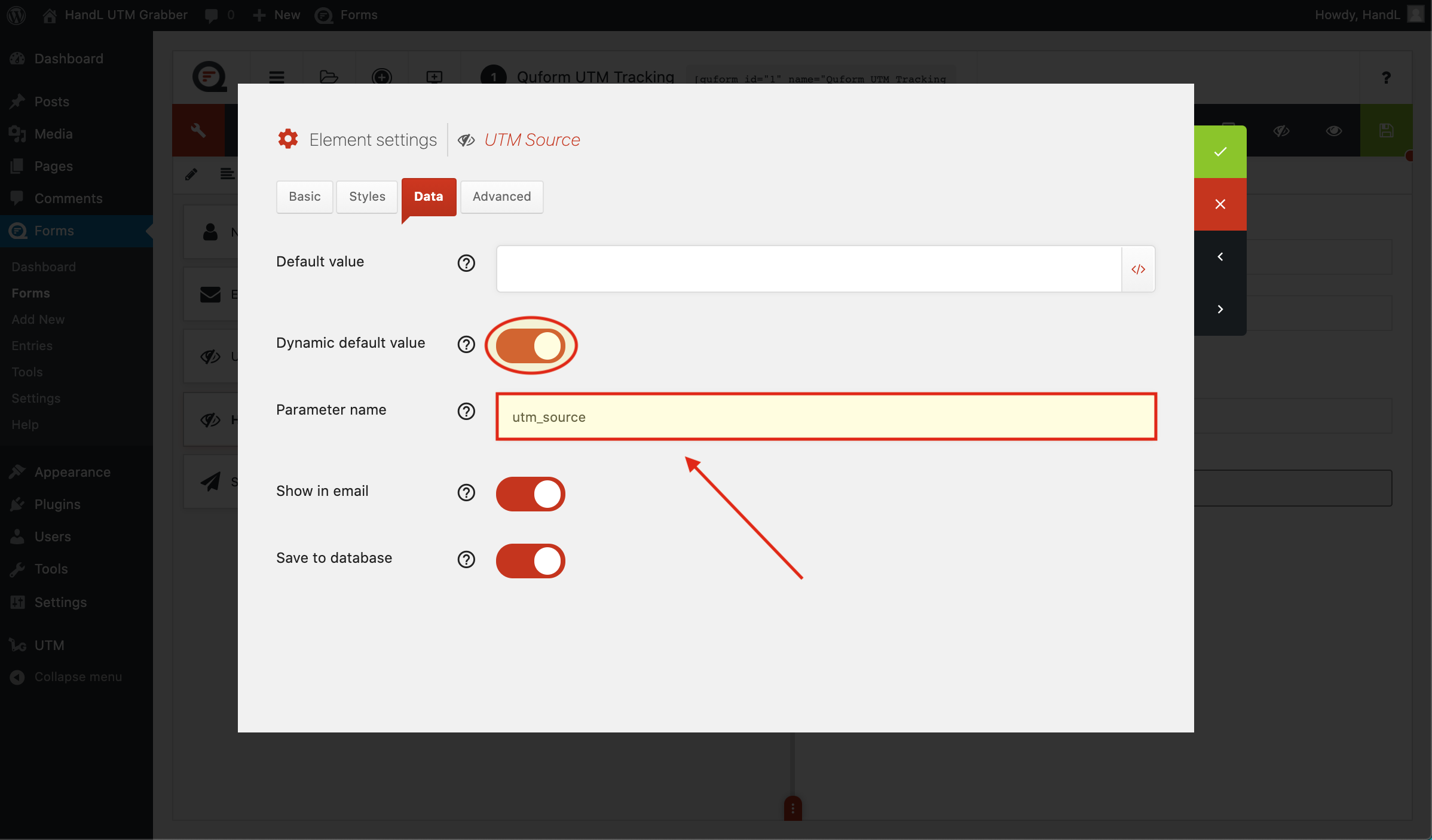
QF 5-)Make the same changes to the other hidden fields.png

6-)Make the same changes to the other hidden fields.
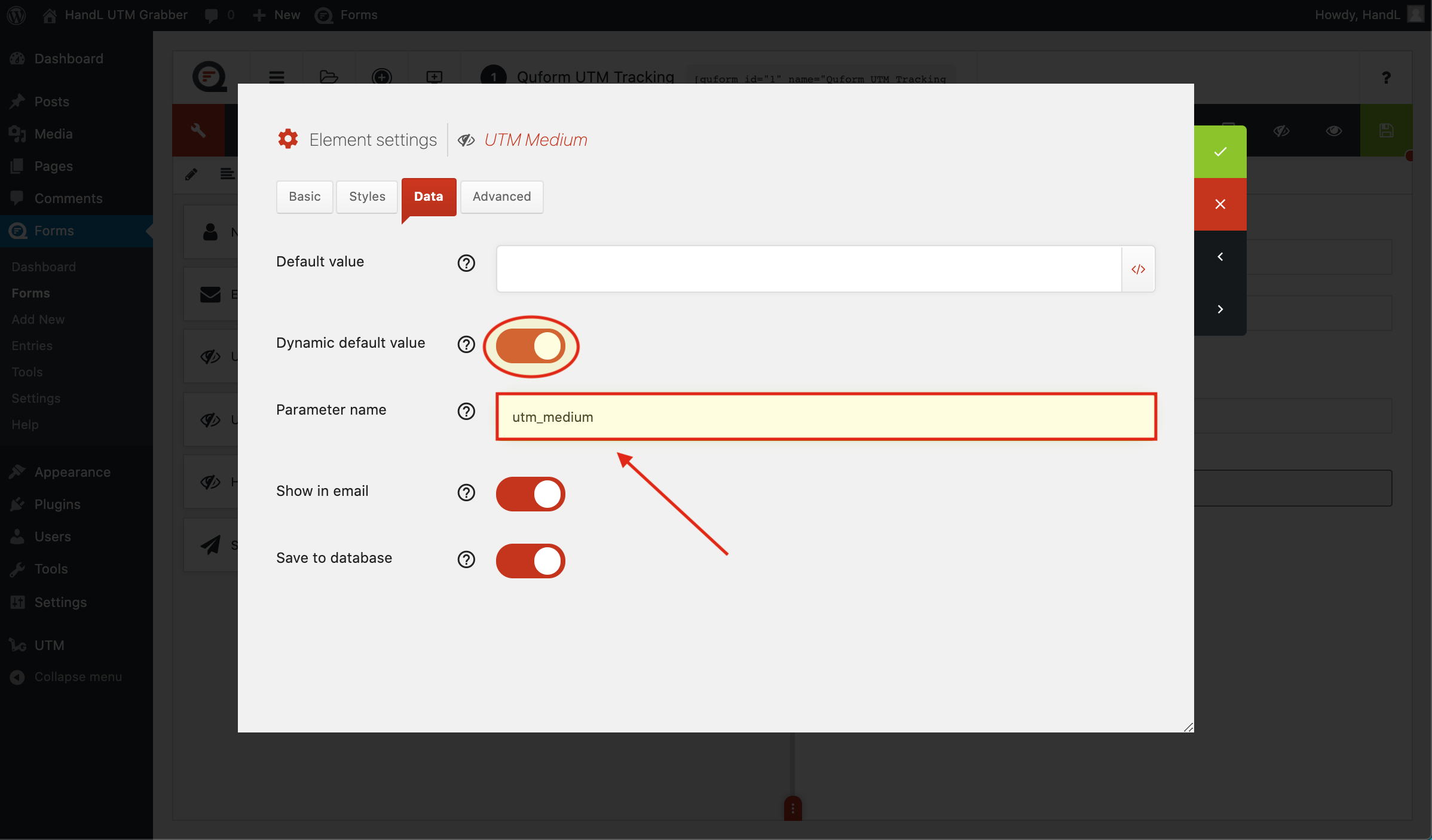
QF 6-)Make the same changes to the other hidden fields.png

7-)Make the same changes to the other hidden fields.
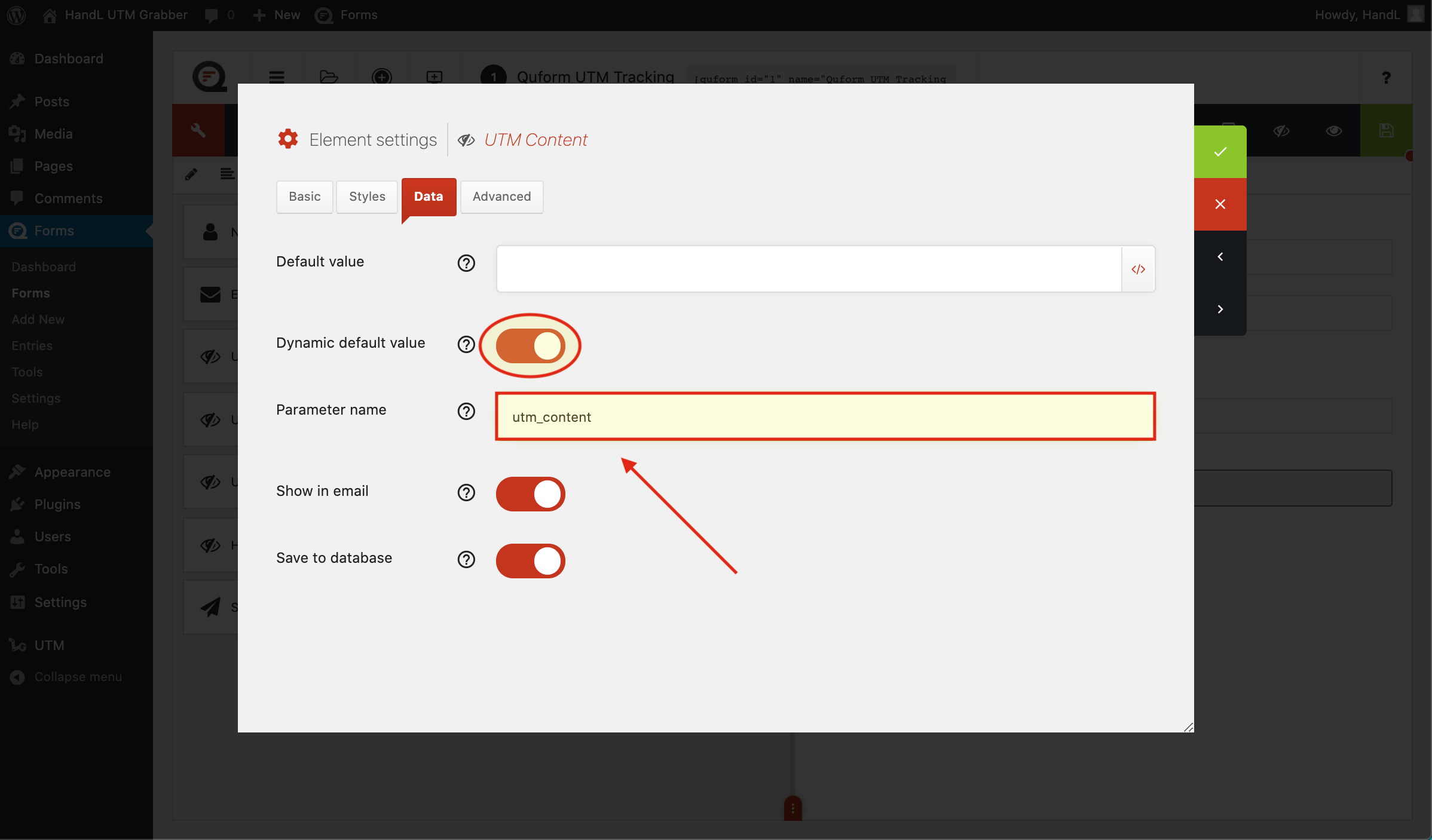
QF 7-)Make the same changes to the other hidden fields.png

8-)Make the same changes to the other hidden fields.
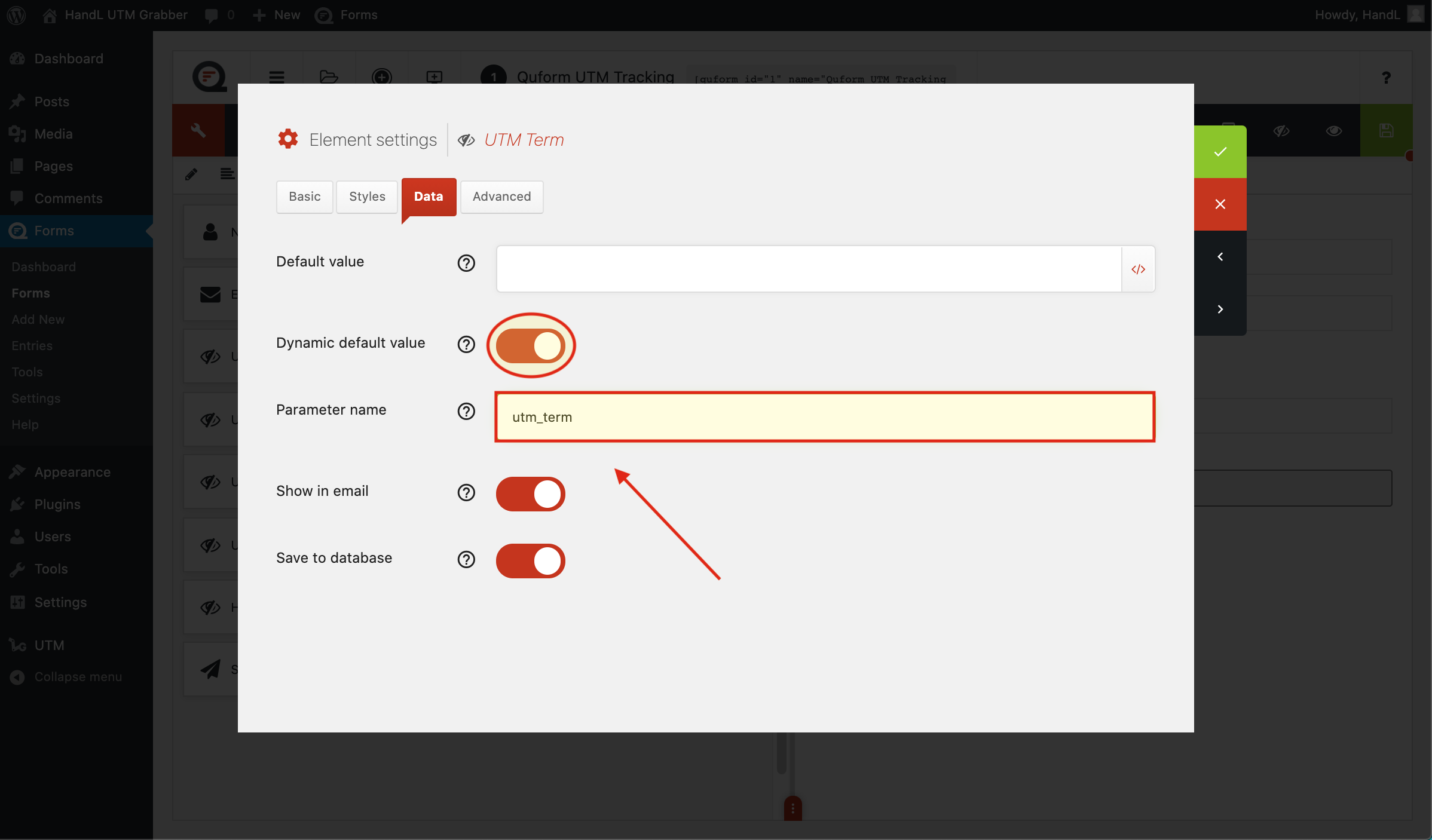
QF 8-)Make the same changes to the other hidden fields.png

9-)Make the same changes to the other hidden fields.
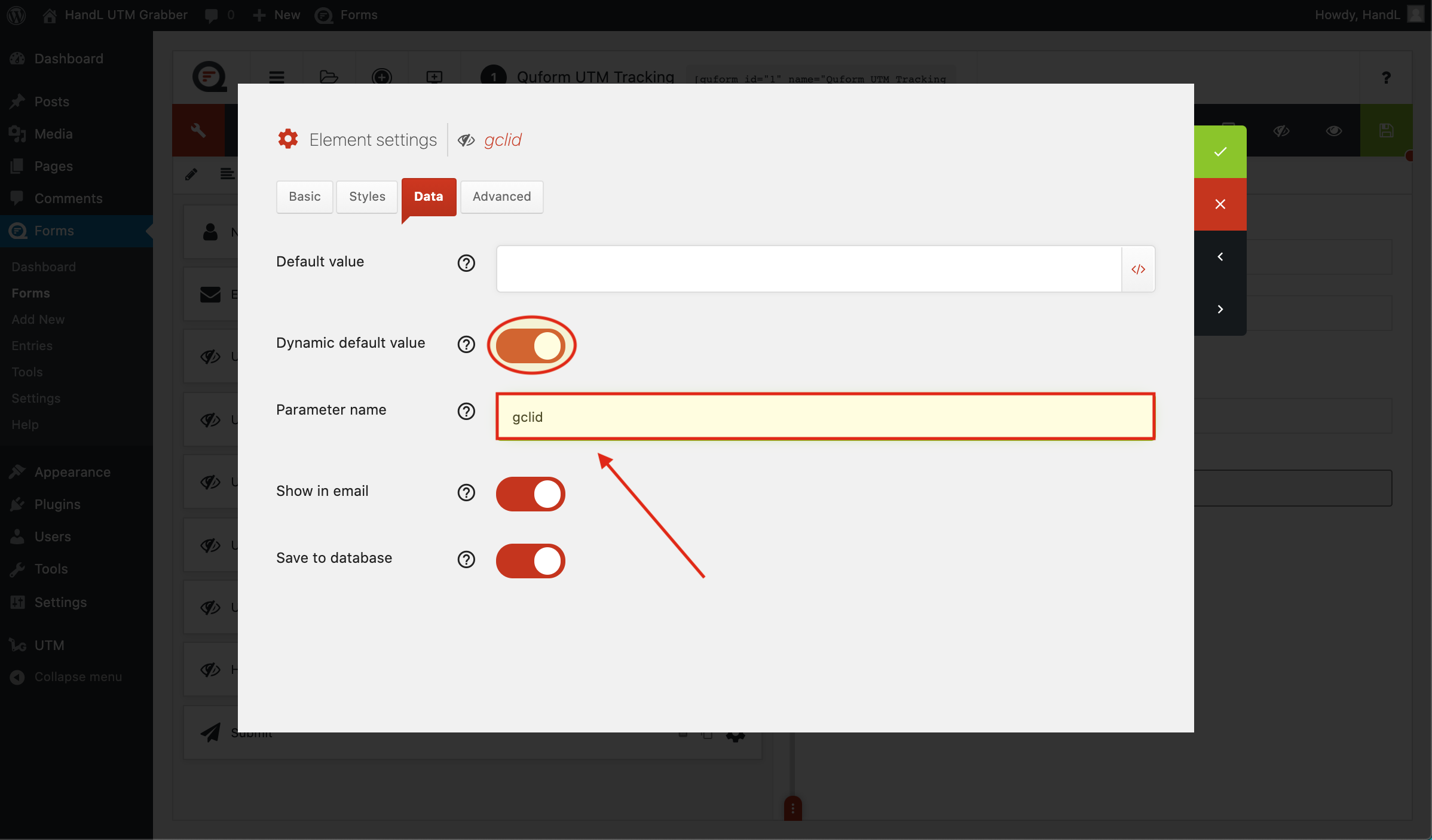
QF 9-)Make the same changes to the other hidden fields.png

**10-)Make **the same changes to the other hidden fields.
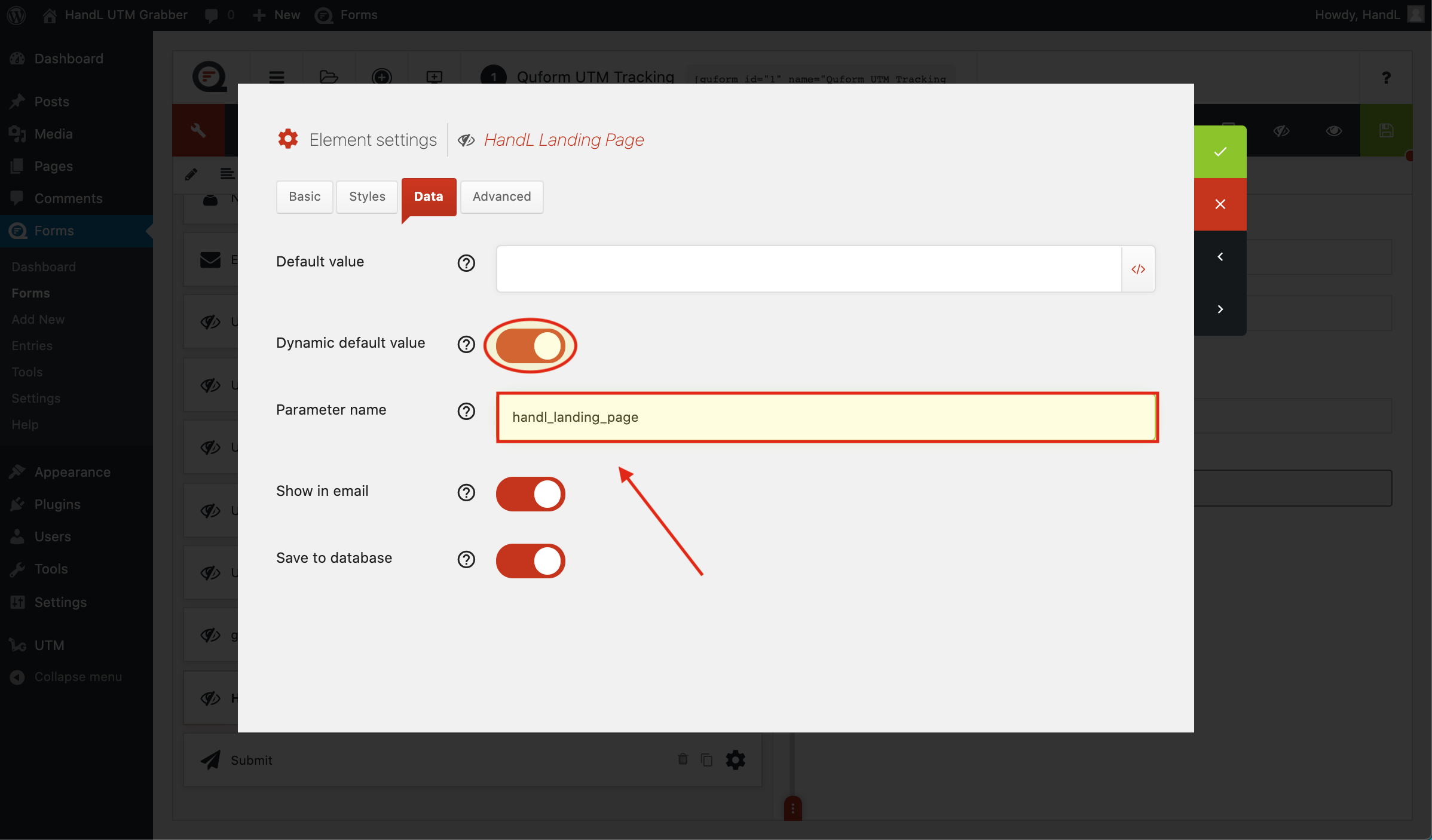
QF 10-)Make the same changes to the other hidden fields.png

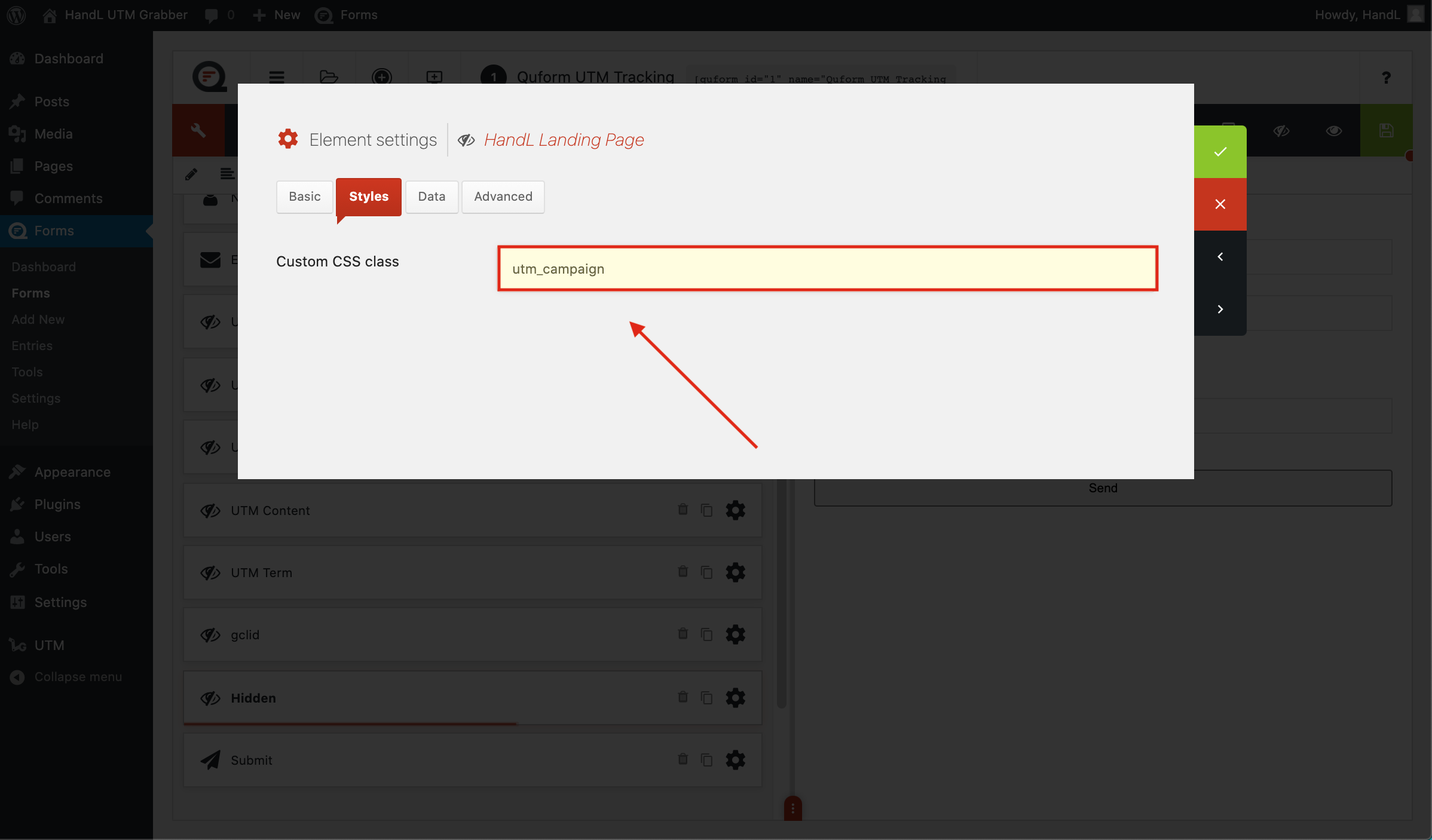
11-)Make the same changes to the other hidden fields Then add a class style to it.
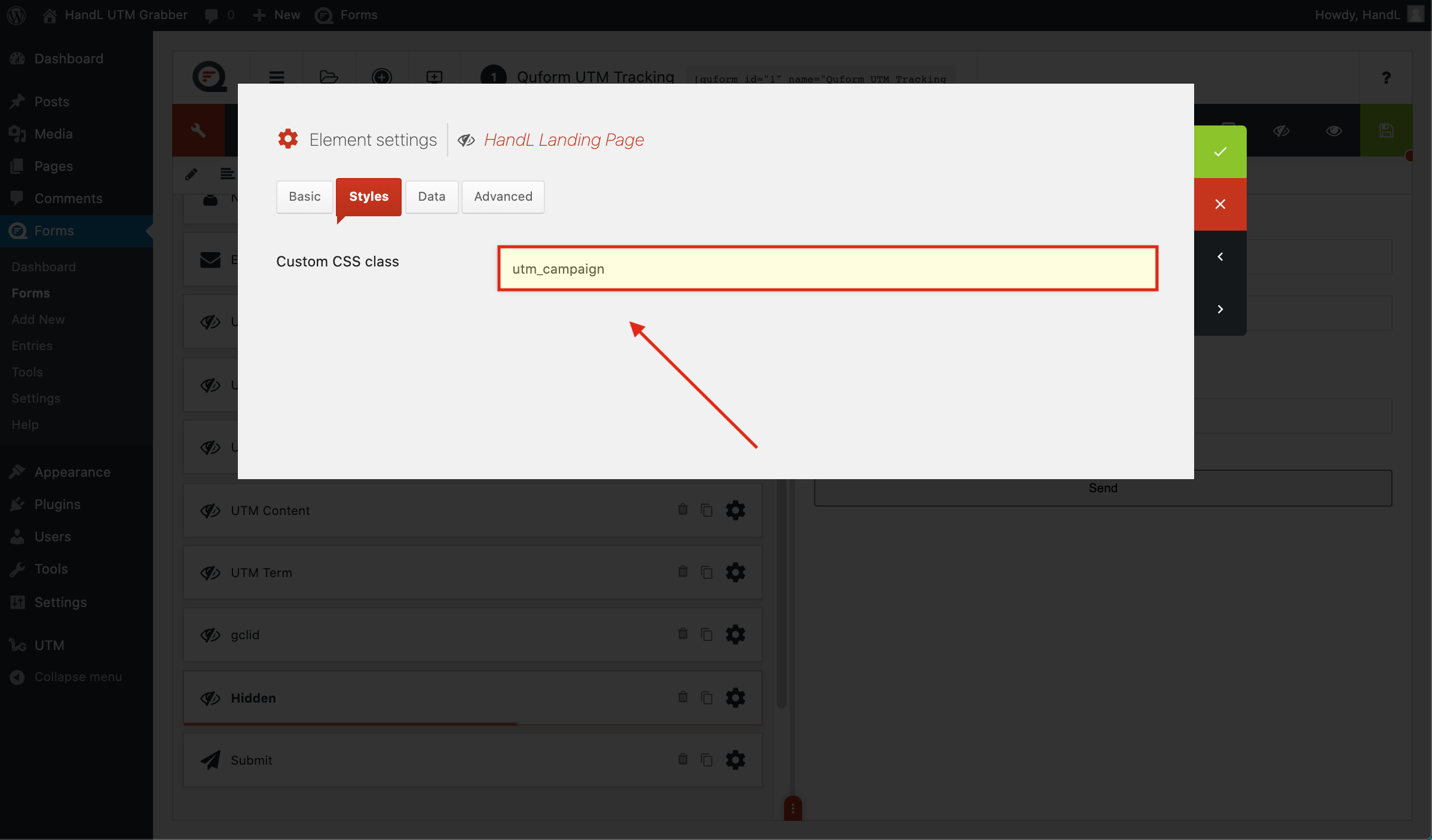
QF 11-)Make the same changes to the other hidden fields Then add a class style to it.png

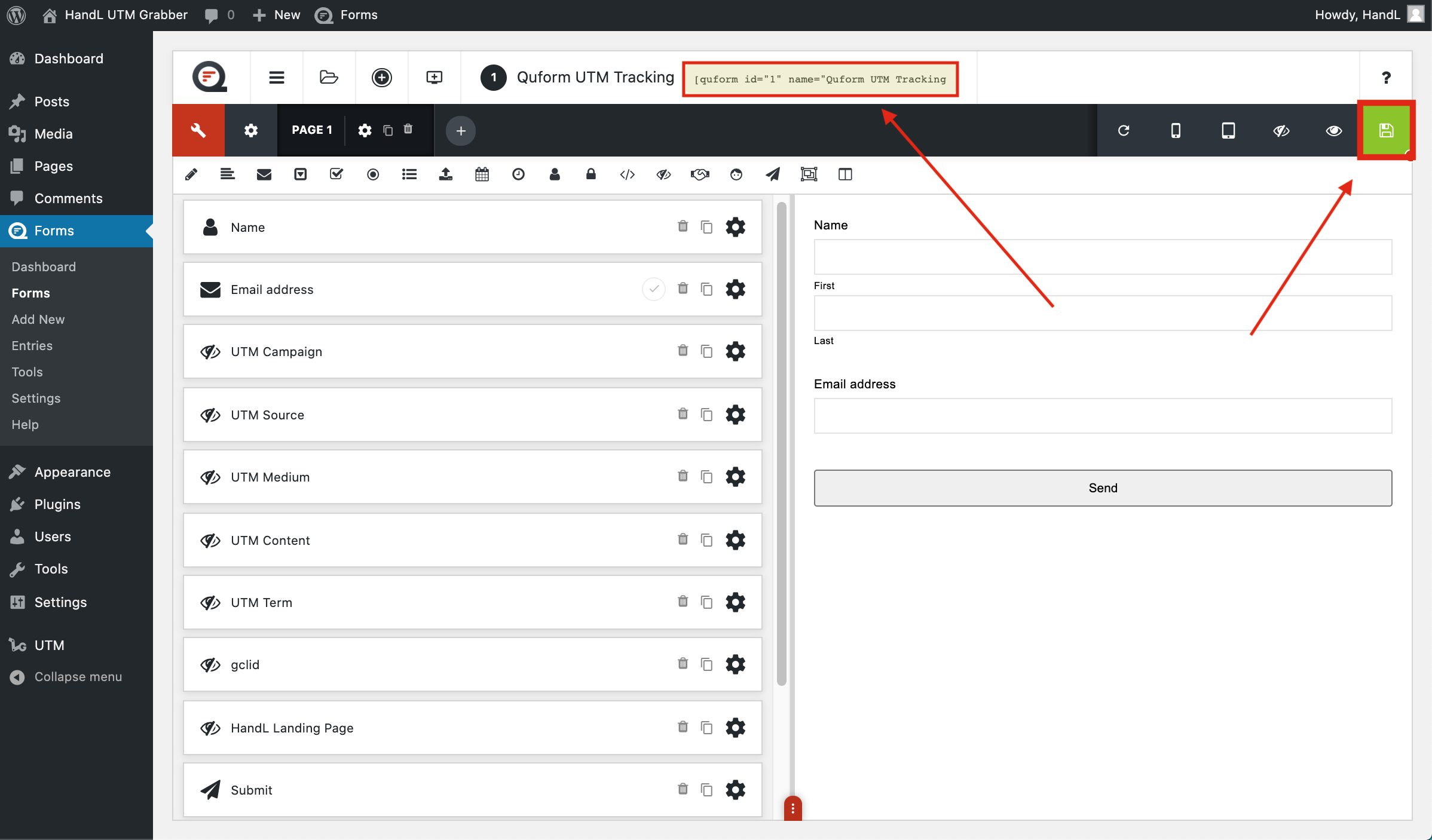
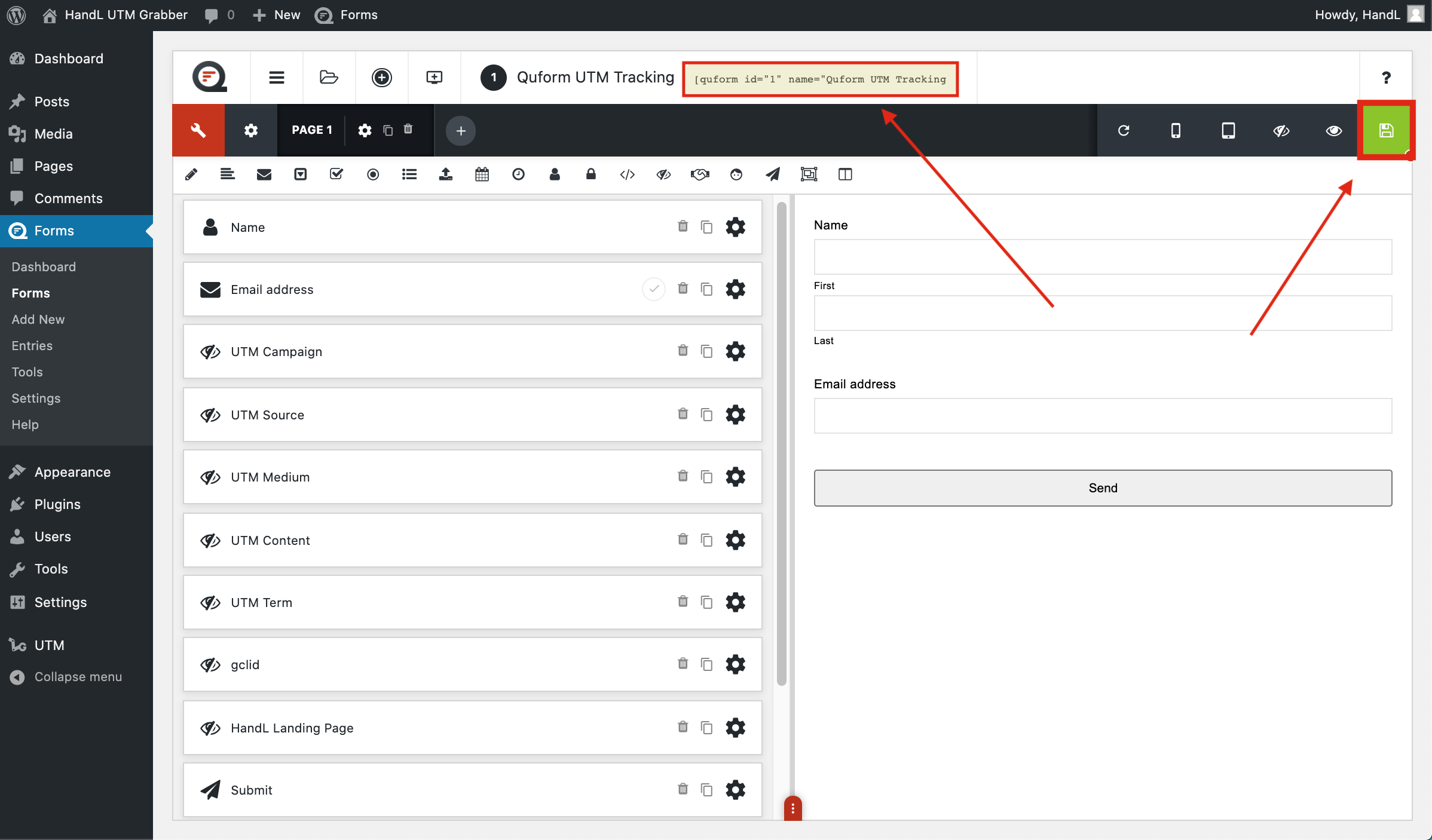
12-)Save your form then copy the shortcode.

QF 12-)Save your form then copy the shortcode.png

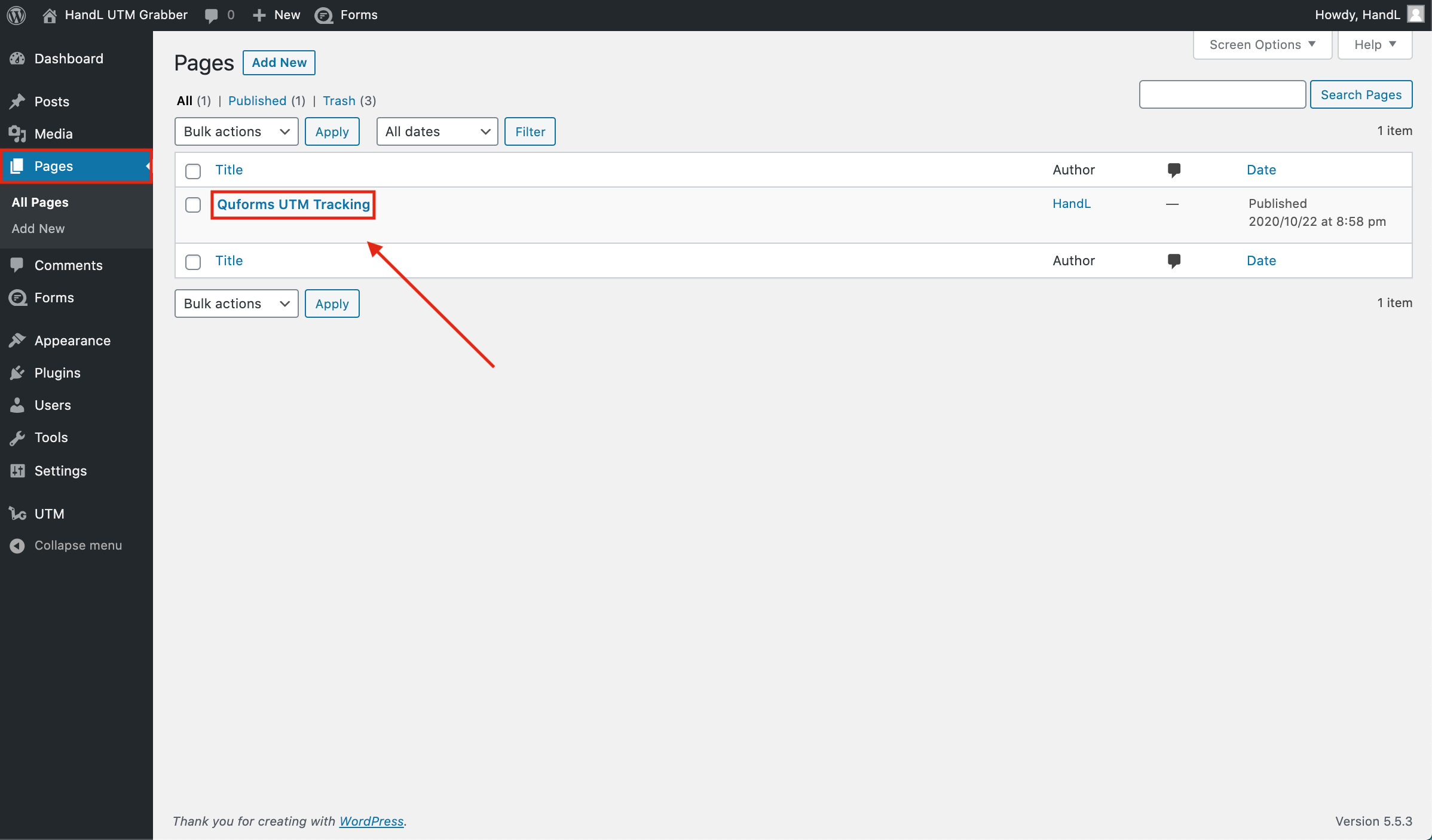
13-)Go to pages section and open your form.
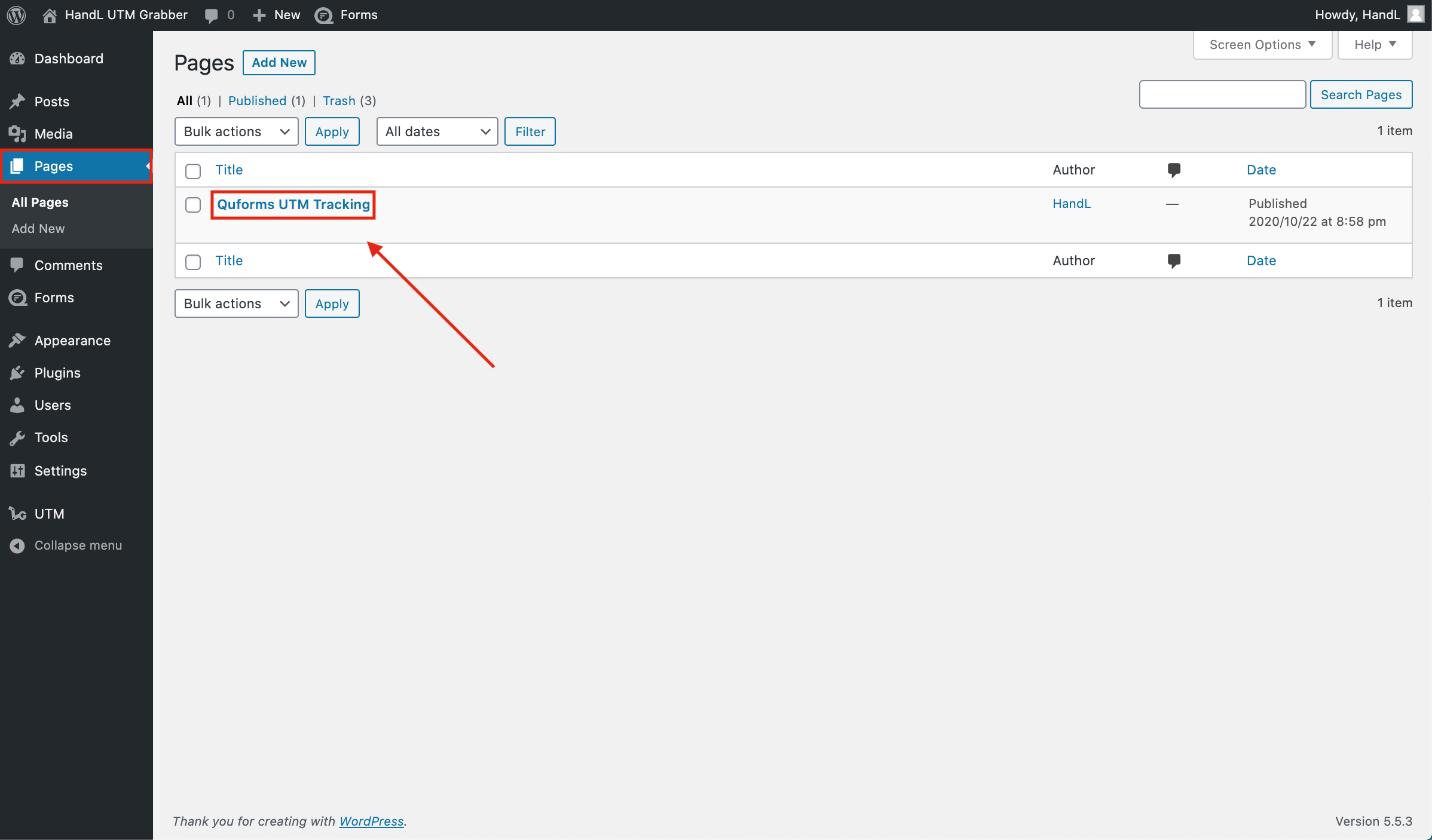
QF 13-)Go to pages section and open your form.png

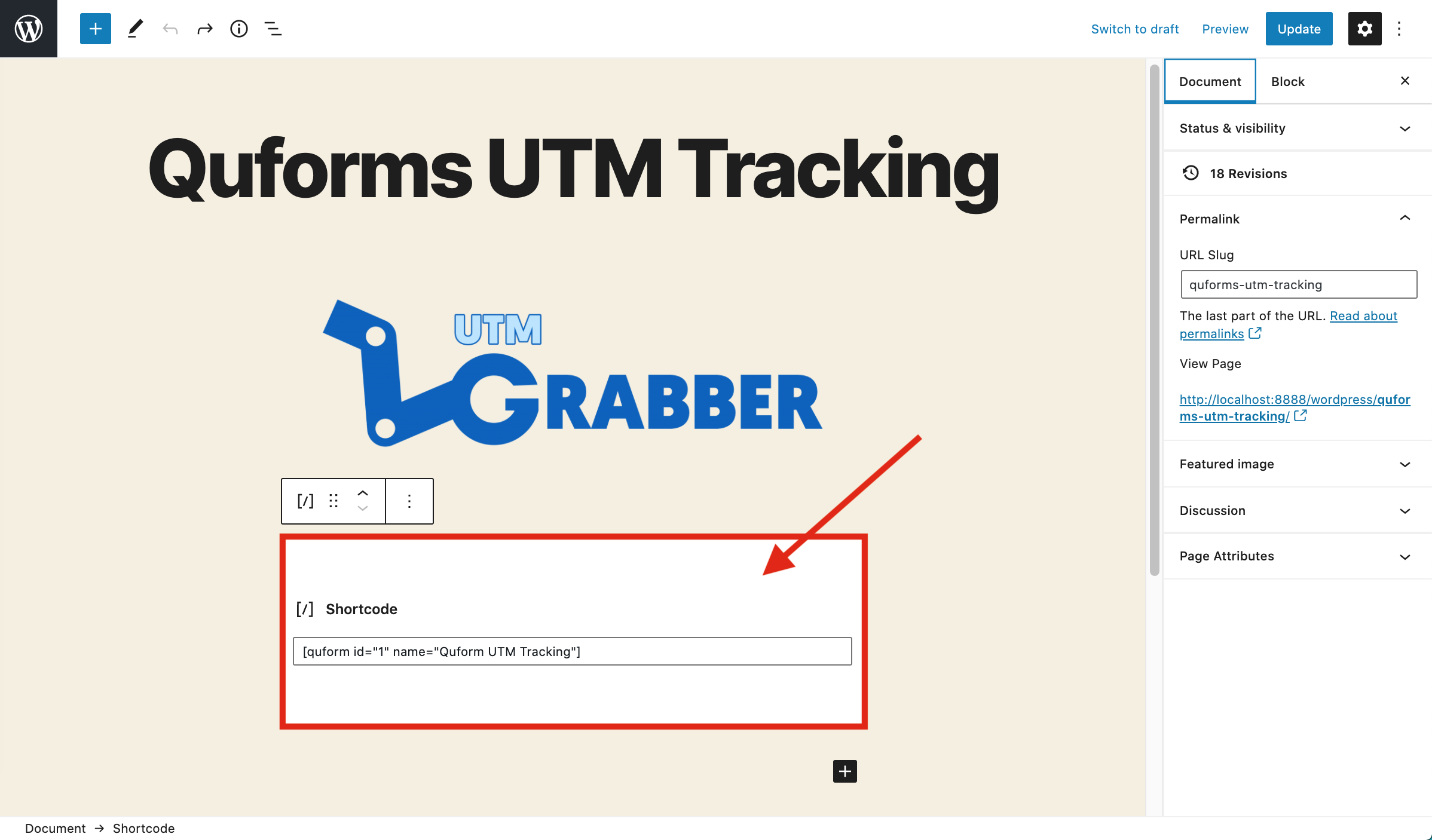
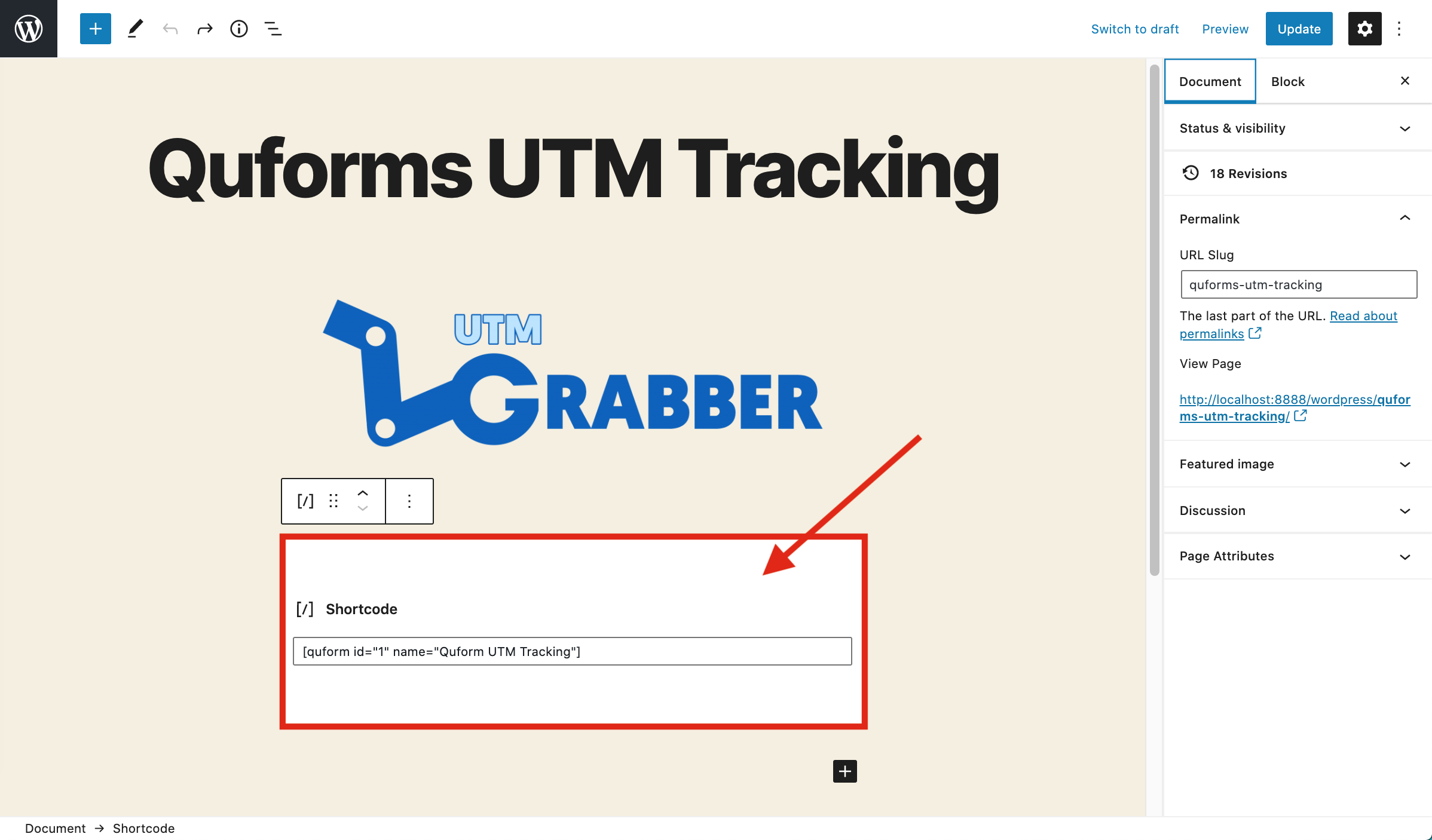
14-)Paste your shortcode.

QF 14-)Paste your shortcode.png

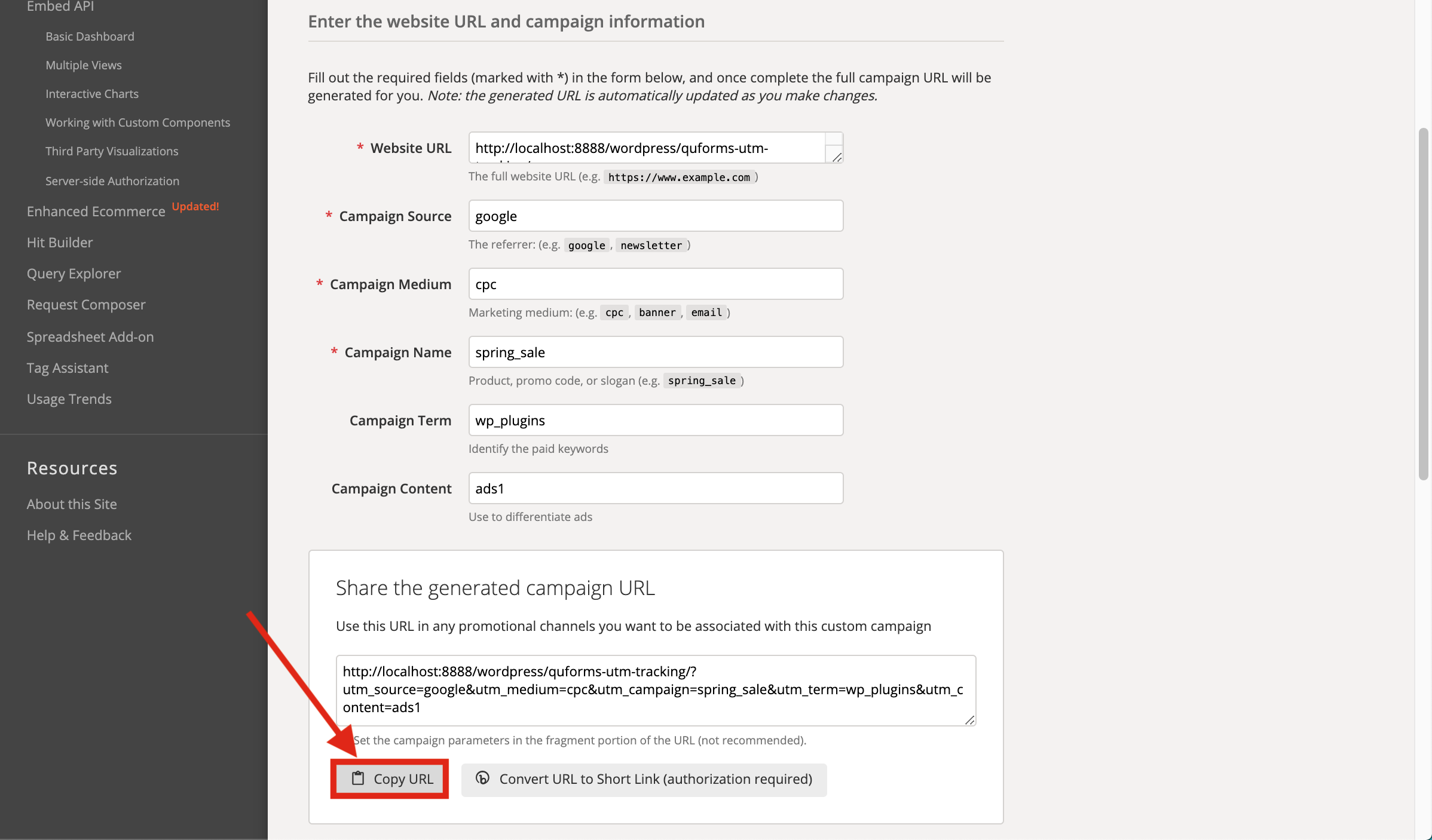
15-)Go to campaign URL builder and copy the URL.
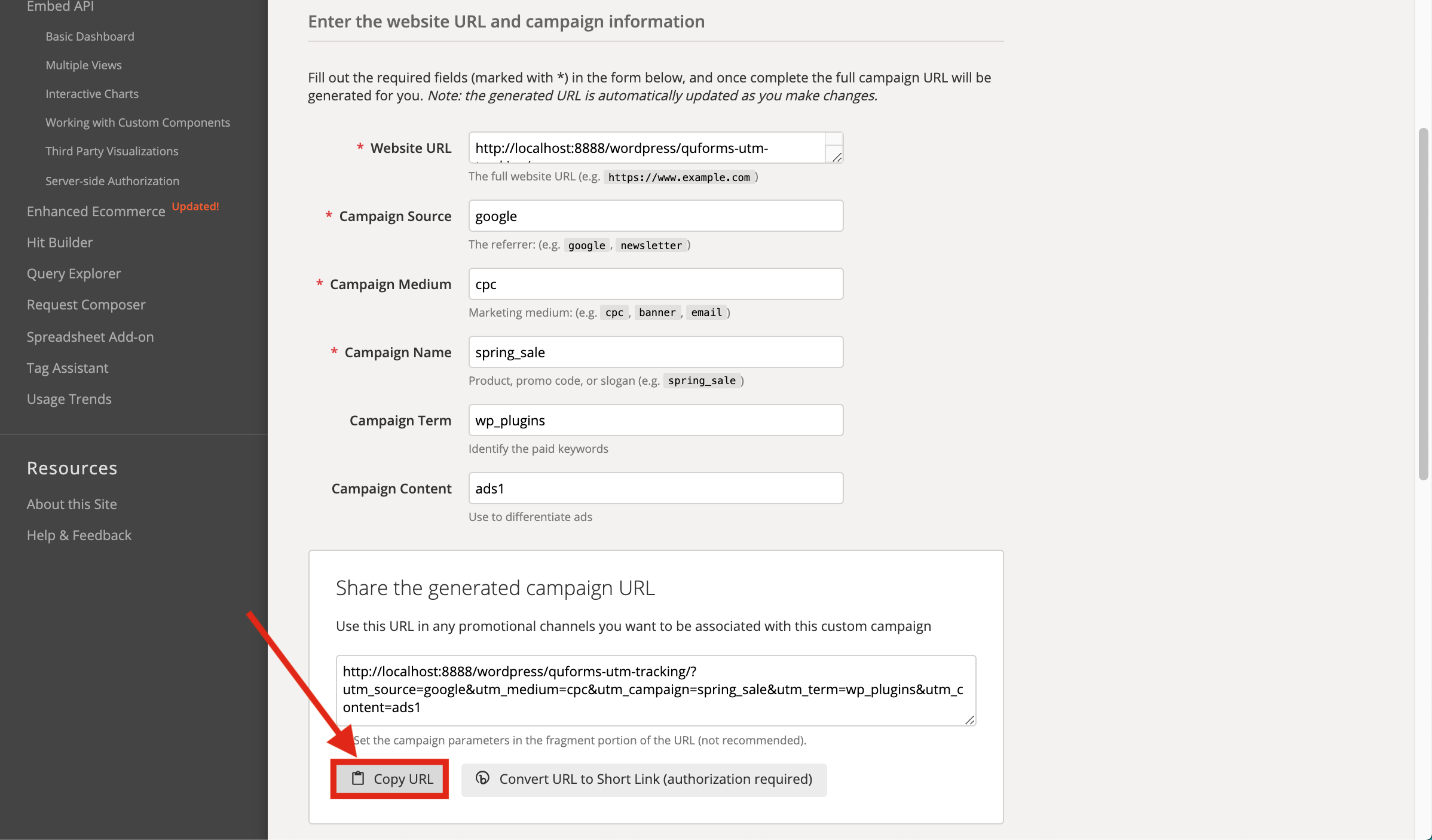
QF 15-)Go to campaign URL builder and copy the URL.png

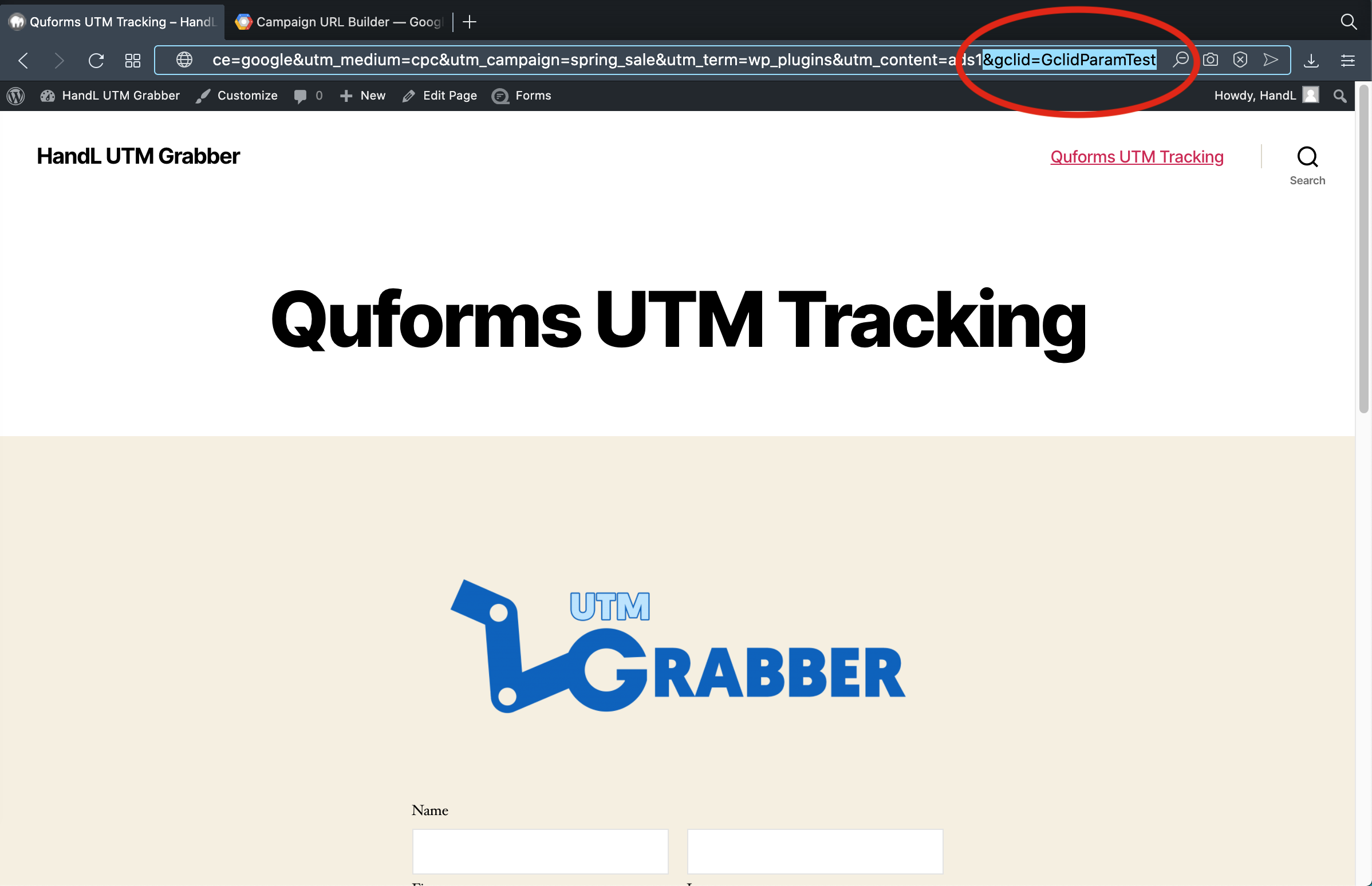
16-)Paste the URL and write the %22gclid=GclidParamTest%22 to the end to fill gclid parameter.
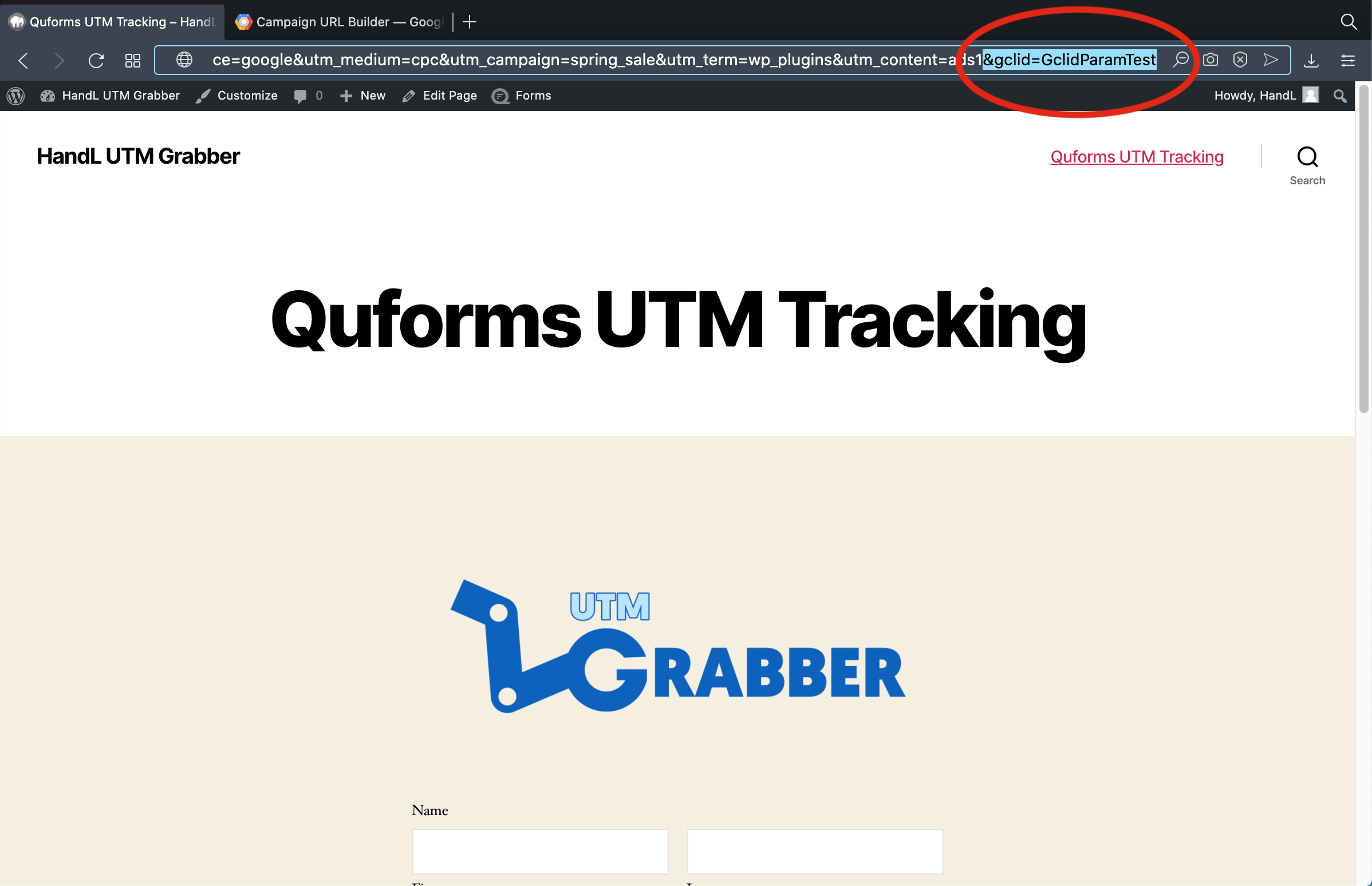
QF 16-)Paste the URL and write the %22gclid=GclidParamTest%22 to the end to fill gclid parameter.png

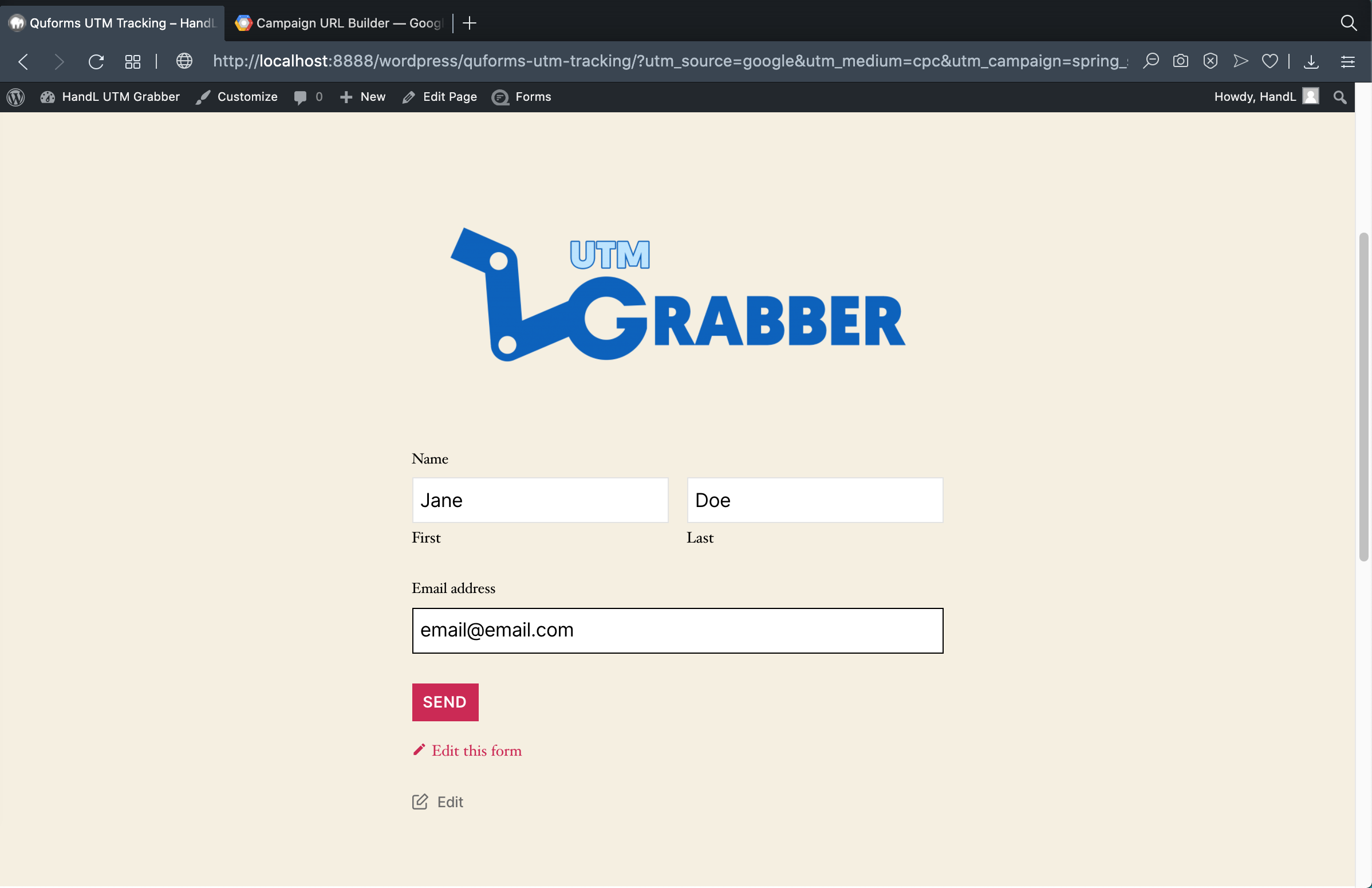
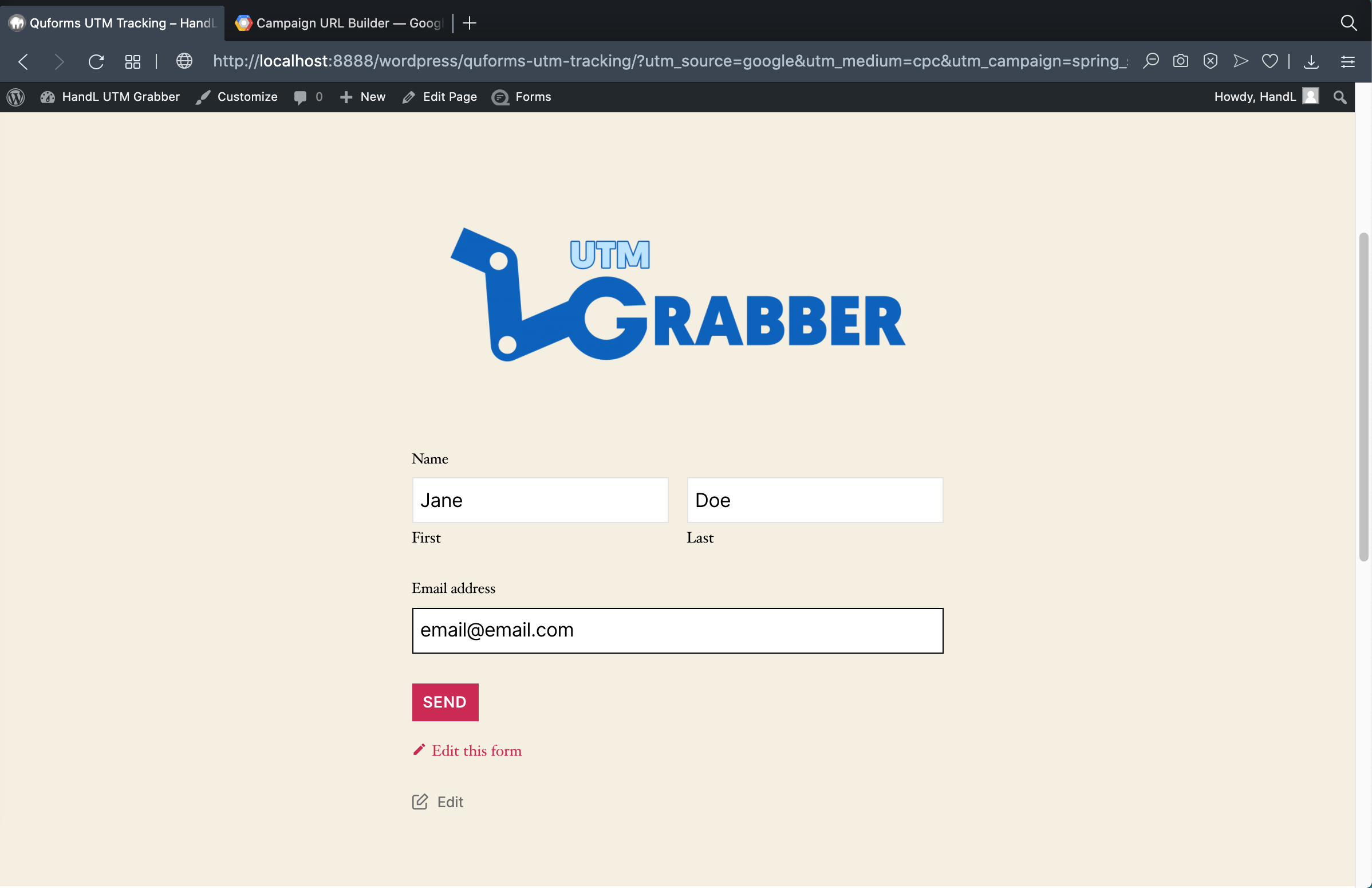
17-)Now the form is ready to fill it.

QF 17-)Now the form is ready to fill it.png

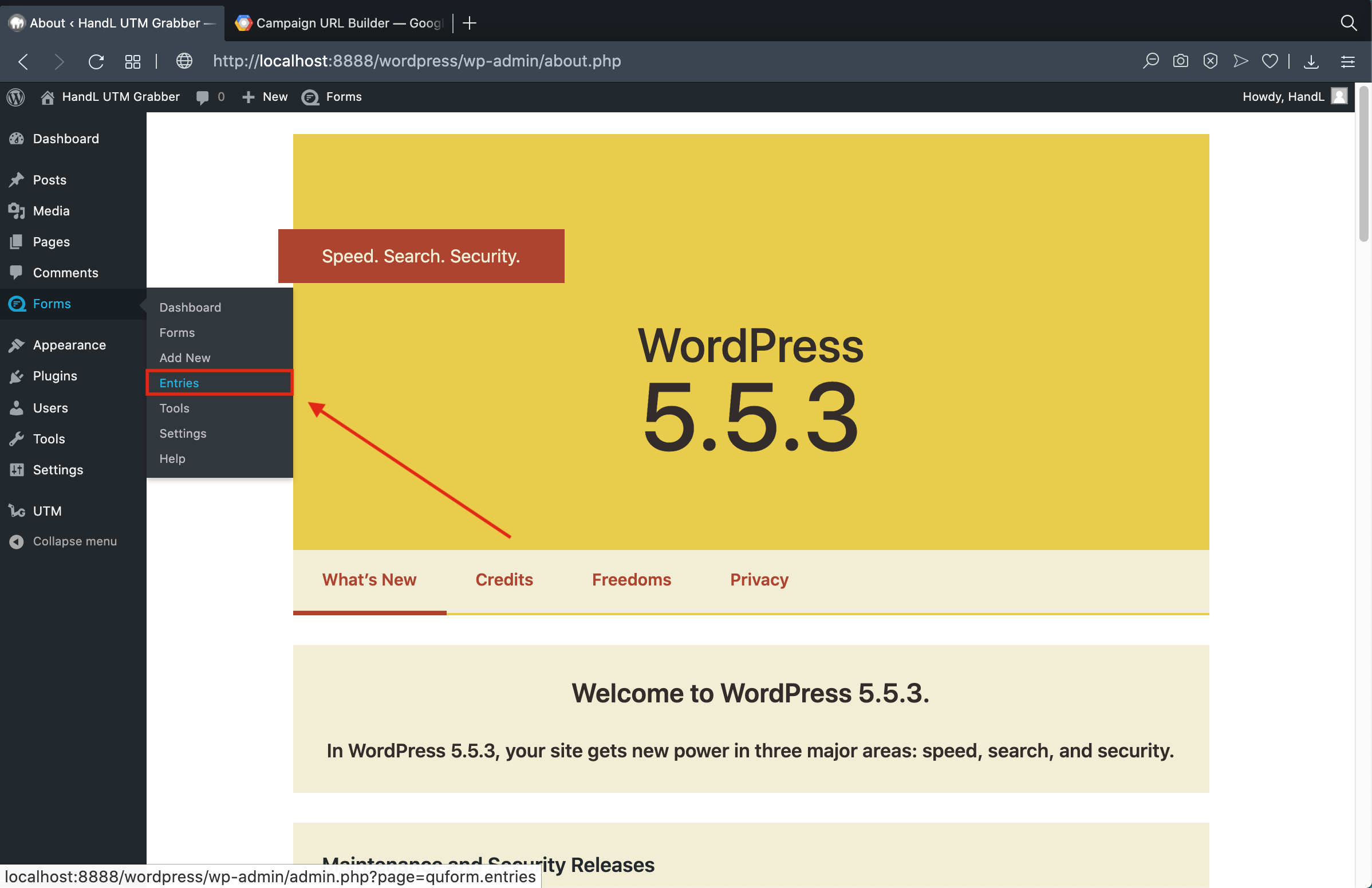
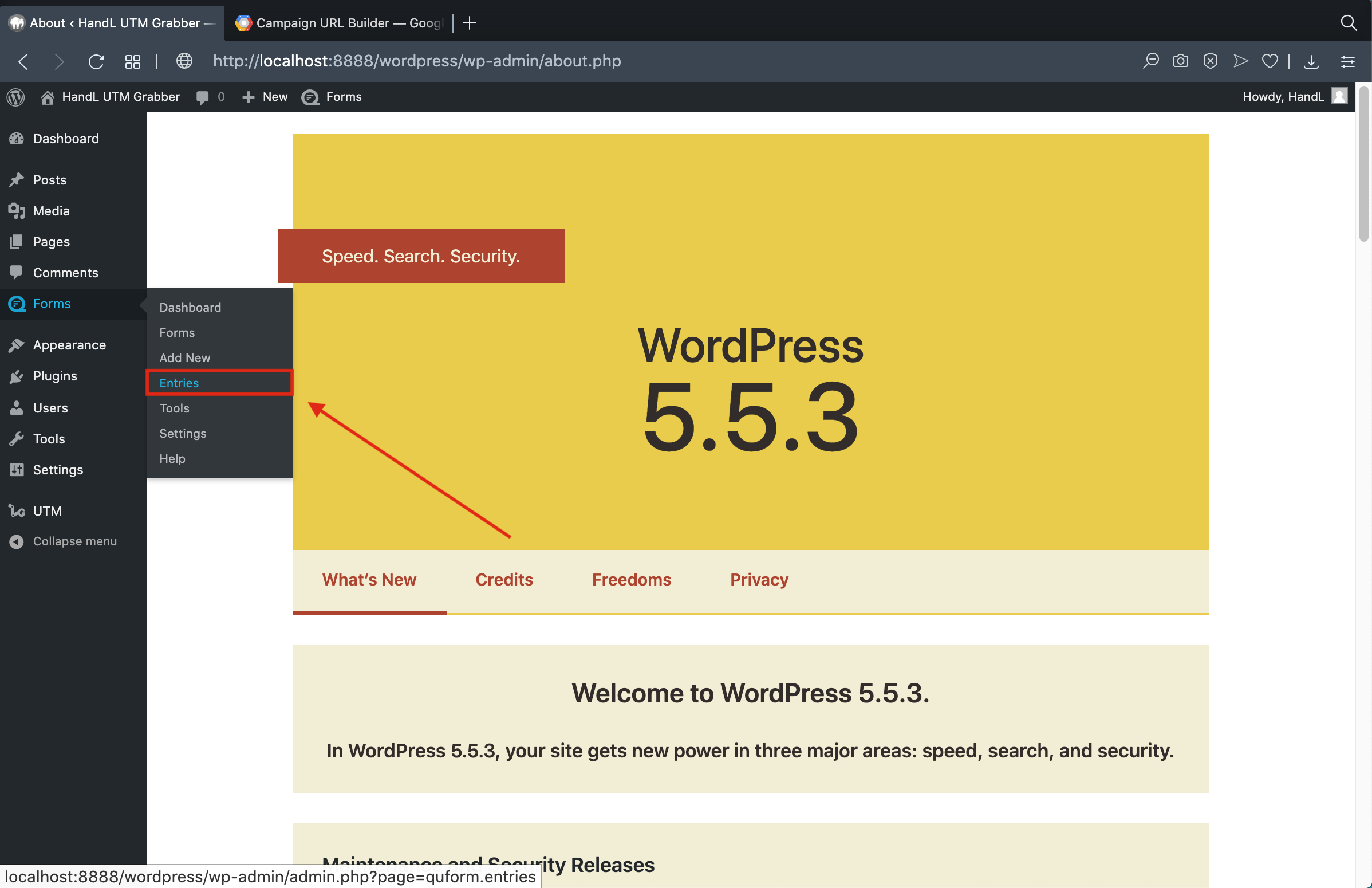
18-)Go to entries of Quform.

QF 18-)Go to entries of Quform .png

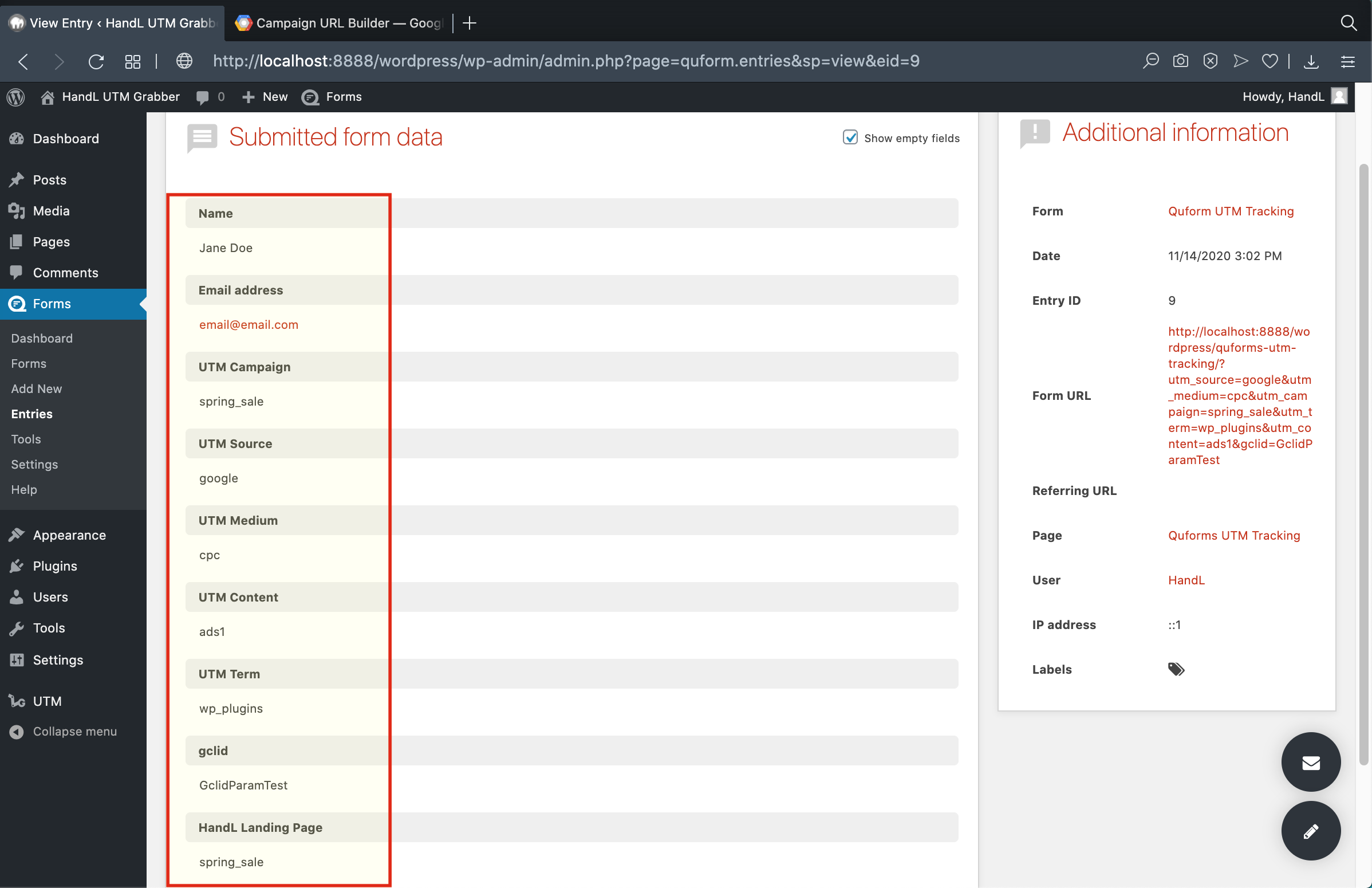
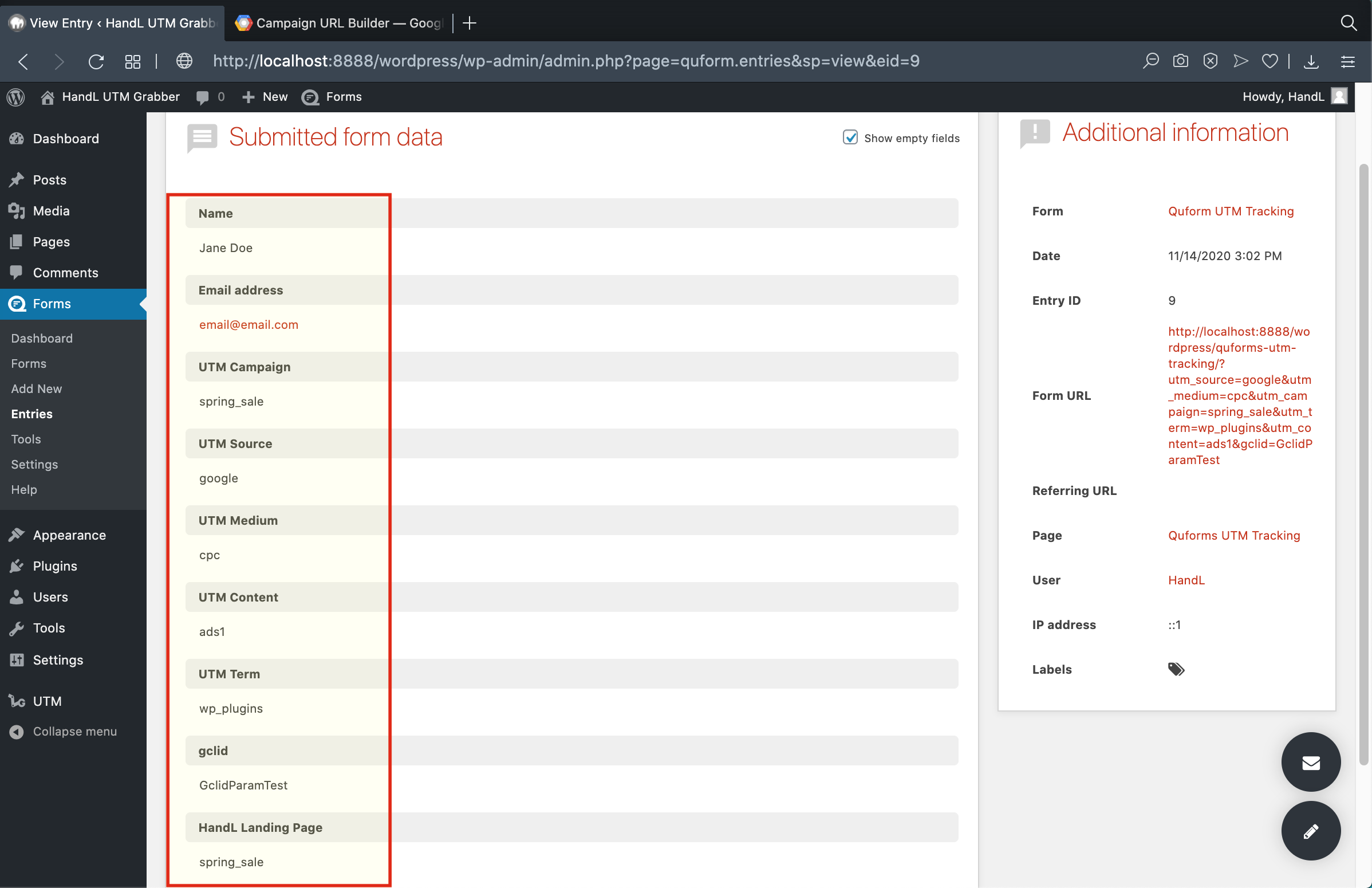
19-)Here is the result.
QF 19-)Here is the result.png