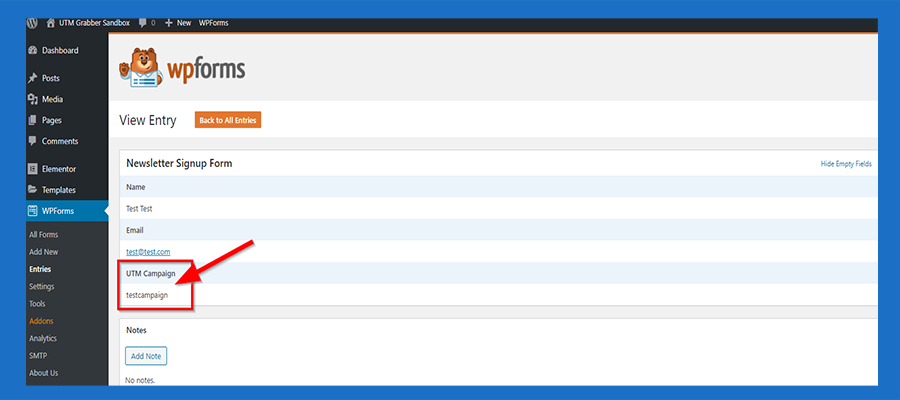
WPForms UTM Tracking Integration
UTM attribution overview
This guide explains WPForms UTM Tracking Integration with HandL UTM Grabber. It helps you capture UTM source, medium, campaign, term, content, click IDs, referrer, and landing page data and keep the marketing context needed for accurate reporting across forms, bookings, signups, and sales.
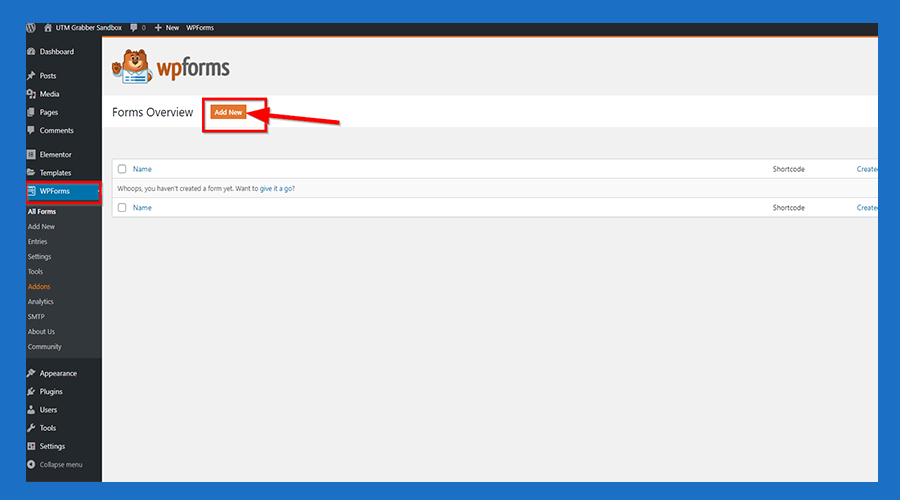
1. Select WPForms from the left manu and then click 'Add New'
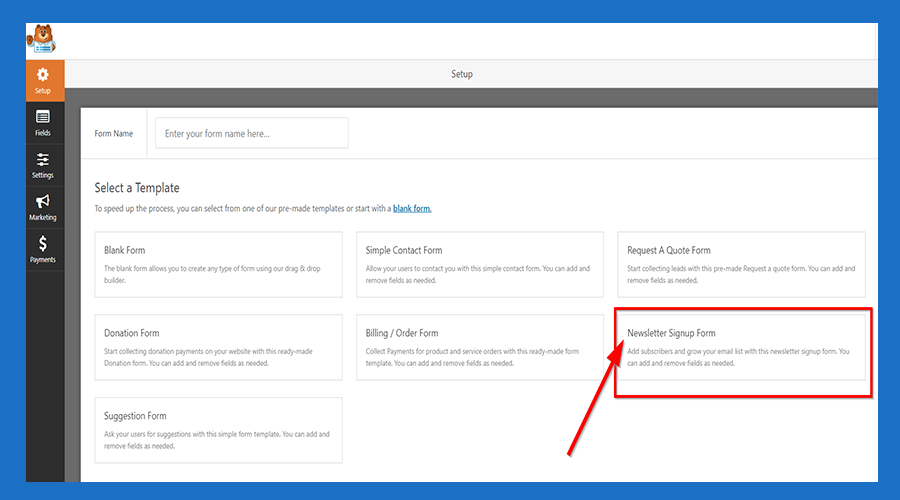
2. Click 'Newsletter Sign Up Form'
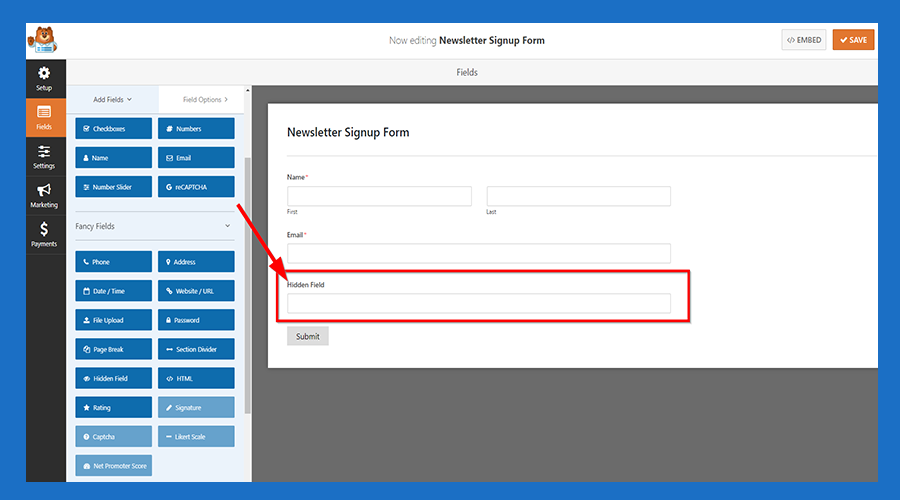
3. Click 'Hidden Field' Button
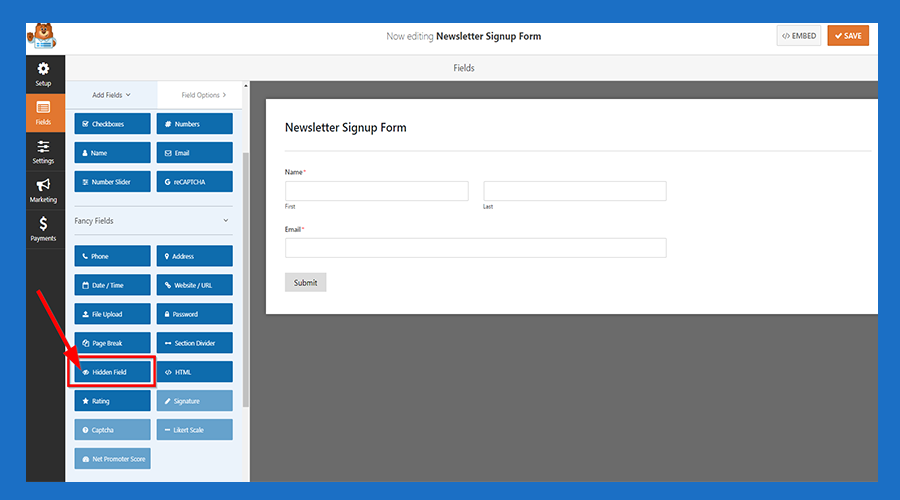
4. Hidden Field shows at the bottom of the form
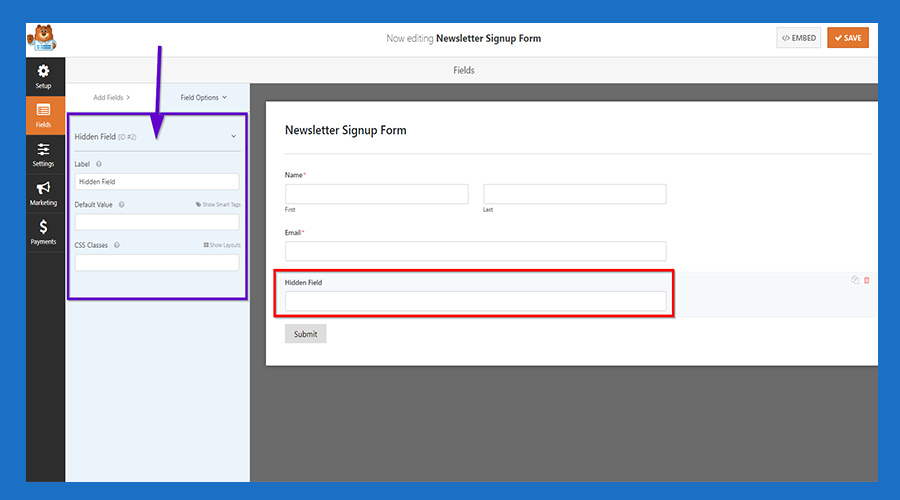
5. Click 'Hidden Field' and then a menu shows at the left side the form
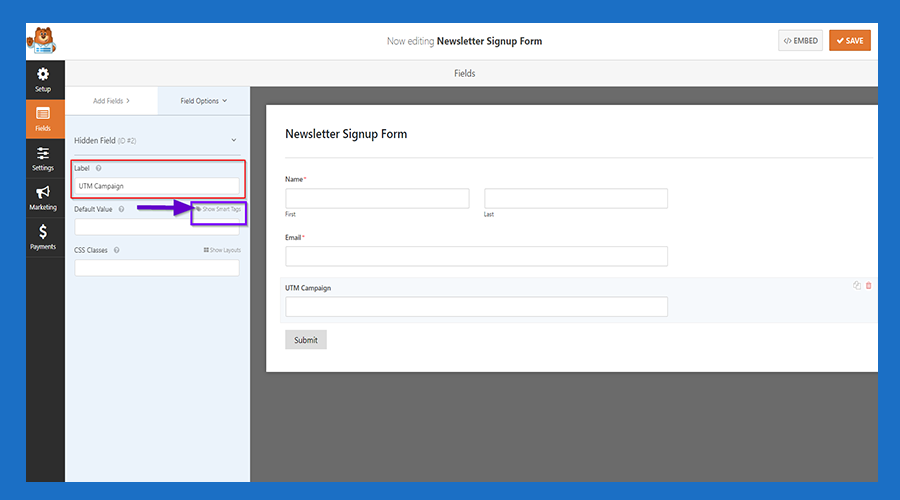
6. Give a name for your Hidden Field and then Click the 'Show Smart Tag'
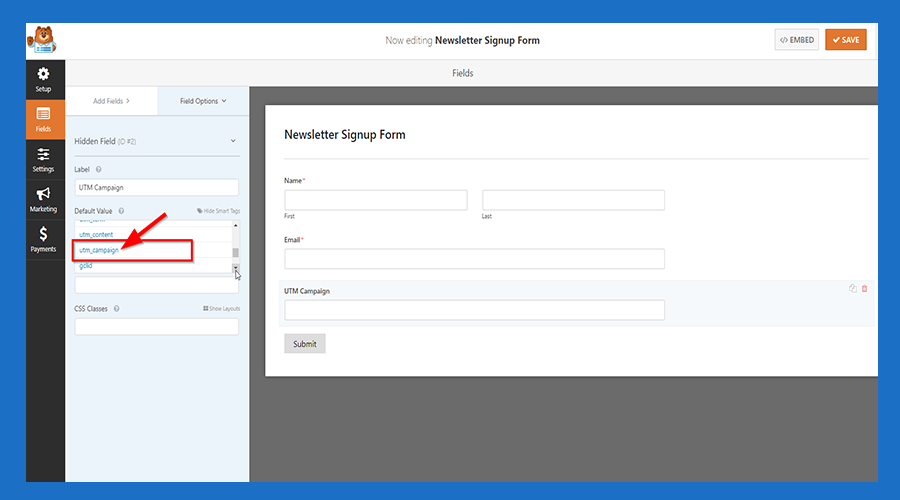
7.Scroll Down the menu and choose your value from the list
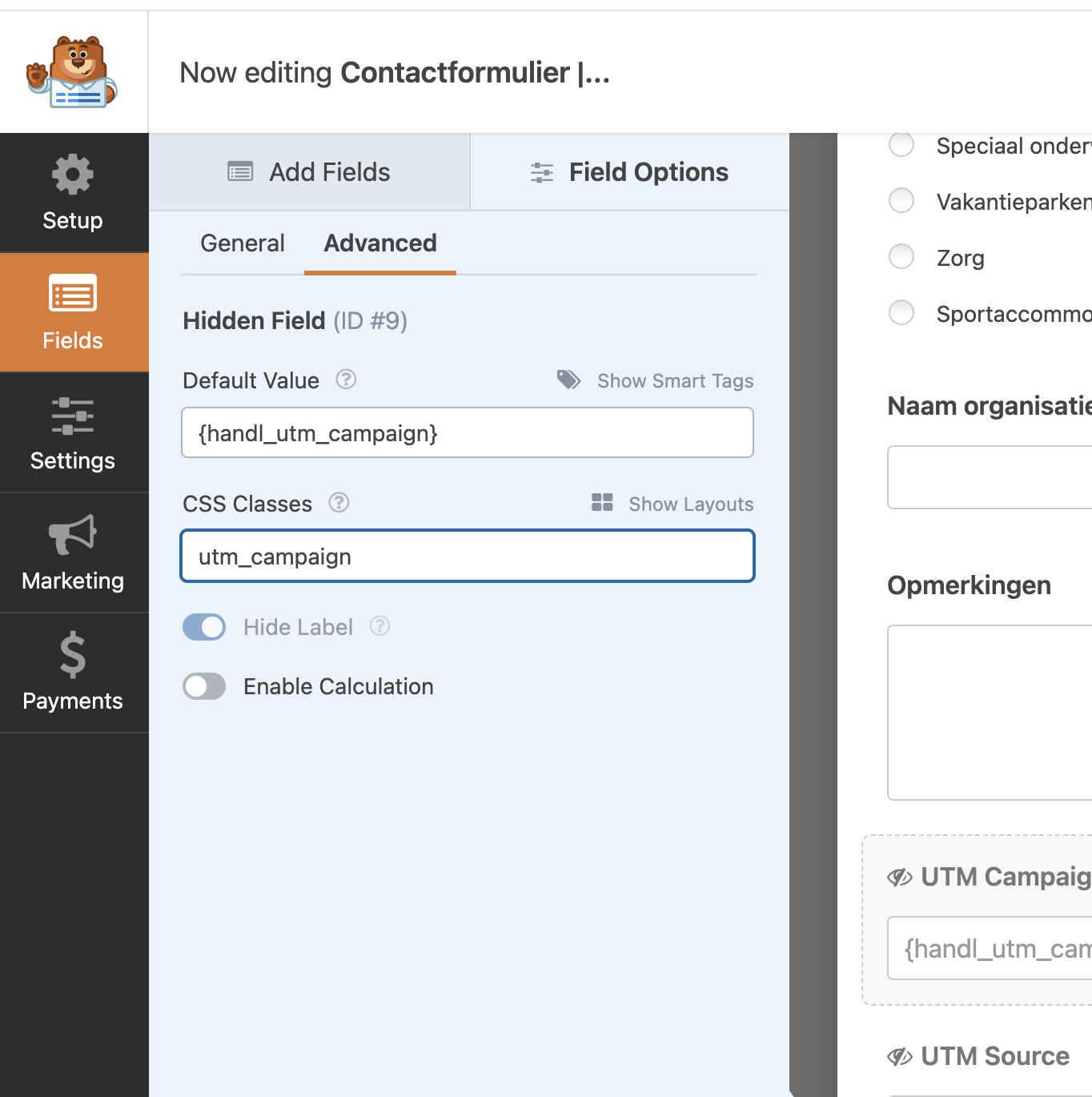
7.5.Add Class Variable After The Name
If you are adding utm_campaign, add the class variable as utm_campaign as well. This will enable client-side tracking to function properly, which is particularly helpful if caching is enabled on your site.
8. Save it and Now You are Ready

9. You can see your populated UTM Fields under entries