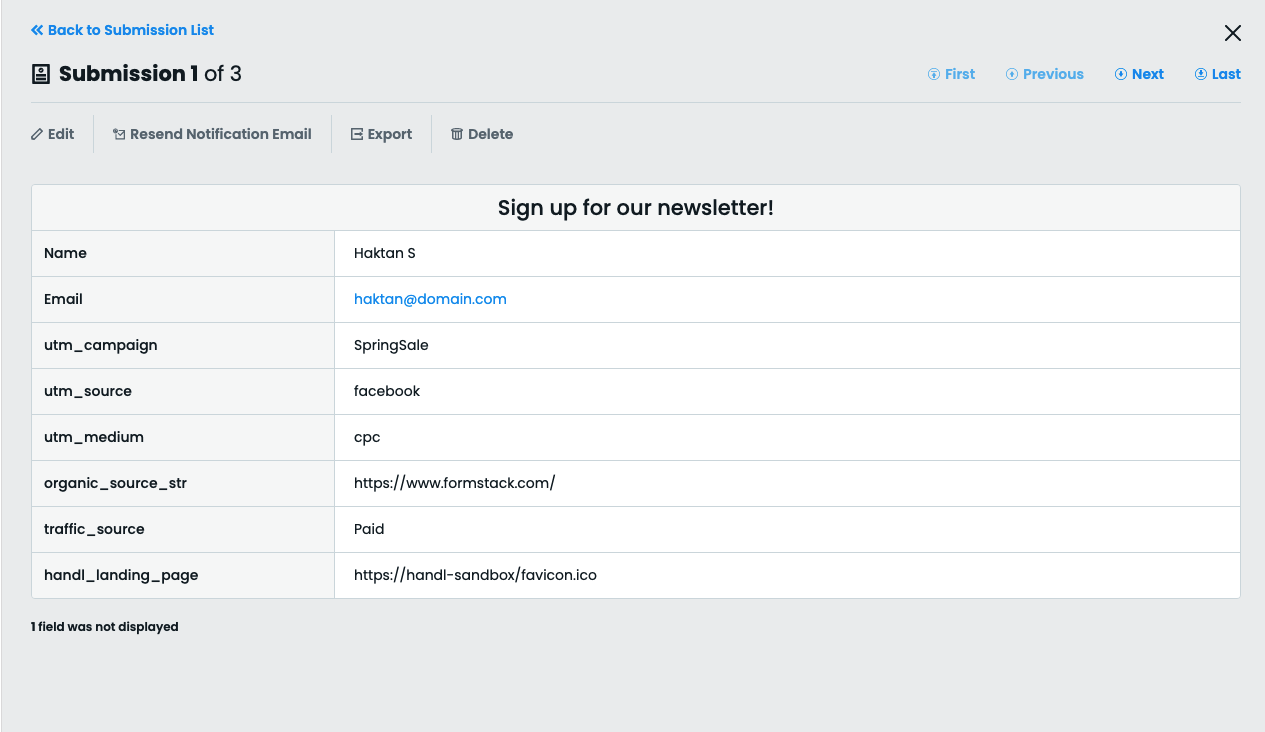
Capture UTMs using Formstack forms (V4) - Old with HandL UTM Grabber
UTM attribution overview
This guide explains Capture UTMs using Formstack forms (V4) - Old with HandL UTM Grabber. It helps you capture UTM source, medium, campaign, term, content, click IDs, referrer, and landing page data and keep the marketing context needed for accurate reporting across forms, bookings, signups, and sales.
This form is only compatible with HandL UTM Grabber V3.
Please add the hidden fields as outlined below. Ensure that the hidden field name (either the field label or placeholder) exactly matches our naming convention detailed here: Native WP Shortcodes.
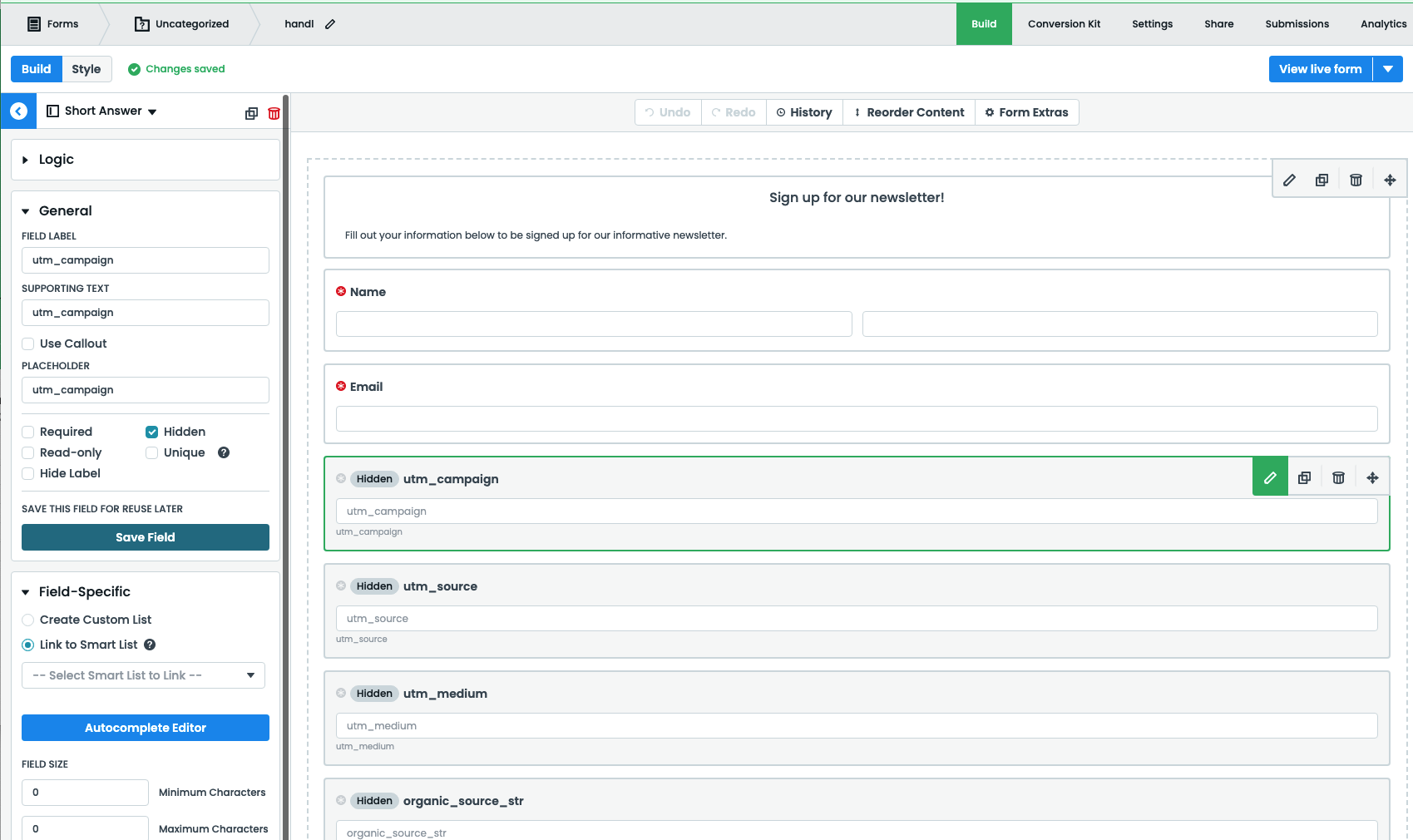
As of version 3.0.59, you do not need to perform any additional steps, as Formstack V4 is natively supported.
If you are using HandL UTM Grabber 3.0.58 and below. Then proceed with the following step:
Upon activating the UTM Grabber V3 plugin, insert the following code into your custom JavaScript file:
setTimeout(function(){
	handl_utm_all_params.map(function(v){
      var element = document.querySelector('.fsForm [placeholder="'+v+'"]')
      if (element){
        var curVal = Cookies.get(v) ?? "";
        var event = new Event('input', { bubbles: true })
        var previousValue = element.value

        element.value = curVal
        element._valueTracker.setValue(previousValue)
        element.dispatchEvent(event)
      }
  	})
}, 500)
This code will automatically populate the fields after a lead is submitted.