
How to Submit Feature Requests for HandL UTM Grabber
UTM attribution overview
This guide explains How to Submit Feature Requests for HandL UTM Grabber. It helps you configure HandL UTM Grabber correctly so campaign attribution works reliably across WordPress and keep the marketing context needed for accurate reporting across forms, bookings, signups, and sales.
Have an idea for a new feature or an integration you'd like HandL UTM Grabber to support? In V3, you can submit feature requests directly from the plugin — no need to leave your WordPress dashboard.
Steps
1. Locate the Popup Button
On any HandL UTM Grabber V3 admin page, look for the blue circular button in the bottom-right corner of the screen.
2. Open the Quick Links Menu
Click the blue button to open the quick links popover. You'll see three options:
- Get Support — Opens the UTM Grabber support page
- Knowledge Base — Opens the documentation at docs.utmgrabber.com
- Suggest a Feature — Opens the feature request form
3. Click "Suggest a Feature"
This opens the feature request dialog where you can share your idea.
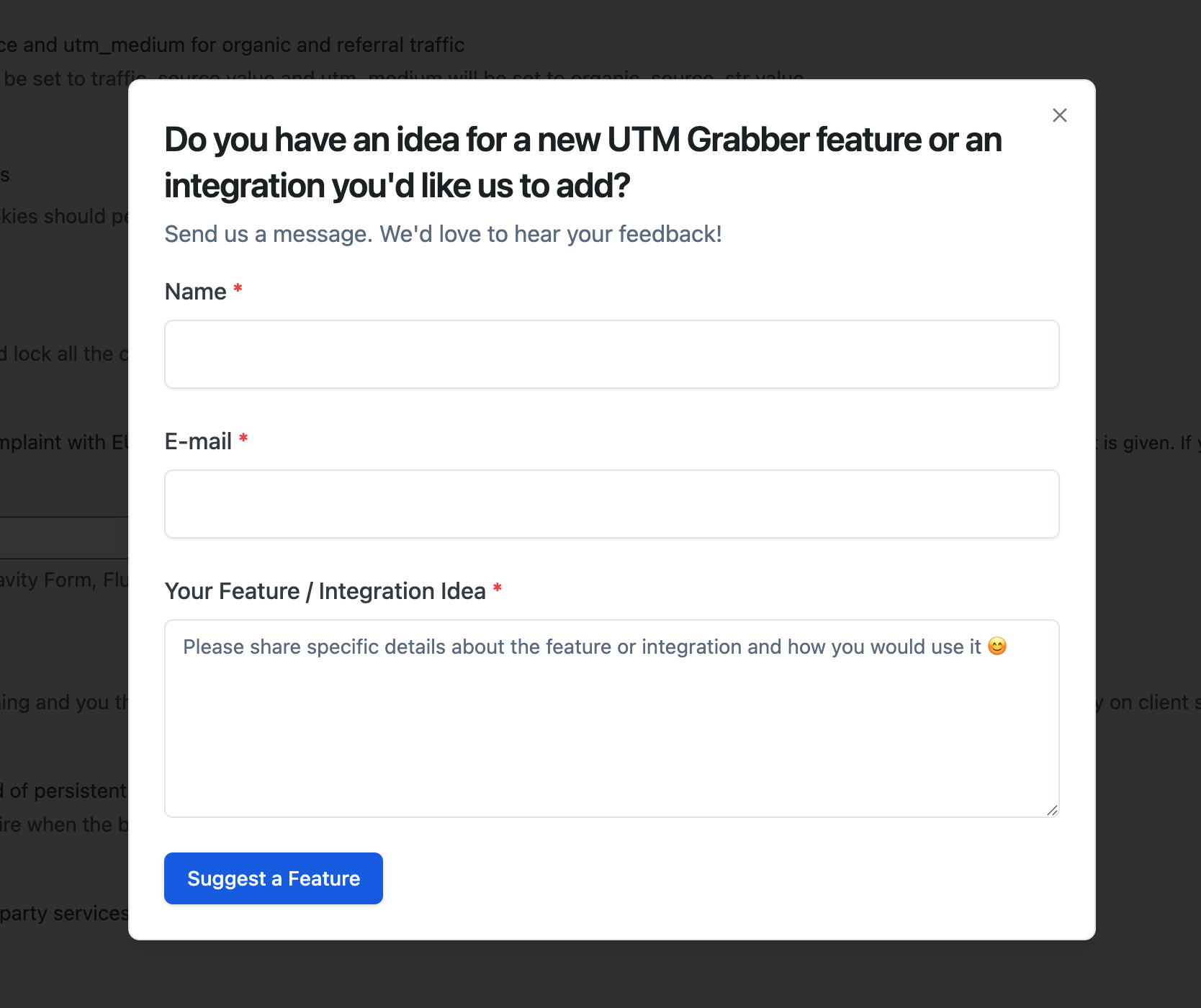
4. Fill Out the Form
The form has three fields:
| Field | Required | Description |
|---|---|---|
| Name | Yes | Your name (pre-filled from your WordPress profile) |
| Yes | Your email address (pre-filled from your WordPress profile) | |
| Your Feature / Integration Idea | Yes | A description of the feature or integration you'd like (minimum 10 characters) |
Tip: Be as specific as possible about what you need and how you would use it. This helps us prioritize and design the feature correctly.
5. Submit
Click "Suggest a Feature" to send your request. You'll see a confirmation message once it's submitted successfully.
FAQ
Q: Where do feature requests go? A: They go directly to the HandL UTM Grabber team for review. We read every suggestion and may follow up with you via email.
Q: Can I submit multiple feature requests? A: Absolutely. Click the popup button and select "Suggest a Feature" any time you have a new idea.