
Appending UTM Globally with HandL UTM Grabber
UTM attribution overview
This guide explains Appending UTM Globally with HandL UTM Grabber. It helps you capture UTM source, medium, campaign, term, content, click IDs, referrer, and landing page data and keep the marketing context needed for accurate reporting across forms, bookings, signups, and sales.
1.Click UTM, check the "Append UTM" box in the HandL Options tab and save changes
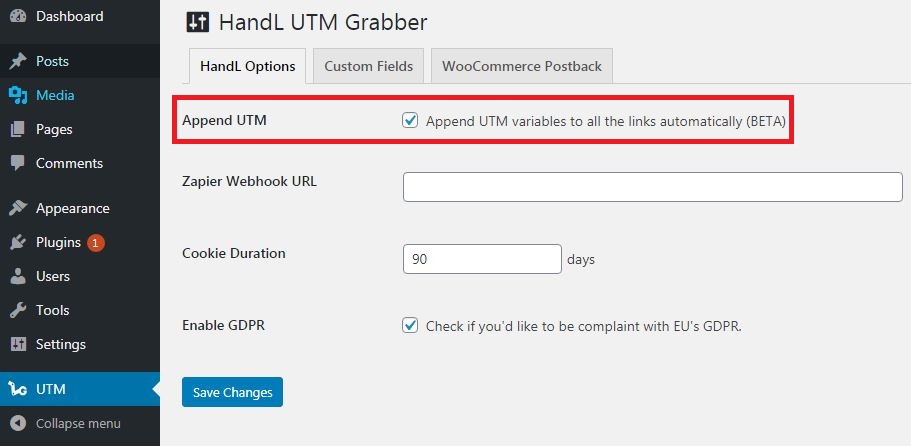
NOTE: This may not work for some of the themes that are not using native wp_content filter. Or may not work for some of the Content builder plugin. If this method does not work, you can always append UTMs individually to your loinks an buttons using class variables utm-out. Please see Appending UTMs to the buttons using class name attributes for more.